








Unlocking an iPhone can be a daunting task if you've forgotten your passcode or are dealing with a disabled device. UltFone iPhone Unlocker is one of the most talked-about tools promising to bypass various iOS locks quickly and safely. In this comprehensive review, we'll take a close look at UltFone iPhone Unlocker, put it to the test, and explore real user feedback. Whether you're locked out or just researching your options, this guide will give you everything you need to know.
- Part 1. UltFone iPhone Unlocker: Overview & Specs
- Part 2. UltFone iPhone Unlocker: Hands-on Testing
- Part 3. UltFone iPhone Unlocker: Real Feedback
- Part 4. Best Alternative to UltFone iPhone Unlocker
- Part 5. Conclusion
Part 1. UltFone iPhone Unlocker: Overview & Specs
UltFone iPhone Unlocker is a desktop software utility designed to help iOS users regain access to locked, disabled, or restricted Apple devices. It functions as a toolkit capable of bypassing 4-digit/6-digit passcodes, Touch ID, Face ID, Screen Time passcodes, and Mobile Device Management profiles without requiring technical expertise.

Features of UltFone iPhone Unlocker
UltFone iPhone Unlocker comes loaded with a variety of features designed to help users regain access to their iOS devices. It can remove Apple ID, screen passcodes, Face ID, Touch ID, and even MDM restrictions from iPhone or iPad.
Key Features:
- Remove any screen passcodes
- Remove Apple ID without password
- Remove MDM restrictions without password
- Bypass iCloud activation locks without password
- Remove Screen Time without passcode
- Disable Find My without password
Tech Specs of UltFone iPhone Unlock
While the official UltFone website highlights the core functions of the iPhone Unlocker, it does not provide a comprehensive list of detailed technical specifications. We can learn from its website that it is compatible with the latest iOS 27 versions and supports the latest iPhone 17 models.
| iOS Version | Compatible with latest iOS 17/ iPadOS 27 |
| Operating System | macOS 10.10 and above Windows 11/10/8.1/8/7 |
Pricing of UltFone iPhone Unlock
In terms of pricing, UltFone iPhone Unlocker offers separate plans for Windows and Mac users, with costs varying depending on the platform. This distinction is important to consider before making a purchase, as the price may influence which version is best suited for your needs. Let's explore the pricing structure and what each option includes.
| Pricing Plans | Windows | Mac |
|---|---|---|
| Monthly | $35.95 | $45.95 |
| Yearly | $45.95 | $55.95 |
| Lifetime | $59.95 | $69.95 |
Part 2. UltFone iPhone Unlocker: Hands-on Testing
Now that you know what UltFone iPhone Unlocker promises, it's important to put these claims to the test. We ran UltFone iPhone Unlocker through a series of common scenarios, including removing screen locks and bypassing Apple ID. We evaluated the software on ease of use, speed, and success rate. The process is carefully documented to provide an honest look.
Step 1. Click Start under Unlock iOS Screen, and click Start again.
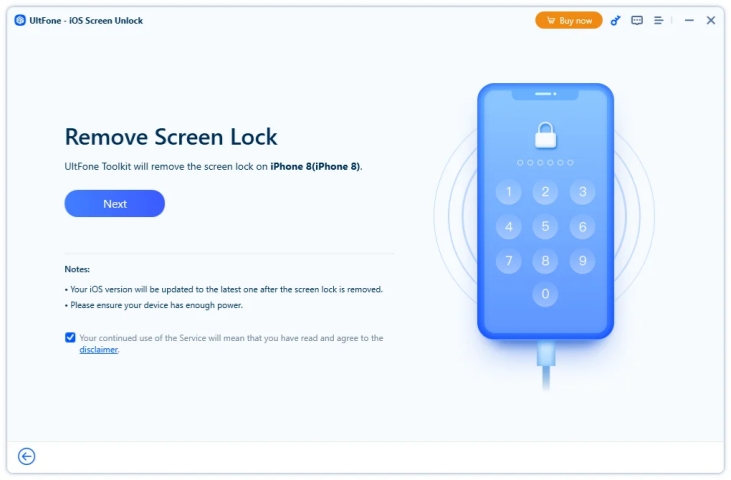
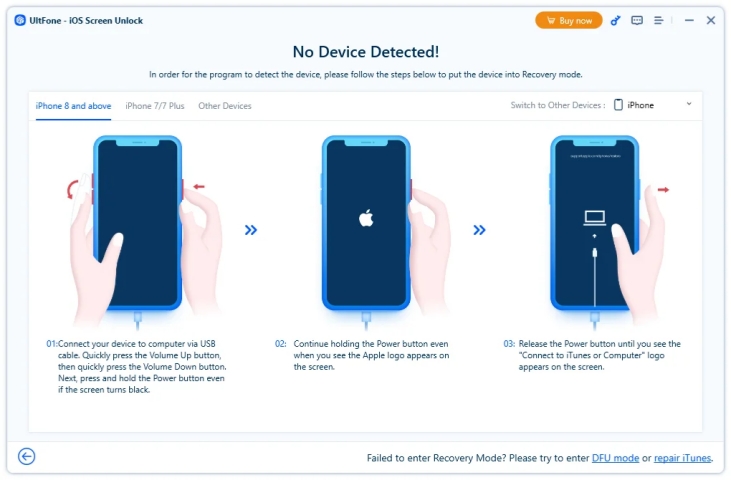
Step 2. Follow the on-screen prompts to get your iPhone into Recovery Mode or DFU Mode to allow the tool to recognize your device.
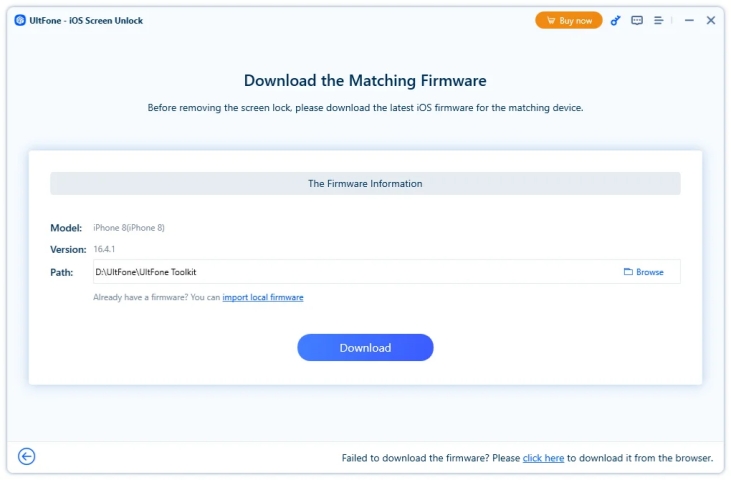
Step 3. When your iPhone is recognized by the tool, click Download to download the latest firmware before removing the passcode.
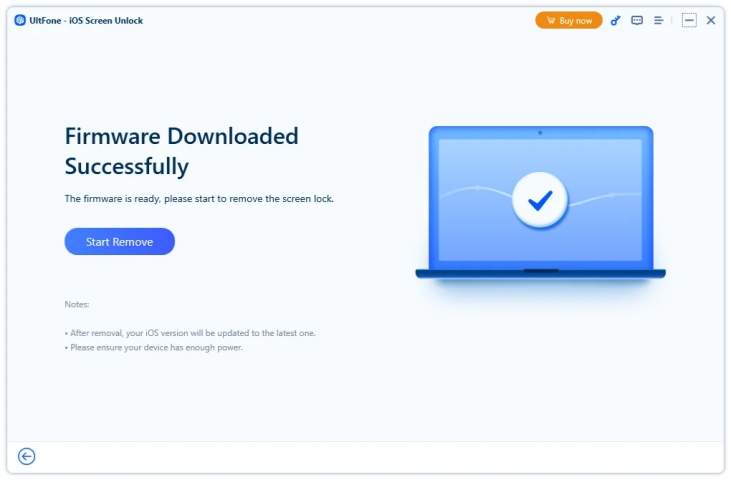
Step 4. After downloading and verifying the firmware package, click Start Remove to remove the lock passcode on your iPhone.
Part 3. UltFone iPhone Unlocker: Real Feedback
How does UltFone iPhone Unlocker hold up for daily unlocking issues? We have collected and summarized its pros, cons, and real user experience, based on our real testing and online user reviews.
Pros and Cons of UltFone iPhone Unlocker
- Friendly interface
- Clear instructions
- Smooth using experience
- Successful unlocking experience
- Being reported in Reddit
- No clear software specifications
- Unstable performance
- Inconsistent with claims
Real User Experience of UltFone iPhone Unlocker
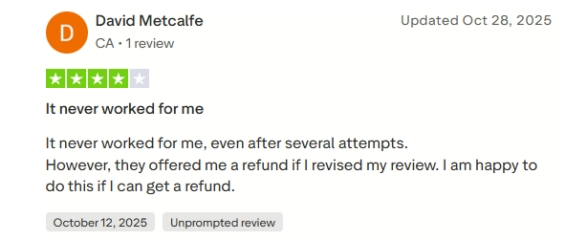
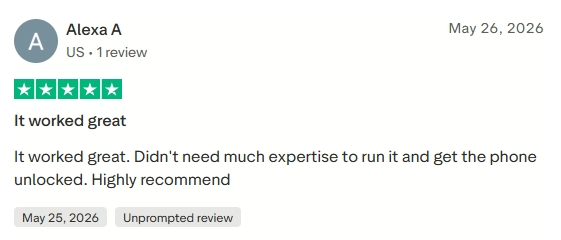
We scoured user forums, review sites, and social media to gather authentic feedback from people who have tried UltFone iPhone Unlocker. Most users report quick and successful unlocks, especially for forgotten passcodes and disabled devices. Some encountered issues with newer iOS versions or required multiple attempts.
Part 4. Best Alternative to UltFone iPhone Unlocker
UltFone iPhone Unlocker isn't the only solution available. Let's look at a top alternative that might better fit your needs.
MagFone iPhone Unlocker is also one of the most talked-about iOS passcode solutions online. It combines passcode removal and password scanning in one. On the one hand, you can fix various passcode or password issues, including forgotten lock screen passcode, Screen Time passcode, MDM password, and Apple ID password. On the other hand, you can find saved passwords on iPhone if you forgot one, including Wi-Fi passwords, apps and website passwords, Apple ID password, and email password. If you have any passcode or password issue while using your iPhone or iPad, MagFone can be a trustworthy solution.
| Features | UltFone iPhone Unlocker | MagFone iPhone Unlocker |
|---|---|---|
| Unlock Lock Screen Passcode | ✔️ | ✔️ |
| Remove Apple ID | ✔️ | ✔️ |
| Remove iCloud Activation Lock | ✔️ | ✔️ |
| Remove MDM | ✔️ | ✔️ |
| Remove Screen Time Passcode | ✔️ | ✔️ |
| Remove iTunes Encryption Password | ❌ | ✔️ |
| Manage iPhone Password | ✔️ | ✔️ |
| Turn Off Camera Sound | ❌ | ✔️ |
| Disable Find My | ✔️ | ❌ |
| Success Rate | 90% | 98% |
| Pricing | $35.95 ~ $69.95 | $34.95 ~ $59.95 |
The operation to use MagFone is quite easy to take. If you have any locked issues, just download it on your computer and follow the steps below to fix them.

MagFone iPhone Unlocker
Unlock various locks on iOS devices, including screen locks, MDM, Apple ID, and Activation Lock without needing a password.
Step 1 Open MagFone iPhone Unlocker
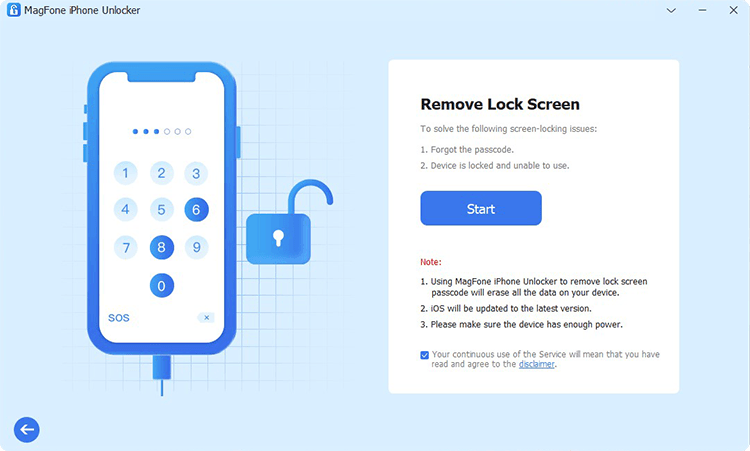
Use a data cable to connect your iPhone to the computer. Click Unlock iOS Screen on the MagFone screen.
Step 2 Get iPhone into Recovery Mode
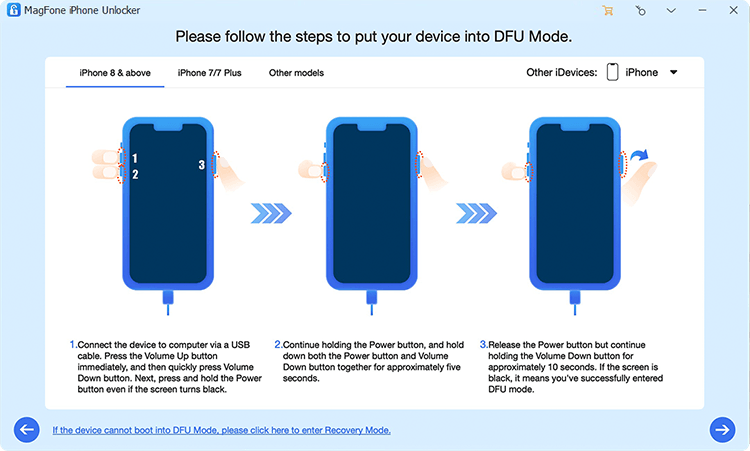
Click Start, and follow the screen instructions to get your iPhone into recovery mode. Once your iPhone enters recovery mode, click the button at the bottom-right corner.
Step 3 Download the Firmware Package
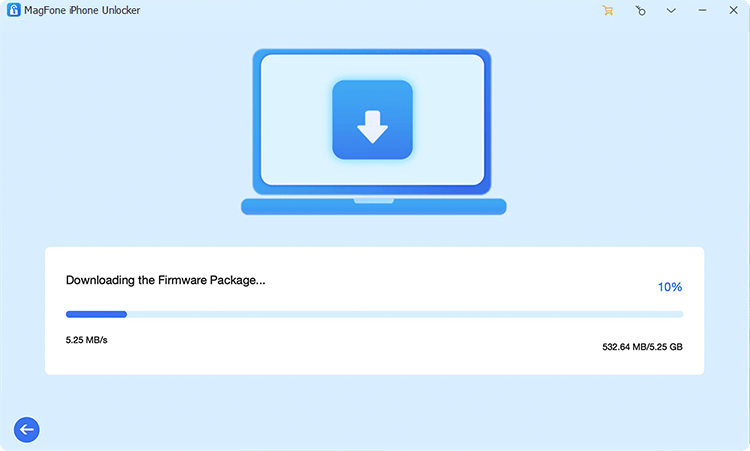
Verify your iPhone model information, then click Download to download the firmware package.
Step 4 Remove iPhone Screen Passcode
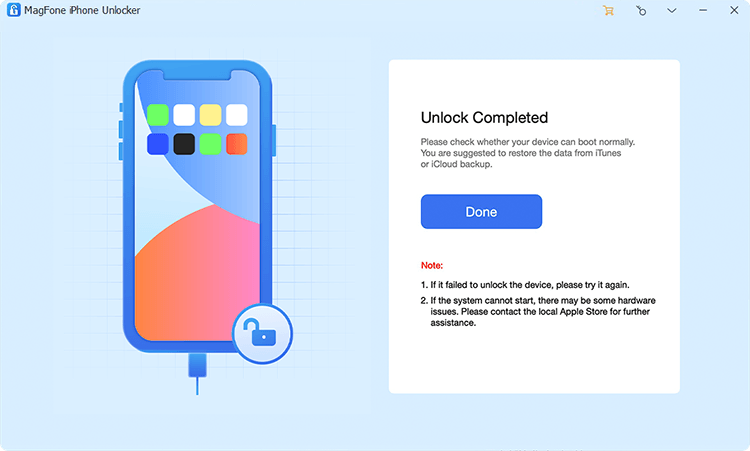
After the firmware package is verified, click the Unlock button to allow MagFone to remove the screen passcode on your iPhone.
Part 5. Conclusion
UltFone iPhone Unlocker delivers on its promises for most users, offering a reliable and user-friendly way to regain access to locked iPhones and iPads. While it's not without limitations, such as occasional compatibility issues and inconsistency with advertised features. For those needing an alternative, options like MagFone iPhone Unlocker are worth considering.

Dylan Jones
Editor in chief




