








Mobile Device Management (MDM) solutions are integral for managing corporate devices. However, users often look for ways to bypass or remove MDM restrictions on Apple devices. MDMPatcher Universal has gained popularity as a tool that claims to help users remove MDM profiles from Apple devices like iPhone and iPad. In this comprehensive review, we explore its features, benefits, drawbacks, and alternative solutions to help you make an informed decision.

- Part 1. What Is MDMPatcher Universal?
- Part 2. How to Download and Use MDMPatcher Universal
- Part 3. Best Alternative to MDMPatcher Universal
- Part 4. Conclusion
Part 1. What Is MDMPatcher Universal?
MDMPatcher Universal is a software tool designed to bypass or remove MDM restrictions from Apple devices like iPhone and iPad. This tool is particularly useful for users who have purchased second-hand Apple devices or have corporate-managed Apple devices that are locked with an MDM profile, preventing them from accessing essential features and settings. The following is detailed information of MDMPatcher Universal.
1.1 Key Features of MDMPatcher Universal
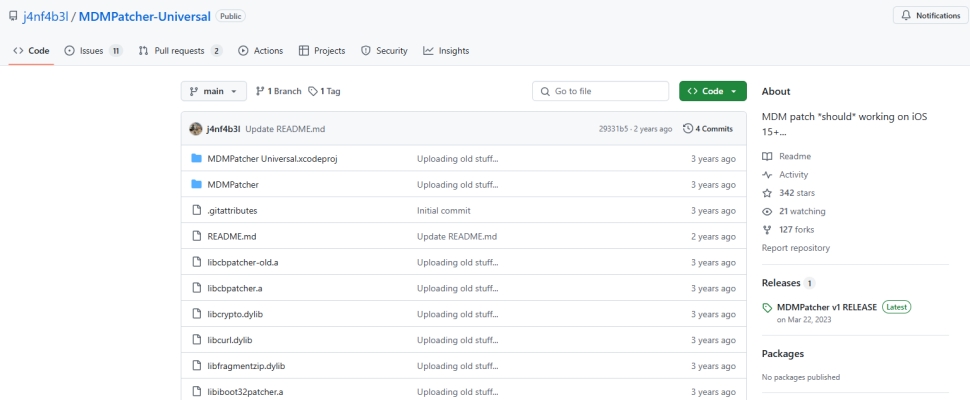
MDMPatcher Universal from GitHub is a free tool for macOS. It supports removing MDM from iOS devices like iPhone and iPad. Here are the main features of MDMPatcher Universal.
Seamless MDM Removal
One of the most significant advantages of MDMPatcher Universal is its ability to completely remove MDM profiles from iOS devices. This allows users to regain full control over their devices.
User-friendly Interface
This tool comes with an intuitive user interface, making it easy for even non-tech-savvy users to navigate and use it effectively.
No Jailbreak Required
Unlike some other MDM removal tools, MDMPatcher Universal does not require jailbreaking, which helps maintain the integrity and security of the device.
Free MDM Removal
MDMPatcher Universal ensures free removal of MDM profiles, allowing users to delete MDM restrictions on their devices for free.
1.2 Parameters of MDMPatcher Universal
After introducing the key features of MDMPatcher Universal, it's also necessary to know the parameters of MDMPatcher Universal. Then you can decide if this tool is suitable for your device.
| Supported Operating Systems: | macOS 10.13 or higher, Intel or M1 |
| Supported iOS Devices: | iPhone 13 and earlier |
| Supported iOS Versions: | iOS 15 and earlier |
| Permanent MDM Removal: | ❌ |
Note:
One limitation worth noting is that the original MDMPatcher Universal no longer supports devices newer than iPhone 13 or iOS versions above 15. For users with more recent hardware, the community has stepped in: MDMPatcher Enhanced is an actively maintained fork that targets situations like second-hand iOS devices where MDM was not removed correctly, and supports iPhone 5s through iPhone 16 across iOS 15 to 18.5+.
1.3 Pros and Cons of MDMPatcher Universal
Not all tools are perfect, and MDMPatcher Universal from GitHub is no different. Below are the benefits and drawbacks of MDMPatcher Universal to help you understand it better.
- 👍Pros:
- Remove MDM profiles without password;
- Simple interface suitable for all users;
- No jailbreak required.
- 👎Cons:
- May void warranty;
- Pose risks if not sourced correctly;
- Not compatible with the latest iOS versions;
- Only available for macOS computers;
- Need for repeated bypassing after reset.
Part 2. How to Download and Use MDMPatcher Universal
To use MDMPatcher Universal to remove MDM, you should first make sure your device meets the necessary requirements in part 1. Once confirmed, you can download and install MDMPatcher Universal from GitHub. After installation, follow the on-screen instructions to begin the MDM removal process.
Note:
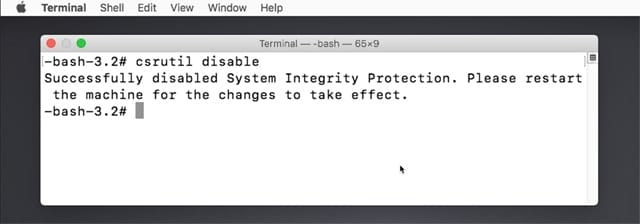
To run MDMPatcher Universal successfully on your Mac, you may need to disable System Integrity Protection (SIP) first.
Step 1. Restart your Mac, then immediately press and hold Command + R until the Apple logo appears to enter macOS Recovery Mode.
Step 2. Click Utilities in the menu bar and run Terminal.
Step 3. Type csrutil disable and press the Enter key. Then restart your Mac.
Step 1 Connect Your iPhone to Your macOS Computer
Use a USB cable to connect your iPhone or iPad to your computer. Ensure your device is in normal mode before proceeding.
Step 2 Initiate the MDM Removal Process
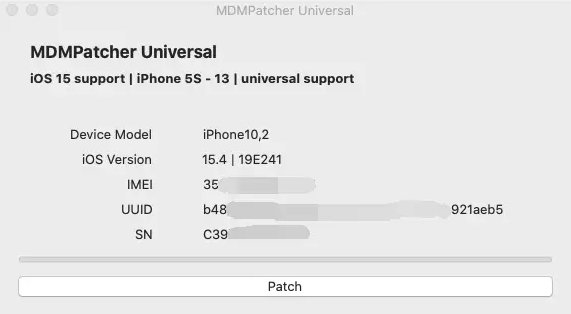
Launch MDMPatcher Universal and click the Patch button to initiate the MDM removal process. Wait for the software to detect and bypass the MDM profile.
Step 3 Reboot and Verify Your Device
Once the process is complete, restart your device. Go to Settings > General > VPN & Device Management to confirm the MDM profile has been removed.
Part 3. Best Alternative to MDMPatcher Universal
Since MDMPatcher Universal does not support the latest iOS devices and system versions, you may need to look for an alternative solution. Although there are many MDM removal tools available online, finding one that is reliable and effective can be challenging. If you are searching for possible alternatives to MDMPatcher Universal, you may consider MagFone iPhone Unlocker.
| Features | MDMPatcher Universal | MagFone iPhone Unlocker |
|---|---|---|
| Supported Operating Systems | macOS 10.13 or higher | Windows & macOS |
| Supported Apple Devices | iPhone 5 to iPhone 13 | iPhone 5 to iPhone 17 |
| Supported iOS Versions | iOS 15 and earlier | iOS 7 to iOS 26 |
| Permanent MDM Removal | ❌ | ✔️ |
| Data Loss | ✔️ | ❌ |
| Cost | Free | < $0.01/Day |
MagFone iPhone Unlocker is an easy-to-use tool that helps remove MDM restrictions on Apple devices like iPhone, iPad, and iPod touch while not deleting any data. It works on both Windows and macOS and supports a wide range of iPhone, iPad, and iPod touch models, including the latest iOS and iPadOS versions. In addition to removing MDM restrictions, this tool can delete screen locks, Apple ID locks, and Screen Time passcode. If you want to permanently remove MDM restrictions from an iPhone or iPad, MagFone iPhone Unlocker is a strong contender. With only three steps, you can use MagFone iPhone Unlocker to remove MDM restrictions from your iPhone or iPad.

MagFone iPhone Unlocker
Unlock various locks on iOS devices, including screen locks, MDM, Apple ID, and Activation Lock without needing a password.
Step 1 Connect Your Device to a Computer
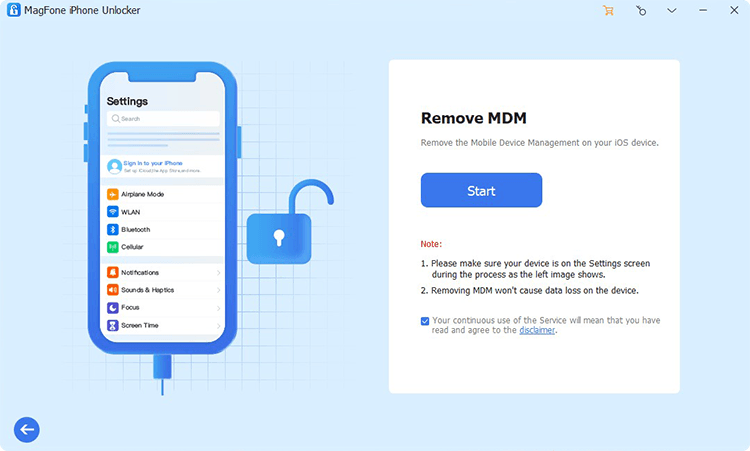
Install and run MagFone iPhone Unlocker on your computer, then connect your iPhone or iPad to the computer by using a USB cable. On the main interface of MagFone software, select the Remove MDM option and click the Start button.
Step 2 Remove MDM Restrictions without Password
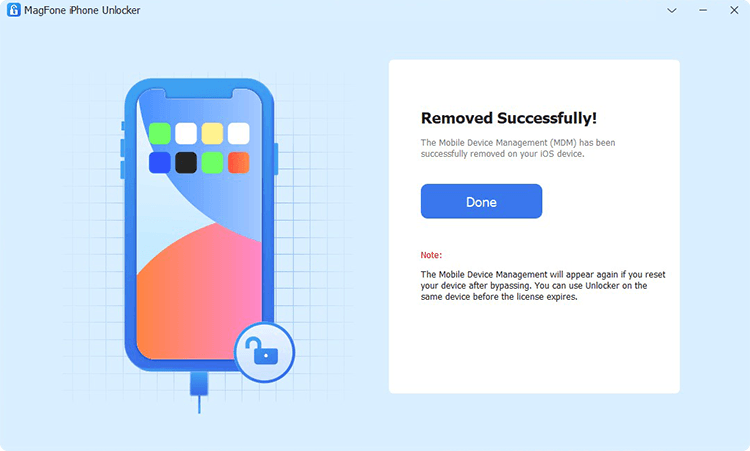
Go to turn off Find My iPhone on your device, then return to your computer and click the Unlock button to initiate the process of removing MDM restrictions from your device. Wait for a while, and your MDM-locked device will be unlocked.
Part 4. Conclusion
MDMPatcher Universal is a convenient tool for removing MDM profiles from iOS devices, especially for users looking for a free solution. It is relatively easy to use, but its limited compatibility and the need to repeat the removal process after a device reset are important factors to keep in mind. If you are looking for a more stable and long-term option, MagFone iPhone Unlocker may be worth considering. You can download and try it to see whether it better fits your needs.

Dylan Jones
Editor in chief





