








When an iPhone becomes locked or inaccessible, choosing the right unlocking tool can make the recovery process easier. This guide introduces FonesGo iPhone Unlocker, explains how to use it, reviews what users say about the software, and presents a better choice to FonesGo iPhone Unlocker as an alternative. By comparing their features, usability, and limitations, you can make a more informed choice before reaching a final recommendation.
- Part 1. What is FonesGo iPhone Unlocker?
- Part 2. How to Use FonesGo iPhone Unlocker (Step-by-Step Guide)
- Part 3. FonesGo iPhone Unlocker: What Users Say
- Part 4. MagFone iPhone Unlocker: Best Alternative to FonesGo
- Part 5. Final Recommendation
Part 1. What is FonesGo iPhone Unlocker?
FonesGo iPhone Unlocker is a desktop tool that aims to provide solutions for iPhone, iPad, and iPod users who have locking issues with their devices. This tool is available for Windows and Mac, and it's compatible with most iDevices models and iOS versions. Depending on the device and type of lock, it can remove screen passcodes, Apple ID accounts, iCloud Activation Lock, MDM restrictions, and Screen Time passcodes.

Before trying an unlocking tool, it's essential to learn about its basic information, including its main features, device compatibility, and service cost. Let's take a closer look at FonesGo iPhone Unlocker.
1.1 Unlocking Features of FonesGo iPhone Unlocker
- Bypass various screen locks on iPhone and iPad
- Bypass Activation Lock on iPhone and iPad
- Remove Apple ID on iPhone and iPad without password
- Remove MDM lock on iPhone and iPad without data loss
- Reset Screen Time passcode on iPhone and iPad without data loss
- Remove IMEI lock on iPhone
1.2 Tech Specs of FonesGo iPhone Unlocker
While the official fonesgo website highlights the core functions of the iPhone Unlocker, it does not provide a comprehensive list of detailed technical specifications. We can learn from its website that it is compatible with the latest iOS 27 versions and supports the latest iPhone 17 models.
| Computer OS | Windows: Win 11/10/8.1/8/7 Mac: macOS El Capitan ~ macOS Sonoma |
| Supported Devices | Almost all iPhone, iPad, iPod touch models(Varies from features) |
| Supported iOS Versions | All iOS versions(Varies from features) |
1.3 Pricing Plans of FonesGo iPhone Unlocker
To use FonesGo iPhone Unlocker to deal with a locking issue, you need to have its registration code. Below are four plans FonesGo iPhone Unlocker offers. Users can choose the suitable one based on their cases.
| Pricing Plans | Device | Mac Pricing | Windows Pricing |
|---|---|---|---|
| 1 Device Plan | 1 device and 1 computer | $29.95 | $25.95 |
| 1 Month Plan | 5 devices and 1 computer | $39.95 | $35.95 |
| 1 Year Plan | 5 devices and 1 computer | $49.95 | $39.95 |
| Lifetime Plan | 5 devices and 1 computer | $59.95 | $49.95 |
How to Download FonesGo iPhone Unlocker Crack?
Many users are curious about cracked FonesGo iPhone Unlocker. To be honest, we don't recommend users download and use cracked software. Because there will be unexpected issues while downloading and using cracked software, including malfares, even data leaks. Instead of risking your computer with a dangerous FonesGo iPhone Unlocker crack, you can download the official free trial version directly from the official website to test device compatibility.
Part 2. How to Download and Use FonesGo iPhone Unlocker (Step-by-Step)
You can directly download FonesGo iPhone Unlocker from its official website. FonesGo's interface and its usage tutorial are very clear. Here we will introduce how to use FonesGo to unlock the lock screen passcode.
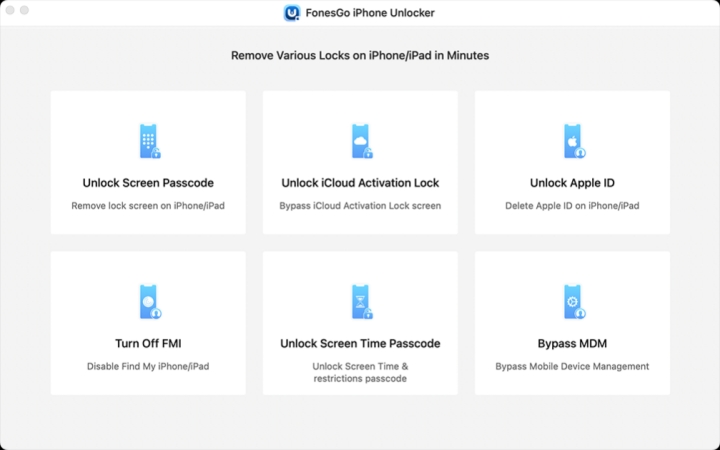
Step 1. Run FonesGo iPhone Unlocker on your computer and use a data cable to connect your iPhone to the computer.
Step 2. Choose Unlock Screen Passcode on FonesGo, and click Start.
Step 3. Follow the instructions to get the device into recovery mode or DFU mode.
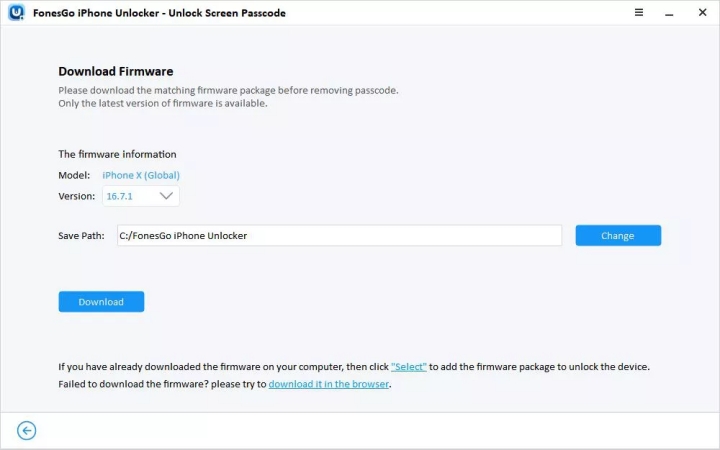
Step 4. After FonesGo detects the device information, click Download to download the firmware package.
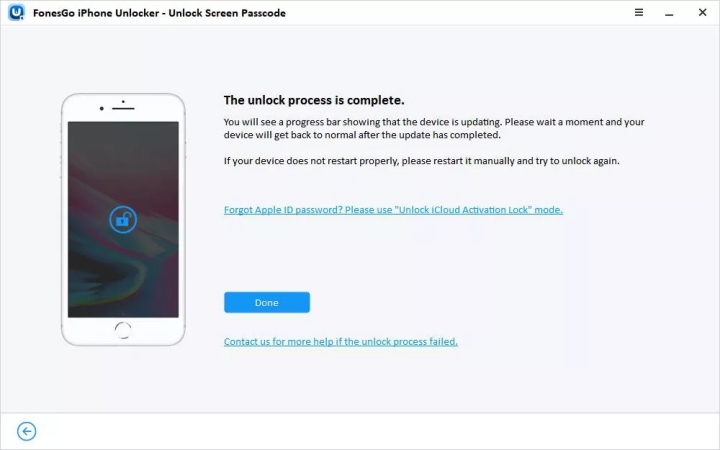
Step 5. After downloading the firmware package, click Unlock Now to unlock the device. Then wait for your iPhone to be unlocked.
Part 3. FonesGo iPhone Unlocker: What Users Say
Real user reviews can show how FonesGo iPhone Unlocker performs beyond its advertised features. Let's look at users' experiences with the unlocking process to determine whether FonesGo is worth trying.
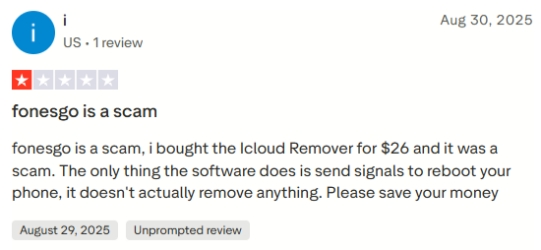
From reviews on Trustpilot, we can learn that some users praise its simple interface and successful iPhone unlocking results, while others report that the software failed to remove locks or work with their devices. Reviewers also raised concerns about compatibility, refund requests, and certain features not working as expected. Because the experiences vary widely, check your device and lock type carefully before purchasing.

- Easy-to-use interface
- Successful iPhone unlocking
- Reasonably priced
- Incompatibility problems with newer iOS versions
- Didn't remove lock as advertised
Part 4. MagFone iPhone Unlocker: Best Alternative to FonesGo
Compared to FonesGo iPhone Unlocker, MagFone iPhone Unlocker is more widely used by users who have passcode issues, including forgotten iPhone passcode, forgotten Screen Time passcode, and forgotten Apple ID password. It offers a range of features for addressing iOS passcode issues, while user reviews make it more appealing for people seeking a reliable unlocking solution.
| Compare | FonesGo iPhone Unlocker | MagFone iPhone Unlocker |
|---|---|---|
| Unlock iOS Screen | ✔️ | ✔️ |
| Unlock Screen Time Passcode | ✔️ | ✔️ |
| Unlock Activation Lock | ✔️ | ✔️ |
| Remove Apple ID | ✔️ | ✔️ |
| Bypass MDM | ✔️ | ✔️ |
| Remove iTunes Backup Encryption Password | ✔️ | ✔️ |
| Manage Saved Passwords on iDevices | ❌ | ✔️ |
| Turn Off Camera Sound | ❌ | ✔️ |
| Success Rate | 90% | 98% |
| Pricing | $25.95 ~ $59.95 | $34.95 ~ $59.95 |
| Ratings on Trustpilot | 3.0 | 4.2 |
Software works perfectly as described! I have an old phone that I forgot the password to, and after searching for methods online, I came across this software which allowed me to unlock my phone and see memories from long ago! This app is very trustworthy and reliable!"
——From Trustpilot
The operation of using MagFone iPhone Unlocker to deal with locking issues is quite simple and intuitive. You can access the feature you need and follow the instructions on screen to fix your issue. Below, we will show you how to use MagFone iPhone Unlocker with its most-used feature.

MagFone iPhone Unlocker
Unlock various locks on iOS devices, including screen locks, MDM, Apple ID, and Activation Lock without needing a password.
Step 1 Install MagFone iPhone Unlocker
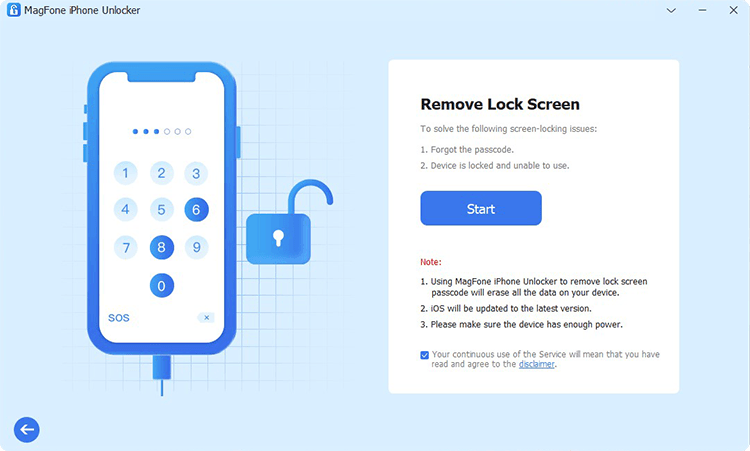
Download and install MagFone iPhone Unlocker on a computer, then use a data cable to link a locked iPhone to the computer. Launch MagFone iPhone Unlocker and choose Unlock iOS Screen on its main interface.
Step 2 Put iPhone into Recovery Mode
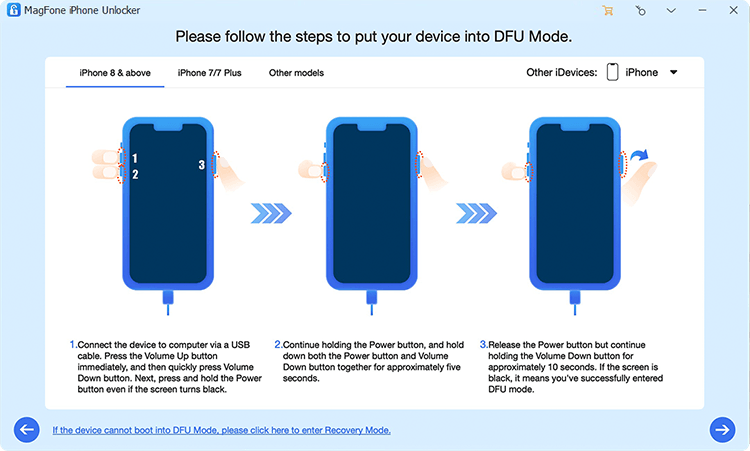
Choose matched models on the screen and follow the on-screen prompts to get the iPhone into recovery mode. Once the iPhone enters recovery mode, click the Next button.
Step 3 Download the Firmware Package for iPhone
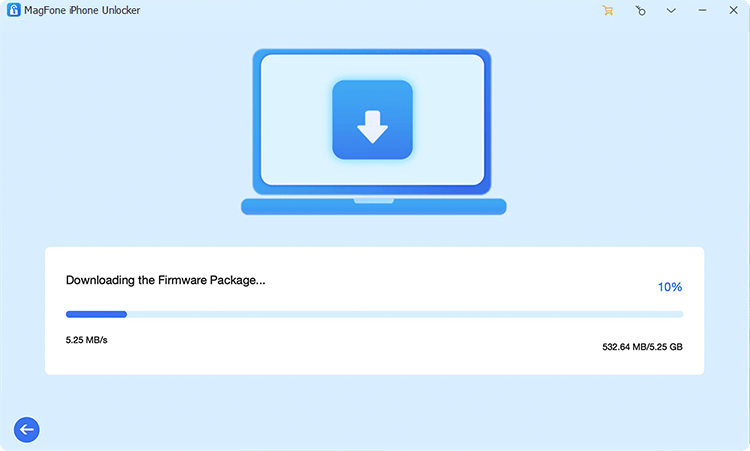
Check your device information on the screen, and click Download to download the firmware package. Make sure your iPhone is connected during the process.
Step 4 Unlock iPhone without Passcode
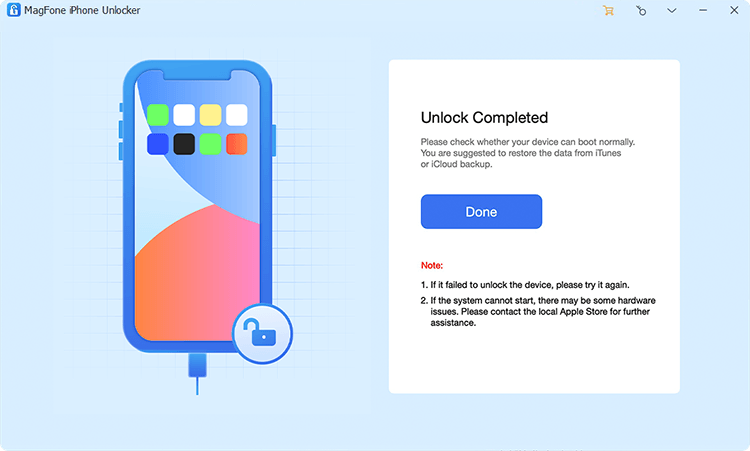
When the firmware package is downloaded and verified, click Unlock to remove the lock screen passcode from the iPhone.
Part 5. Final Recommendation
After reading this review, you must have a complete understanding of FonesGo iPhone Unlocker. Rather than worrying about the instability of FonesGo iPhone Unlocker, MagFone iPhone Unlocker deserves your consideration when you get stuck with iOS passcode or password issues. If you are hesitant, try the free trial first and make your decision.

Dylan Jones
Editor in chief





