








Device Management/MDM Popup. This box pops up every so often and I'm not sure what it come from. This is on a M2 MacBook Air ordered directly from Apple refurb. It was never under any corporate device management as far as I know. What causes this and is it safe to just verify it?"
——From Reddit
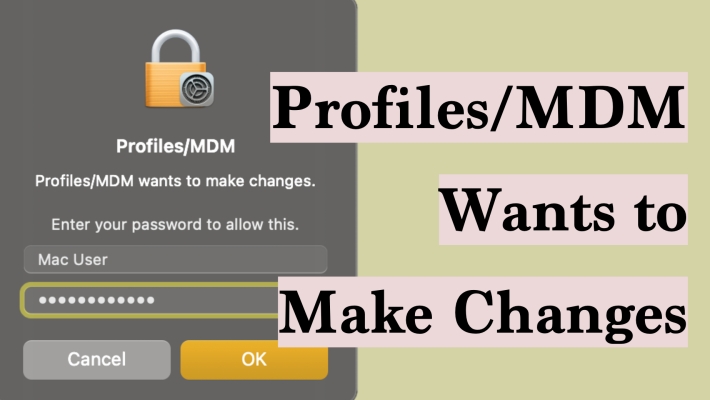
Profiles/MDM keeps asking for permissions to make changes on your Mac? This can be quite confusing and worrying, especially when you can't figure out what the profile is. In this guide, we will introduce what "Profiles/MDM wants to make Changes" means and what to do when Profiles/MDM wants to make changes on Mac.
- Part 1. What Is Profiles/MDM Wants to Make Changes?
- Part 2. How to Fix Profiles/MDM Wants to Make Changes on Mac
- Part 3. Bonus Tip: Remove MDM from iPhone/iPad without PasswordHOT
- Part 4. Conclusion
Part 1. What Is Profiles/MDM Wants to Make Changes?
When you see a message like "Profiles/MDM wants to make changes" or "Device Management/MDM wants to make changes" on your Mac, it means a configuration profile or Mobile Device Management system is trying to modify your Mac's settings.
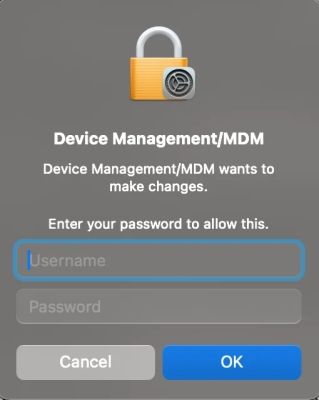
Profiles and MDM are commonly used by schools, businesses, and other organizations to manage large numbers of devices in a consistent and secure way. If your Mac is issued or managed by an organization, seeing these messages is typically normal and expected.
However, if the message appears on a personal Mac that you set up yourself, or you don't recognize the source of the management request, you should be cautious before approving any changes. In many cases, this can happen when:
- You previously enrolled your Mac in a school or company MDM and forgot about it.
- You bought a second‑hand Mac that is still linked to a previous owner's MDM.
- You used to add some network or VPN configurations to your Mac, and these profiles have expired now.
Part 2. How to Fix Profiles/MDM Wants to Make Changes on Mac
Knowing why the "Profiles/MDM wants to make Changes" message appears on Mac, you can fix this frequent pop-up by following the methods below.
Method 1. Confirm Changes with the MDM Passcode
If you see the prompt "Profiles/MDM wants to make changes. Enter your passcode to allow this", first check whether you recently set up or used any third‑party services that could manage network or device settings. For example, there are users reporting that a network service like XFINITY WiFi may trigger the Device Management/MDM password prompt when it's expired.
If you recognize the service and know the password linked to that username, you can safely enter it to verify your identity and allow the requested changes. This will confirm that the profile or MDM making the changes is legitimate and authorized to adjust your Mac's settings.
Method 2. Remove Profiles in System Preferences
When you see unwanted or expired MDM profiles asking for an MDM password to make changes, you can check and remove those profiles in System Preferences.
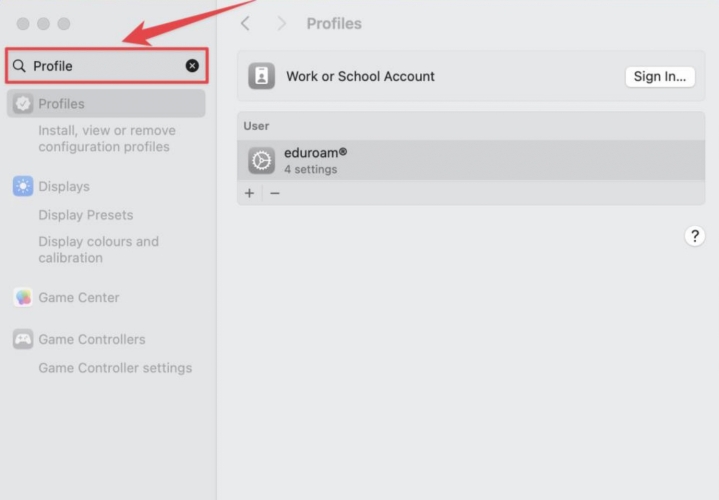
Step 1. Open System Preferences on your Mac.
Step 2. Type profiles in the search box, then click the result under Device Management.
Step 3. If you see an MDM profile listed, select it and click the "–" icon to remove it from your Mac.
Method 3. Use the Terminal to Force a Refresh
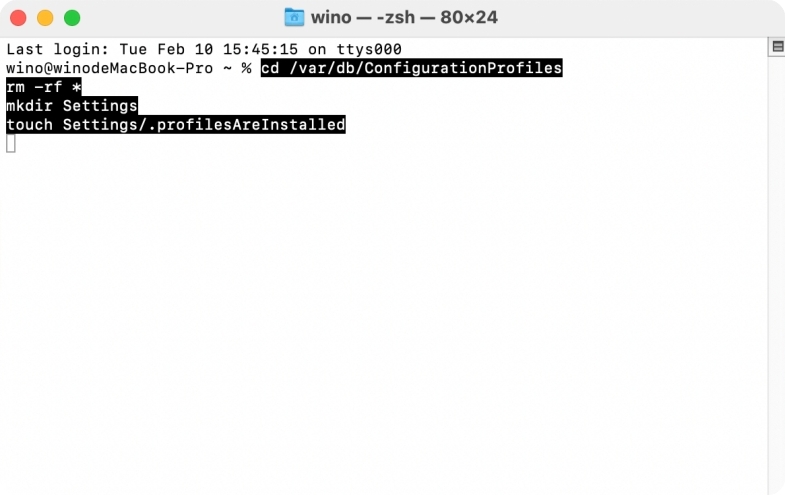
If the "–" icon is greyed out when you try to remove profiles in System Preferences, you can use Terminal to force a refresh and remove the MDM configuration.
Note:
This method is advanced and involves temporarily disabling System Integrity Protection. Proceed carefully and only if you understand the risks.
Step 1. Restart your Mac and hold down Command + R while it starts up to enter Recovery Mode.
Step 2. In the menu bar, go to Utilities > Terminal, then type "csrutil disable" and press Enter.

Step 3. Restart your Mac to boot back into macOS.
Step 4. Once macOS has loaded, open Terminal again and type:
Step 5. Restart your Mac. As it starts up, hold down Command + R to boot into Recovery Mode.
Step 6. Go to Utilities > Terminal, then type "csrutil enable" and press Enter to turn System Integrity Protection back on.
Step 7. Restart your Mac again to return to macOS.
Method 4. Contact Apple Support
If you can't remove the MDM profiles yourself, it's best to contact Apple Support for assistance. As long as you can prove ownership of the Mac and provide the required device information, Apple may be able to help remove the MDM profiles from your computer.
Part 3. Bonus Tip: Remove MDM from iPhone/iPad without Password
Here's a bonus tip if you're dealing with Mobile Device Management on an iPhone or iPad. Being under MDM control can be very restrictive—especially when the device no longer belongs to an organization, or you don't have the necessary login details. In this case, a dedicated removal tool can help.
One recommended solution is MagFone iPhone Unlocker. This tool is designed to remove multiple types of passcodes on iOS devices, including the lock screen passcode, Screen Time passcode, MDM profile password, and even Apple ID password. If you have a second‑hand iPhone or iPad that was previously managed by MDM and you don't know the credentials, you can use MagFone iPhone Unlocker to remove the MDM configuration without a password and regain full access to the device.

MagFone iPhone Unlocker
Unlock various locks on iOS devices, including screen locks, MDM, Apple ID, and Activation Lock without needing a password.
Step 1 Launch MagFone iPhone Unlocker
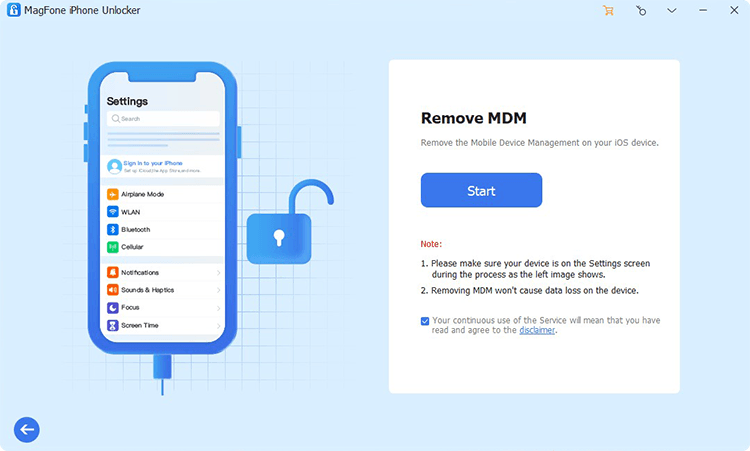
Download and install MagFone iPhone Unlocker on your computer. Link your iPhone to the computer using a data cable. Then launch this tool after installation.
Step 2 Remove MDM without Password
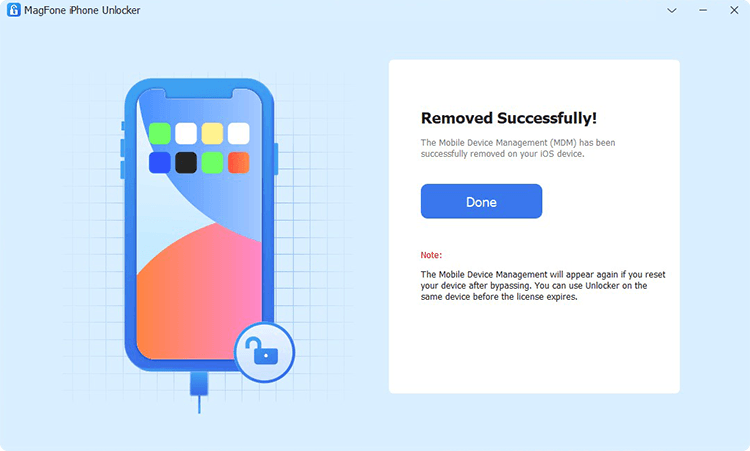
Click Remove MDM on the main interface. Then click Unlock to remove the MDM profile on iPhone or iPad without password.
Part 4. Conclusion
When the "Profiles/MDM wants to make Changes" message appears on your Mac, it's usually just a sign that a configuration profile or MDM service is trying to update your settings. You don't need to worry about it. Just follow the methods in this guide to check and solve the issue. In addition, you can use MagFone iPhone Unlocker to remove various MDM profiles on iPhone and iPad without password.

Dylan Jones
Editor in chief





