








If you have encountered an iPhone or iPad locked with Mobile Device Management, you know how frustrating it can be. Organizations use MDM to manage and restrict devices, but if you have acquired a second-hand device with an active MDM profile, you might need a way to bypass. iActivate is a widely known MDM bypass tool that claims to remove MDM profiles from iOS devices quickly. But is it the best option? In this comprehensive guide, we will explore how iActivate works, its benefits and drawbacks, real user reviews, and its best alternative.
- Part 1. What Is iActivate?
- Part 2. iActivate Reviews: Pros, Cons & Real User Experiences
- Part 3. How to Use iActivate MDM Bypass
- Part 4. Best Alternative to iActivate MDM Bypass
- Part 5. Final Thoughts
Part 1. What Is iActivate?
iActivate is a professional MDM removal tool designed to remove MDM configuration from iOS devices, including the iPhone, iPad, and MacBook. It supports all iOS versions and aims to free devices from corporate supervision and restrictions, allowing individuals to regain control of their devices without needing an MDM login or password.
Features of iActivate Software
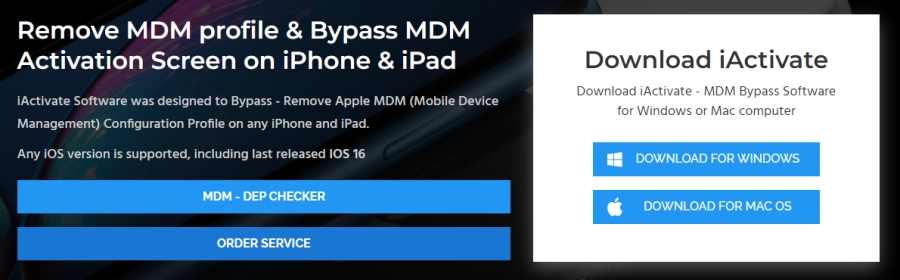
- MDM Checker: Supports online checking of MDM lock on Apple devices based on the iOS device IMEI or serial number.
- MDM Profile Removal: Eliminates MDM restrictions, allowing unrestricted access to all device features.
- Activation Screen Bypass: Skips the MDM authentication step when setting up the device.
- No Apple ID or Credentials Needed: Works without requiring previous login details.
- Works on Multiple iOS Versions: Compatible with iPhone, iPad, and iPod touch running the latest iOS versions.
- User-friendly Interface: Clear and instructive steps make it accessible for non- technical users.
Pricing License of iActivate Software
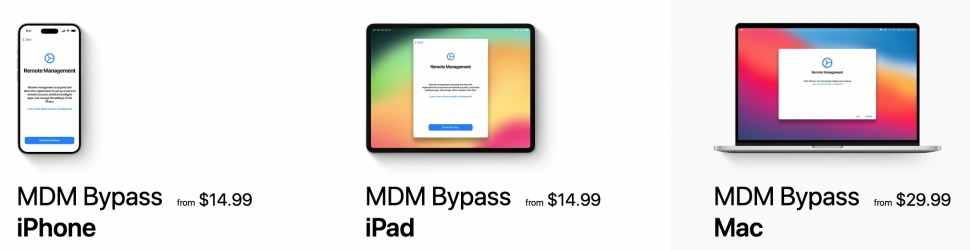
iActivate offers different licensing options based on the type and model of your device, with separate pricing for iPhone, iPad, and MacBook.
| MDM Remove License | Price |
|---|---|
| iPhone | iPhone 5s to iPhone X: $14.99 iPhone X to iPhone 17 Series: $29.99 |
| iPad | iPad Models before 2019: $14.99 iPad Models after 2019: $29.99 |
| Mac | $29.99 |
Part 2. iActivate Reviews: Pros, Cons & Real User Experiences
While iActivate is a popular tool for removing MDM, it is not perfect. Below are the advantages and disadvantages of iActivate, as well as real user reviews for iActivate on different platforms.
2.1 Pros and Cons of iActivate
As an MDM bypass tool that helps users remove management and restrictions from Apple devices, iActivate has both benefits and drawbacks. Here are the pros and cons of iActivate.
- 👍Pros:
- Fast and easy for all users to use;
- Works on most iOS devices;
- No Apple ID or MDM login required;
- Widely used with a reputable track record.
- 👎Cons:
- Not a permanent solution;
- MDM will appear if you reset, update, or restore the device;
- Requires a one-time payment;
- Slow responses from the support team.
2.2 Real User Experience of iActivate
iActivate receives excellent ratings on Trustpilot, with most users leaving positive feedback and confirming that the software successfully works on their devices. However, some users report that iActivate was unable to remove MDM from their specific device, or note that the removal may not be permanent. In these cases, MDM can reappear if you reset, update, or restore your Apple device, meaning you'll need to use iActivate again each time this happens.


If you're comfortable with this limitation, you can proceed to the next section to learn how to use iActivate to remove MDM from your Apple device.
Part 3. How to Use iActivate MDM Bypass
It is not difficult to use iActivate for disabling MDM on iOS devices. As iActivate is paid software, you need to order iActivate MDM Bypass before use. In addition, make sure that Find My iPhone is disabled. Then you can delete MDM from iPhone and iPad by using iActivate.
Step 1. Purchase an iActivate licence on its website.
Step 2. Download and install the app for Windows or Mac.
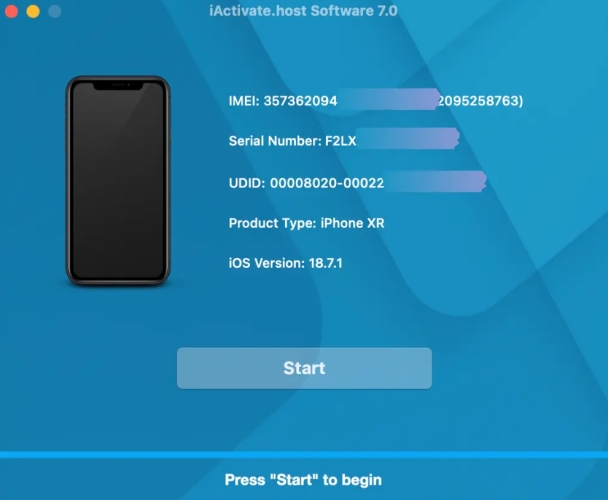
Step 3. Power on your iPhone and connect it to your computer via a USB cable.
Step 4. Allow your device to trust the computer, then run iActivate.
Step 5. Click the Start MDM Bypass button and wait for the task to finish.
Part 4. Best Alternative to iActivate MDM Bypass
4.1 Best Alternative to iActivate MDM Bypass
If iActivate isn't the right fit for your needs, MagFone iPhone Unlocker stands out as the best alternative. Unlike iActivate, which is limited to MDM removal, MagFone offers a more versatile and multifunctional solution at an affordable price. It supports not only MDM bypass but also other unlocking features for iPhone, iPad, and iPod touch. With MagFone, you can easily remove MDM from your iOS devices without a password and without losing any data, making it a robust and user-friendly choice for anyone seeking a flexible tool.
| iActivate | MagFone iPhone Unlocker | |
|---|---|---|
| Supported OS | Windows & Mac | Windows & Mac |
| Supported Devices | iPhone, iPad, MacBookh | iPhone, iPad, iPod touch |
| Operating Steps | A bit complex | Pretty easy |
| Complete Removal | ❌ | ✔️ |
| Success Rate | 85% | 98% |
| Price | $14.99 ~ $29.99 | $34.95 ~ $54.95 |
| Function | Single, only remove MDM | Versatile, remove various iOS locks |
| Recommendation | ⭐⭐⭐ | ⭐⭐⭐⭐⭐ |
3.2 How to Remove MDM from iPad with MagFone iPhone Unlocker
Whether you are using a Windows PC or Mac, you can download and install MagFone iPhone Unlocker to your computer. Then you can follow the steps below to remove MDM from iPhone or iPad without password by using MagFone iPhone Unlocker.

MagFone iPhone Unlocker
Unlock various locks on iOS devices, including screen locks, MDM, Apple ID, and Activation Lock without needing a password.
Step 1 Connect iPhone to Computer
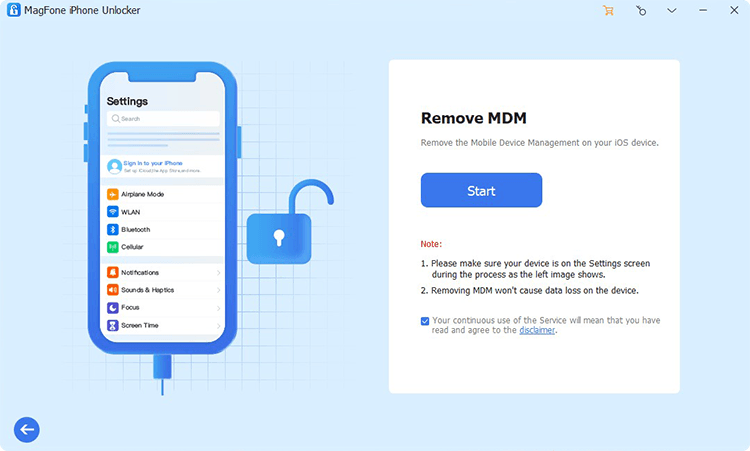
First, use a USB cable to connect your computer and iPhone. Then open MagFone iPhone Unlocker on the computer and select the Remove MDM option. After your device is detected by MagFone software, click the Start button.
Step 2 Get Rid of MDM from iPhone
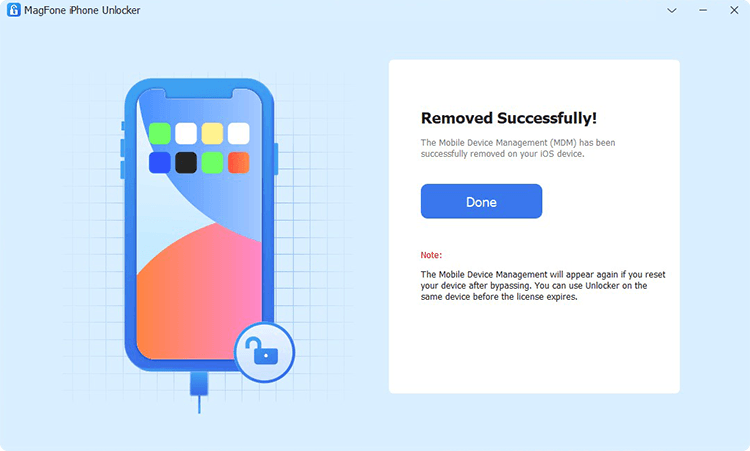
Second, you need to turn Find My iPhone off on your device. Simply head to Settings > your Apple ID account > Find My and disable Find My iPhone. Go back to your computer and click the Unlock button on the MagFone software to start deleting MDM on your device.
Part 5. Final Thoughts
iActivate is a solid MDM bypass tool that can help users regain control of a locked iPhone or iPad. While it is effective, it is not without limitations. If you are looking for a long-term solution, an alternative to iActivate MDM Bypass like MagFone iPhone Unlocker may be better suited. For any comments or questions regarding the article, feel free to comment below.

Dylan Jones
Editor in chief




