








Many people have experienced the frustration of repeatedly entering the wrong lock screen passcode and seeing "iPhone Unavailable" on their screen, or being constantly required to enter the original Apple ID password after buying a used iPhone. Official solutions typically require the original Apple ID credentials to remove the lock screen passcode or unlink the previous owner's Apple account. It's in these situations that many users turn to third‑party unlocking tools, bringing Passixer iPhone Unlocker into the spotlight.
But can Passixer iPhone Unlocker truly solve these unlocking problems? Is Passixer safe and worth using? Here is a comprehensive review of this tool, covering its features, pricing plan, and user experience, to help you determine if it's suitable for you.
- Part 1. What's Passixer iPhone Unlocker?
- Part 2. Does Passixer iPhone Unlocker Work?
- Part 3. How to Unlock iPhone with Passixer iPhone Unlocker
- Part 4. Best Alternative to Passixer iPhone Unlocker
- Part 5. Conclusion
Part 1. What's Passixer iPhone Unlocker?
Passixer iPhone Unlocker is a versatile iOS unlocking tool designed for Apple users. It offers practical solutions for a wide range of scenarios, including removing lock screen passcodes, Screen Time passcodes, MDM restrictions, iCloud activation locks, and iTunes backup encryption passwords.
Before you download and start using this tool, it's important to understand its basic information, specifically its core features, device and iOS compatibility, and pricing plans. Having a clear picture of these aspects will help you decide whether Passixer iPhone Unlocker is the right choice for you.
Key Features:
- Wipe any type of iOS lock
- Remove Apple ID without a password
- Remove MDM without credentials
- Bypass iCloud activation locks without Apple ID and password
- Unlock Screen Time without losing data
- Remove SIM locks on all iPhone devices
- Remove iTunes backup encryption
Compatibility of Passixer iPhone Unlocker
Passixer iPhone Unlocker is regularly updated and now supports the latest versions of iOS. Here you can check its supported devices and operating systems.
| Support Devices | iPhone 4 and above All models of iPad Pro, iPad Air, iPad mini, and iPad iPod Touch 1-7 |
| Support Operating Systems | Windows 11/10/8.1/8/7 Mac OS X 10.7 and above |
| Support iOS System | iOS 26 and former versions |
Pricing Plans and Price of Passixer iPhone Unlocker
You can't actually use Passixer iPhone Unlocker's features in the free trial. To access the full functionality, you must purchase a license and register the software. Below is the pricing plan for this tool. All plans support unlocking up to 6 devices on an operating computer.
| Pricing Plans | Price |
|---|---|
| 1 Month License | $35.99 |
| 1 Year License | $45.99 |
| Lifetime License | $69.99 |
Part 2. Does Passixer iPhone Unlocker Work?
Now that you know the basic information about Passixer iPhone Unlocker, the key question is: Does it really work? In this section, we'll take a closer look at its pros, cons, and real user reviews to give you a more comprehensive understanding of the tool.
- Clear interface and instructions
- Remove various iOS locks without password
- Works on the newest iPhone and iOS version
- Requires a paid license for all features
- Relatively low or mixed user ratings
- Potential risk of malware
- No guaranteed success rate
User Reviews of Passixer iPhone Unlocker:
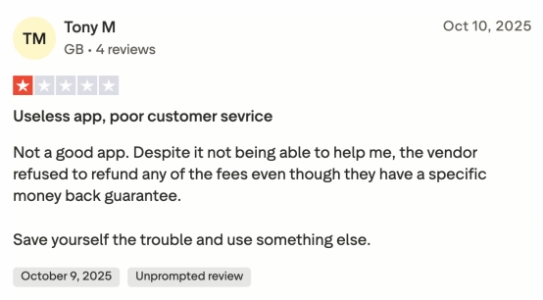
Based on existing user reviews on Trustpilot, feedback on Passixer iPhone Unlocker is generally very polarized and predominantly negative. Among the few reviews available, the majority of users gave it a 1-star rating, complaining about the software malfunctioning, activation codes not working, inability to use purchased features, and even citing terrible customer service, difficulty in obtaining refunds, and raising concerns about potential security risks.
However, a very small minority of users reported that the software successfully resolved iPhone activation lock issues and functioned as expected.
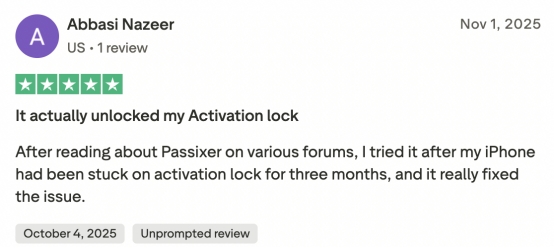
Overall, user reviews show a clear polarization, with significant discrepancies between user experience and actual results. Therefore, it is advisable to carefully compare it with other tools and gather more real user feedback before considering using it.
Part 3. How to Unlock iPhone with Passixer iPhone Unlocker
Through the basic information, you have a relatively intuitive understanding of Passixer's stability and success rate. It's effective in some scenarios according to some users, and here's how to unlock iPhone with Passixer iPhone Unlocker:
Step 1. Download and install Passixer iPhone unlocker on your computer. Also, connect your iPhone to the computer via a data cable.
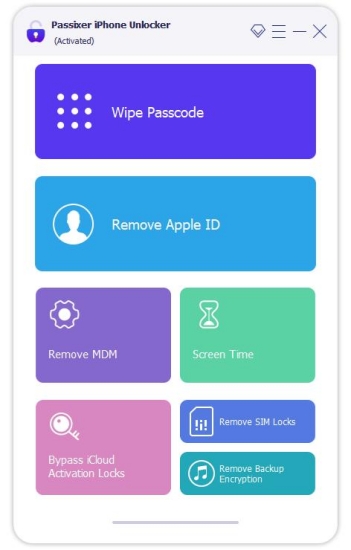
Step 2. Launch Passixer iPhone unlocker and click Wipe Passcode. Click Start, and your iPhone will be detected automatically.
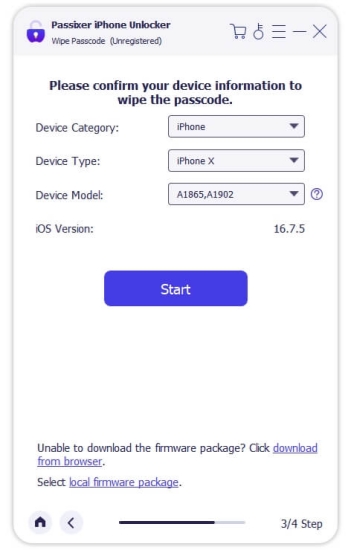
Step 3. Check and adjust the on-screen information if it's wrong. Then click Start to download a firmware package.
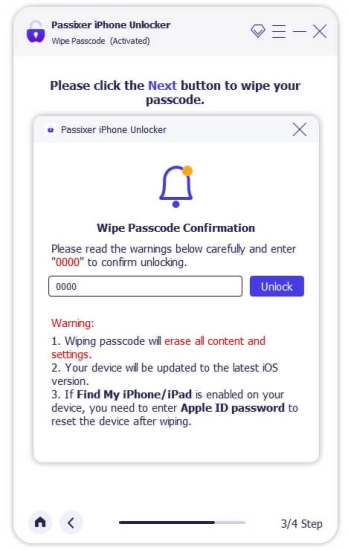
Step 4. After the firmware package has been downloaded, click Unlock to wipe the lock screen passcode from your iPhone.
Part 4. Best Alternative to Passixer iPhone Unlocker
Reviews of Passixer iPhone Unlocker are quite mixed, which may understandably make you hesitant to give it a try. If you're worried about its effectiveness or overall reliability, it's important to know that Passixer isn't your only choice. One of the best alternatives worth considering is MagFone iPhone Unlocker . The software features an intuitive interface, works smoothly with the latest iPhone and iPad models. It's a reliable solution for users who need to bypass various iOS restrictions, including lock screen passcodes, Apple ID, Screen Time limits, MDM profiles, Activation Lock, and encrypted iTunes backups.
| Features | Passixer iPhone Unlocker | MagFone iPhone Unlocker |
|---|---|---|
| Unlock iOS Screen | ✔️ | ✔️ |
| Unlock Apple ID | ✔️ | ✔️ |
| Remove iCloud Activation Lock | ✔️ | ✔️ |
| Remove MDM | ✔️ | ✔️ |
| Unlock Screen Time Passcode | ✔️ | ✔️ |
| Remove iTunes Backup Encryption | ✔️ | ✔️ |
| Success Rate | 80% | Almost 100% |
| Starting Price | $35.99 | $29.95 |
| Trustpilot Rating | 2.7 | 4.3 |
| Recommendation | ⭐⭐⭐⭐ | ⭐⭐⭐⭐⭐ |
With a higher success unlocking rate and relatively higher Trustpilot reviews, you can trust MagFone iPhone Unlocker when you encounter unlocking issues. Here's how to unlock an iPhone without a passcode using this tool:

MagFone iPhone Unlocker
Unlock various locks on iOS devices, including screen locks, MDM, Apple ID, and Activation Lock without needing a password.
Step 1 Download and install MagFone iPhone Unlocker
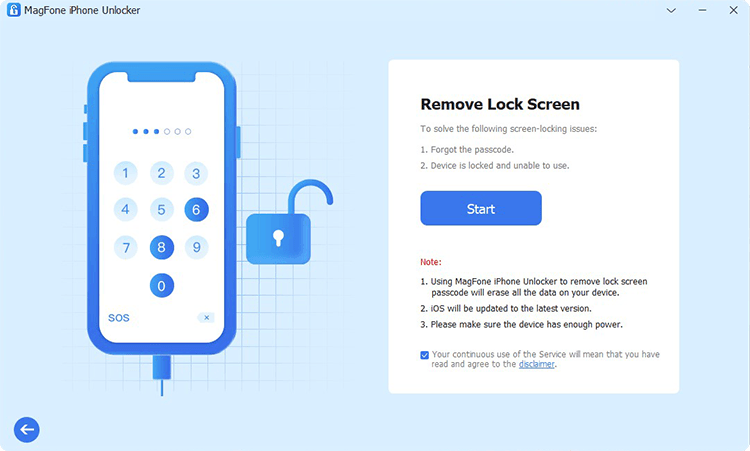
Download and install MagFone iPhone Unlocker on your computer. Plug your iPhone into the computer using a data cable. Then launch MagFone iPhone Unlocker once you're ready.
Step 2 Put the iPhone into Recovery Mode
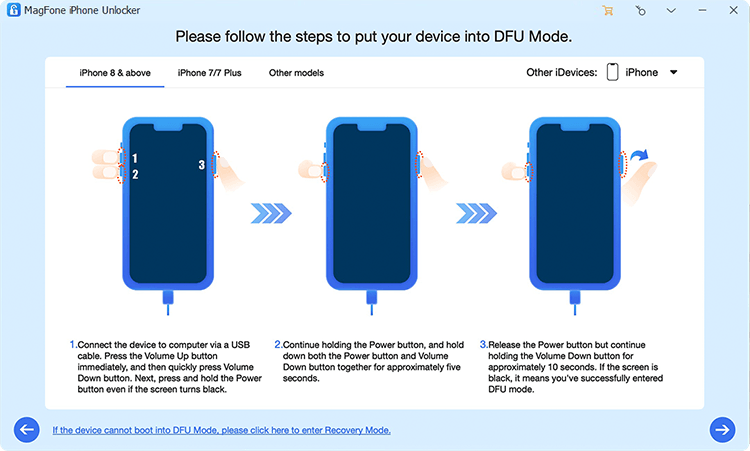
Click Unlock iOS Screen on the main interface. Click Start and follow the on-screen instructions to put your iPhone into recovery mode. Once your device is in recovery mode, it will be detected by the program.
Step 3 Download the Firmware Package
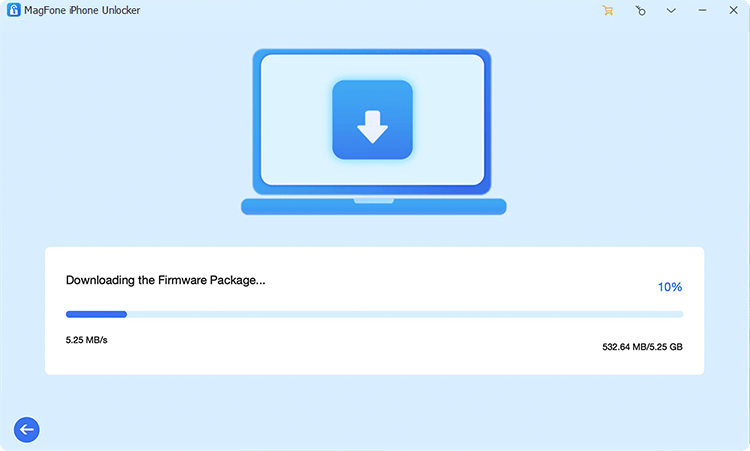
Check and verify your device information displayed on the screen. Then click Download to download a firmware package.
Step 4 Unlock iPhone without Passcode
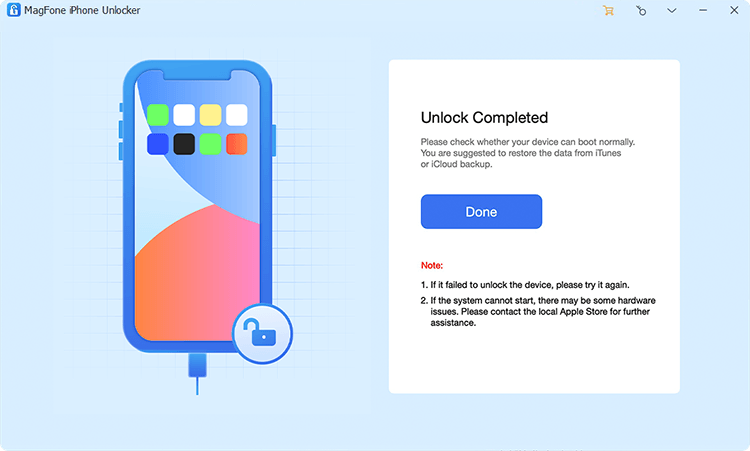
After the download, click Unlock to remove the lock screen passcode from your iPhone. After a restart, you can follow the on-screen instructions to set up your iPhone.
Part 5. Conclusion
It can be frustrating when your iPhone suddenly becomes locked or restricted, interrupting your normal use. Passixer iPhone Unlocker may help you address these problems and regain access to your device. However, if you're looking for a more reliable or reassuring option, you might consider MagFone iPhone Unlocker as an alternative, as it offers similar unlocking features with a stronger emphasis on stability and user experience.

Dylan Jones
Editor in chief





