








As one of the most popular music streaming platforms in the world, Spotify gives you access to millions of songs, podcasts, and personalized playlists tailored to your unique taste. With so much of your favorite music and curated content tied to your account, forgetting your Spotify password can feel stressful. Fortunately, there are simple and effective solutions to help you regain access to your account and get back to enjoying your music without missing a beat. Don't worry, regardless of the situation, you have several options to recover or reset your Spotify password quickly and securely.
- Part 1. How to Log into Spotify If You Forgot Password
- Part 2. How to Find Spotify Password [iPhone]
- Part 3. How to Reset Spotify Password If You Forgot It
- Part 4. FAQs about Forgotten Spotify Password
- Part 5. Conclusion
Part 1. How to Log into Spotify If You Forgot Password
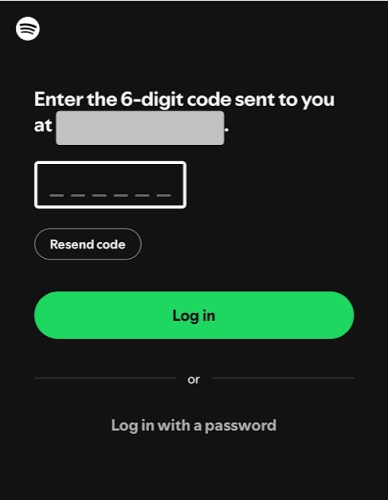
If you've forgotten your Spotify password, you don't have to worry about losing access to your account. When you go to log in, simply select the option to use email verification. Spotify will send a login code to your registered email address, allowing you to securely access your account without needing your password.
Part 2. How to Find Spotify Password [iPhone]
If you forgot your Spotify password and no longer have access to the email, MagFone iPhone Unlocker may help you find and recover your forgotten Spotify password without resetting it. MagFone iPhone Unlocker is a versatile password manager that can not only scan and find saved passwords on iPhone, but also remove various passcodes and passwords on iPhone, including lock screen passcode. Screen Time passcode, Apple ID password, device management profile password, and iTunes encrypted backup password. Follow the steps below to log into Spotify when you forgot both email and password.

MagFone iPhone Unlocker
Find saved passwords and login credentials on iOS device quickly and securely.
Step 1 Open MagFone iPhone Unlocker
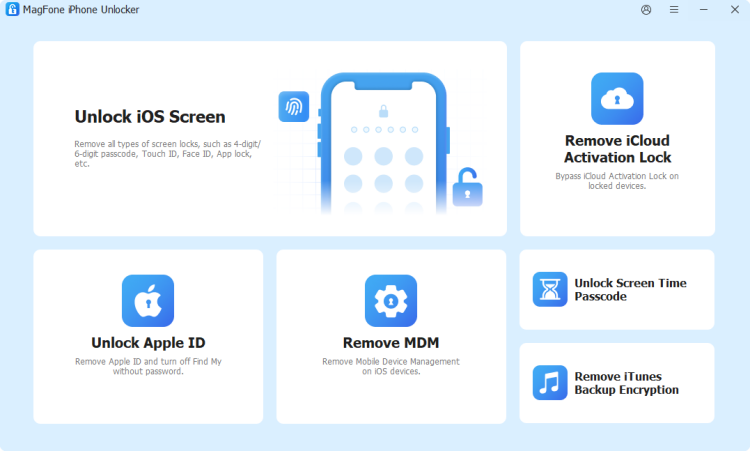
You need to download and install MagFone iPhone Unlocker on a computer, and use a data cable to link your iPhone to the computer. Then open this tool to start.
Step 2 Scan for Saved Passwords on iPhone
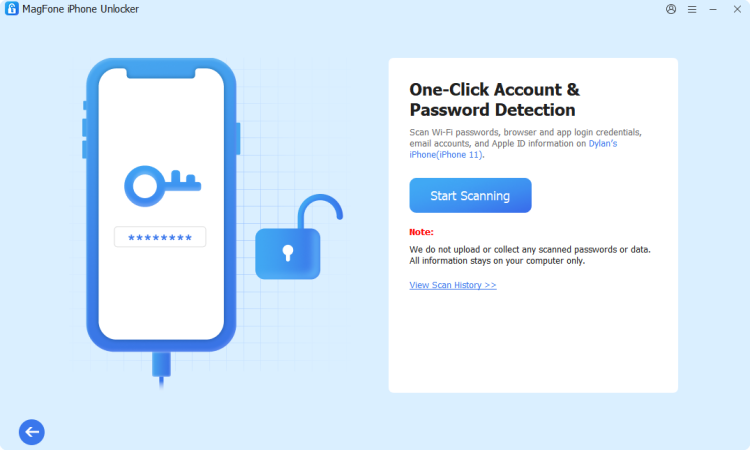
Click Password Manager from the features, and click Start Scanning to scan for all saved login credentials on your iPhone.
Step 3 Recover Spotify Password and Log In
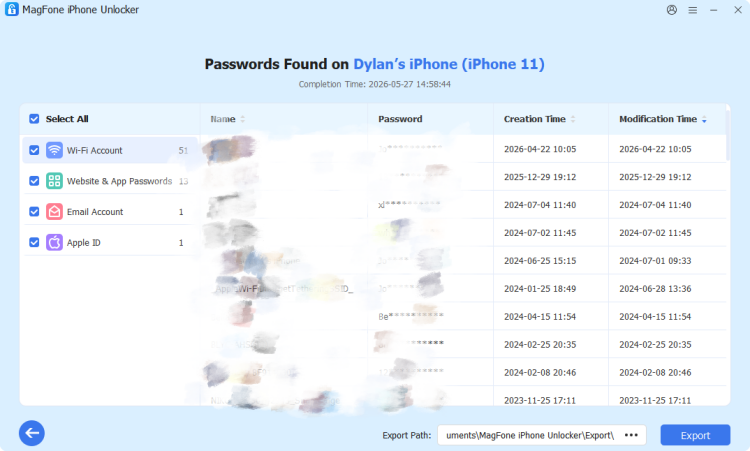
If you previously saved Spotify login credentials on your iPhone, you can click Apps & Website Passwords to find your Spotify account. If you find it, click the view icon to reveal and copy it. Afterwards, you can log into Spotify with the credential.
Part 3. How to Reset Spotify Password If You Forgot It
If you've forgotten your Spotify password, you can easily reset it using the Spotify Password Reset page. Make sure you still have access to your email, as you'll need it to complete the reset process.
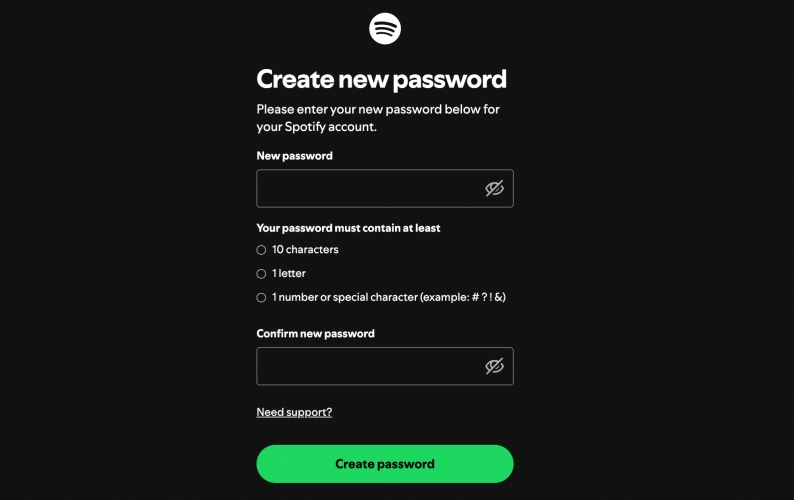
Step 1. Open the Spotify Password Reset page and enter your email address or username.
Step 2. Click Send Link, and you will receive a password reset email.
Step 3. Check the password reset email and open the password reset link.
Step 4. Enter a new Spotify password twice and click Create password to reset it.
Note:
When resetting your Spotify password, keep in mind that you cannot reuse any passwords you've previously set for your account. Be sure to choose a new, unique password to complete the reset process.
Part 4. FAQs about Forgotten Spotify Password
How to change Spotify password?
If you can remember the old Spotify password, you can change it on the Account page.
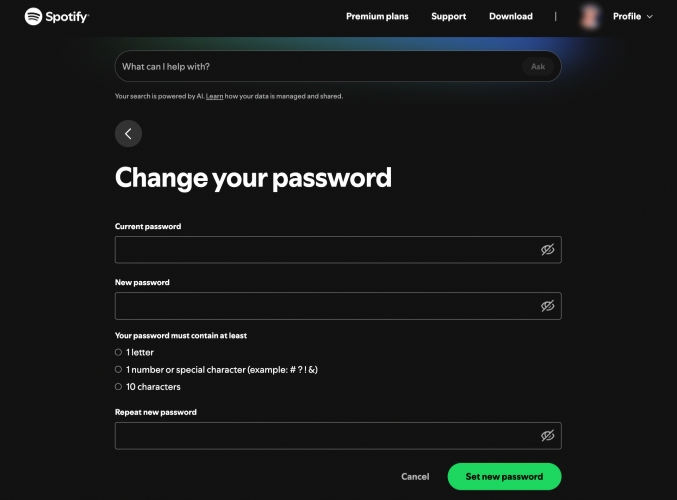
Step 1. Go to Spotify Account page and log into your Spotify account.
Step 2. Click Change password under Security and privacy.
Step 3. Enter the current Spotify password, then enter the new password twice.
Step 4. Click Set new password to change it.
How do I recover my Spotify account without email or password?
If you no longer have access to your Spotify email or password, you can first try regaining access to your email account. Otherwise, it's suggested that you create a new Spotify account.
How to change Spotify password without old password?
If you can't remember the old Spotify password and want to create a new one, you can change it on the Spotify Password Reset page.
Part 5. Conclusion
Forgetting your Spotify password doesn't have to mean losing access to your favorite music and playlists. With options like logging in via email verification, checking your saved passwords, or resetting your credentials, you can quickly and securely regain access to your account. Remember, if you change your Spotify password, be sure to update it on your iPhone and any other devices to avoid future login issues.

Dylan Jones
Editor in chief




