








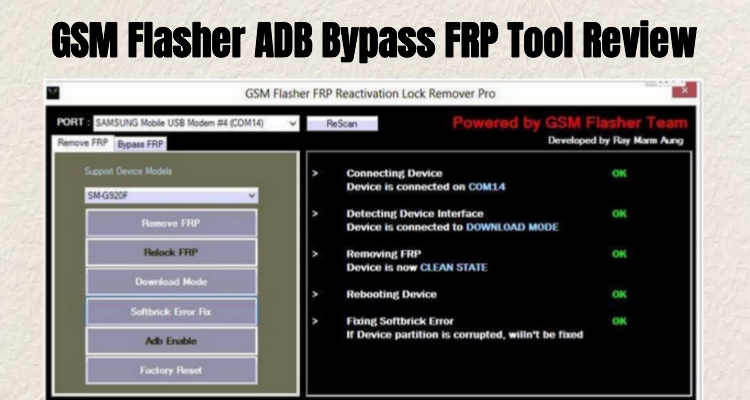
Locked out of your Android phone by Factory Reset Protection? GSM Flasher ADB Bypass FRP Tool has become a go-to solution for users looking to unlock their devices quickly and without hassle. This guide covers everything you need to know: its key functions, device compatibility, and common questions, plus free download instructions and a step-by-step usage guide. Let's dive into more details about the GSM Flasher ADB Bypass FRP Tool.
- Part 1. Overview of GSM Flasher ADB Bypass FRP Tool
- Part 2. How to Download GSM Flasher ADB Bypass FRP Tool for Free
- Part 3. How to Use GSM Flasher ADB Bypass FRP Tool Step by Step
- Part 4. Best Alternative Tool to GSM Flasher ADB Bypass FRP Tool
- Part 5. Conclusion
Part 1. Overview of GSM Flasher ADB Bypass FRP Tool
GSM Flasher ADB Bypass FRP Tool is a lightweight Windows utility built to remove Google account verification locks through ADB commands. It's popular among technicians and everyday users who need a no-cost way to regain access to a reset Android device without visiting a repair shop.
01Functions of GSM Flasher ADB Bypass FRP Tool
GSM Flasher is designed around several Android maintenance and unlocking functions. Its main attraction is the ability to communicate with compatible phones through ADB. However, capabilities vary by model and software release, so the features below should be treated as claimed functions rather than guaranteed results on every device.
Bypass FRP lock: Attempts to remove or work around Google Factory Reset Protection on supported Android devices.
ADB-based device communication: Uses the Android Debug Bridge to connect a computer to a compatible phone.
Screen-lock removal: Some versions are reported to support removing PIN, password, or pattern-based screen locks.
Firmware flashing: Certain GSM Flasher releases or related servicing packages may provide firmware-flashing capabilities for supported hardware.
Multi-brand support: The tool has been associated with brands such as Samsung, Motorola, LG, Huawei, Xiaomi, Lenovo, and ZTE.
Chipset compatibility: References commonly associate the tool with both MediaTek- and Qualcomm-based Android hardware.
Simple interface: Its relatively compact interface is intended to make common servicing actions accessible.
Device information detection: When ADB communication succeeds, the program may identify information about the connected Android device.
02Compatibility of GSM Flasher ADB Bypass FRP Tool
Compatibility is one of the most important factors when evaluating GSM Flasher. Older references describe support across numerous Android releases and manufacturers, but that does not mean every listed model remains compatible today. Modern Android security changes can prevent older ADB-based utilities from performing their advertised operations.
| Category | Reported/Referenced Compatibility | Important Consideration |
|---|---|---|
| Android versions | Android 5.1 through Android 12 | Results vary considerably by security patch and model |
| Windows | XP, Vista, 7, 8, 8.1, 10; some references also mention 11 | Older releases may work best on legacy Windows environments |
| Samsung | Galaxy S, Note, A, and J families | Exact model and security patch matter |
| Motorola | Moto G, Moto E, Moto M and related models | Compatibility is model-dependent |
| LG | G, K, Stylo, Aristo and related models | Older devices are generally more relevant |
| Huawei | Mate, P, Nova and other models | Software version can affect functionality |
| Xiaomi | Mi and Redmi families | Not every generation is supported |
| Lenovo/ZTE | Selected Vibe, A-series and Z/Blade devices | Compatibility should be verified before use |
| Connection | USB with appropriate Android drivers | ADB communication must be recognized correctly |
Note:
Because the original tool is distributed through various third-party sources, there is no reliable universal compatibility list that guarantees success for a particular phone. Users should therefore verify their exact model and Android/security-patch combination before attempting any operation.
03Common Questions of GSM Flasher ADB Bypass FRP Tool
Before downloading any FRP tool, it helps to understand its cost, method, and safety implications. Here are quick answers to the questions users ask most often about GSM Flasher.
Is GSM Flasher free to bypass Google FRP lock?
Yes, the tool itself is distributed at no cost, though official download sources have become unreliable over time.
How does GSM Flasher work to bypass FRP?
It sends ADB commands through a USB connection to disable or skip the Google account verification screen after setup.
Will GSM Flasher erase my data on phone?
Yes, using GSM Flasher or performing a full flash on your phone will typically erase all of your personal data, settings, and installed applications.
Part 2. How to Download GSM Flasher ADB Bypass FRP Tool for Free
Finding a working download has become one of the biggest hurdles with this tool, as its official website is currently inaccessible. Most users now rely on mirror sites or forum archives, which carries its own risks. Follow the steps below carefully.
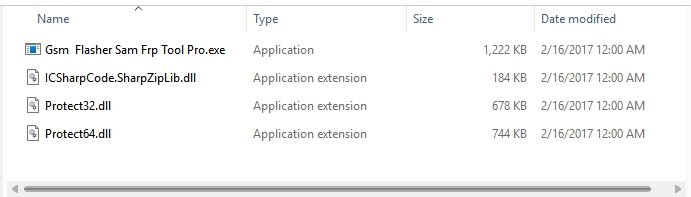
Step 1. Download the GSM Flasher ADB Bypass FRP Tool at androidfilehost.com.
Step 2. Extract the ZIP file to a folder on your computer, then run the executable file inside.
Step 3. Follow the on-screen instructions to install the software on your pc.
Part 3. How to Use GSM Flasher ADB Bypass FRP Tool Step by Step
Once installed, running GSM Flasher involves connecting your device correctly and navigating a fairly technical interface. Following each step in order reduces the chance of the process stalling partway through.
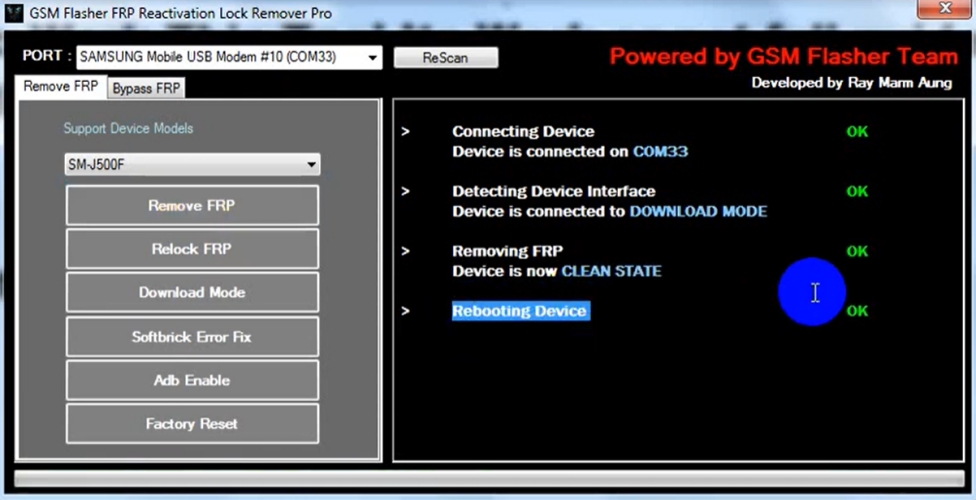
Step 1. Power off your FRP-locked Android phone and boot it into Download Mode.
Step 2. Open GSM Flasher and click ReScan to detect the connected device.
Step 3. Select Remove FRP (or Bypass FRP) from the tool's menu.
Step 4. Click the Remove FRP button and keep the phone connected while the commands run.
Step 5. Once the process is complete, disconnect and reboot the device to check whether Google verification has been removed.
Part 4. Best Alternative Tool to GSM Flasher ADB Bypass FRP Tool
Given the download difficulties and narrow compatibility of GSM Flasher, many users look for a more dependable option. The rest of this section compares its drawbacks with a dedicated FRP removal tool built for broader, easier use.
01Pros and Cons of GSM Flasher ADB Bypass FRP Tool
GSM Flasher's biggest appeal is that it's free and effective on certain older Samsung models. However, its unreliable official source, Windows-only support, narrow device compatibility, and technical ADB-based workflow make it a frustrating choice for less experienced users or owners of newer phones.
 Pros
Pros- Completely free to use.
- Works well on older Samsung Galaxy models.
- Bundles several ADB utilities beyond just FRP removal.
- Simple, lightweight program with no complex installation.

- No official customer support or update channel.
- Android only supports the Windows version.
- Limited compatibility with newer Android versions (12+).
- Technical, ADB-based workflow that's unfriendly to beginners.
02Best Alternative Tool for FRP Bypass - MagFone Android Unlocker
While GSM Flasher has its advantages, its unofficial websites and uncertain success rate can make users hesitant. MagFone Android Unlocker takes a different approach, providing an official website and dedicated support. Its guided, automated interface helps remove FRP locks without requiring users to search for ADB commands or mirror downloads.
MagFone Android Unlocker can be installed and used on both Windows and Mac computers, unlike GSM Flasher, which is limited to Windows. It also supports a considerably broader range of device brands and Android firmware versions. Below is how to use it for FRP bypass.

MagFone Android Unlocker
Remove multiple kinds of screen locks on over 5000 Android devices and delete Google FRP lock without a password.
Step 1 Open the Program on PC
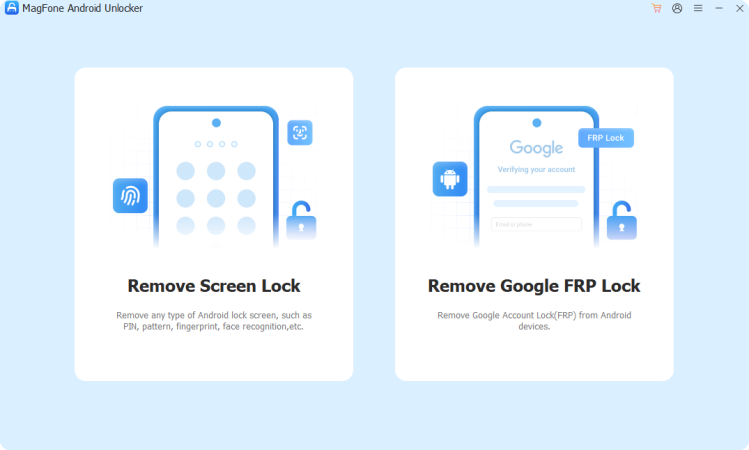
Install MagFone Android Unlocker on your computer and launch it. Plug in your Samsung phone via USB, then select the Google FRP bypass feature from the main dashboard.
Step 2 Confirm Your Device Model
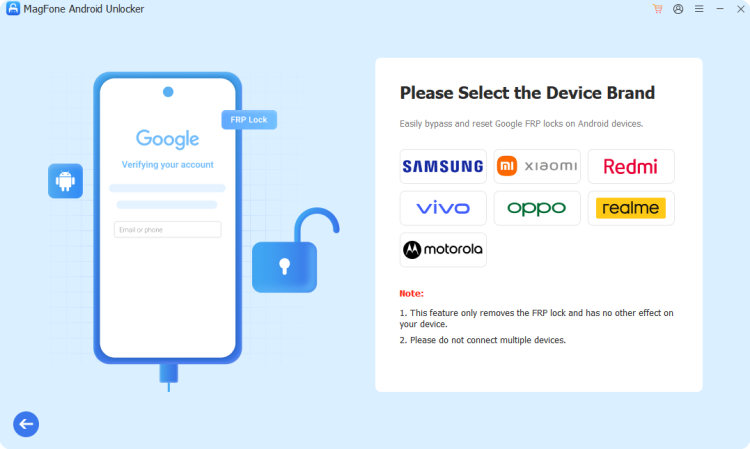
Allow the software a moment to detect your phone automatically. If it isn't recognized right away, manually select your device's brand and Android version from the list, verify the details, and proceed.
Step 3 Finish FRP Removal Process
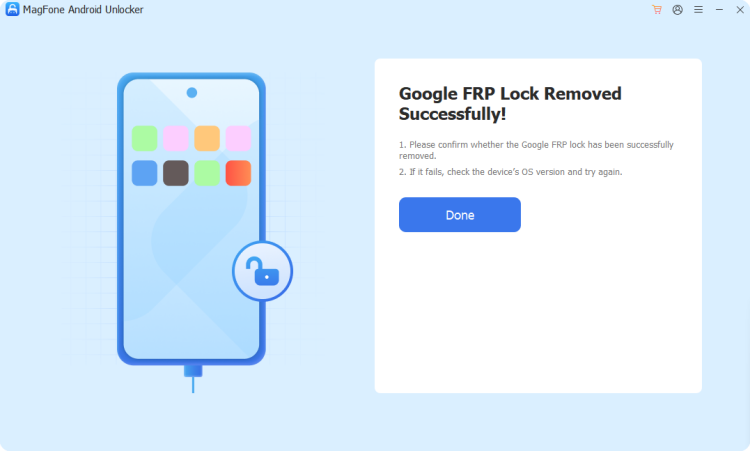
The program walks you through a series of on-screen prompts tailored to your specific device. Follow each instruction on your phone and computer in order, and once finished, MagFone will confirm whether the FRP lock has been successfully cleared.
Part 5. Conclusion
GSM Flasher ADB Bypass FRP Tool offers a free way to bypass FRP locks, but its unreliable downloads, Windows-only support, and narrow device compatibility limit its usefulness. MagFone Android Unlocker solves these pain points with cross-platform support, broader compatibility, and a guided process, making it the more dependable choice for most users needing FRP removal.

Dylan Jones
Editor in chief




