








Getting stuck on the Google account verification screen after resetting an Oppo phone can be frustrating, especially when you no longer remember the linked account details. Many users search for an Oppo FRP bypass code, hoping for a quick solution, but not every code found online is genuine. Some methods may only work on older devices, while others may be completely fake. This guide explains the truth behind Oppo FRP codes, how they work, and safer ways to regain access.
- Part 1. How Does Oppo FRP Bypass Code Work?
- Part 2. Oppo FRP Bypass Code Test: Scam or Real?
- Part 3. How to Bypass Oppo FRP lock with Ease
- Part 4. Other Methods to Bypass Oppo FRP lock
- Part 5. Conclusion
Part 1. How Does Oppo FRP Bypass Code Work?
Factory Reset Protection is a Google security feature designed to protect Android devices after a reset. When a Google account is connected to an Oppo phone, FRP becomes active automatically. After a factory reset, the device requests the previously synced account information.
Some older Oppo models had system shortcuts that could temporarily bypass the setup process, which created the idea of an Oppo FRP bypass code. However, modern security updates have closed many of these loopholes. Let's move on to see weather the Oppo FRP bypass code is still useful in 2026.
Part 2. Oppo FRP Bypass Code Test: Scam or Real?
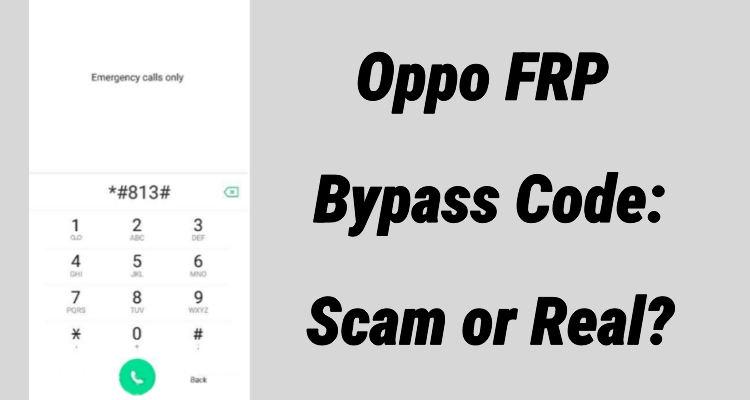
There are two commonly used Oppo FRP bypass codes: *#813# and *#812#. Based on our testing, the code *#813# shows a higher success rate for bypassing FRP locks on some older Oppo models. However, the *#812# code does not work consistently, and some devices may fail to respond to it. Here is how to use the Oppo FRP bypass code on your Oppo to check whether it works.
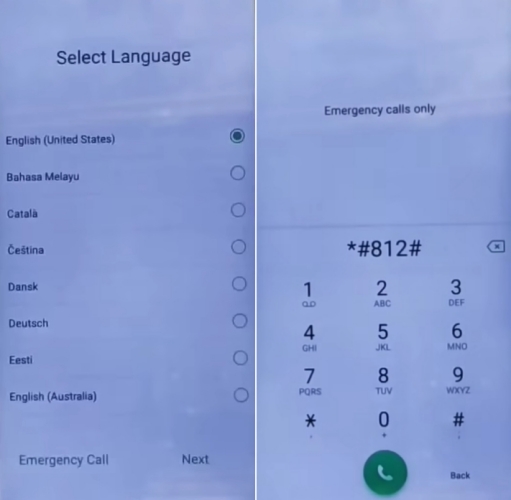
Step 1. Turn on your Oppo phone and complete the initial setup process until you reach the Language selection screen.
Step 2. Tap Emergency Call and enter the Oppo FRP bypass code *#812# or *#813#.
Step 3. Check the phone's response. If the code works, your device will be unlocked instantly. If you see a "Not signed in" message, tap Set Up Phone.
In some cases, the Oppo FRP bypass code may not work, especially on newer Oppo versions, updated security patches, or models that are not compatible with these codes. If you encounter an Oppo FRP bypass code not working issue, you can consider another bypass method we listed below.
Part 3. How to Bypass Oppo FRP lock with Ease
For users seeking a simpler solution, a professional Android unlocking program can be a more convenient option than relying on unreliable codes. MagFone Android Unlocker is designed to help remove Google FRP locks on various Android brands, including Oppo, Realme, Motorola, Vivo, Xiaomi, Redmi, and Samsung. They provide a guided process that reduces technical difficulty and helps users complete the unlocking procedure more easily. Here's how to.

MagFone Android Unlocker
Remove multiple kinds of screen locks on over 5000 Android devices and delete Google FRP lock without a password.
Step 1 Connect Oppo Device and Launch the Tool
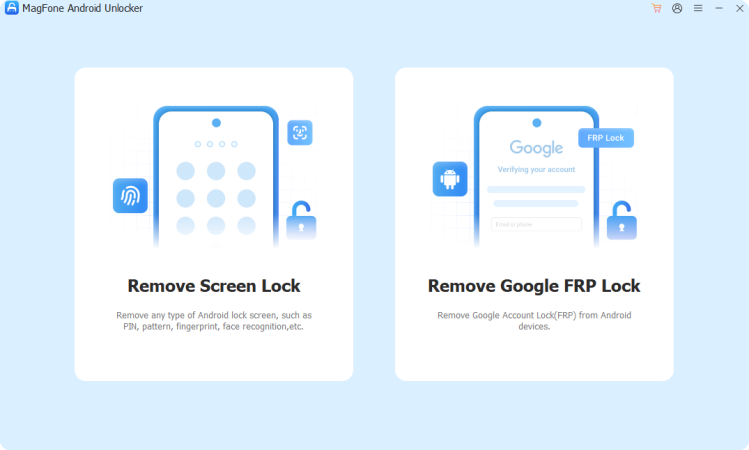
First, download and install MagFone Android Unlocker on your PC, then open the program. Link your Oppo phone to the pc using a compatible USB. From the main screen, choose the Remove Google FRP Lock button and select your phone brand to begin the process.
Step 2 Confirm Device Details and Start the Process
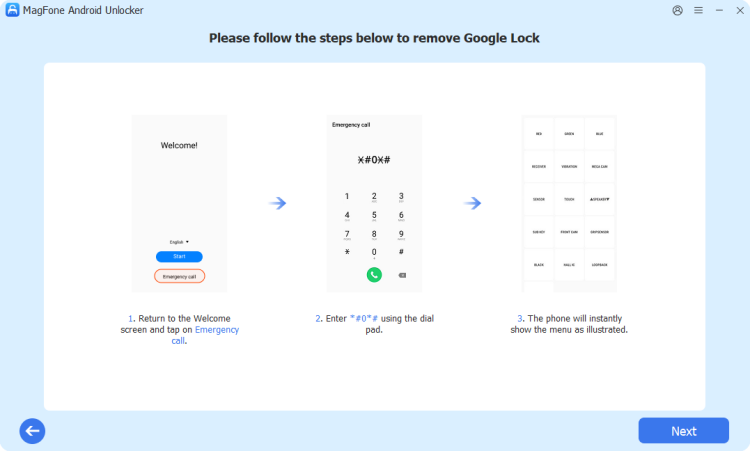
After the connection is established, the software will attempt to recognize your device automatically. If your phone is not identified, you can manually choose the correct Oppo model information. Review the selected details and continue to the next step.
Step 3 Continue to Bypass the FRP Lock on Oppo
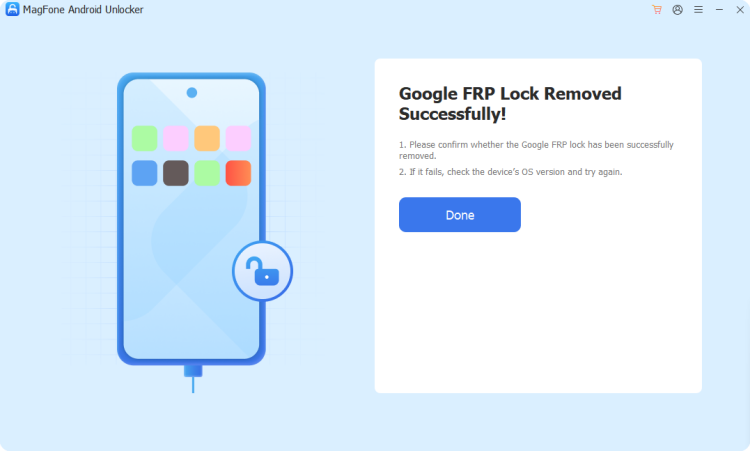
The program will provide customized instructions based on your Oppo device. Follow the on-screen guidance carefully on both your phone and computer. After all required steps are completed, MagFone will notify you when the FRP removal process has finished successfully.
Part 4. Other Methods to Bypass Oppo FRP lock
Besides professional unlocking software, users may consider other legitimate approaches depending on their situation. The right solution will vary based on their access to the original Google account, ownership details for the device, and the software version running on the phone.
Method 1. Bypass Oppo FRP lock by Recovering Password
If you still own the Google account connected to your Oppo phone, recovering the password is usually the safest option. Instead of attempting uncertain bypass methods, restoring access to your account allows you to complete verification normally and keeps the device secure.
Step 1. Search Google Account Sign in on any browser and tap on it.
Step 2. Then type your email address into the entry box and tap Next.
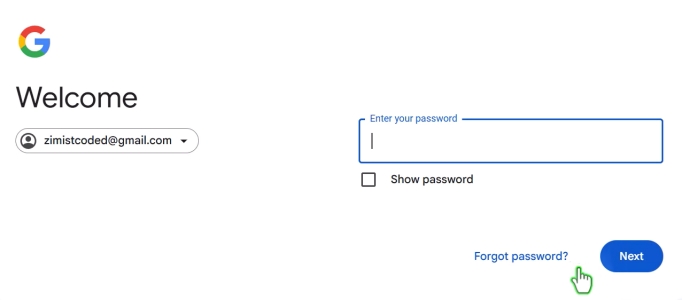
Step 3. On the password entry page, select Forgot password?
Step 4. Enter your phone number to get a verification code and press Send after entry.
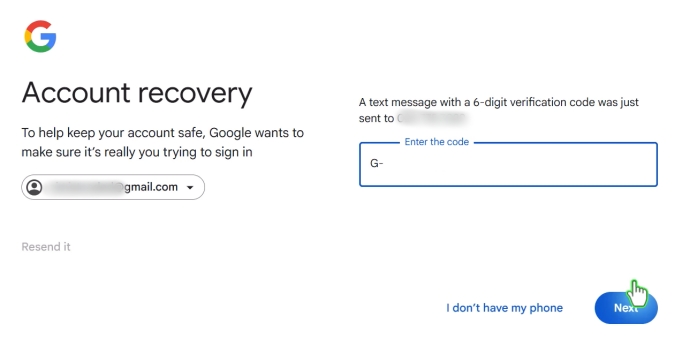
Step 5. Type the verification code into box next to G- and select Next.
Step 6. Choose the Update password option. Then create a new password, then re-enter it to confirm.
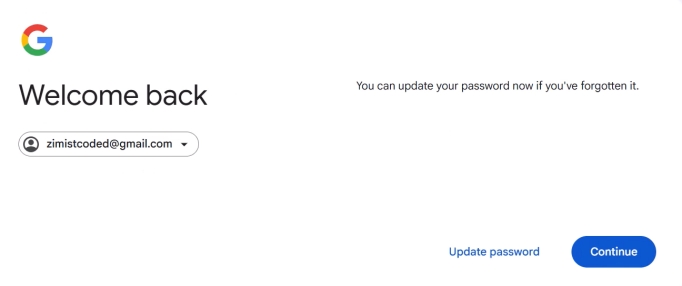
Step 7. Continue to press the Save passsword button and confirm your action.
Method 2. Bypass Oppo FRP lock with Talkback
Some older Android devices included accessibility options that users explored when they could not access their accounts. These methods depended heavily on Android versions and security updates, so their success rate varies greatly. Here's how to remove FRP using the TalkBack feature.
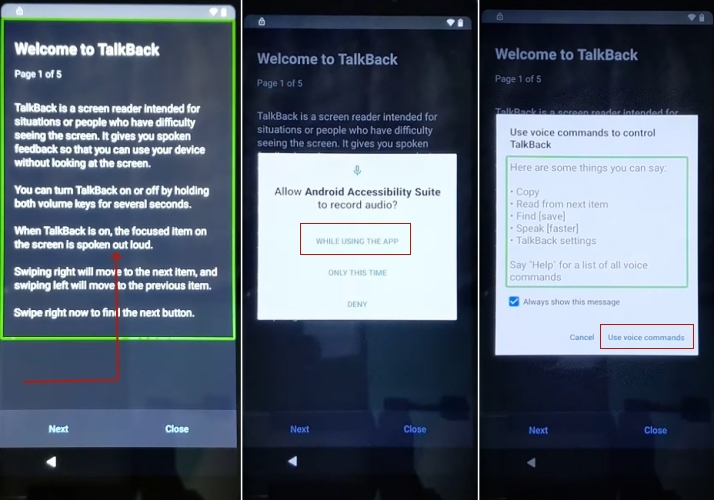
Step 1. While completing the initial setup, connect your FRP-locked OPPO device to a Wi-Fi connection.
Step 2. Go back to the Select Language page and tap the icon located in the upper-right corner to open Accessibility options.
Step 3. Enable Accessibility features, then choose Select to Speak to turn on TalkBack.
Step 4. Use a reverse L gesture on the display to activate TalkBack voice control.
Step 5. Use voice commands by saying Open Google Assistant, followed by Open YouTube.
Step 6. After YouTube opens, press the Power and Volume Up buttons together to turn off TalkBack.
Step 7. Open YouTube Settings, go to About, and select YouTube Terms of Service to launch the browser.
Step 8. Search for FRPfile and open its official website.
Step 9. Go to the APK bypass section and choose either Open Settings App or Open OPPO Clone Phone to access the device Settings.
Step 10. In Settings, go to System Settings > Backup and Reset > Reset Phone > Erase All Data > Erase Data.
Part 5. Conclusion
The truth about the oppo frp bypass code is that some older methods existed, but many advertised codes today are unreliable or outdated. Security updates have made FRP protection stronger, meaning there is no universal code that unlocks every Oppo device. Recovering your Google account or using trusted unlocking solutions is usually the safest approach.

Dylan Jones
Editor in chief





