








Forgetting a Google account password after resetting an Android phone can leave users locked behind Factory Reset Protection (FRP). Many people search for a reliable solution, such as the DroidKit FRP bypass tool, to regain access. This review explores DroidKit's features, user experiences, advantages, limitations, and possible alternatives. By understanding how these tools work, you can choose a suitable FRP removal method for your Android devices.
- Part 1. DroidKit FRP Bypass: Main Features
- Part 2. DroidKit FRP Bypass: User Reviews
- Part 3. DroidKit FRP Bypass: Pros and Cons
- Part 4. How to Get and Use DroidKit for FRP Bypass
- Part 5. Best Alternative to DroidKit for FRP Bypass
- Part 6. Conclusion
Part 1. DroidKit FRP Bypass: Main Features
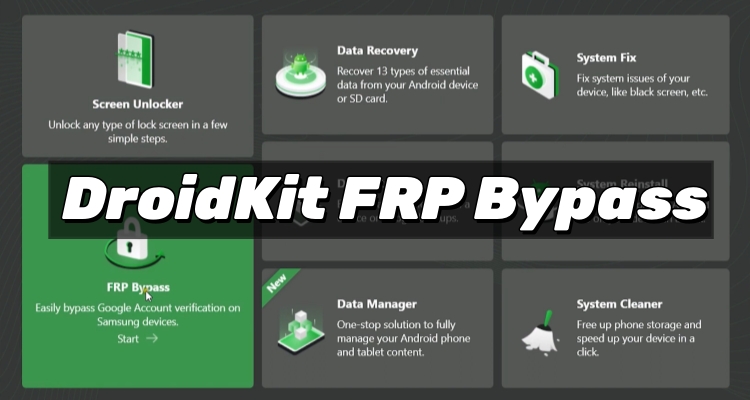
DroidKit is an Android repair and recovery application designed to solve various device issues, including FRP lock removal. The tool provides solutions for users who cannot access their phones after a factory reset, especially when the original Google account information is unavailable. Here are some of its main features.
FRP Bypass: Easily bypass FRP locks, enabling users to regain access to supported Android phones after factory resets.
Screen Unlocker: Quickly removes screen locks, allowing users to access Android devices when they forget passwords, PINs, or patterns.
Data Recovery: Recovers deleted or lost Android files without requiring a previous backup plan.
Data Extractor: Retrieves important data from broken or damaged Android devices when normal access is unavailable.
System Fix: Repairs common Android system problems, helping restore devices affected by crashes, errors, or boot failures.
Data Manager: Gives users complete control over Android content through convenient file management and organization features.
System Reinstall: Allows users to reinstall preferred system versions to solve software issues and improve device performance.
System Cleaner: Frees up phone storage quickly by removing unnecessary files with a simple one-tap cleaning process.
Part 2. DroidKit FRP Bypass: User Reviews
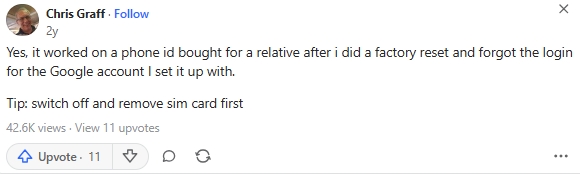
According to previous discussions and comments about DroidKit FRP bypass, some users have shared positive experiences. For example, a user on Quora mentioned successfully removing an FRP lock after forgetting the Google account password. After following DroidKit's instructions, the user was able to regain access to the locked Android phone.
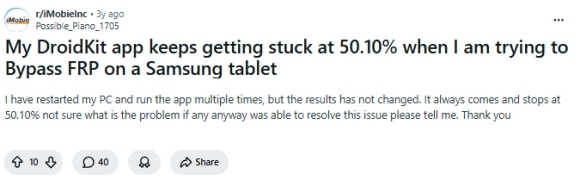
However, positive results are not guaranteed for everyone. Some users in Reddit have reported problems while using DroidKit for FRP removal. A few people mentioned that the process became stuck around the 50% stage and failed to complete. These experiences suggest that compatibility issues or device-specific limitations may affect the final result.
Part 3. DroidKit FRP Bypass: Pros and Cons
Based on the information collected about DroidKit, we can summarize the main strengths and weaknesses of this FRP bypass solution. Although the tool provides a convenient way to handle Google verification problems, users should also consider possible limitations before choosing it.
 Pros
Pros- Easy-to-follow instructions
- Includes additional functions
- Suitable for beginners

- Only work on Windows 7, 8, 10 , 11, and 11 Pro
- Not all devices are supported
- Success rate may vary
- Some processes may freeze
Part 4. How to Get and Use DroidKit for FRP Bypass
As mentioned earlier, if you're using a Windows 7, 8, 10, 11, or 11 Pro PC, you can continue by downloading DroidKit and following the steps below to remove the FRP lock from your Android device. DroidKit is designed to simplify the FRP bypass process, making it easier for users to regain access to their phones after a factory reset.
Step 1 Download and Install the DroidKit Tool
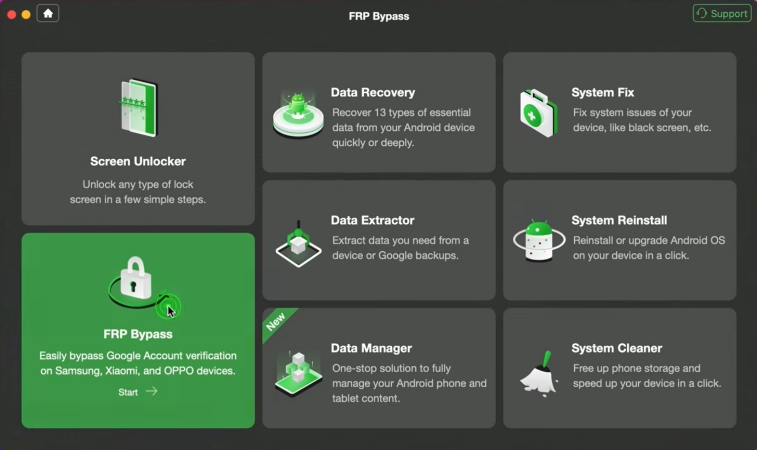
Visit the official DroidKit website and download the desktop version compatible with your computer. Then launch it and use a USB cable to connect the locked Android phone to the computer. Open DroidKit and select the FRP bypass option from the available tools.
Step 2 Follow the Instructions to Begin FRP Bypass
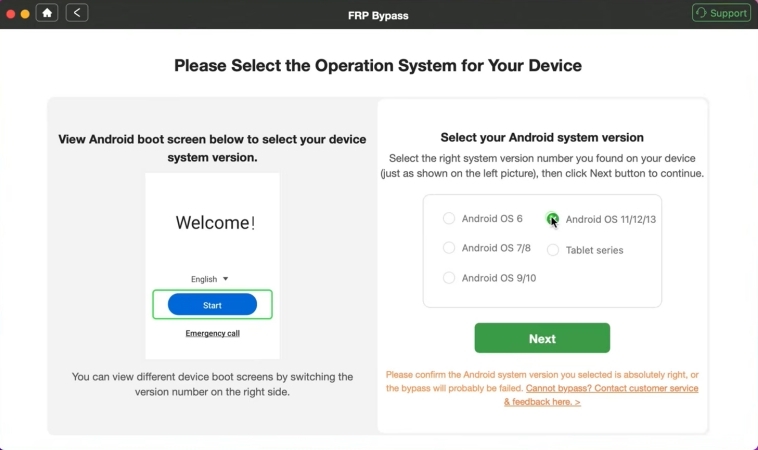
Click the Start button and wait while the software prepares the Device Configuration File. Then select Start to Bypass, choose your Android version, and proceed with the on-screen instructions.
Step 3 Complete the FRP Bypass Process
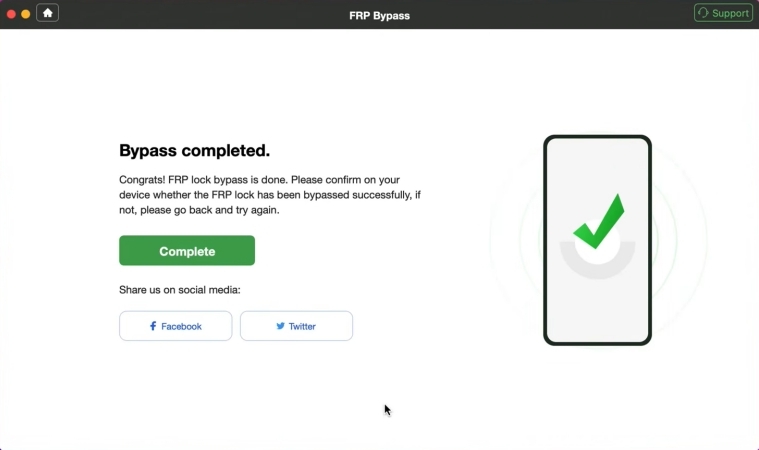
Carefully follow the prompts to wipe the cache partition on your Android device. Once the process is complete, the software will display a notification confirming that the FRP lock has been successfully bypassed.
Part 5. Best Alternative to DroidKit for FRP Bypass
Although DroidKit is a useful FRP removal solution, its biggest limitation is compatibility. It does not support FRP bypass for every Android brand, and the software is only available for Windows PCs. If you're using macOS or need to bypass FRP on Xiaomi, Redmi, Samsung, Vivo, Motorola, OPPO, or Realme devices, choosing a more compatible alternative like MagFone Android Unlocker can provide greater flexibility and support for a wider range of Android models. Here's a simple user guide for you.

MagFone Android Unlocker
Remove multiple kinds of screen locks on over 5000 Android devices and delete Google FRP lock without a password.
Step 1 Connect Your Phone and Open the Program
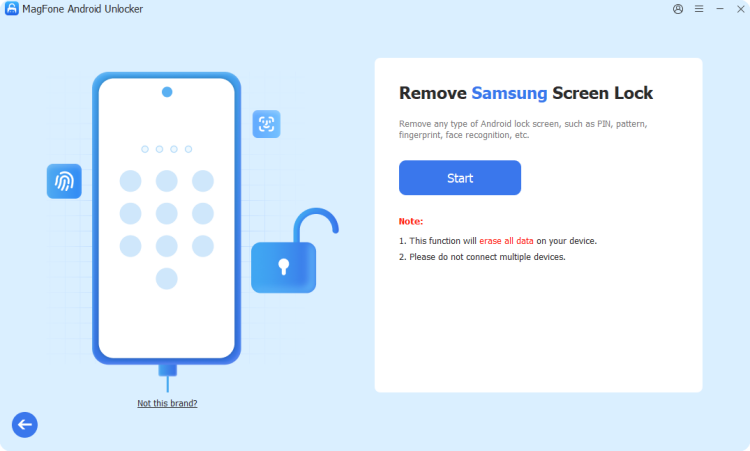
Install MagFone Android Unlocker on your computer and start the application. Connect your Android phone using a reliable USB cable. From the main interface, select the Remove Google FRP Lock to prepare the device for unlocking.
Step 2 Identify Your Device Information
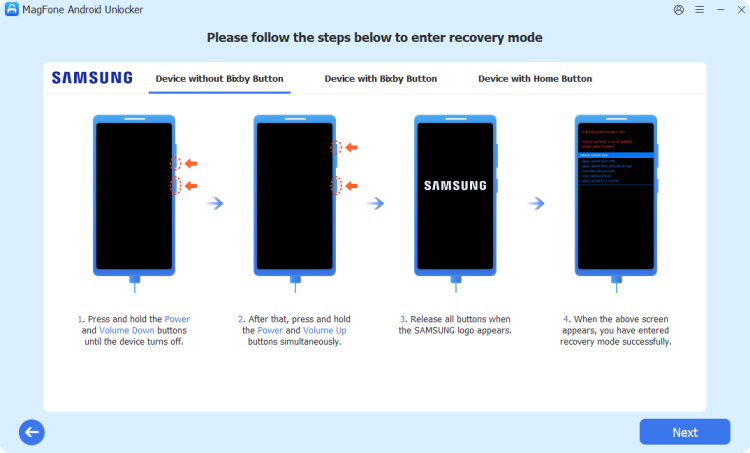
After connection, the software will attempt to recognize your Android phone automatically. If the information is not detected correctly, manually select your device brand and Android version. Confirm the details and click Start to move on.
Step 3 Follow Instructions to Remove FRP Lock
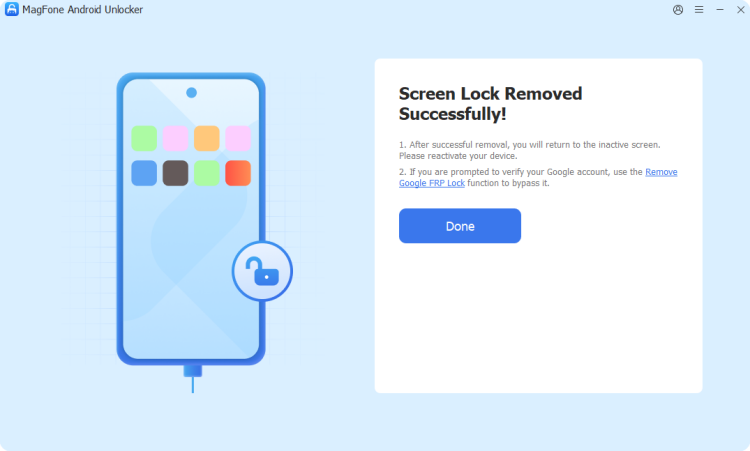
Once the device information is confirmed, the program will display the required steps. Carefully follow the computer guidance and complete any actions requested on the phone screen. After finishing the process, the FRP protection will be bypassed.
Part 6. Conclusion
DroidKit FRP bypass is a useful option for users dealing with forgotten Google account verification after a factory reset. Its simple interface and extra Android repair features make it attractive, but compatibility problems and incomplete processes may occur. If DroidKit cannot solve the issue, alternatives like MagFone Android Unlocker provide another possible choice for handling FRP-related problems.

Dylan Jones
Editor in chief





