








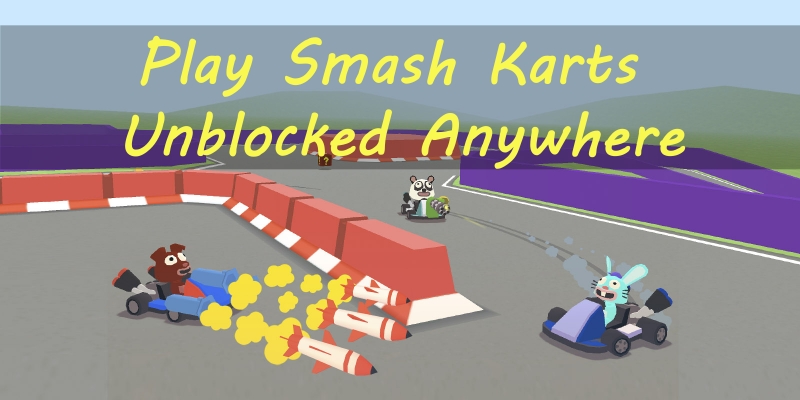
Smash Karts is an exciting multiplayer browser kart battle game that combines fast-paced racing with chaotic combat. Unlike typical racing games online, Smash Karts throws you into explosive 3-minute arenas where you can drive, drift, pick up weapons, and outlast opponents without downloads or install. Looking to dive into the fast-paced, action-packed world of Smash Karts without restrictions? Whether you're at school, at work, or on mobile, this comprehensive guide will help you access Smash Karts unblocked seamlessly.
- Part 1. Why Smash Karts So Popular Among Players?
- Part 2. Direct Methods to Play Unblocked Smash Karts
- Part 3. How to Make Smash Karts Unblocked Anywhere
- Part 4. FAQs about Smash Karts Unblocked
- Part 5. Conclusion
Part 1. Why Smash Karts So Popular Among Players?
Smash Karts is a free online 3D multiplayer kart battle arena game that runs directly in your web browser. Players race around arenas, collect power-ups, and use them to defeat opponents before the timer runs out. The winner is the player with the most eliminations. Matches are short, fast, and competitive, making the game popular with students and casual players.
- Fast 3-minute battle matches with explosive action
- Unlock karts, hats, and skins as you play
- Run in a browser with no downloads or installs required
- Collect weapon pickups like rockets, mines, and machine guns
- Cross-platform support including desktop, mobile, and Chromebook
Because it's easy to access and highly competitive, Smash Karts is especially popular among students, which also explains why it's often blocked. In this case, lots of players, especially student players, are looking for unblocked Smash Karts.
Part 2. Direct Methods to Play Unblocked Smash Karts
"Smash Karts Unblocked" doesn't refer to a special version of the game made by developers. Instead, it describes ways to access the game on networks where standard gaming websites are blocked, such as schools or workplaces. This doesn't mean a hacked version of the game or a modified copy. An "unblocked" version usually means the game is
- Hosted on an alternative domain
- Embedded on a browser-friendly platform
- Accessible through standard HTTPS without downloads
After figuring out what "Smash Karts Unblocked" mean, you can visit trusted Smash Karts unblocked sites or install Smash Karts unblocked extensions to play the game free if you're on a restricted network or at schools. Let's dive into the details!
Method 1. Access Smash Karts Unblocked Game Websites
Smash Karts is built with HTML5 and WebGL, so it runs directly in modern browsers like Google Chrome, Microsoft Edge, Firefox, and Safari. If Smash Karts is blocked at schools or workplaces, visit trusted versions like Smash Karts Unblocked 76, Smash Karts Unblocked Premium, and Smash Karts Unblocked Games 911. Those unblocked Smash Karts versions enable you to play the game at schools or anywhere.
| Smash Karts Unblocked Sites | Full Screen | Load Speed | Quality | Ads |
|---|---|---|---|---|
| Smash Karts Unlocked Game Classroom 6x | ✔️ | Low | High | Few |
| Smash Karts Unblocked 76 | ✔️ | Fast | High | Ad-free |
| Smash Karts Unblocked Premium | ✔️ | Low | High | Ad-free |
| Smash Karts Unblocked Games 911 | ✔️ | Low | Medium | Ad-free |
| Smash Karts io Unblocked | ✔️ | Low | High | Ad-free |
| Smash Karts IO Unblocked Smash Karts Unblocked Game WTF | ✔️ | Low | High | Few |
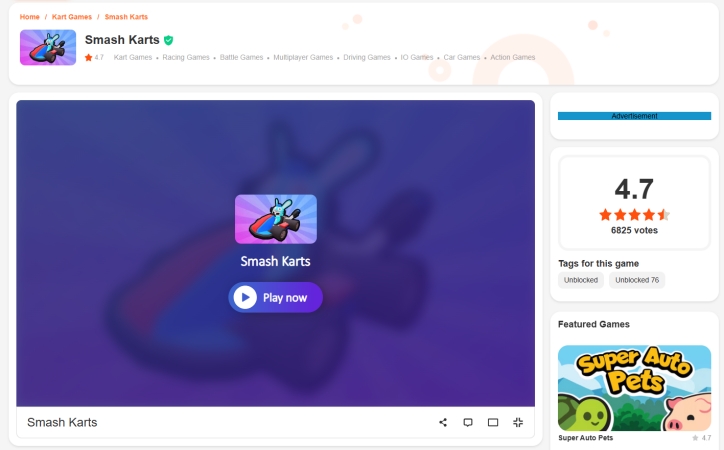
Step 1. Navigate to a trusted Smash Karts unblocked site and wait to load the game.
Step 2. Click the Create button or the Join button to complete the player information.
Step 3. After inputting the player information, click the Play button to play the game.
Method 2. Install Smash Karts Unblocked Browser Extensions
In addition to playing at Smash Karts unblocked sites, some unblocked Smash Karts extensions can let you play the game at schools or workplaces when you cannot reach Smash Karts from behind school or office firewalls. Unblocked Smash Karts extensions like Smash Karts Unblocked are available for Chrome and Firefox. By installing it to a browser, you can play Smash Karts on your computer or mobile phone.
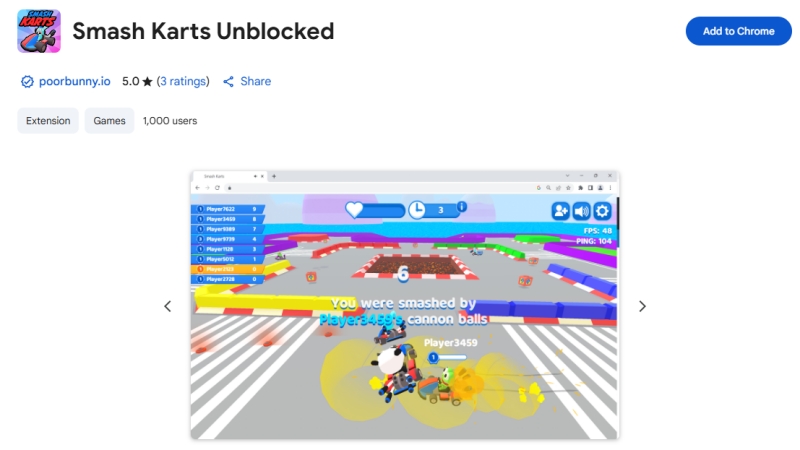
Step 1. Visit the Chrome Web Store on your device and search for unblocked Smash Karts.
Step 2. Click the Add to Chrome button to install this extension to the browser.
Step 3. Click the extension to load the game, then start playing the game.
Part 3. How to Make Smash Karts Unblocked Anywhere
Smash Karts unblocked works on almost any modern device, including desktop, mobile, and Chromebook, with no downloads or installs needed. But unblocked Smash Karts cannot guaranteed complete free access when networks at workplaces or schools are pretty restricted. Instead of accessing unblocked Smash Karts, try some other methods to remove network or device restrictions.
Method 1. Turn on a VPN Service
A free or paid VPN service can help in bypassing firewalls and accessing blocked content. Once connected to a different region, you can navigate to the official website site of Smash Karts by changing your IP address and play the game without interruptions.
Method 2. Employ a Proxy Website
A proxy website can hide your IP address and break all limitations, then let you access blocked content. Try navigating to a free or paid proxy website like HideMyAss, enter the official game URL of Smash Karts, and access the game at school or anywhere.
Method 3. Use a Third-Party Tool
With the above methods, you can access Smash Karts unblocked at school or anywhere. However, if you use a school-issued or enterprise-issued device like iPad, playing games like Smash Karts can be a challenge as there are restrictions like MDM locks or Screen Time passcode. No worry, MagFone iPhone Unlocker can help you remove those restrictions with ease.
Serving as a multi-functional tool, MagFone iPhone Unlocker can remove MDM locks and disabled Screen Time restrictions without password while not deleting any data on the device. Once removing those restrictions on the device, you can unlock your device and play any game, including Smash Karts freely. The following is how to remove MDM without password.

MagFone iPhone Unlocker
Unlock various locks on iOS devices, including screen locks, MDM, Apple ID, and Activation Lock without needing a password.
Step 1 Connect Device and Run MagFone
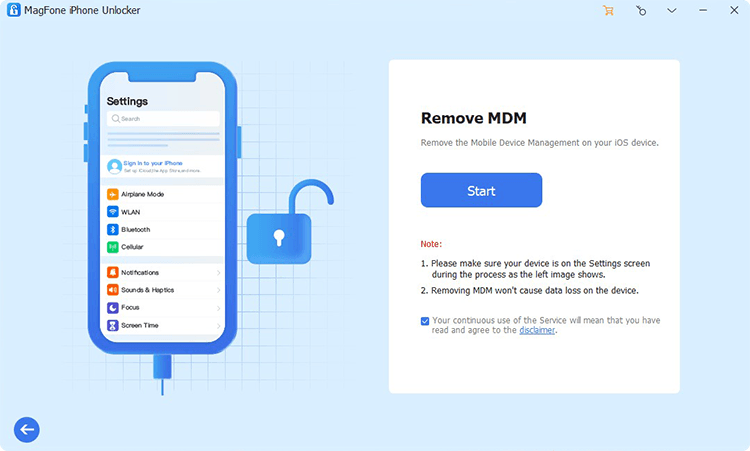
By using a USB cable, connect your iPad to your computer. Then install and run MagFone iPhone Unlocker. On the main interface of the software, select the Remove MDM feature.
Step 2 Start to Remove MDM Restrictions
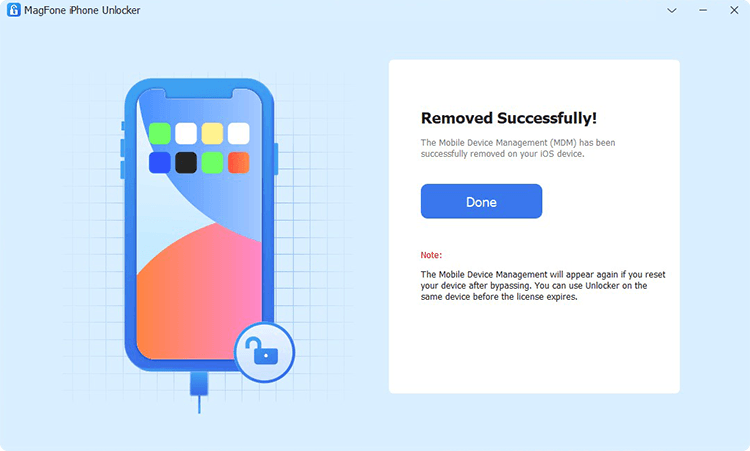
Click the Start Removing button to remove MDM restrictions from your device. In the whole process, keep the device connected to the computer.
Part 4. FAQs about Smash Karts Unblocked
Is Smash Karts Unblocked free to play?
Yes! Smash Karts is completely free and accessible through unblocked browser versions.
Can I play Smash Karts on mobile?
Absolutely! You can play Smash Karts on both iPhone and Android devices. Smash Karts is mobile-optimized and runs smoothly on Chrome or Safari browsers.
Is Smash Karts multiplayer?
Absolutely! Smash Karts is a real-time multiplayer game with players from across the globe.
Can I play Smash Karts without Flash?
Yes, you can play Smash Karts without Flash. Smash Karts runs entirely on HTML5 and WebGL, no Flash required.
Part 5. Conclusion
Smash Karts offers a thrilling combination of racing, combat, and strategy that few browser games can match. Whether you're sneaking in a match at school, on the go, or playing on a coffee break, this game delivers endless excitement in a lightweight, accessible package. By following this guide, you can enjoy Smash Karts unblocked at school or anywhere. Ready to rev your engines and join the fray?

Dylan Jones
Editor in chief





