









Many schools place restrictions on internet access to limit distractions and maintain academic focus. While this is understandable, it can sometimes restrict access to genuinely useful or educational resources. That's where proxy websites for school come into play. These tools provide a safe, effective way to bypass firewalls and unlock content without compromising security or anonymity. Below, we have curated a comprehensive guide to the top 10 proxy websites for school—offering functionality, speed, and privacy for students who need a way around internet restrictions.
- Part 1. Top 8 Popular & Free Proxy Websites for School
- Part 2. Top 3 Less-Known & Free Proxy Websites for School
- Part 3. Which Is the Best Proxy Site for School in 2026?
- Part 4. Conclusion
Part 1. Top 9 Popular & Free Proxy Websites for School
Free proxy websites can help students access school-related resources when certain pages are restricted on a school network. Below are 9 popular and free proxy websites online.
No.1 Hide.me – Reliable, Fast, and Secure Proxy Service
Hide.me is widely recognized for its powerful encryption, speed, and user anonymity. It offers a free web proxy feature beyond its paid VPN service. Users don't need to register to use Hide.me. And it provided an extension, which is convenient for those who can't access web page.
| Supported Browsers/Devices | School Chromebook, Windows, Mac, iOS, Android |
| Server Locations | Netherlands, Germany, Finland |
| Installation | None |
| Pricing | 100% free |
⁉️Pros & Cons
- 👍Pros:
- No logging policy;
- Multiple server locations;
- SSL encryption for safe browsing;
- Compatible with various platforms.
- Provides extension
- 👎Cons:
- Need a paid subscription;
- Some kill switch issues;
- No independent security audit.
 Use case: ⭐⭐⭐⭐
No.2 Proxysite.com – Lightning Fast with Multiple Servers
Proxysite.com is a web-based proxy service with an intuitive interface, enabling users to use it without any hassle. It offers more than 20 US and EU servers and even supports HTTPS, making it one of the fastest free proxies available. But unlike those traditional proxy sites, this proxy website only lets users browse several platforms like YouTube, Facebook, and Reddit.
| Supported Browsers/Devices | School Chromebook, Laptops, Tablets, Phones |
| Server Locations | Multiple US & EU servers |
| Installation | None |
| Pricing | 100% Free (Sidebar ad-supported) |
⁉️Pros & Cons
- 👍Pros:
- Supports YouTube, Facebook, Twitter
- SSL encryption
- Choose from multiple proxy servers
- 👎Cons:
- Free version with excessive ads
- Limited access to websites
Use case: ⭐⭐⭐
No.3 Whoer – Advanced Anonymity and IP Check
While not a traditional proxy-only service, Whoer offers both a proxy and VPN functionality with added tools to check IP leaks and anonymity. Whoer allows users to circumvent firewalls and access blocked content on different devices like desktop and mobile. If you are looking for a proxy website for school, Whoer is an ideal provider.
| Supported Browsers/Devices | Chromebook, Windows, macOS, Mobile |
| Server Locations | Netherlands, US, UK, Russia, etc. |
| Installation | Yes |
| Pricing | Premium Upgrade Available (Speed capped on free servers) |
⁉️Pros & Cons
- 👍Pros:
- No logs policy;
- Test your real IP address visibility;
- Easy toggle between different proxies;
- Highly secure connections.
- 👎Cons:
- Speed limitations on the free tier
- Takes a little while to connect
Use case: ⭐⭐⭐⭐
No.4 CroxyProxy – Ideal for Streaming and Social Media
CroxyProxy is a free proxy service capable of unlocking nearly all websites. It stands out due to its compatibility with rich web applications, including YouTube, Facebook, Google, Reddit, Instagram, and more. It's optimized for media streaming and supports modern web services. With advanced data protection technology, CroxyProxy ensures user privacy.
| Supported Browsers/Devices | School Chromebook, Windows, Mac, iOS, Android |
| Server Locations | / |
| Installation | None |
| Pricing | Free (With banner ads) / Premium from $3.5/mo |
⁉️Pros & Cons
- 👍Pros:
- YouTube-friendly proxy;
- Works with audio and video;
- No installation required;
- Encrypted connection available.
- Supports Chrome extension
- 👎Cons:
- Full of advertisements
- A bit slow
Use case: ⭐⭐⭐
No.5 4everproxy – Versatile and Customizable
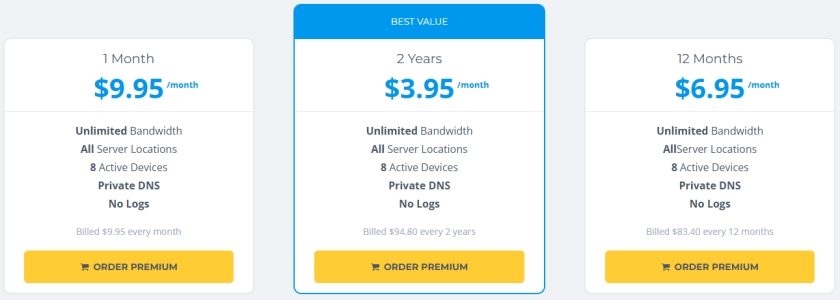
4everproxy offers free proxy services with servers in multiple locations, ensuring fast and reliable access to blocked websites. It gives users the flexibility to choose server locations and IP addresses to optimize speed and reliability. It also provides SSL encryption for secure browsing, so there's no need to worry about privacy leakage.
| Supported Browsers/Devices | Chromebook, PC, Mac, Mobile browsers |
| Server Locations | US, Canada, France, Germany, Luxembourg, Poland, Singapore. Australia |
| Installation | None |
| Pricing | 100% Free (Ad-supported) |
⁉️Pros & Cons
- 👍Pros:
- Supports high bandwidth
- SSL support included
- Automatic ad-blocker
- Great for streaming and browsing
- 👎Cons:
- Unable to work well sometimes.
Use case: ⭐⭐⭐
No.6 VPNBook Web Proxy – Free Proxy with HTTPS Support
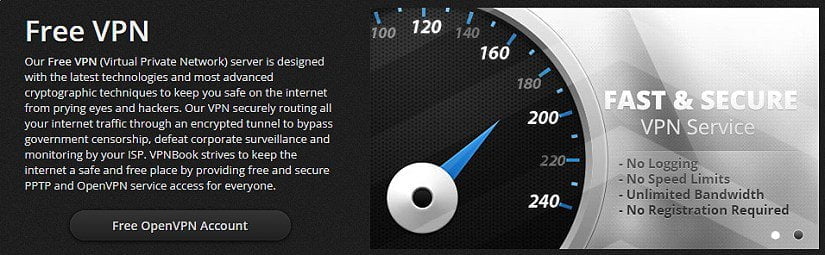
VPNBook is known for its free VPN service, but it also offers a simple web proxy that's just as powerful. Without registration or sign-up, users can choose their preferred VPN types like PPTP, OpenVPN, or Outline VPN. By using the latest technologies and most advanced cryptographic techniques, VPNBook keeps users safe on the internet from prying eyes and hackers.
| Supported Browsers/Devices | School Chromebook, PC, Mac, Tablets |
| Server Locations | US, UK, Canada |
| Installation | None |
| Pricing | 100% Free (Donation-supported) |
⁉️Pros & Cons
- 👍Pros:
- 100% free with no registration
- Supports encrypted HTTPS browsing
- European-based servers
- Lightweight and fast
- 👎Cons:
- A bit unstable
Use case: ⭐⭐
No.7 FilterBypass – Clean Interface and Fast Loading
FilterBypass.me offers a clean user experience with a focus on speed and compatibility. Without installing any standalone program, users only need to add an add-on to a browser. FilterBypass is available for Chrome and Firefox. It is a free and fast web proxy that supports various platforms, including YouTube, Facebook, VK, as well as many other websites.
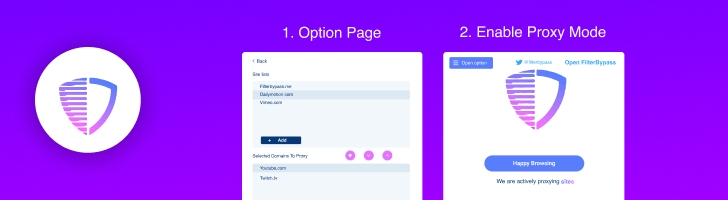
| Supported Browsers/Devices | All devices with Chrome, Safari, or Edge |
| Server Locations | US & UK |
| Installation | None |
| Pricing | Free (Ad overlay included) |
⁉️Pros & Cons
- 👍Pros:
- No software installation needed
- SSL-secured web proxy
- Bypass school filters effectively
- Designed for streaming and general browsing
- 👎Cons:
- Only available on Chrome and Firefox
- Runs at a slow speed sometimes
Use case: ⭐⭐⭐⭐
No.8 Free Proxy Site - Specialized in Unblocking Social Platforms
Free Proxy Site is a free and straightforward proxy site built for accessing any blocked websites like YouTube, Google, Facebook, Reddit, and Imgur at school or at work. Without installing anything, users can use it on any device, including computer, mobile, or tablet. While surfing on the internet, Free Proxy Site can hide your IP address, location, and online activities.
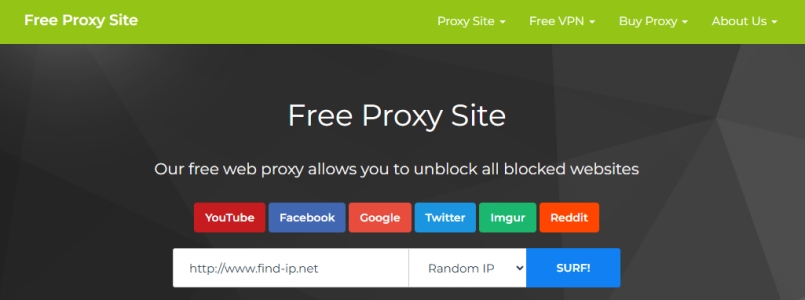
| Supported Browsers/Devices | Chromebook, Windows, macOS, Mobile |
| Server Locations | US & UK |
| Installation | None |
| Pricing | Free (Ad overlay included) |
⁉️Pros & Cons
- 👍Pros:
- Limited but focused proxy options;
- SSL secured;
- No usage limits;
- Streamlined performance.
- 👎Cons:
- Lack advanced security features.
Use case: ⭐⭐⭐⭐
Part 2. Top 3 Less-Known & Free Proxy Websites for School
The proxy websites listed in Part 1 are popular choices among users. However, lesser-known alternatives may also be worth considering, especially when popular sites are slow, overcrowded, or blocked. Below, we explore three free proxy websites that may work on school networks.
No.1 noblocc - Web Games & Tab Cloaking
Noblocc is a free anti-censorship tool that helps users access the web without restrictions imposed by their organization or internet service provider (ISP). Its core features are always free, and it provides a premium noblocc+ if you want to upgrade your experience. Noblocc emphasizes user privacy by avoiding the storage of sensitive browser data, adding encryption over TLS, protecting its domains with Cloudflare, and securely hashing passwords.
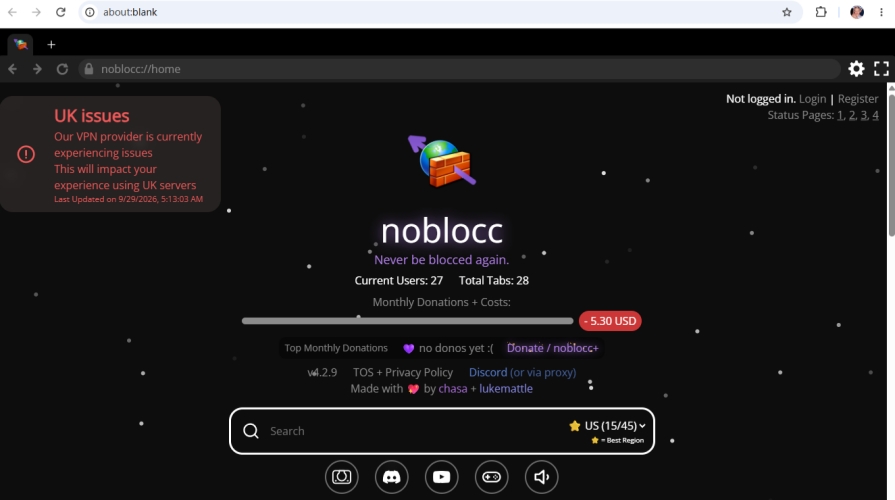
| Supported Browsers/Devices | Any browser |
| Server Locations | Sweden & Japan |
| Installation | None |
| Pricing | Premium Upgrade Available |
⁉️Pros & Cons
- 👍Pros:
- Supports blank cloaking
- Encrypted user data
- Offers additional domains to access
- Supports creating a personal domain
- Supports YouTube and games
- 👎Cons:
- Support only 4 tabs at most
No.2 Holy Unblocker - Stealth browsing
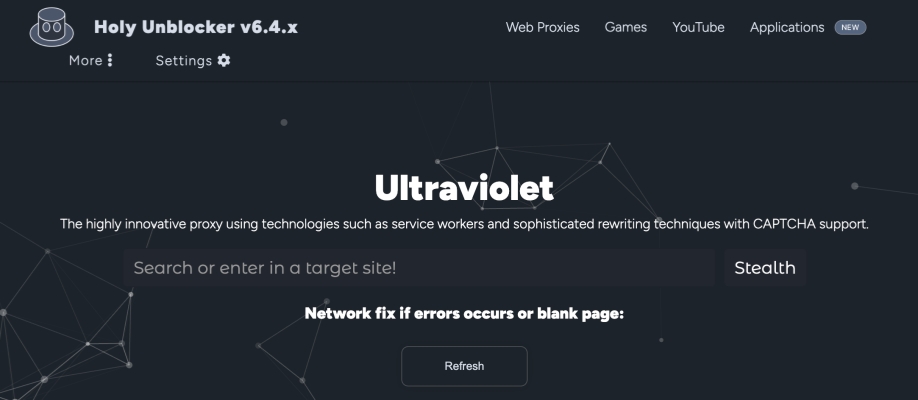
Holy Unblocker is an experimental web-proxy platform coded by Hydrovolter. It's designed to help users access websites that may be restricted by network or client-side filters. It uses technologies such as Ultraviolet, service workers, Wisp, Bare-Mux, Epoxy, Libcurl, and Rammerhead to improve website compatibility and proxy traffic. It also includes features such as CAPTCHA support, security and leak-prevention settings, blacklist controls, ad blocking, site-compatibility options, browser games, and emulation pages. Holy Unblocker is open-source and can be self-hosted, although its available features may vary between versions, forks, and individual deployments.
| Supported Browsers/Devices | Any browser |
| Server Locations | / |
| Installation | None |
| Pricing | Premium Upgrade Available |
⁉️Pros & Cons
- 👍Pros:
- Supports tab cloak
- Supports hiding ads
- Supports Youtube and games
- 👎Cons:
- Not available to choose region
Note:
Since Holy Unblocker offers three servers to choose from, you can head to the Web Proxies page and choose a proxy server, then search for or enter the website you want to access. It's recommended to use Ultraviolet.
No.3 InvisiProxy – Advanced bypass
InvisiProxy, formerly known as Holy Unblocker LTS, is an open-source experimental web proxy designed to help users access websites restricted by network filters, browser extensions, workplace systems, schools, or regional censorship. It supports technologies such as Scramjet, Ultraviolet, Wisp, Bare-Mux, EpoxyTransport, and Libcurl Transport, along with features including encrypted browsing, Tor and SOCKS5 proxy support, reCAPTCHA compatibility, ad blocking, leak prevention, customizable blacklist settings, and hidden-history options.
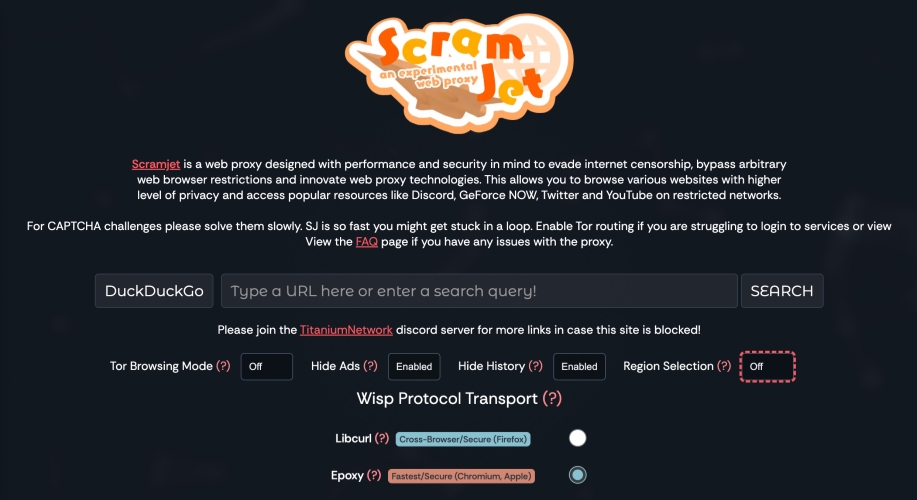
| Supported Browsers/Devices | Any browsers |
| Server Locations | Sweden & Japan |
| Installation | None |
| Pricing | Premium Upgrade Available |
⁉️Pros & Cons
- 👍Pros:
- Supports Browser Tab Cloak
- Supports ad blocking
- Supports Tor
- Supports Wasp proxy region
- 👎Cons:
- Speed may be slow
Part 3. Which Is the Best Proxy Site for School in 2026?
After reviewing a series of proxy websites for school, you will have a basic understanding. But which is the best proxy website for school? Here, we make a comparison of proxy sites for school. Each has different features and performance. Hope this table can help you in selecting one that best suits your needs.
| Proxy Sites for School | YouTube / HD Streaming | Tab Cloaking | Security | Performance |
|---|---|---|---|---|
| Hide.me | Excellent | ❌ | Moderate | Fast and stable |
| Proxysite.com | Moderate | ❌ | Low | Often slow |
| Whoer | Good | ❌ | Moderate | Fast and stable |
| CroxyProxy | Basic | ❌ | Moderate | Fast and stable |
| 4everproxy | Moderate | ❌ | Moderate | Fast and stable |
| VPNBook | Good | ❌ | Low | Often slow |
| FilterBypass | Moderate | ❌ | Low | Often slow |
| Free Proxy Site | Good | ❌ | Low | Often slow |
| Unblocc | Good | ✔️ | High | Fast and stable |
| Holy Unblocker | Excellent | ✔️ | High | Fast and stable |
| Invisiproxy | Good | ✔️ | High | Fast and stable |
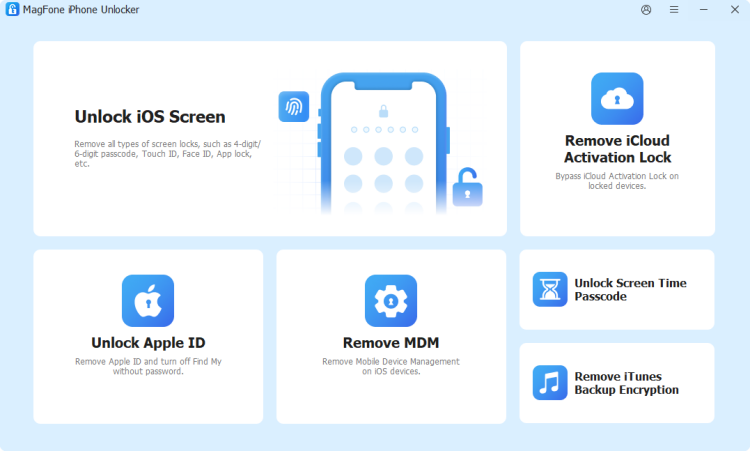
With the help of a proxy service, you can access any blocked websites like YouTube and Reddit easily. However, if your school iPad has MDM restrictions, using a proxy service cannot break all limitations,such as blocked websites or restricted apps. In this case, you can use an MDM removal tool like MagFone iPhone Unlocker to bypass MDM restrictions. Then you can remove restrictions without losing data and freely use your school-issued iPad.
Part 4. Conclusion
Finding the best proxy websites for school depends on your specific requirements—whether it's streaming videos, accessing blocked articles, or communicating through restricted platforms. The options listed above are among the most reliable and safe for academic use, helping you maintain productivity without sacrificing access to valuable online resources. If you have a school-issued iPad with strict limitations like MDM, consider using MagFone iPhone Unlocker to bypass MDM and get free device usage.

Teresa Miller
Editor in chief




