








Subway Surfers remains one of the most engaging endless runner games, delivering fast-paced action, vibrant graphics, and competitive scoring mechanics. When access is restricted, Subway Surfers unblocked draws widespread attention. Fortunately, there are several feasible methods to help you play Subway Surfers unblocked, whether you are using a school Chromebook or iPad. This comprehensive guide explores ways to get Subway Surfers unblocked on a school Chromebook or iPad. Let's dive into the details.
- Part 1. Can You Really Play Subway Surfers at School?
- Part 2. What Is Subway Surfers Unblocked Game?
- Part 3. How to Play Subway Surfers Unblocked Games
- Part 4. How to Remove Restrictions to Play Subway Surfers
- Part 5. Conclusion
Part 1. Can You Really Play Subway Surfers at School?
Yes, you can play Subway Surfers on a school Chromebook or iPad. In fact, schools block games like Subway Surfers using a combination of network and device-level restrictions. Their goal is usually to preserve bandwidth for schoolwork and prevent distractions during class. Here are the primary measures they use to block Subway Surfers:
DNS Filtering: The internet uses a DNS to translate a name like subwaysurfers.com into an IP address. It will result the game stays on the loading screen until you provide the real IP address.
Firewall Blocking: Games often communicate over specific digital "tunnels" called ports. In this case, the game might open, but features like daily challenges, leaderboards, or ads won't load.
MDM Restrictions: If you are using a school-issued device, the block is on the device itself, rather than on the network. You won't even be able to download the game, let alone play it.
It is not difficult to break through numerous restrictions. But you need to figure out what kind of restrictions you are facing on your school Chromebook or iPad first. If you cannot play Subway Surfers due to the network, you need to consider Subway Surfers game unblocked. For restrictions from Screen Time or Mobile Device Management, you have to remove restrictions on the device, then start playing the game.
Part 2. What Is Subway Surfers Unblocked Game?
When the Subway Surfers game is blocked by the network at school, you may need to look for some ways to play Subway Surfers unblocked. And some users may be confused by the unblocked Subway Surfers game. Here we explore Subway Surfers Unblocked, delivering a clear and detailed comparison for you seeking the best experience.
What Does Subway Surfers Unblocked Mean?
Subway Surfers unblocked refers to versions of the game that can be accessed on networks where gaming sites are typically restricted. These versions are hosted on platforms designed to bypass filters, allowing users to:
- Play the game directly in a browser
- Avoid downloads or installations
- Experience full gameplay without interruptions
- Access the game from school or workplace environments
What Differences Does Subway Surfers Unblocked Make?
Subway Surfers delivers the full-featured experience with superior performance and continuous updates, while Subway Surfers unblocked provides unmatched accessibility, allowing gameplay anytime, anywhere, even under restrictions. Here is a detailed comparison table.
| Subway Surfers | Subway Surfers Unblocked | |
|---|---|---|
| Platform | Official platforms | Web browser |
| Access Method | Require download and installation | Instant play, no download required |
| Accessibility | May be restricted on school networks | Accessible on restricted networks |
| Gameplay Quality | Smooth, optimized, full graphics and animations | Slightly simplified, depends on browser or device performance |
| Controls | Touchscreen optimized | Keyboard controls |
| Storage Requirement | Require device storage space | No storage required |
| Offline Play | Available | Not available |
| Security | Safe | May include risks |
| Installation Needed | Yes | No |
| Legal Status | Official and licensed | Sometimes unofficial or unauthorized |
Part 3. How to Play Subway Surfers Unblocked Games
These networks at school prevent access to Subway Surfers on a school Chromebook or iPad. Fortunately, several methods can help you play Subway Surfers without violating school policies. Here's the detailed steps to play Subway Surfers unblocked on a school Chromebook or iPad.
| Methods | Effectiveness | Safety | Ease of Use |
|---|---|---|---|
| Unblocked Game Websites | Moderate | Moderate | High |
| Extensions | Moderate | Moderate | High |
| Mobile Data | High | High | Low |
| Proxy Servers | Moderate | Low | Moderate |
| VPN Services | High | High | High |
Method 1. Visit Subway Surfers Unblocked Websites
Some websites offer browser-based versions of Subway surfers that might not be blocked by the school's network. These platforms allow you to play Subway Surfers online in Safari, Chrome, or another browser without the need for downloads.
| Subway Surfers Unblocked Websites | Full Screen | Ads |
|---|---|---|
| https://subwaysurfers-unblocked.gitlab.io/ | ✔️ | Ad-free |
| https://abc.cloudfree.jp/subway-surfers/index.html | ✔️ | Ad-free |
| https://sites.google.com/view/unblockedgamesfwd/subway-surfers | ✔️ | Ad-free |
| https://poki.com/en/g/subway-surfers | ✔️ | Few ads |
| https://subwaysurfers-game.io/unblocked-games/ | ✔️ | Ads before playing |
| https://subway-surfers.gg/ | ✔️ | Ad-free |
| https://yell0wsuit.page/assets/games/subway-surfers-unity/index.html | ✔️ | Ads before playing |
| https://mathplayzone.com/subway-surfers/ | ✖️ | Lots of ads |
| https://retrobowl.school/game/subway-surfers/ | ✔️ | Lots of ads |
| https://poorbunny.io/game/subway-surfers/ | ✔️ | Lots of ads |
| https://gamepluto.com/game/subway-surfers-unblocked/ | ✔️ | Lots of ads |
| https://www.easyunblocked.com/subway-surfers-singapore | ✔️ | Ad-free |
| https://subwaysurfersgo.com/online | ✔️ | Ads before playing |
| https://classroom-6x.io/game/subway-surfers-1/ | ✔️ | Lots of ads |
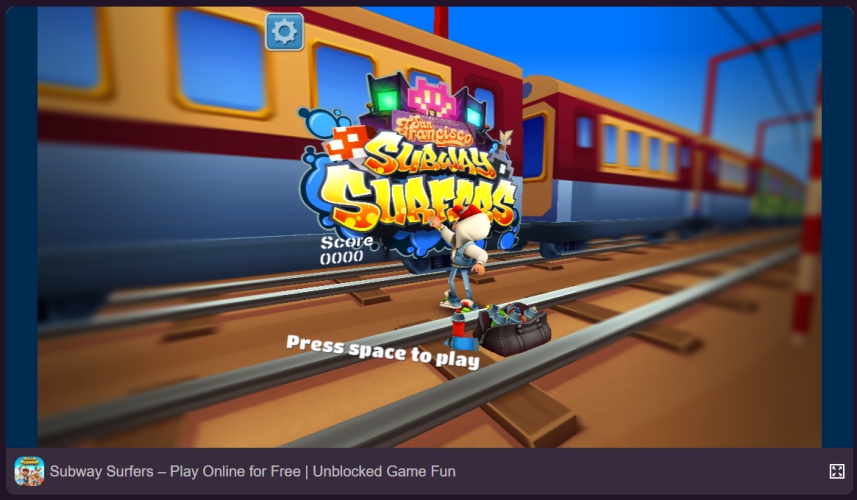
Step 1. Look for reputable platforms like Poki that host Subway Surfers online.
Step 2. Navigate to the website in Safari or another browser.
Step 3. Follow on-screen instructions to start playing Subway Surfers.
 Pros
Pros- Play directly in the browser;
- Simple access without technical steps.

- Potential exposure to malicious ads or malware;
- Schools may block these online game sites.
Method 2. Install Subway Surfers Unblocked Extension
Playing Subway Surfers via a browser extension is a popular way to bypass school filters. Most Subway Surfers extensions are hosted on the Chrome Web Store. If your school has blocked the Chrome Web Store entirely, your best bet is to look for unblocked Subway Surfers game websites.
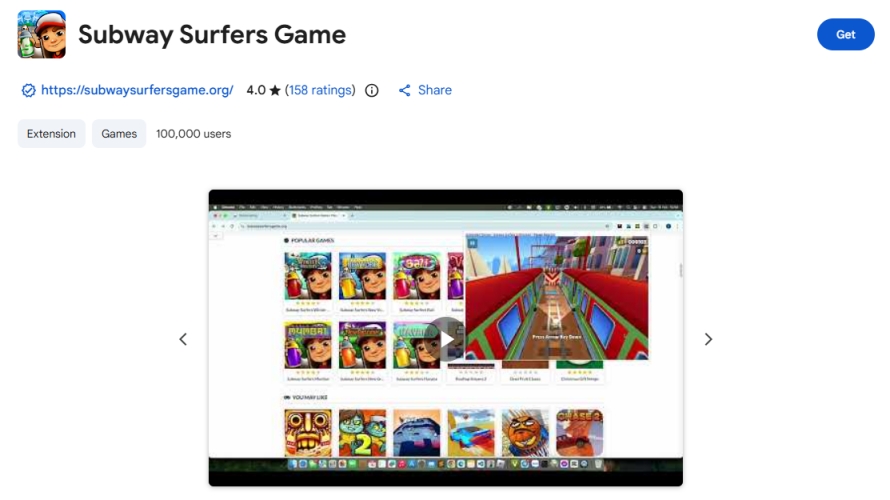
Step 1. Open the Chrome Web Store and search for Subway Surfers.
Step 2. Click Add to Chrome to install the extension to the browser.
Step 3. Click the puzzle piece icon in your toolbar at the top right.
Step 4. Click the pin icon next to the game, then launch it to play the game.
Pros- No need to install standalone apps;
- Bypass school filters for playing the game.
- Have lag issues while playing the game;
- Not available for installing sometimes.
Method 3. Switch to Mobile Hotspot or Cellular Data
If your school's WiFi network restricts access to gaming sites, using your personal mobile data can be an alternative. It can bypass school network restrictions, then you can play Subway Surfers on your school-issued iPad without restrictions.
Step 1. On your school iPad, open the Settings app and disable WiFi.
Step 2. Tap Cellular and turn on the personal cellular data.
Step 3. Open Subway Surfers or visit an unblocked game site to play Subway Surfers.
Pros- Completely independent of school WiFi;
- Provide a reliable and fast internet connection.
- Consume significant amounts of mobile data;
- Quickly deplete battery life.
Method 4. Play Subway Surfers with a Proxy Website
Proxy browsers act as intermediaries, allowing you to access blocked content by routing your internet connection through a different server. To bypass network restrictions and access Subway Surfers, you can use a proxy browser.
| Service | Best For | Server Locations | Key Features |
|---|---|---|---|
| CroxyProxy | Modern Web Apps | Various | Excellent support for YouTube and Google. Highly compatible with JavaScript-heavy sites. |
| ProxySite | Social Media | US & EU | Simple interface. Specifically optimized for unblocking Facebook, X, and Reddit. |
| Hide.me | Privacy | NL, DE, FI, US | No-logs policy even on the free tier. Supports full HTTPS for better security. |
| 4everproxy | Customizable Links | 10+ Countries | Allows you to create "permanent URLs" to share blocked content with others. |
| HideMyAss | Ease of Use | US, UK, EU | A trusted brand in the industry. Very fast for basic text-based browsing. |
Step 1. Download a reputable proxy browser like UPX Private Browser from the App Store.
Step 2. Follow the installation prompts and open the browser.
Step 3. Use the proxy browser to access the Subway Surfers website.
Pros- Access content otherwise restricted.
- Some proxies may log data or inject ads;
- Slower connection speeds.
Method 5. Turn to a Professional VPN Service or App
A VPN service can encrypt your internet connection and route it through a server in a location of your choice, potentially bypassing network restrictions. After masking your IP address and bypassing blocked content, you can access Subway Surfers on your school iPad.
| Service | Best For | Starting Price | Simultaneous Devices |
|---|---|---|---|
| NordVPN | Overall Performance | $3.39/mo | 10 |
| Surfshark | Best Value | $1.99/mo | Unlimited |
| Proton VPN | Privacy Purists | $2.99/mo | 10 |
| ExpressVPN | Ease of Use | $3.49/mo | 14 |
Step 1. Select a reputable VPN service from the App Store to download and install.
Step 2. Set up the VPN service and open it to connect a server.
Step 3. Try accessing Subway Surfers through the App Store or the browser.
Pros- Encrypt data and protect privacy;
- Effectively bypass most network restrictions.
- Need app installation;
- Breach school policies.
Part 4. How to Remove Restrictions to Play Subway Surfers Freely
In conclusion, Subway Surfers is blocked on a school iPad due to restrictions and mobile device management. A better method to help you access and play Subway Surfers on a school iPad is to remove those restrictions. It is a bit difficult to delete restrictions and mobile device management on a school iPad when you don't the removal password. However, MagFone iPhone Unlocker is a quick solution for bypassing these restrictions. After removing these restrictions, you can get Subway Surfers unblocked on your school iPad.

MagFone iPhone Unlocker
Unlock various locks on iOS devices, including screen locks, MDM, Apple ID, and Activation Lock without needing a password.
Step 1 Get iPad Connected to Computer
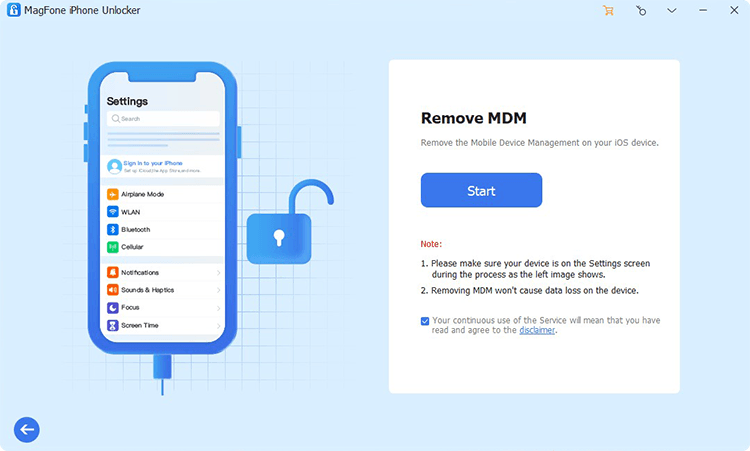
After downloading and installing MagFone iPhone Unlocker, open it on your computer and use a USB cable to connect your school iPad to the computer. In the main window of MagFone software, select the Remove MDM option and click the Start button.
Step 2 Remove Mobile Device Management
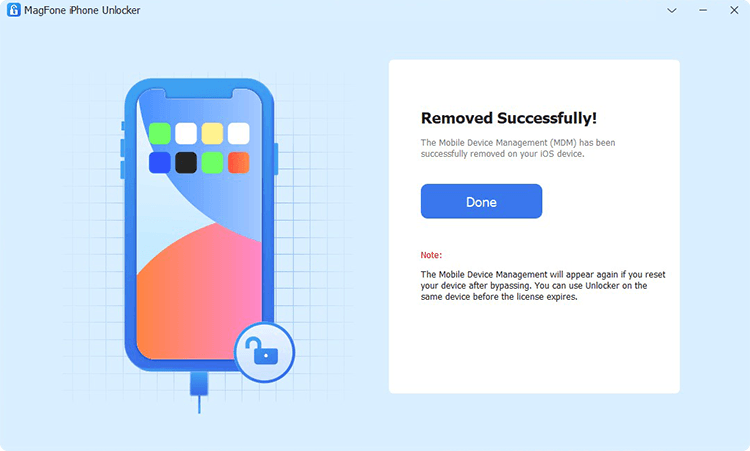
Make sure that the Find My iPad feature is disabled. If not, go to open the Settings app and tap your Apple ID > Find My, then turn off Find My iPad. Go back to your computer and click the Unlock button to remove mobile device management from your device.
📝Note:
If your school iPad is restricted by Screen Time, you can select the Remove Screen Time option to disable restrictions on your device. Then you can also access and play Subway Surfers on your school iPad without time limit.
Part 4. Conclusion
And voila, that's all! It's possible to access Subway Surfers on a school iPad using the methods described above. But it's crucial to prioritize adherence to school policies and network security. If you want to remove restrictions or mobile device management to access Subway Surfers on your school iPad freely at any time, consider using MagFone iPhone Unlocker. With this professional tool, you can completely remove restrictions on a school iPad, then use your school iPad without any restriction.

Dylan Jones
Editor in chief





