








As a free and web-based game site, Pizza Edition offers more than 200 kinds of games to play without downloading and installation. It classifies games into categories, including Action, Puzzle, Adventure, Simulation, Racing, Sports, 2 Player, Casual, and Board. But with more traffic from this website, Pizza Edition may be easily detected and blocked by your school or workplace. In this guide, we will show you how to get Pizza Edition unblocked so you can take a break during study or work time.
- Part 1. What Is Pizza Edition?
- Part 2. How to Get Pizza Edition Unblocked
- Part 3. Top Games to Play Once You Get Pizza Edition Unblocked
- Part 4. Conclusion
Part 1. What Is Pizza Edition?
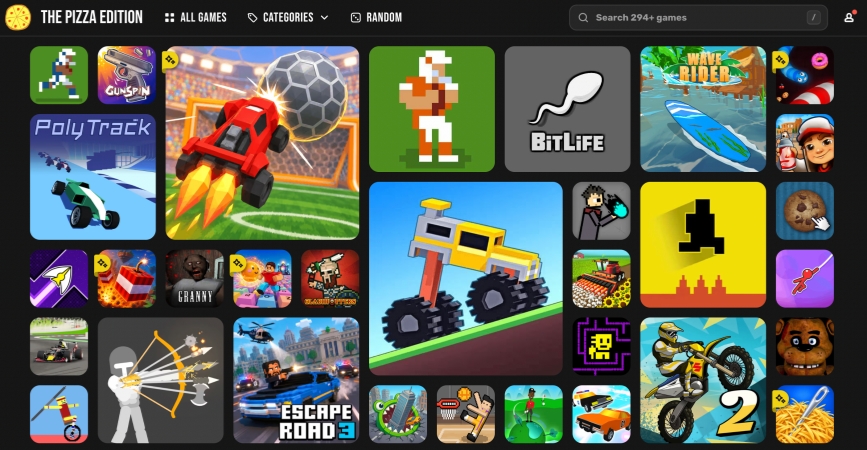
Pizza Edition is a free browser-based gaming platform that offers convenient access to a wide range of games in one place. Its collection includes action, puzzle, adventure, simulation, racing, sports, multiplayer, casual, and board games, which gives users plenty of options for quick entertainment during free time.
- 👍Pros:
- No download and installation required
- Up to 294 games
- Completely free gaming website
- Play games without signing up
- 👎Cons:
- Possible limitations under school or workplace restrictions
Part 2. How to Get Pizza Edition Unblocked
Although Pizza Edition offers a convenient way to relax during free time, the website may sometimes be blocked by school, work, or public networks. Fortunately, there are several practical methods to remove these restrictions. Check the methods in this section to get Pizza Edition unblocked.
Method 1. Use Official Browser-Based Mirror Site
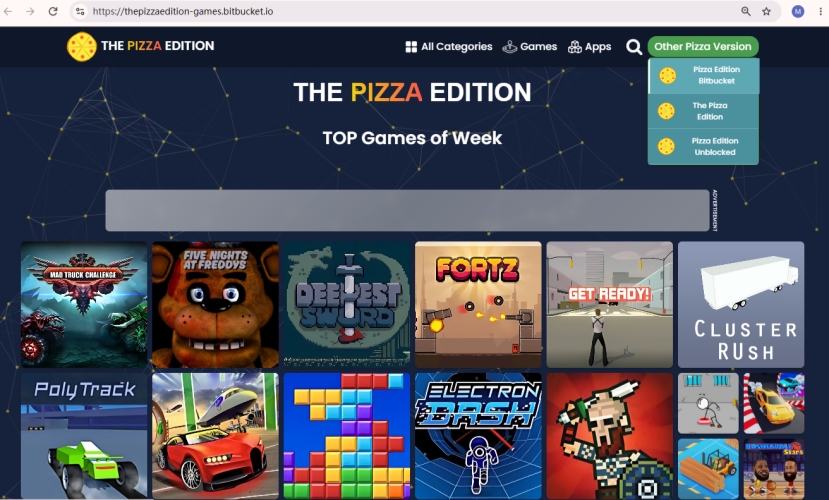
When the official Pizza Edition website is blocked, the mirror sites may still be available. Below are some official mirror sites of Pizza Edition, and you can check if any are accessible.
- https://sites.google.com/view/pizzalearns/
- https://pizzaedition.bitbucket.io/
- https://pizza-edition.gitlab.io/
- https://pizza-edition-unblocked.github.io/
- https://pizzaedition.pro/
- https://thepizzaedition-games.bitbucket.io/
- 👍Pros:
- Simple to access
- Works when official website is unavailable
- 👎Cons:
- The mirror sites could become blocked as well
Method 2. Access via Web Proxies
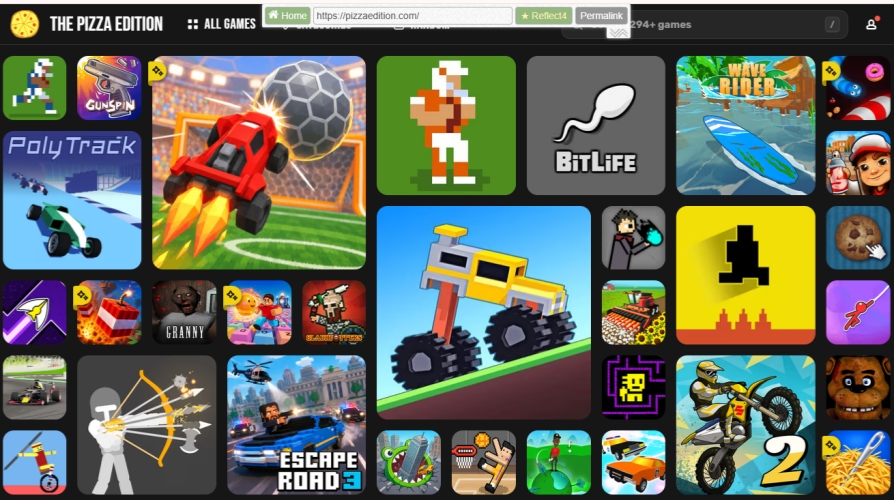
A web proxy can help load a page through another server. So when the Pizza Edition website is blocked, you may still access it via a web proxy. However, a proxy may be slow or restricted by school and workplace networks as well.
Step 1. Choose a proxy service and load it.
Step 2. Paste the Pizza Edition website into the web proxy's search box and load the result.
Step 3. Check whether Pizza Edition works via the web proxy.
- 👍Pros:
- Doesn't require installation
- Works directly in a browser
- 👎Cons:
- Games may load slowly
- Proxies may be blocked by network administrators
Method 3. Use Mobile Data
If Pizza Edition is blocked on a public WiFi network, switching to Mobile data may solve the blocking issue. You can use cellular data or connect to a hotspot, which will use your phone's carrier network and cause additional fees.

Step 1. Disconnect the WiFi network on your device.
Step 2. Turn on mobile data or connect to a hotspot.
Step 3. Visit the Pizza Edition website or mirror sites to play games.
- 👍Pros:
- Simple and quick
- Avoid public WiFi network restrictions
- 👎Cons:
- Uses mobile data allowance
- May cause extra charges
- Signal quality affects gameplay
Method 4. Use VPN Service
Sometimes, a VPN service encrypts your network connection and bypasses the restrictions. If you have a VPN tool installed on your device, you can configure it and determine if the restrictions are related to the public network.
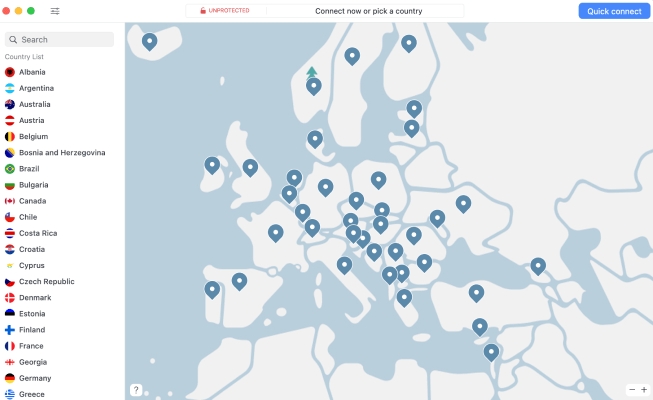
Step 1. Install a reliable VPN app from the app store.
Step 2. Configure the VPN tool and connect.
Step 3. Open the official Pizza Edition website to play games.
- 👍Pros:
- Bypass network-level restrictions
- 👎Cons:
- VPN quality affects gameplay
- May require payment
- Contains ads in VPN app
Method 5. Remove MDM / Screen Time Restrictions
MDM and Screen Time restrictions can block content and websites on your managed devices. If the Pizza Edition website is blocked due to device management profiles or Screen Time restrictions, you can use an unlocking tool to remove the restrictions. MagFone iPhone Unlocker is a professional unlocking tool that is designed to remove MDM and Screen Time restrictions from iPhone and iPad. You may be able to bypass the restrictions and play Pizza Edition unblocked.

MagFone iPhone Unlocker
Remove Remote Device Management and Screen Time on iPhone and iPad without needing a password.
Step 1 Install and Launch MagFone iPhone Unlocker
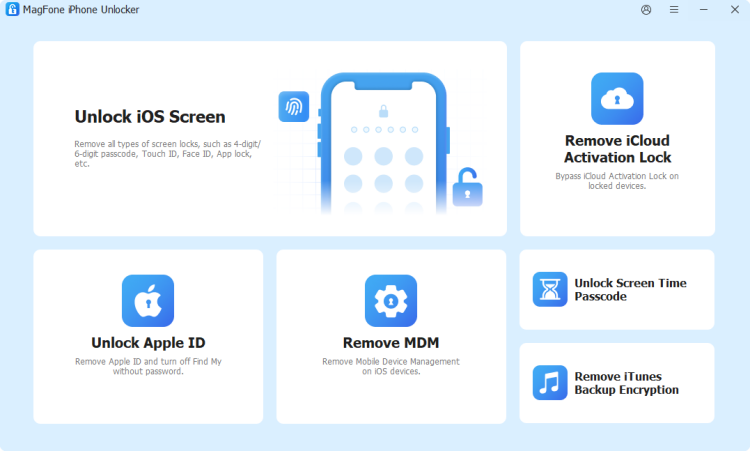
First, download the MagFone iPhone Unlocker package from its website, install the software, and set it up. Then launch MagFone to start.
Step 2 Get Pizza Edition Unblocked
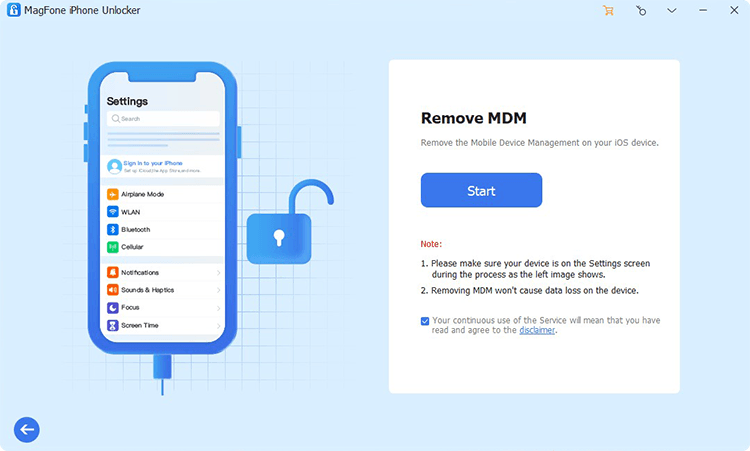
Choose Remove MDM or Unlock Screen Time Passcode from MagFone's interface. Then click Start to remove the restrictions that prevent you from accessing Pizza Edition.
- 👍Pros:
- May remove restrictions completely
- 👎Cons:
- Requires a computer
- May require premium service
Part 3. Top Games to Play Once You Get Pizza Edition Unblocked
Once you have accessed Pizza Edition, you will get many gameplay options. We'd like to share some games worth trying, and you may get interested in them.
- Fast-paced action: 10 Minutes Til Dawn, PLONKY, Dreadhead Parkour, DEADLY DESCENT
- Racing: Poly Track, Snow Rider 3D, Stunt Car Extreme, Free Rider Jumps
- Puzzles: Good Master, Bob the Bobber 2, Who Is?
- Multiplayer: Basketball Stars, Football Bros, Reversi
- Simulation: Good Pizza Great Pizza, Harvest Simulator, Donut Place
Part 4. Conclusion
Pizza Edition provides a convenient way to enjoy a wide range of web games across categories. If the Pizza Edition website is blocked, you can try mirror sites, a web proxy, mobile data, a VPN, or MagFone to bypass the restrictions. Once access is restored, you can explore different game categories to find enjoyable titles that match your interests and provide quick entertainment.

Dylan Jones
Editor in chief




