








At school, at work, or on the public network, many people want to play Retro Bowl only to find that the web page won't open, the game is blocked, or it even says "Access is restricted." If you also encounter this situation, it is not the game itself that is wrong, but the network restrictions. Fortunately, you can play Retro Bowl unblocked as long as you take a feasible method. In this guide, we will show you how to get Retro Bowl unblocked without limitations.
- Part 1. What Is Retro Bowl Unblocked
- Part 2. How to Play Retro Bowl Unblocked
- Part 3. Alternative Games to Retro Bowl Unblocked
- Part 4. Conclusion
Part 1. What Is Retro Bowl Unblocked
Retro Bowl is an American football simulation game developed by New Star Games. It's a retro, pixel-style title that blends on-field gameplay with deep team management elements. Players control the offense during games while also managing players, designing tactics, and handling contracts and team relationships off the field. Its simple controls and surprisingly high strategic depth have made it popular among both students and working professionals, and it's ideal for quick sessions during short breaks.

To minimize distractions, Retro Bowl is blocked on many school and workplace networks. When the game page won't load, or access is restricted, you'll need to find a way to get Retro Bowl unblocked. In the next part, we'll walk you through how to regain access and enjoy the game again.
Part 2. How to Play Retro Bowl Unblocked
To play Retro Bowl unblocked, you need to get around your network's restrictions. Below are five methods that may help you access Retro Bowl when you want to relax and play during breaks at school or at work.
Method 1. Play Retro Bowl Unblocked Google Sites
When the Retro Bowl app on your device can't load or connect because of restrictions, you can consider playing Retro Bowl unblocked through Google-based sites instead. There are several Retro Bowl unblocked Google websites that mirror the game in a browser, allowing you to play without relying on the installed app.
- Poki
- CrazyGames
- WORDLE2.io
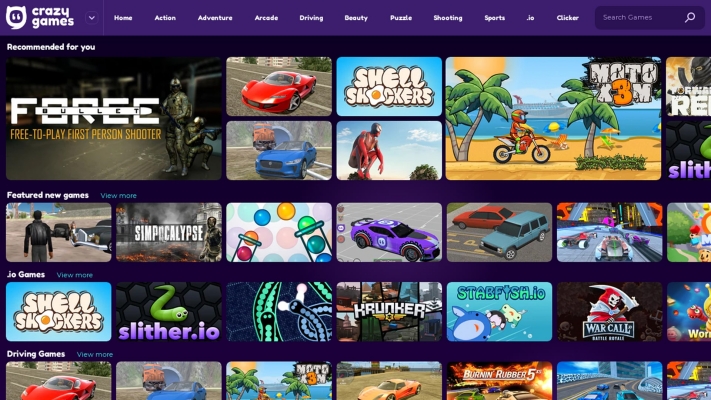
These sites typically host the web version of Retro Bowl, so you can jump into a game directly from your browser as long as the page itself isn't blocked. Just search for trusted Retro Bowl unblocked Google sites, open one in your browser, and you may be able to enjoy the full game experience even when the app won't work due to network or device limits.
Method 2. Use A Proxy Server
If Retro Bowl unblocked websites are blocked, you can use a proxy server to access Retro Bowl. Proxies act as intermediaries so that the network cannot directly recognize that you are visiting a gaming website, thus avoiding blocks.

Method 3. Use VPN Server
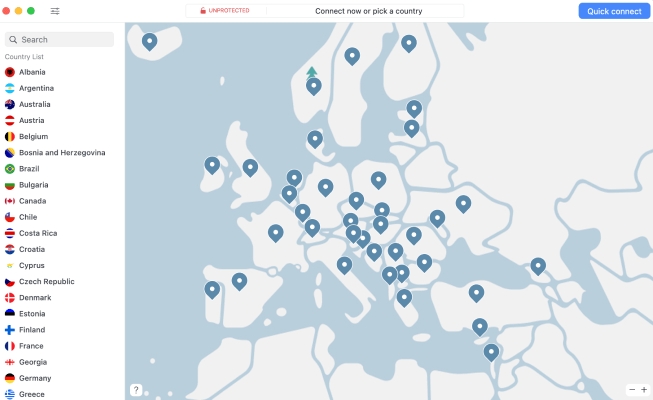
A VPN configuration lets you route your internet traffic through an encrypted tunnel, masking your real IP address and hiding much of your online activity from the local network. By connecting to a VPN server, you can appear to be browsing from a different location, which can help you get Retro Bowl unblocked on networks where it's normally restricted. Most quality VPN services offer a wide range of servers around the world, allowing you to choose from different regions or countries. By switching to a server in another area, you may be able to bypass blocks and get Retro Bowl unblocked.
Method 4. Use Mobile Data
If you're connected to a public school or workplace network, most entertainment apps, including Retro Bowl, will likely have restricted access. In this situation, you can disconnect from the public network and switch to mobile data or connect through a personal hotspot to bypass those network restrictions.
Method 5. Remove MDM Profile
When you're using a school iPad or a company-issued iPhone, an MDM profile has likely been installed on the device. This management system allows schools and workplaces to control what you can access, which often includes blocking games like Retro Bowl and preventing you from opening Retro Bowl unblocked websites.
In this situation, one approach is to remove the MDM profile from the device so you can use it more freely and play Retro Bowl anywhere without those restrictions. As one of the leading MDM removal tools, MagFone iPhone Unlocker is designed to bypass MDM locks quickly and securely without causing data loss. With its intuitive interface and high success rate, it can help you get around MDM limitations and enjoy Retro Bowl and other content without barriers.

MagFone iPhone Unlocker
Unlock various locks on iOS devices, including screen locks, MDM, Apple ID, and Activation Lock without needing a password.
Step 1 Launch MagFone iPhone Unlocker
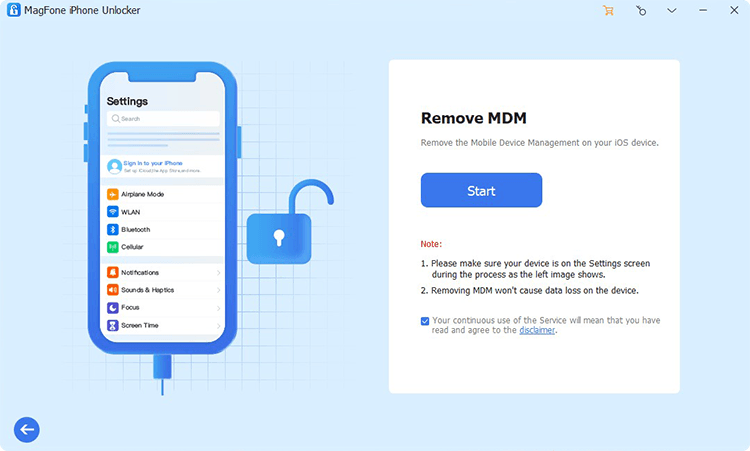
Download and install MagFone iPhone Unlocker on a computer and connect your iPhone or iPad to the computer. Then launch the tool after installation.
Step 2 Remove MDM Profile without Password
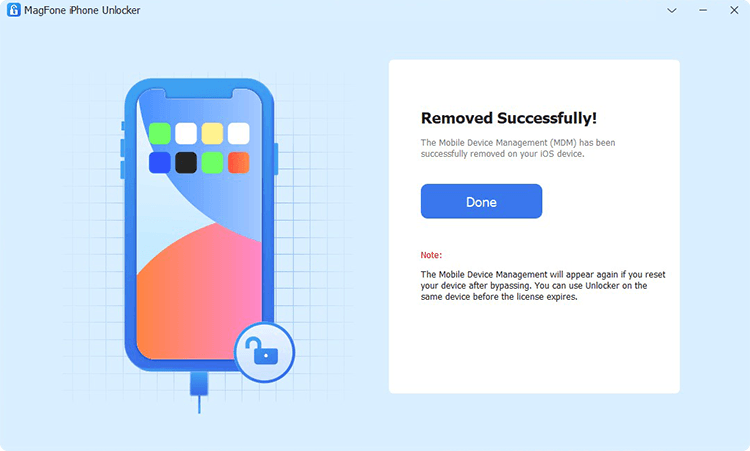
Click Remove MDM. Then click Start, and you'll be required to enter the passcode to unlock your device. Then the tool will remove the MDM profile on your device.
Part 3. Alternative Games to Retro Bowl Unblocked
Following the afterward methods, you must have bypassed the restrictions on your device. Apart from Retro Bowl, there are some similar interesting sports games you can play and enjoy. Here we collect three alternatives for you to play anywhere.
Game 1. Hoop Land
Hoop Land is a retro-style pixelated basketball game that combines elements of gameplay with team management. Players can control the pace of the game and are also responsible for developing players, adjusting lineups, and planning for the season. The gameplay is easy to understand yet requires strategic thinking.

I wanted a basketball version of retro bowl, and found hoop land to have just enough detail to keep it from getting repetitive and not too much where I couldn't create my own stories/experience."
Game 2. Retro Goal
Retro Goal is a football-themed game developed by New Star Games, featuring the same pixelated graphics and management mechanics. Players must manage their team's attacks throughout the match, as well as adjust their lineup and tactics. This game is ideal for those who enjoy the Retro Bowl style but prefer football gameplay.

Retro Goal is from the same developer and plays great. I'm not a huge soccer fan but I still enjoyed putting many hours into it."
Game 3. Ice League Hockey
Ice League Hockey is a retro-style sports game set in the world of ice hockey. It combines fast-paced gameplay with a team management system. With its simple controls and fast-paced action, this game is perfect for players who enjoy a mix of competitive gameplay and strategic team management.
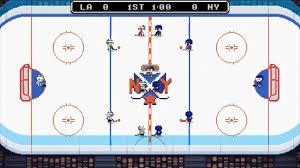
This guy also made a hockey game too called Ice League Hockey. It's alright. I liked it enough to pay for the game."
Part 4. Conclusion
If you can't access Retro Bowl at school, at work, or on any other network, there's no need to panic. By following the methods introduced in this guide, you can safely work around many common restrictions and get Retro Bowl unblocked. Take your time to choose the option that suits your device and situation best, and always remember to respect your school or workplace's policies while enjoying the game.

Dylan Jones
Editor in chief





