








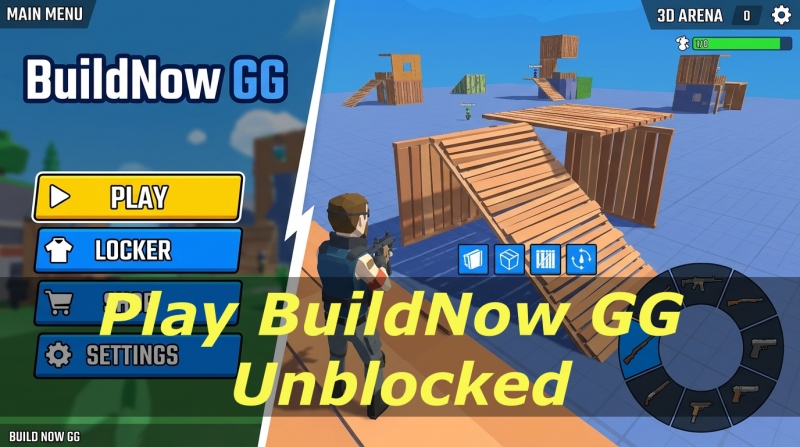
Whether you are looking to kill time during a study break or polish your competitive building skills without downloading massive software files, BuildNow GG has become one of the premier web-based third-person shooters on the internet. Combining the fast-paced, defensive construction mechanics of games like Fortnite with snappy arena combat, it offers high-octane 1v1 duels directly within your web browser.
However, many educational institutions and corporate environments restrict access to gaming portals through network firewalls, domain blocks, and DNS filters. This guide covers everything you need to know about BuildNow GG unblocked. If you are looking to play BuildNow GG unblocked on restricted networks, here are some safe methods available for you.
- Part 1. What Is BuildNow GG Unblocked?
- Part 2. How to Access BuildNow GG Unlocked at School
- Part 3. How to Play BuildNow GG on Restricted Devices
- Part 4. How to Control BuildNow GG Unlocked
- Part 5. FAQs about BuildNow GG Unlocked
- Part 6. Conclusion
Part 1. What Is BuildNow GG Unblocked?
BuildNow GG is an online multiplayer 1v1 build-and-shoot web game developed by BattleLab. Unlike traditional tactical shooters where movement and cover rely solely on map geography, BuildNow GG allows players to construct defensive walls, ramps, floors, and roofs in real time while engaging in active firefights.
When players search for "BuildNow GG unblocked," they are generally looking for alternative access methods, such as web mirrors or network workaround strategies that bypass local Wi-Fi restrictions without requiring root permissions, software downloads, or expensive hardware updates. Here are differences between official BuildNow GG and unblocked BuildNow GG.
| BuildNow GG | BuildNow GG Unblocked | |
|---|---|---|
| Platform | Official platforms | Mirror sites |
| Network Accessibility | Frequently blocked on school or workplace Wi-Fi filters. | Specifically designed to bypass institutional network blocks. |
| Core Gameplay & Modes | Full access to Freebuild, V-Arena, BoxFight, Zone Wars, & Aim Training. | Identical WebGL gameplay and game modes. |
| Account & Data Persistence | Full cloud saves, accounts, and server profile sync. | Local browser storage only. |
| Multiplayer Connection | Direct connection to official global matchmaking servers. | Standard online play. |
| Security | Official HTTPS developer domain. | Beware of third-party pop-up ads. |
| Installation Needed | No | No |
| Legal Status | Official and licensed | Sometimes unofficial or unauthorized |
Part 2. How to Access BuildNow GG Unlocked at School
If your school or office network blocks the primary buildnow.gg domain, several reliable methods can re-establish connection while protecting your device privacy. Let's explore how to access BuildNow GG unblocked.
| BuildNow GG Unblocked | Requirements | School-friendly | Download App | Safety | Recommendation |
|---|---|---|---|---|---|
| Trusted Web Mirror Sites | Good internet connection | ⭐⭐⭐⭐ | ❌ | Moderate | ⭐⭐⭐⭐ |
| VPN Services | Good internet connection | ⭐⭐ | ✔️ | High | ⭐⭐ |
| Proxy Sites | Good internet connection | ⭐⭐ | ❌ | Low | ⭐⭐ |
| Mobile Hotspots | Good internet connection | ⭐⭐ | ❌ | High | ⭐⭐ |
Method 1. Choose Trusted Web Mirror Sites
Educational-friendly gaming mirrors host browser games on external domains or cloud frameworks like Google Sites or GitHub Pages. Because network filters block sites by specific domain URLs, these secondary mirrors often remain accessible.
Example of Popular Unblocked Platforms:
| BuildNow GG Unblocked Sites | Loading Speed | Full Screen | Rating |
|---|---|---|---|
| https://www.crazygames.com/game/buildnow-gg | Medium | ✔️ | 9.2/10 |
| https://buildnow-gg.io/ | Slow | ✔️ | 8.4/10 |
| https://eaglercraftweb.com/buildnow-gg/ | Slow | ✔️ | 8.4/10 |
| https://frivez.com/buildnow-gg | Medium | ✔️ | 7.7/10 |
| https://sites.google.com/view/gradexgames-/buildnow-gg | Fast | ✔️ | 9/10 |
| https://topgames.gg/buildnow-gg | Slow | ✔️ | 9.3/10 |
| https://ubg76.gitlab.io/game/buildnow-gg.html | Fast | ✔️ | 9.8/10 |
| https://maxwellstevenson.com/gxmes/buildnow.gg/ | Fast | ✔️ | 8.5/10 |
| https://pizzaedition.io/games/buildnow-gg/ | Slow | ✔️ | 7.8/10 |
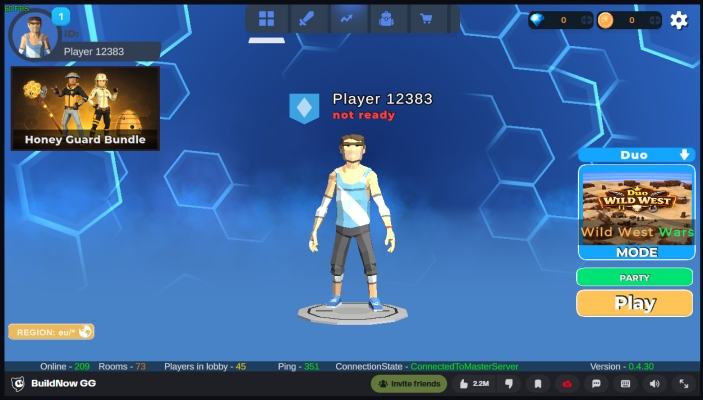
Step 1. Choose a trusted web mirror site to visit on your device.
Step 2. Wait to load the full game screen.
Step 3. Click the Play button to start your game.
Step 4. Control the game using the keyboard and mouse.
Method 2. Enable Virtual Private Networks (VPNs)
A Virtual Private Network encrypts your internet traffic and routes it through a remote server. Because local network firewalls cannot inspect the encrypted data stream, they cannot block your connection to the official game servers.
| Feature | Best For | Starting Price | Simultaneous Devices |
|---|---|---|---|
| NordVPN | Overall Performance | $3.39/mo | 10 |
| Surfshark | Best Value | $1.99/mo | Unlimited |
| Proton VPN | Privacy Purists | $2.99/mo | 10 |
| ExpressVPN | Ease of Use | $3.49/mo | 14 |
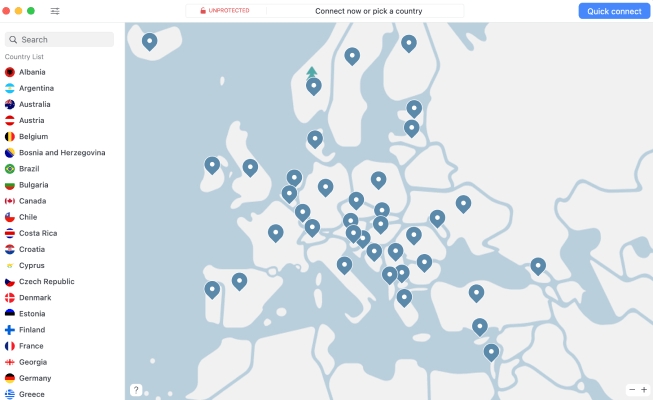
Step 1. Install a reputable browser extension VPN such as NordVPN or ExpressVPN.
Step 2. Connect to the closest geographical server location to minimize network ping.
Step 3. Open your browser and navigate directly to the game domain.
Method 3. Use Safe Web Proxies
Web proxies act as middleman web browsers. Instead of your computer reaching out to the blocked game page, the proxy site fetches the webpage and displays it to you. To access BuildNow GG unblocked, use trusted web proxies.
| Proxy Sites for School | Cost | Security | Performance |
|---|---|---|---|
| Hide.me | Paid | Moderate | Fast and stable |
| KProxy | Paid | Moderate | Fast and stable |
| Proxysite.com | Free | Low | Often slow |
| Whoer | Paid | Moderate | Fast and stable |
| VPNBook | Free | Low | Often slow |
| FilterBypass | Free | Low | Often slow |
| Free Proxy Site | Free | Low | Often slow |

Step 1. Launch a web proxy site like VPNBook on your device.
Step 2. Enter the official website of BuildNow GG into the search bar.
Step 3. Open BuildNow GG and wait to load the game.
Step 4. Click the Play button and start playing your game.
Method 4. Turn on Personal Mobile Hotspots
School and office firewalls only apply to devices connected to their local Wi-Fi router. Instead of trying to bypass firewalls using third-party mirrors, proxies, or VPNs, a mobile hotspot completely routes your connection through your smartphone’s cellular data connection.
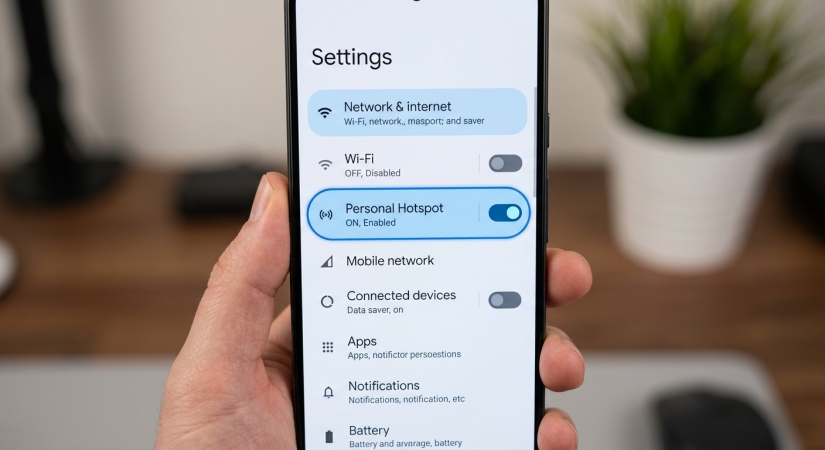
Step 1. Turn on the Personal Hotspot feature on your smartphone.
Step 2. Connect your laptop or Chromebook to your phone's Wi-Fi network.
Step 3. Reload the game page to bypass the local network filter completely.
Part 3. How to Play BuildNow GG on Restricted Devices
If you are trying to play web games on an iPhone or iPad and hit a wall due to forgotten Screen Time passcodes or restrictive Mobile Device Management (MDM) profiles, standard network tweaks won't work because the block is enforced locally on the operating system.
In this specific scenario, MagFone iPhone Unlocker can help resolve local system constraints. It allows users to turn off Screen Time passcodes without data loss or remove supervisory MDM profiles from supervised iOS devices, regaining unhindered web browsing access on their personal hardware.
MagFone iPhone Unlocker
Unlock various locks on iOS devices, including screen locks, MDM, Apple ID, and Activation Lock without needing a password.
Step 1Connect iPad to Computer and Open MagFone
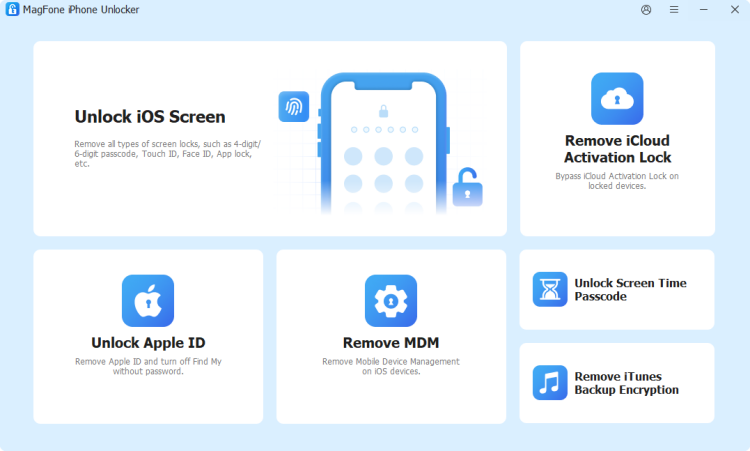
Pull up MagFone iPhone Unlocker on your computer then connect your iPad to the computer. After your iPad is detected by the computer, select the Remove MDM option and click on the Start button to process the process of removing the MDM profile.
Step 2Start to Remove the MDM Profile on iPad
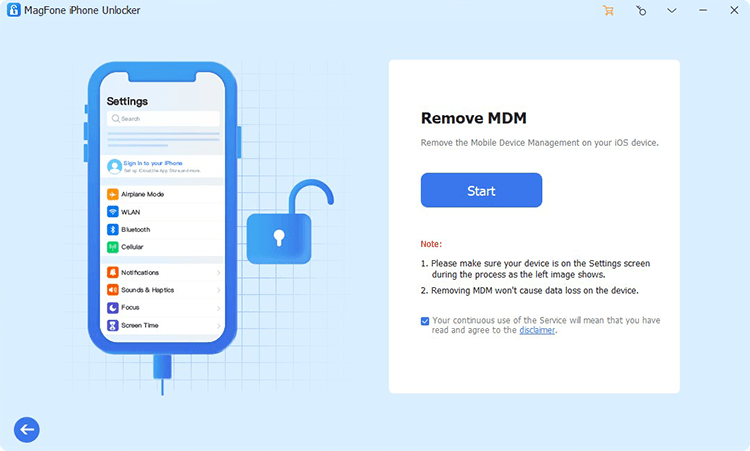
Make sure that the Find My iPad feature is disabled on your iPad. If not, go to Settings > [your name] > Find My. Then under Find My, tap Find My iPad and turn it off. Now you can click on the Remove button to start removing the MDM profile without password and data loss.
Part 4. How to Control BuildNow GG Unlocked
Success in BuildNow GG depends heavily on muscle memory. Switching rapidly between building structures and firing weapons requires a clear understanding of the default keybind layout.
| Action Category | In-Game Command | Default Key / Input |
|---|---|---|
| Movement | Forward / Left / Backward / Right | W / A / S / D |
| Jump | Spacebar | |
| Crouch | Left CTRL or Left Shift | |
| Combat | Shoot / Attack | Left Mouse Click |
| Aim Down Sights (ADS) | Right Mouse Click | |
| Equip Pickaxe | Z | |
| Select Weapons (1 – 5) | 1, 2, 3, 4, 5 | |
| Building | Wall | Q or Z |
| Floor Platform | X or C | |
| Ramp | C or V | |
| Roof / Cone | Left Shift | |
| Editing | Edit Structure | F |
| Confirm / Apply Edit | F | |
| Reset Edit | Right Mouse Click |
Tip:
Go to the in-game Settings menu to map your Wall and Ramp hotkeys to mouse side buttons if your mouse supports them. This keeps your movement fingers free while building under pressure.
Part 5. FAQs about BuildNow GG Unlocked
Is BuildNow GG unblocked completely free to play?
Yes. The BuildNow GG unblocked game is entirely free to play directly within supported web browsers without pay-to-win micro-transactions. But always ensure the mirror URL starts with https:// and does not prompt you to download external files.
Can I save my progress in BuildNow GG unblocked?
Yes, as long as your browser retains local storage and cookies, your key mappings and game settings will automatically load when you return to the game site.
Is BuildNow GG Unblocked safe to play on public browser networks?
Yes, as long as you access the game via trusted HTTPS mirror domains or the official site. Avoid any site that asks you to install executable files like .exe or .apk to run the game.
Do I need a high-end gaming PC to run BuildNow GG unblocked?
No. Because BuildNow GG unblocked is optimized for web browsers, it runs smoothly on standard integrated graphics, laptops, and basic school Chromebooks, especially when graphics settings are adjusted lower.
Part 6. Conclusion
BuildNow GG offers one of the purest, most accessible ways to test your mechanical building and shooting skills directly inside a web browser. Whether you are using web-based mirror sites, encrypted VPNs, or personal hotspots to reconnect during breaks, ensuring your browsing security and using safe access protocols should always come first. To access BuildNow GG on a restricted iPhone or iPad, use MagFone iPhone Unlocker to remove MDM or Screen Time restrictions without a password.

Dylan Jones
Editor in chief




