








With an increasing number of people facing locked devices due to forgotten passwords or second-hand purchases, the FRPFile Bypass tool has garnered significant attention. But how well does it live up to its claims? If you're struggling with a locked iPhone or Android, you're likely familiar with the FRPFile bypass, but not much about it. In this review, we'll take an in-depth look at the FRPFile bypass tool, its key features, its pros and cons, and how it works. Follow this review to discover whether this tool truly delivers on its promises.
- Part 1. What Is FRPFile Bypass?
- Part 2. How to Register and Download FRPFile
- Part 3. How to Use FRPFile Bypass iCloud Lock
- Part 4. Real Feedback about the FRPFile Bypass
- Part 5. Best Alternative to FRPFile iCloud Bypass
- Part 6. Conclusion
Part 1. What Is FRPFile Bypass?
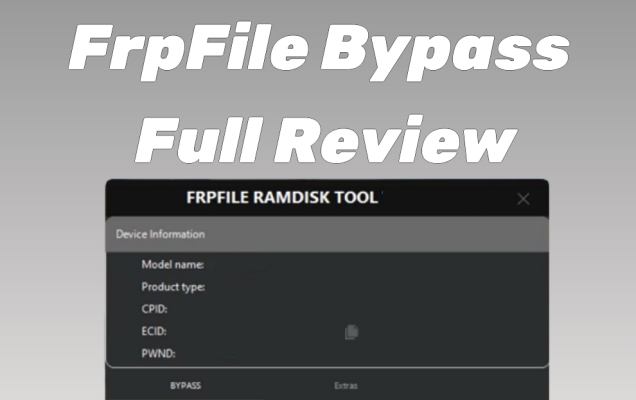
FRPFile is an all-in-one unlocking website that offers multiple device unlock services. It mainly supports two types of bypass solutions, designed for Android and Apple devices, each targeting a different account‑based security lock.
FRPFile APK Bypass:
FRPFile APK Bypass is a method that uses specific Android apps (APKs) to get around Factory Reset Protection (FRP). These apps help open phone settings or other menus during setup, so the phone can be used without signing in to the original Google account.
FRPFile iCloud Bypass:
FRPFile iCloud Bypass is another service promoted by the FRPFile tool that claims to help users bypass Apple's iCloud Activation Lock on iPhones or iPads by skipping or blocking the activation request. It allows access to the device without the original Apple ID credentials.
Part 2. How to Register and Download FRPFile
If the benefits of the FRP File outweigh its drawbacks, you can move forward with unlocking the iCloud lock. Before you can use the FRPFile Bypass tool, the first step is to register and download the software. This section of the review will walk you through the technical specifications of FRP File first. Then we'll go over the detailed steps for registering and downloading FRPFile.
To ensure your device is compatible with the FRPFile iCloud bypass, we've summarized the tool's key technical specifications. FRPFile offers two main services: a free version released in 2022, and a paid version that supports more newer iOS. Let's take a closer look at both options.
| Specification | Free Version | Paid Version |
|---|---|---|
| Supported Devices | iPhone 5S -iPhone X iPad Air (1, 2), iPad Mini (2, 3, 4), iPad (5, 6, 7), iPad Pro (2016 – 2018) |
iPhone SE,iPhone 6s & 6s Plus,iPhone 7 & 7 Plus,iPhone 8 & 8 Plus,iPhone X iPad Air 2-iPad Pro 12.9 4G |
| Supported Platform | Windows and macOS | |
| Supported iOS | iOS 12-iOS 14.8 | iOS 15-iOS 16 |
| Price | Reportedly Free | Around $30-$70 |
| Success Rate | Low | Moderate |
After knowing the specific specifications, you can continue to register and download the FrpFile iCloud bypass tool.
Part 3. How to Use FRPFile Bypass iCloud Lock
FRPFile Bypass works by connecting the device to a computer and using the software to remove these locks. It allows users to regain control of their devices without the original login credentials. Next is a simple guide to using the FRP bypass iOS.
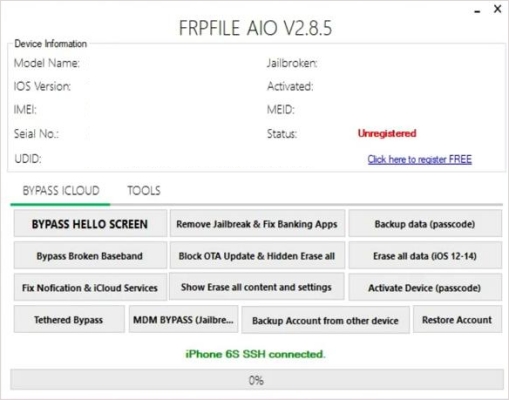
Step 1. Open the extracted folder and run the FRPFile iCloud bypass tool.
Step 2. Hold a USB cable to connect your device to the computer running FRPFile.
Step 3. Follow the onscreen instructions in the tool to initiate the bypass process.
Step 4. Wait for the bypass tool to complete the process and unlock your iCloud account.
Step 5. Reboot your device and confirm that the iCloud activation lock has been bypassed successfully.
Part 4. Real Feedback about the FRPFile Bypass
 Product rating:⭐
⭐⭐⭐
Product rating:⭐
Product rating:⭐⭐⭐⭐
While frpfile.com Bypass offers many features, it's important to see how well they perform in practice. Does the software deliver as promised, and are there risks? Below, we summarize the main pros and cons of the tool based on our tests and real user feedback from Reddit.
 Pros
Pros- Many Unlock Options: Unlock the iCloud, MDM lock and APK.
- Two Versions Available: Offers free trials for certain devices.
- User-Friendly Interface: Simple and intuitive tool for beginners.

- Uncertain Success Rate: Some devices may fail to bypass.
- Security Risk: Possible data loss or malware during the process.
- Limited Compatibility: Not all phone models are supported.
Part 5. Best Alternative to FRPFile iCloud Bypass
FRPFile offers a great choice for iCloud bypass, but is it really fit for you? Here is a better alternative to FRPFile——MagFone Activation Unlocker. Both tools aim to help bypass the iCloud activation lock, but they have distinct features, pricing models, and compatibility with different devices and iOS versions. Let's dive deeper into the comparison to help you make a decision.
| Feature | FRPFile | MagFone Activation Unlocker |
|---|---|---|
| Device Compatibility | iPhone, iPad | All iPhone, iPad, and iPod touch |
| Success Rate | Moderate | High |
| Difficulty | A Little Difficult | Easy to Use [three steps only] |
| Price | $30-$70/Per Device | $29.95/Month [Free Try] |
| Requirements | Extract the file, Register | None |
After comparison, it's clear that MagFone iPhone Unlocker offers a more comprehensive service and supports a wider range of devices. In addition to removing the Activation Lock, MagFone can bypass the iPhone Locked to Owner screen and resolve activation errors on your iPhone, iPad, and iPod touch. What's more, it doesn't require any personal information or Apple ID password. Here's how to use MagFone Activation Unlocker.

MagFone iPhone Unlocker
Bypass iCloud Activation Lock on iPhone, iPad, and iPod touch without the original Apple ID or password.
Step 1Fire Up MagFone Activation Unlocker
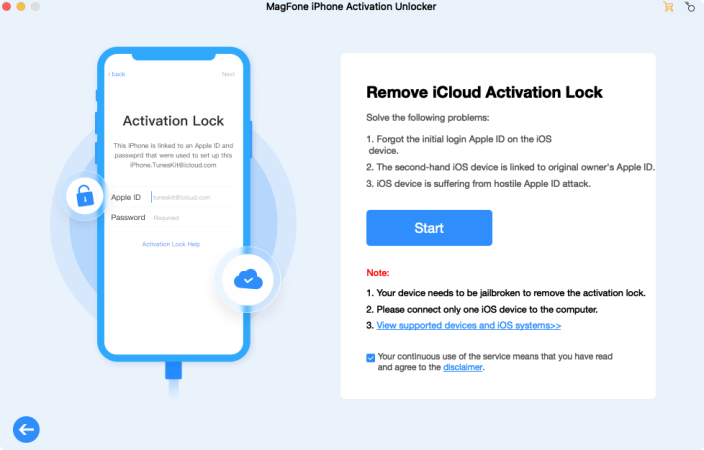
Fire up the MagFone tool and connect your iPhone to the computer via USB. Open iTunes, select Remove iCloud Activation Lock on the MagFone interface, read the disclaimer, then click Agree and hit Start to begin the unlocking process.
Step 2Prepare for iPhone/iPad Jailbreaking
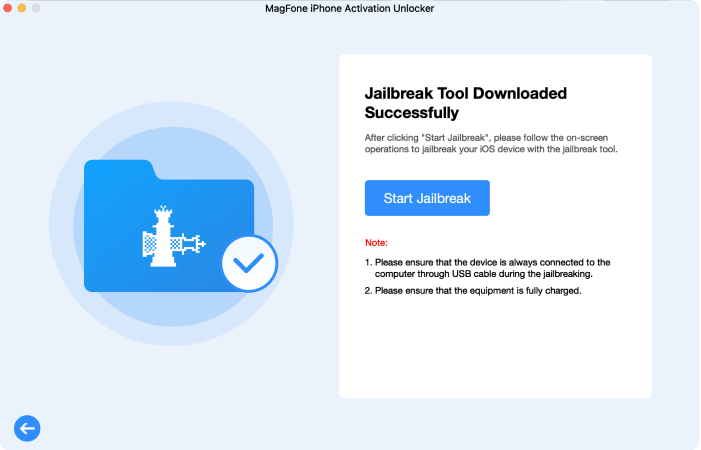
Check your iPhone's iOS version and follow the instructions provided by MagFone to prepare your device for unlocking. This may involve a few initial configurations based on the iOS version to ensure the bypass can be carried out successfully.
Step 3Finish Bypassing iCloud Activation Lock
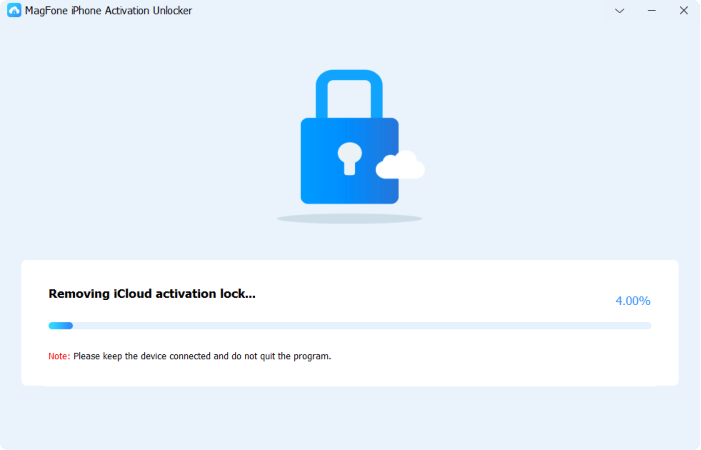
Select the Start Remove button to initiate the iCloud bypass process. MagFone will remove the activation lock, and once complete, a confirmation message will appear, indicating that the iCloud lock has been successfully bypassed.
Part 6. Conclusion
FRPFile is a versatile tool. It offers features like iCloud unlock and MDM lock removal on iPhones and iPads, and APK bypass for Android. While it supports a range of unlocking options and has a user-friendly interface, its success rate can be inconsistent. Read this latest review to explore its functionalities in detail to decide if it's the right solution for you.

Dylan Jones
Editor in chief




