








Factory Reset Protection (FRP) is an important Android security feature, but when you forget your Google account password after a reset, it can lock you out of your own device. Many users search for GsmNeo FRP because it claims to bypass FRP on certain Android devices. But is it really reliable? Is it safe to use? And what safer options exist? This guide explains everything you need to know about GsmNeo FRP, so you can make the best decision.
- Part 1. What Is GsmNeo FRP?
- Part 2. Is It Safe to Use GsmNeo FRP?
- Part 3. How to Download and Use GsmNeo FRP
- Part 4. Safer GsmNeo FRP Alternative to Bypass FRP
- Part 5. Conclusion
Part 1. What Is GsmNeo FRP?
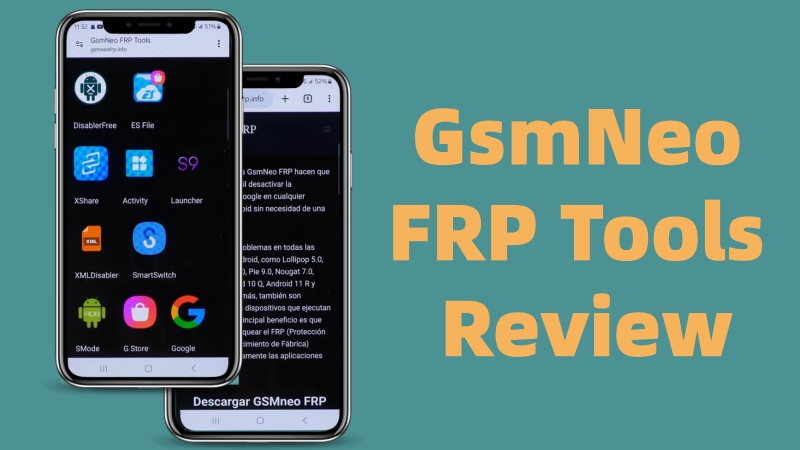
Tools like GsmNeo FRP often appear in search results promising a quick FRP bypass. If you only know a little about this tool, here is an overview of GsmNeo FRP from key features, device compatibility, as well as limitations, helping you decide whether to use it for FRP bypass.
1.1 Key Features of GsmNeo FRP Tools
GsmNeo FRP is a third-party Android utility designed to help users bypass Google's Factory Reset Protection (FRP) on selected Android devices when they are locked out of their devices, usually after forgetting the Google password associated with the phone. The key characteristics of GsmNeo FRP tools include:
- Unlock the Google account verification without a password
- Support FRP bypass on common Android brands like Samsung
- Direct use from mobile and useful for users without a computer
- Lightweight installation and quick access to system menus
1.2 Compatibility of GsmNeo FRP Tools
Most FRP bypass tools are not fully compatible with most mainstream Android devices, and GsmNeo FRP is also included. GsmNeo FRP has a limited compatibility with Android brands. Here are basic technical specifications of GsmNeo FRP.
| Specification | Detail |
| App Developer | GSM NEO |
| File Size | 4MB |
| Android Brands | Samsung, Xiaomi, Huawei, Motorola, Alive, Infinix |
| Device Compatibility | Android 5.0 to Android 13.0 |
1.3 Limitations of GsmNeo FRP
As a small FRP bypass utility, GsmNeo FRP is commonly shared on some technician forums. Although it supports removing Google account verification on selected Android devices after a factory reset, there are still some drawbacks of GsmNeo FRP.
 Pros
Pros- No computer required
- Completely free to use
- User-friendly interface

- Not work on all recent models
- Cause data loss after removal
- Not updated regularly
- Require technical knowledge
- Low success rate on Android 10 and later
Part 2. Is It Safe to Use GsmNeo FRP?
Safety is a major concern with any third-party FRP tool. GsmNeo FRP is commonly distributed as an APK file from untrusted third-party sources. Without a doubt, risk levels are higher compared to professional FRP bypass tools. Before downloading GsmNeo FRP for use, there are risks you should carefully consider. If you want a safer option, see the alternative section below.

Malware & Unverified APK
The unofficial APK can contain spyware, credential-stealing scripts, and hidden ads or bloatware.
Fake Download Sites
Many websites use misleading ads, outdated tool versions, and repacked files.
Privacy Concerns
Some FRP tools require full permissions, which can compromise personal data after unlocking.
Part 3. How to Download and Use GsmNeo FRP
There is no official website, so downloads come from third-party forums or file-sharing sites. This is a major concern for safety-conscious users. And the following is a general outline based on commonly shared procedures.
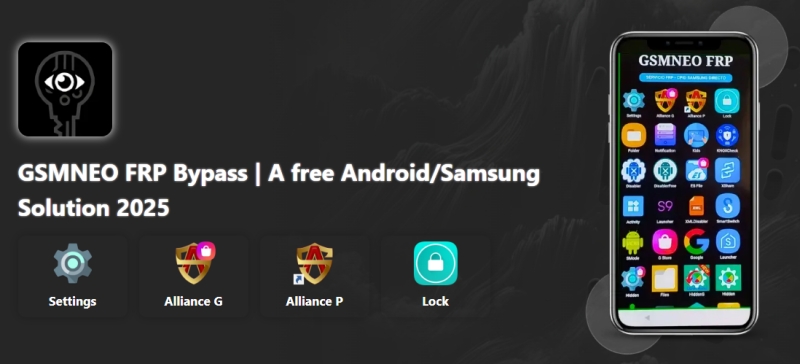
Step 1. Open a browser on your phone and visit the GsmNeo FRP website.
Step 2. Download the latest APK file, then go to Settings > Security > Unknown sources.
Step 3. After enabling unknown sources, locate the APK file and install it.
Step 4. Run the app and search for Google Account Manager in the search bar.
Step 5. Tap Google Account Manager, then locate Enter email and password.
Step 6. Tap Enter email and password > Try > Settings and select Sign into browser.
Step 7. Tap Accept and sign in with your new Google account.
Step 8. Restart your phone and set up your new Google account.
Part 4. Safer GsmNeo FRP Alternative to Bypass FRP
While GsmNeo FRP may work on a limited number of older Android devices, it comes with several drawbacks, such as inconsistent success rates and potential security risks from unverified downloads. If you want a stable, safe, and beginner-friendly way to bypass FRP on Android devices, MagFone Android Unlocker is the superior choice, which supports more devices and doesn't require risky downloads.
4.1 GsmNeo FRP Tools vs Safer Alternative
Unlike GsmNeo FRP, MagFone provides a clean and officially maintained installer. You don't have to worry about malware or suspicious files. By adopting an updated FRP removal technology, MagFone Android Unlocker offers broad coverage from older Android models to the latest Android phones, while GsmNeo works only on selected, often older devices. Here are the main differences between GsmNeo FRP and MagFone Android Unlocker.
| Features | GsmNeo FRP | MagFone Android Unlocker |
|---|---|---|
| Android Brands | Samsung, Xiaomi, Huawei, Motorola, Alive, Infinix | Samsung, Xiaomi, Redmi, Oppo, Vivo, Realme, Motorola |
| Device Compatibility | Android 5.0 to Android 13.0 | Android 5.0 to Android 16.0 |
| Success Rate | Low | High |
| Customer Support | ❌ | ✔️ |
| Easy for Beginners | ❌ | ✔️ |
4.2 How to Remove FRP without Password
Not requiring any technical knowledge, MagFone Android Unlocker offers a guided, step-by-step interface that anyone can use. If you prefer a guided process of FRP bypass, follow the steps below with MagFone Android Unlocker.

MagFone Android Unlocker
Remove multiple kinds of screen locks on over 5000 Android devices and delete Google FRP lock without a password.
Step 1 Connect Samsung Phone and Run MagFone
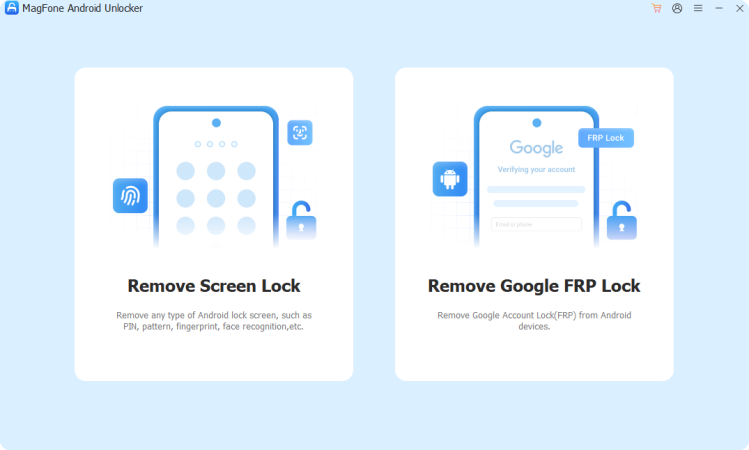
Start by connecting your phone to your computer with a USB cable, then open MagFone Android Unlocker and select Remove Google FRP Lock.
Step 2 Wait to Detect and Choose Android Version
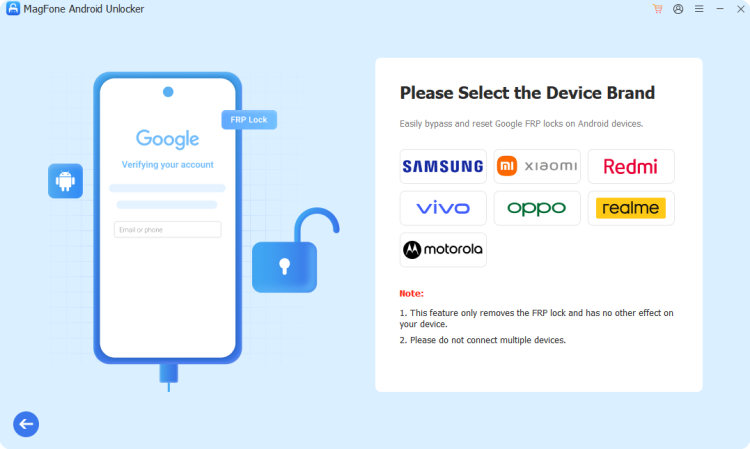
Wait for the program to detect your device. If the program fails to detect your device, manually select your device brand. Then choose the Android version.
Step 3 Start to Remove FRP Lock on Samsung Phone
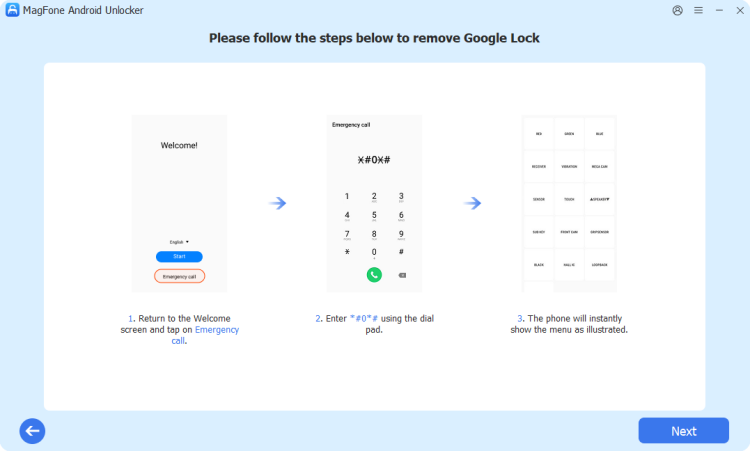
After that, follow onscreen instructions. Then click the Next button on the program and tap the Allow button to enable USB debugging on your device.
Part 5. Conclusion
GsmNeo FRP can be useful in specific situations, especially for older or specific Android models. However, it comes with risks such as malware, unreliable compatibility, and no verified official support. Users seeking a safer and more stable solution should consider more reputable tools like MagFone Android Unlocker. With the help of MagFone Android Unlocker, you can easily remove Google account verification on Android devices.

Dylan Jones
Editor in chief





