








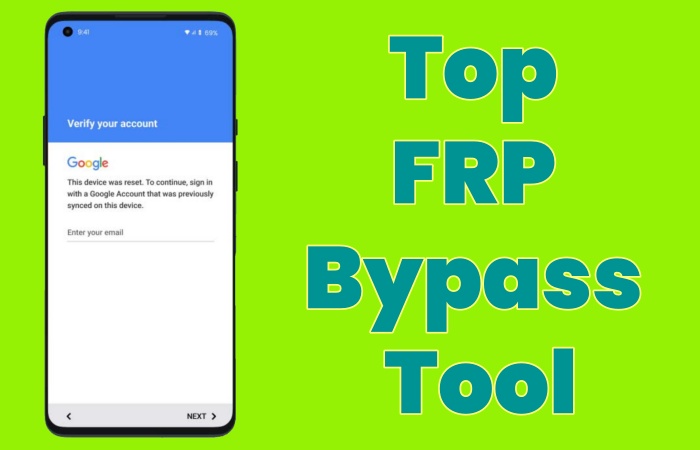
Factory Reset Protection (FRP) is a built-in Android security feature designed to protect user data after a factory reset. However, many Android users get locked out after forgetting their Google account credentials or purchasing a second-hand device. That's why searches for top FRP bypass tools are so common. There are lots of FRP bypass tools that claim to remove FRP lock on Android devices, but not all are successful. Fortunately, here we will introduce more than 10 FRP bypass tools, whether you need a paid or free one, or even considering using it without a computer.
- Part 1. Top 5 Paid FRP Bypass Tools for PC & Mac
- Part 2. Top 3 Free FRP Bypass Tools for PC
- Part 3. Top 4 Free FRP Bypass APK Download
- Part 4. Comparison of Paid and Free FRP Bypass Tools
- Part 5. FAQs about FRP Bypass Tools
- Part 6. Conclusion
Part 1. Top 5 Paid FRP Bypass Tools for PC & Mac
Factory Reset Protection is automatically activated when a Google account is added to an Android device. Whether forgetting Google account details, buying a used phone still linked to a previous owner, or resetting a device after a long period of inactivity, FRP bypass tools can help regain access. Here's our list of top 5 paid FRP bypass tools for PC and Mac.
No.1 MagFone Android Unlocker
Our Rank: 9/10
Best for: Android users want to find a user-friendly, professional, and lower price FRP bypass tool.
MagFone Android Unlocker is designed to help Android users unlock Android phones and bypass FRP lock on Android phones. It supports most Android phone models like Samsung, Vivo, and OPPO, and it is also suitable for the newest Android version. What's more, users can follow the instructions of MagFone Android Unlocker to bypass the FRP lock smoothly, even if you are beginners. What you need to do is follow the on-screen steps to operate your Android phone, and then MagFone Android Unlocker will remove the FRP lock successfully.
Basic Information
- Pricing: $29.95 per month; $39.95 per year; $59.95 for lifetime
- Operating System: Windows and macOS
- Supported Android: Android 5-16
- Supported Devices: Samsung, Xiaomi, Vivo, Motorola, OPPO, Realme, and Redmi
🔴 Rating: ⭐⭐⭐⭐
 Pros
Pros- User-friendly
- High success rate
- Technical support
- No Google account required
- Support most Android versions and models

- Paid program
- Require a computer to operate
Based on the primary information of MagFone Android Unlocker, now it's time to follow the clear steps to bypass FRP lock on your Android phone with MagFone Android Unlocker. Let's start!

MagFone Android Unlocker
Remove multiple kinds of screen locks on over 5000 Android devices and delete Google FRP lock without a password.
Step 1 Connect Your Phone and Launch MagFone
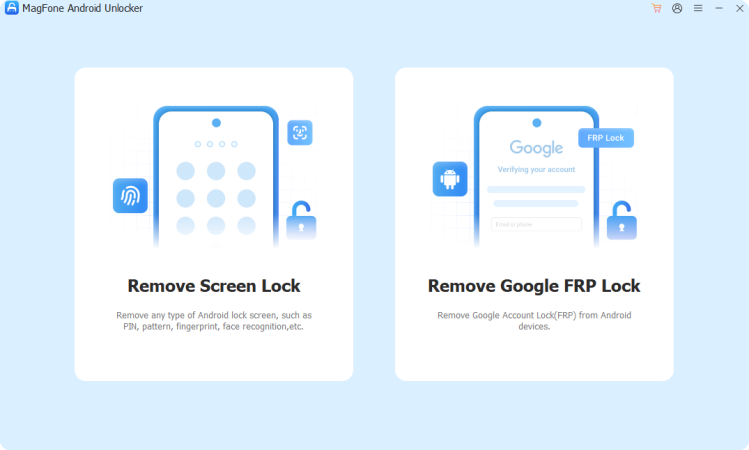
Find a USB cable to connect your Android phone to a computer. After downloading and installing MagFone Android Unlocker, choose Remove Google FRP Lock from the open interface.
Step 2 Start to Bypass FRP Lock
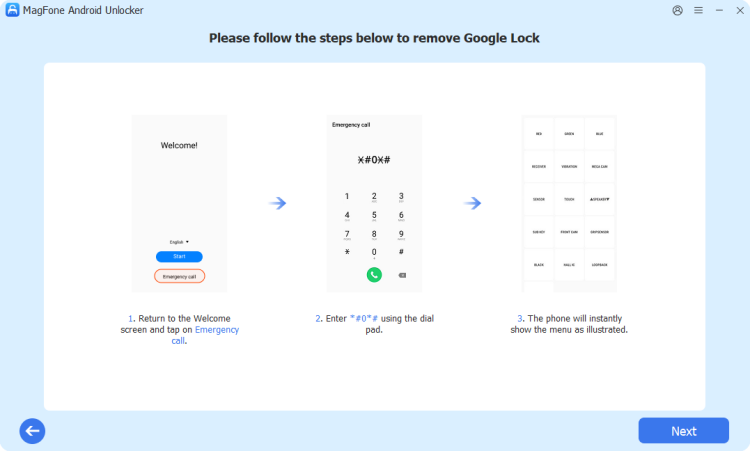
Wait for MagFone Android Unlocker to detect your Android phone automatically and choose your Android version. Then click Start. You should follow the on-screen steps to set your phone correctly. When finished, click Next.
Step 3 Bypass the Google FRP Lock Smoothly
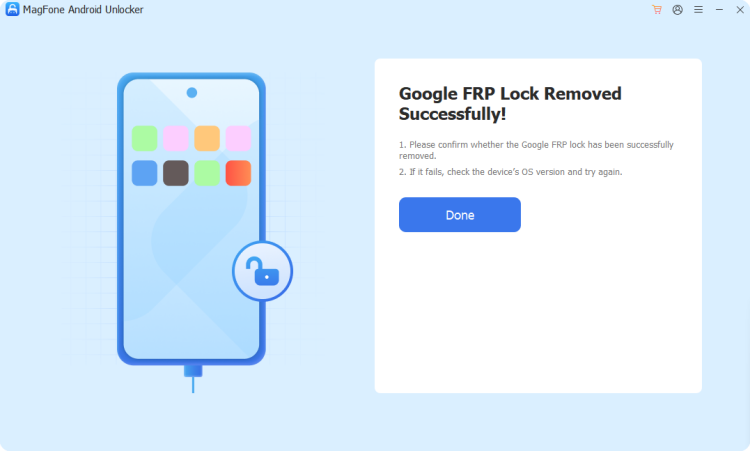
MagFone Android Unlocker will bypass the Google FRP lock for a while. Then you will see the successful information and confirm with the option of Done.
No.2 Tenorshare 4uKey for Android
Our Rank: 8/10
Best for: Users who want to bypass the FRP lock and familiar with their Android phone information.
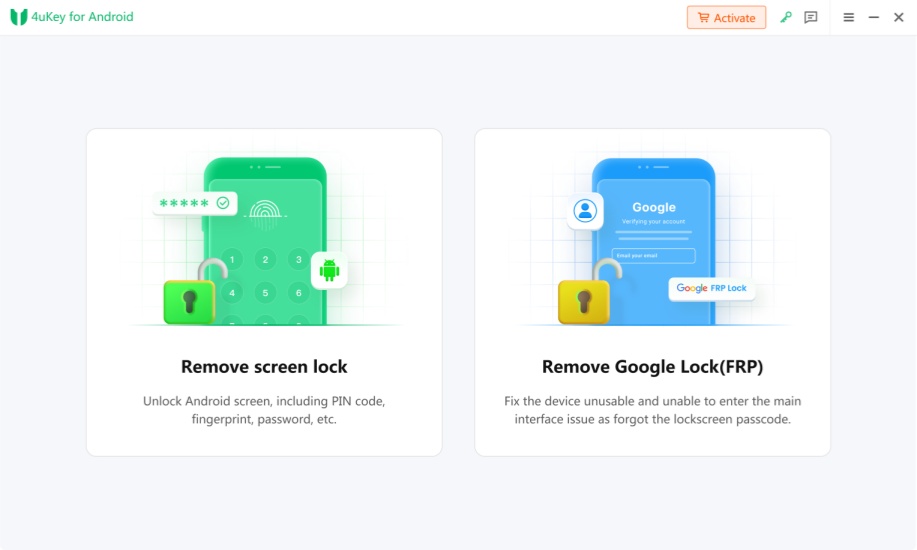
Tenorshare 4uKey for Android is a popular FRP bypass tool. It can remove Android screen lock, especially unlock Samsung devices without data loss and bypass the FRP lock. With the help of Tenorshare 4uKey for Android, you can regain full access to your phone and easily remove the previous Google account from your device. But this tool is mainly designed to bypass the Samsung FRP lock.
Basic Information
- Pricing: $24.95 per month; $39.95 per year; $49.95 for lifetime
- Operating System: Windows and macOS
- Supported Android: Android 6-16
- Supported Devices: Samsung, Xiaomi, Redmi, Oppo, Realme, OnePlus, Huawei, Vivo and Motorola
🔴 Rating: ⭐⭐⭐
Pros- Clear instructions
- High success rate
- Support many Android versions and models
- Paid software
- Require a computer to operate
- Doesn't support all Android Models
- Device-specific limitations
No.3 iMobie DroidKit
Our Rank: 8/10
Best for: Users, especially Samsung users who have encountered the Google FRP lock after a factory reset and need to bypass the Google account verification screen.
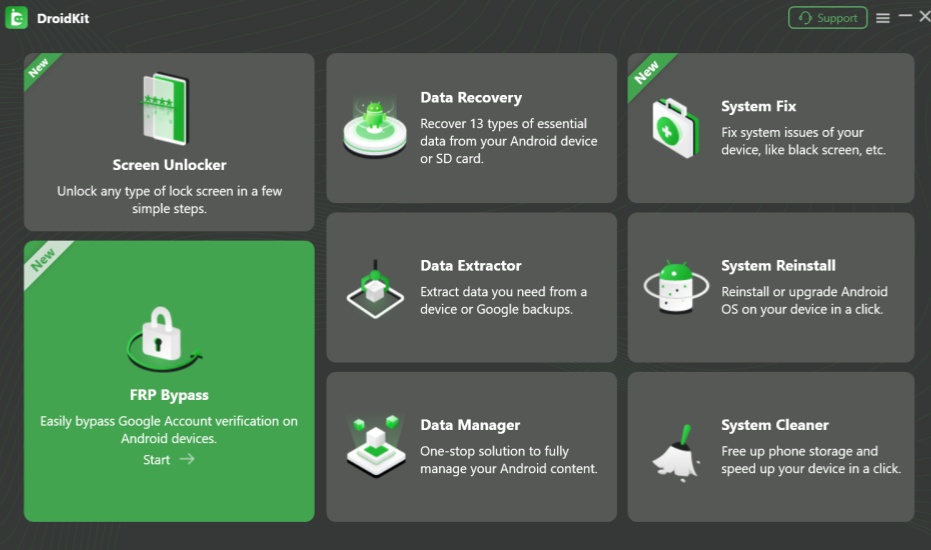
iMobie DroidKit is an all-in-one software that works on a variety of popular Android phones. There are many features of iMobie DroidKit, including screen unlocker, data recovery, data extractor, data manager, system fix, system reinstall, and system cleaner. The function of FRP bypass is a new part in this multifunctional software, so it may not be effective on all Android devices.
Basic Information
- Pricing: $35.99 per month; $39.99 per year; $55.99 for lifetime
- Operating System: Windows and macOS
- Supported Android: Android 6-14
- Supported Devices: Samsung, Google, HTC, Sony, LG, Motorola, Huawei, ZTE, Xiaomi, OPPO, Sharp, vivo, Lenovo, Meizu, OnePlus, TCL, Gionee, Meitu, Nubia and Smartisan
🔴 Rating: ⭐⭐⭐
Pros- Simple interface
- Support Windows and Mac
- Support wide range of Android versions and models
- Not free software
- Limited free trial features
- Not 100% effective on all Android devices
- Device-specific limitations
No.4 iMyFone LockWiper (Android)
Our Rank: 7/10
Best for: Users who have completed a factory reset but found their phone locked by the FRP lock.
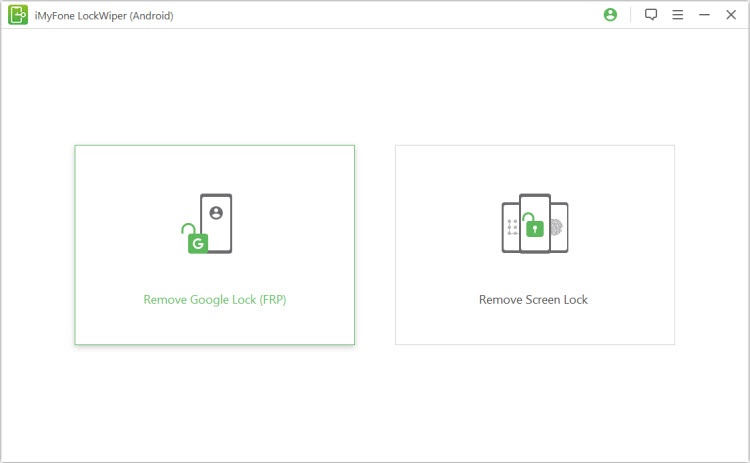
iMyFone LockWiper (Android) is an efficient tool for unlocking all types of Android screen passcodes and bypassing the FRP lock on Android devices. If you're looking for an easy solution to bypass screen locks or FRP on your Android phone, iMyFone LockWiper is a great option to consider.
Basic Information
- Pricing: $29.99 per month; $49.99 per year; $59.99 for lifetime
- Operating System: Windows
- Supported Android: Android 2.3-15
- Supported Devices: Samsung, Xiaomi and Redmi
🔴 Rating: ⭐⭐
Pros- Clear interface
- Easy instructions
- Support old Android versions
- Not free software
- Only support Windows operating system
- Not support the newest Android version
- Limited for Android models
- Slower downloading process
No.5 Dr.Fone Android Unlocker
Our Rank: 7/10
Best for: Users who have lost their Google account and can't access their home screen.
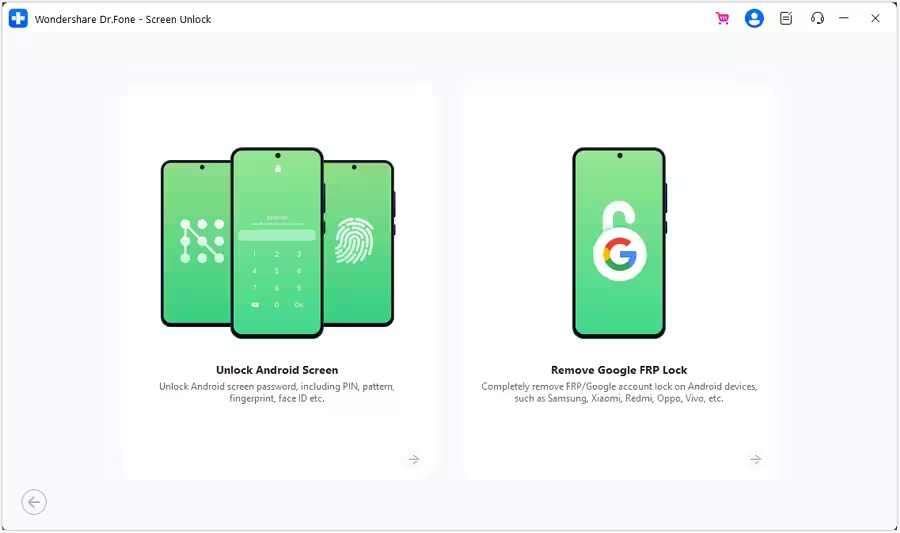
Dr.Fone Android Unlocker is a reliable and easy-to-use software tool developed by Wondershare that helps Android users unlock various types of locks on their devices. Whether you've forgotten your screen lock, password, PIN, pattern, or face lock, Dr.Fone Android Unlocker provides a quick and secure solution to regain access to your device. It also supports bypassing FRP and unlocking SIM locks, making it a versatile tool for managing Android device security.
Basic Information
- Pricing: $24.95 per month; $39.95 per year; $49.95 for lifetime
- Operating System: Windows and macOS
- Supported Android: Android 10-15
- Supported Devices: Samsung, Xiaomi, Redmi, Poco, OPPO, Realme, Micromax, Vivo, Motorola, ZTE, Huawei, Oneplus, Honor and TCL
🔴 Rating: ⭐⭐⭐
Pros- Easy to follow
- Support most Android models
- Not free program
- Limited support the newest Android version
- Slower bypass process on certain Android devices
Part 2. Top 3 Free FRP Bypass Tools for PC
Removing the FRP lock on Android devices using a paid FRP bypass tool like MagFone Android Unlocker has a very high success rate. But if you are looking for a free FRP bypass tool and don't mind difficult operating steps, you can download the FRP bypass tools below for free.
No.1 GSM Prime Tool
Our Rank: 6/10
Best for: Users prefer a free, lightweight, and capable FRP bypass tool to bypass the Google FRP lock.
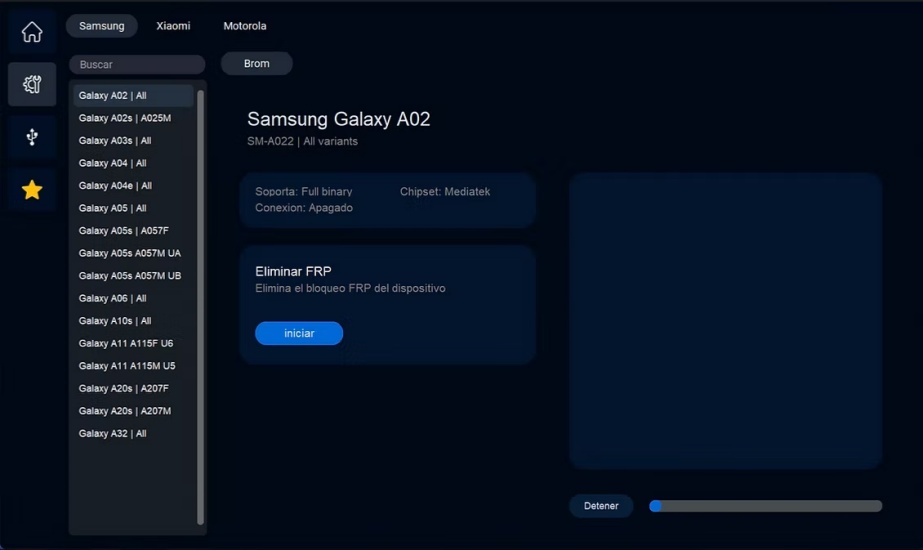
GSM Prime Tool, which is also named Prime ToolX. It offers a wide range of features like screen lock removal, FRP bypass, IMEI repair, and firmware flashing. But there is no official website and no professional maintenance for the GSM Prime Tool, so downloading a genuine version and bypass FRP lock with the tool may be complex.
Basic Information
- Operating System: Windows
- Supported Android: Android 10-15
- Supported Devices: Samsung, Xiaomi, and Motorola
🔴 Rating: ⭐⭐⭐
Pros- Free to use
- Support most Android models
- Suitable for different processors
- Only support Windows OS
- Easy be blocked by Google Chrome
- Doesn't support the latest Android version
- Not friendly to newbies without enough technical knowledge
No.2 MTK Bypass Tool
Our Rank: 6/10
Best for: Users who want to bypass the FRP lock on MediaTek-based Android devices.
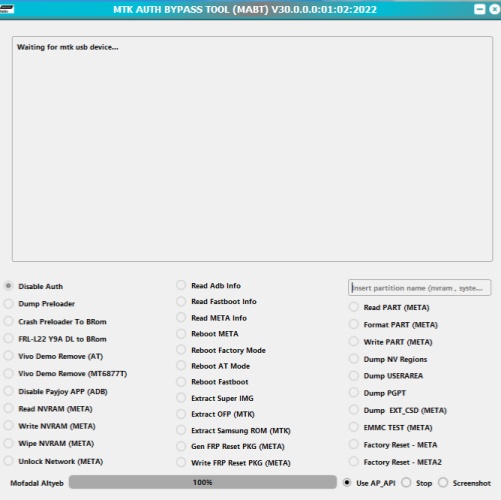
MTK Bypass Tool is a specialized software designed for bypassing security locks, Factory Reset Protection, and other restrictions on MediaTek-powered devices. MediaTek is a popular chipset manufacturer found in a wide range of smartphones, and the MTK Bypass Tool provides an essential service for users and technicians dealing with locked or restricted MTK-based Android devices. But if your phone isn't an MTK-powered device, you are unable to use this tool for bypassing the FRP lock.
Basic Information
- Operating System: Windows
- Supported Android: Most MediaTek-based mobile phones
- Supported Devices: Huawei, Samsung, OPPO, Vivo, Xiaomi, Infinix, and Tecno
🔴 Rating: ⭐⭐⭐
Pros- No paid
- Wide compatibility of Android models
- Doesn't support non-MTK devices
- Secure risks
- Only suitable for Windows OS
- Difficult instructions
No.3 Android Utility Tool
Our Rank: 6/10
Best for: Users who prefer multiple choices of versions to bypass FRP lock.
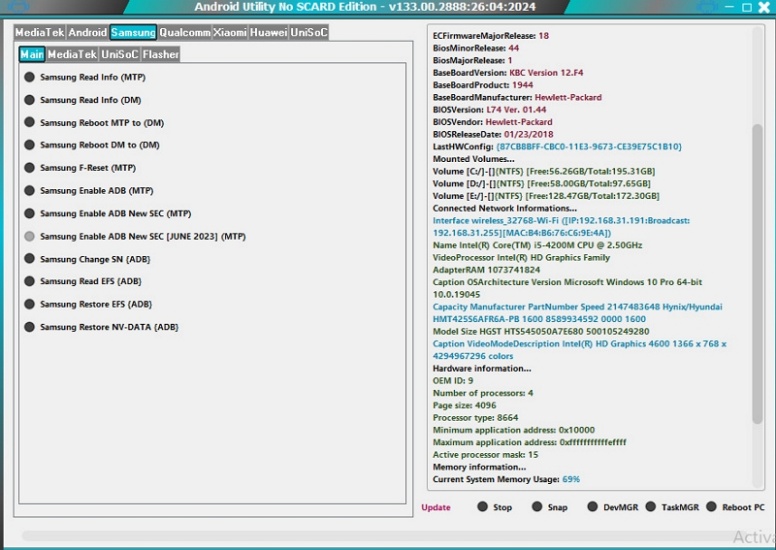
Android Utility Tool requires passwords to use and has many versions. With features like FRP bypass, screen unlock, and firmware flashing, it serves as a reliable toolkit for users who need to fix or unlock Android phones quickly. But this professional tool is not suitable for newbies.
Basic Information
- Operating System: Windows
- Supported Android: Android 13-15
- Supported Devices: Samsung, Xiaomi, Vivo, Infinix, Tecno, and iTel
🔴 Rating: ⭐⭐⭐
Pros- Free to download and install
- Support wide range of Android phones
- Only support Windows operating systems
- Unknown risks
- Require technology skills
Part 3. Top 4 Free FRP Bypass APK Download
Compared to using a FRP bypass tool for PC or Mac, some users prefer a FRP bypass APK for FRP bypass without a PC. If you are used to using phones to operate, downloading FRP bypass APK files on your Android phone is another option to bypass the FRP lock.
No.1 Pangu FRP Bypass
Our Rank: 6/10
Best for: Users who want to bypass the FRP lock and add a new Google account.
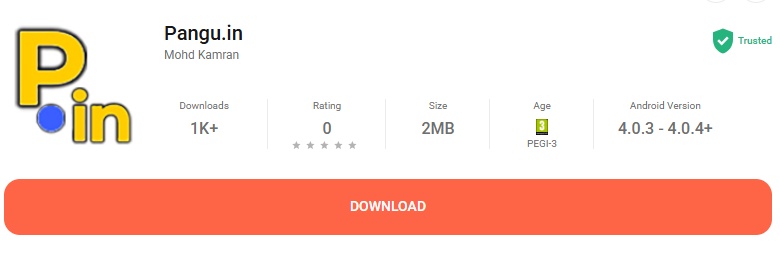
Pangu FRP Bypass is a specialized tool designed to help Android users bypass the FRP lock on their devices. Whether you've forgotten your Google account credentials or are trying to unlock a second-hand phone, Pangu FRP Bypass offers a simple, data-safe solution with an easy-to-use interface. But Pangu FRP Bypass is not consistently updated for the latest Android versions, meaning it may not work on devices released in 2024 or later.
Basic Information
- Supported Android: Android 4-10
- Supported Devices: Samsung, LG, OPPO, Vivo, and HTC
🔴 Rating: ⭐⭐⭐
Pros- Free to download and install
- Official guarantee
- Require an OTG cable and USB drive
- Low success rate
- Only support low Android versions
No.2 vnROM FRP Bypass APK
Our Rank: 6/10
Best for: Users whose Android phones are blocked by Google FRP lock.
vnROM FRP Bypass APK is one of the most popular solutions for Android users to bypass the FRP lock on their phones. It helps users regain access to Android devices when the FRP lock blocks normal boot. But due to vnROM FRP Bypass related to the vnROM platform, there exist manufacturer-specific restrictions.
Basic Information
- Supported Android: Android 5-15
- Supported Devices: Samsung, LG, OPPO, Vivo, and HTC
🔴 Rating: ⭐⭐⭐
Pros- Free to use
- Work on most Android brands
- High success rate on supported phones
- Manufacturer-specific restrictions
- Low success rate
- Incompatibility with the latest Android version
No.3 Google TalkBack
Our Rank: 6/10
Best for: Users who prefer to use voice commands.
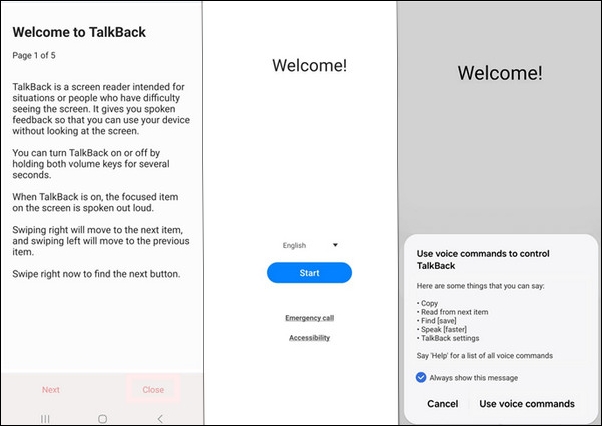
Google TalkBack is an accessibility service provided by Google for Android users with visual impairments. Google TalkBack functionality can also help users who are locked out of their device due to FRP, allowing them to regain access quickly. But it is only suitable for Android phones with older Android versions.
Basic Information
- Supported Android: Android 4-13
- Supported Devices: Samsung, Google Pixel phone, Huawei, Xiaomi, LG, and so on
🔴 Rating: ⭐⭐⭐
Pros- Free to use
- Useful for old Android versions
- Doesn't work on newer Android versions
- Complex operating steps
- Low success rate
No.4 GsmNeo FRP
Our Rank: 6/10
Best for: Users who prefer to use voice commands.
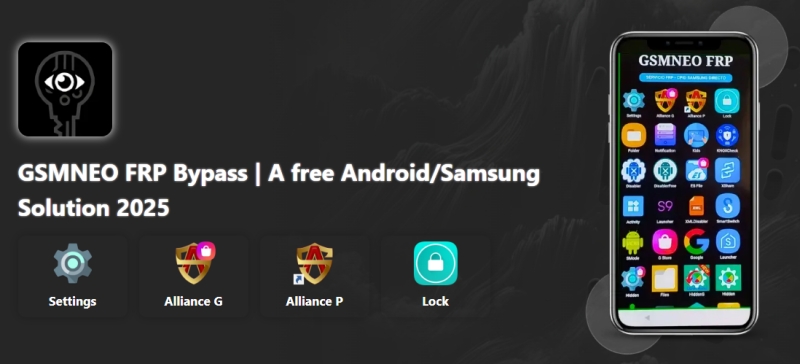
GsmNeo FRP is designed to bypass the Google FRP lock on certain Android devices. It can unlock the Google account verification without a password, support FRP bypass on common brands, and is useful for users without a computer. As a FRP bypass utility, GsmNeo FRP is usually shared on some third-party forums. But it doesn't work on all recent Android models and is not updated regularly.
Basic Information
- Supported Android: Android 5-13
- Supported Devices: Samsung, Xiaomi, Huawei, Motorola, Alive and Infinix
🔴 Rating: ⭐⭐⭐
Pros- Free to install
- Clear interface
- Not work on latest Android versions and brands
- Require techinical knowledge
- Low success rate
Part 4. Comparison of Paid and Free FRP Bypass Tools
| FRP Bypass Tools | PC Required | Android Support | Success Rate | Simplicity | Paid |
|---|---|---|---|---|---|
| MagFone Android Unlocker | ✔️ | Android 5-16 | High | Very Easy | ✔️ |
| Tenorshare 4uKey for Android | ✔️ | Android 6-16 | High | Easy | ✔️ |
| iMobie DroidKit | ✔️ | Android 6-14 | High | Easy | ✔️ |
| iMyFone LockWiper (Android) | ✔️ | Android 2.3-15 | Medium | Easy | ✔️ |
| Dr.Fone Android Unlocker | ✔️ | Android 10-15 | High | Easy | ✔️ |
| GSM Prime Tool | ✔️ | Android 5-15 | Medium | Complex | ❌ |
| MTK Bypass Tool | ✔️ | Most MediaTek-based mobile phones | Medium | Complex | ❌ |
| Android Utility Tool | ✔️ | Android 13-15 | Medium | Complex | ❌ |
| Pangu FRP Bypass | ❌ | Android 4-10 | Low | Medium | ❌ |
| vnRom FRP Bypass APK | ❌ | Android 5-15 | Low | Complex | ❌ |
| Google TalkBack | ❌ | Android 4-13 | Low | Complex | ❌ |
| GsmNeo FRP | ❌ | Android 5-13 | Low | Complex | ❌ |
Part 5. FAQs about FRP Bypass Tools
-
Are these FRP bypass tools safe and useful?
Generally speaking, paid FRP bypass tools are safer and with higher success rate for bypassing the Google FRP lock. The free FRP tools may pose potential risks, because there are no official downloading links for them. So you can choose a paid FRP tool first. If you prefer a free way, you can select an official website to download a free FRP bypass tool or FRP bypass APK files.
-
How to choose a suitable FRP bypass tool?
To find a suitable FRP bypass tool, the first thing you should ensure is choose a paid one or a free one. Then you should check your Android phone brands and Android versions, if it is suitable to use the FRP Bypass Tool you selected or not. And you can view the official website or the comments of this FRP bypass tool to learn about it. After a comprehensive understanding, you can decide which FRP bypass tool to use.
Part 6. Conclusion
Many FRP bypass tools and FRP bypass APKs are listed. Whether you're looking for a paid or free one, you still have a good choice. If you don't have a computer, you can also choose an FRP bypass APK. Each tool has different advantages and disadvantages. For the smoothest and safest process to bypass the FRP lock, MagFone Android Unlocker is a solid option. Try to install it now!

Dylan Jones
Editor in chief





