








Getting locked out of your own phone feels frustrating in a very specific way. You know the device is yours, you remember using it, but suddenly it demands credentials you can't recall. This is exactly what happens with Factory Reset Protection (FRP) on Motorola devices. While it's designed for security, it can become a real headache for everyday users.
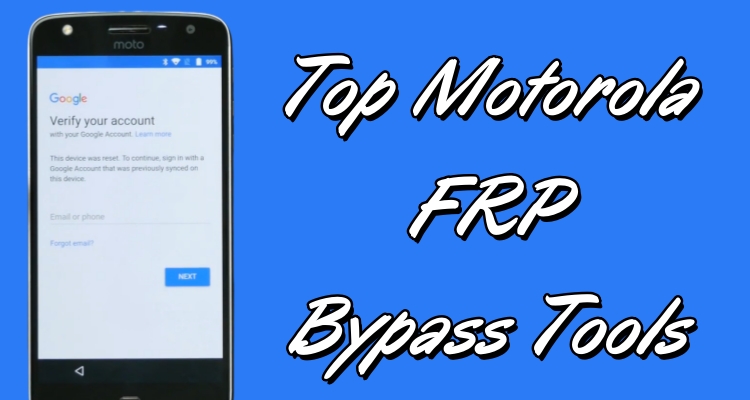
That's where Motorola FRP bypass tools come in. Whether you're looking for a motorola frp bypass tool download, or a free motorola frp bypass method, there are multiple options available today. In this guide, we'll walk through how these tools work and highlight the best Motorola FRP Bypass Tool.
- Part 1. What Are Motorola FRP Bypass Tools?
- Part 2. How to Choose a Motorola FRP Bypass Tool
- Part 3. Top Five Motorola FRP Bypass Tool in 2026
- Part 4. How to Bypass Motorola FRP Lock without Computer
- Part 5. Conclusion
Part 1. What Are Motorola FRP Bypass Tools?
Factory Reset Protection (FRP) is a built-in security feature on Motorola phones that prevents unauthorized access after a reset. It is linked to your Google account. When a phone with FRP enabled is factory reset without first removing the Google account, the device will turn back on and start the normal setup process. However, before you can finish setting it up and reach the home screen, the phone will ask you to sign in with the same Google account that was previously synced on the device.
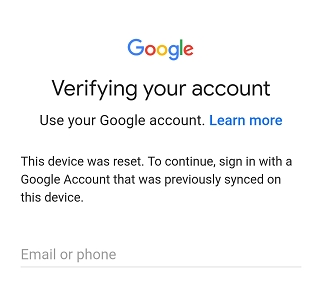
Until the correct Google account information is entered, you cannot use the phone at all. This means you cannot access apps, settings, or make calls, and the device remains locked at the setup stage. A Motorola FRP bypass tool is designed to help bypass the Factory Reset Protection lock so users can regain access to their Motorola phone.
Part 2. How to Choose a Motorola FRP Bypass Tool
Not every tool you find online is worth your time. Some work smoothly, while others can waste hours or even harm your device. It's important to choose carefully to avoid unnecessary risks or frustration. Here's what you should actually pay attention to.

1. Compatibility
Make sure the tool supports your phone's Android version. Many older tools are not updated and may fail to work on newer Android systems or recent Motorola models.
2. Ease of Use
A clean interface with clear, step-by-step instructions can save a lot of time. This is especially important if you are not very tech-savvy, as simpler tools reduce the chance of making mistakes during the process.
3. Safety and Reliability
Avoid downloading from unofficial sources, as they can contain malware or harmful files. A reliable tool should come from a trusted source and help protect your device from data corruption or security risks.
4. Success Rate
Look for tools that are known to work consistently across different Motorola devices. Reviews and user feedback can give you a better idea of how effective and dependable a tool is in real-world use.
Part 3. Top Five Motorola FRP Bypass Tool in 2026
Based on the standards above, we compared several options and narrowed them down to five tools that stand out in 2026. Each one has its own strengths, so you can quickly decide which fits your situation best.
Top 1. MagFone Android Unlocker
MagFone Android Unlocker stands out as the most balanced and reliable solution right now. It's designed for users who want a straightforward process without digging into complicated settings. What makes it shine is its high success rate across different Motorola models and Android versions. Even beginners can handle it without stress, which is a big plus compared to more technical tools.
 Pros
Pros- Supports many Motorola models
- Removes FRP and screen locks
- Easy to follow instructions
- High FRP bypass rate

- Not fully free (paid license)
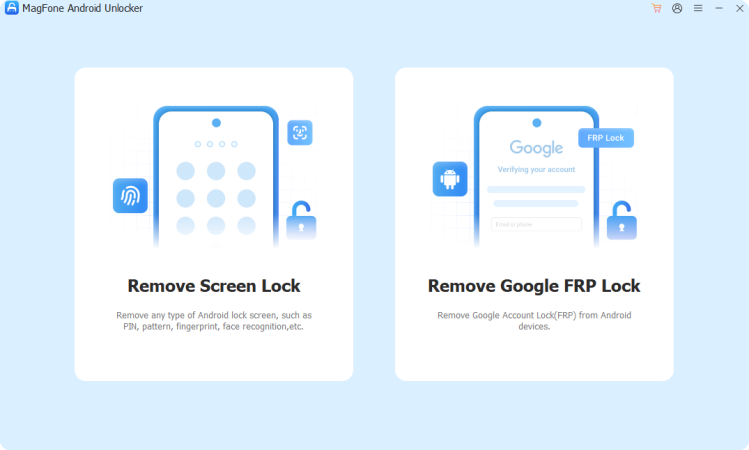
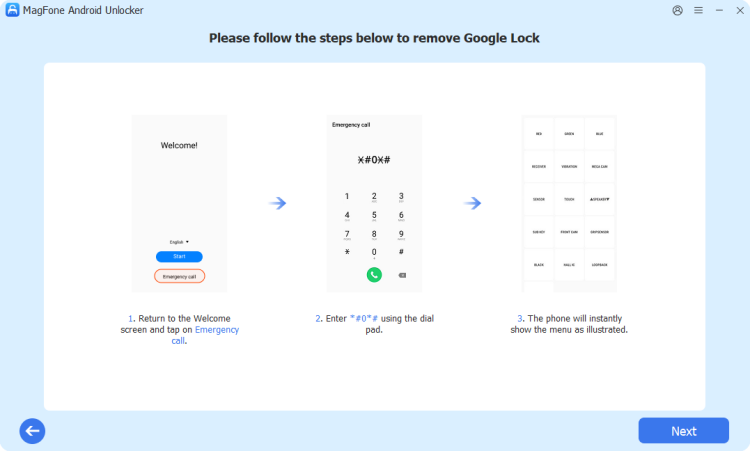
Step 1. Use a USB cable to connect your Motorola device to your computer. Once connected, open the MagFone Android Unlocker software. From the main screen, select the option Remove Google FRP Lock to begin.
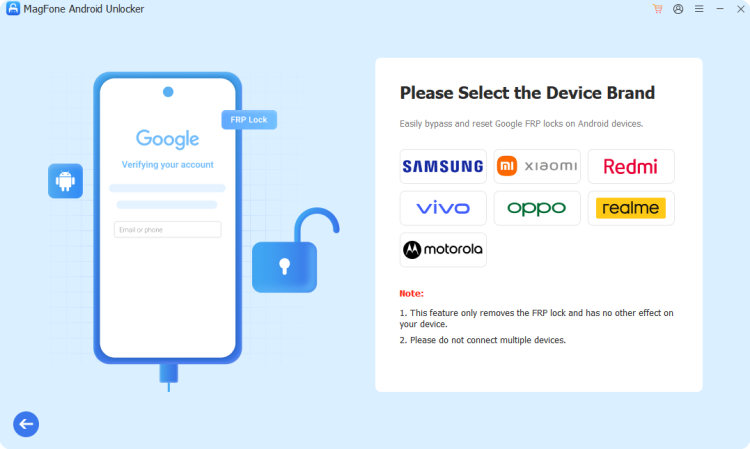
Step 2. After choosing the FRP removal option, the software will attempt to detect your device automatically. When prompted, select Motorola from the list of brands. If your phone is not recognized, manually choose the correct brand from the available options.
Step 3. Click the Start button to initiate the process. Follow all on-screen instructions carefully as the software works to remove the Google FRP lock from your device. Once the process is complete, click Finish to finalize and confirm the unlock.

MagFone Android Unlocker
Remove multiple kinds of screen locks on over 5000 Android devices and delete Google FRP lock without a password.
Top 2. MotoReaper
MotoReaper is a specialized tool built specifically for Motorola devices, which already gives it an edge over generic solutions. It's known for its speed—often completing the process in just a few minutes. However, it works best on older Android versions, so it's not always ideal for the latest devices.
Pros- Fast unlocking process
- Designed for Motorola devices
- Simple interface steps
- Free to use
- Limited Android version support
- Requires USB drivers installed
- Needs bootloader mode access
- Not updated frequently
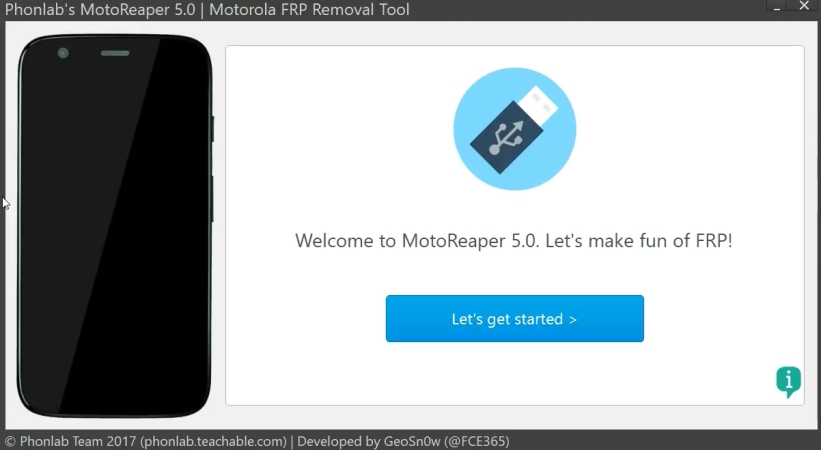
Step 1. Install MotoReaper on your computer, then open the software and click Let's get started. Make sure your Motorola USB drivers are properly installed beforehand.
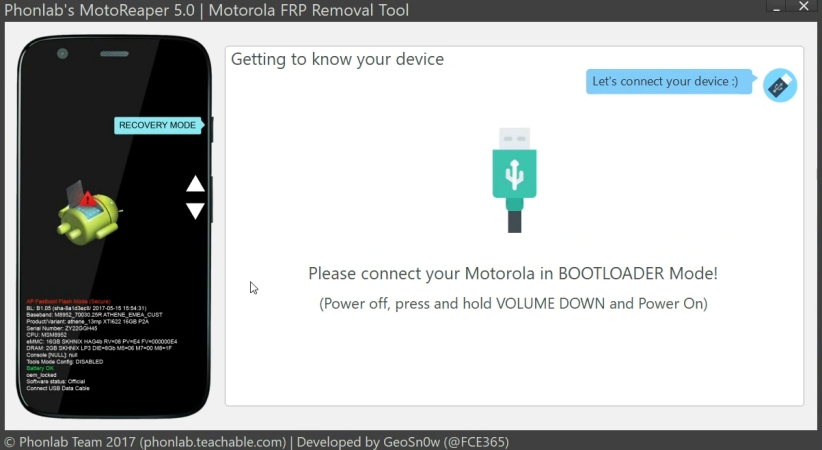
Step 2. Power off your phone and boot it into bootloader mode, then connect it to your PC using a USB cable so the tool can detect the device.
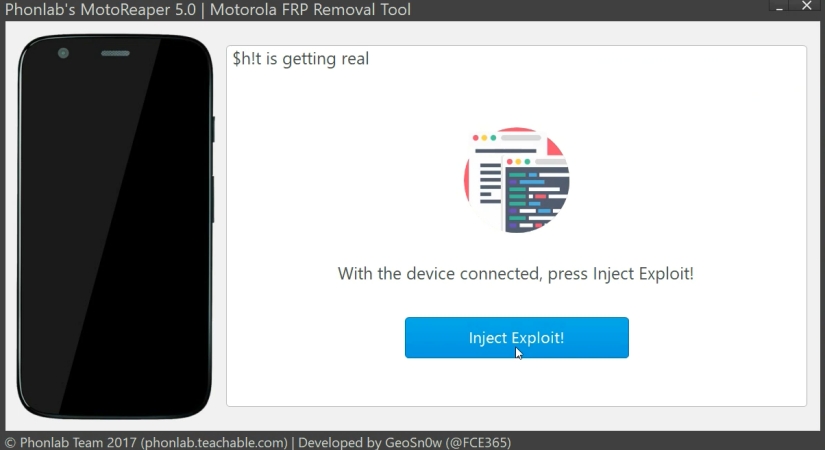
Step 3. Once your phone is recognized, click Next Stage and Inject Exploit to start the bypass process. Wait patiently while the tool performs its operations, and let the software reboot your device automatically to complete the FRP removal.
Top 3. Moto Unlock Tool
Moto Unlock Tool is another solid option, especially for users looking for a lightweight program that doesn't consume system resources. It works offline, which is surprisingly useful if you don't want to rely on internet access during the process.
Pros- Lightweight and fast software
- Works without internet connection
- Keeps existing data intact
- Free to download
- Requires technical setup
- Needs fastboot mode enabled
- Limited support for new devices
- No official support team
Step 1. Install and open the Moto Unlock Tool program. Then link your Motorola to this program and select Read Info.
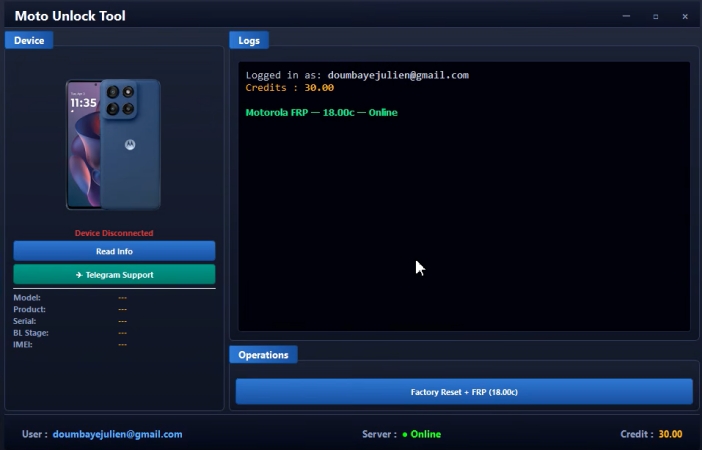
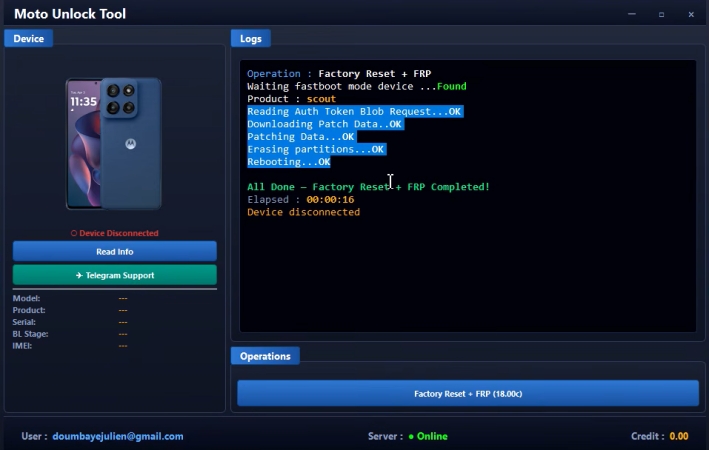
Step 2. Turn off your phone and enter bootloader mode using the appropriate key combination, then connect your device to the computer with a USB cable.
Step 3. Click Factory Reset + FRP to launch the bypass process inside the tool and allow the tool to complete its actions. Finally, wait until your phone restarts with the FRP lock removed.
Top 4. TheMagicTool
TheMagicTool is more of an advanced option. It offers multiple features beyond FRP removal, such as unlocking and system modifications. It uses a credit-based system, which might not appeal to everyone, but it does support newer models compared to many free tools.
Pros- Easy to find online
- Multiple unlocking features included
- Works with newer devices
- User dashboard available
- Requires paid credits
- Setup takes longer time
- Multiple resellers confusion
- Not beginner friendly
Step 1. Visit the official website and create an account. After logging in, download and launch TheMagicTool on your computer. Then select your device model in it.
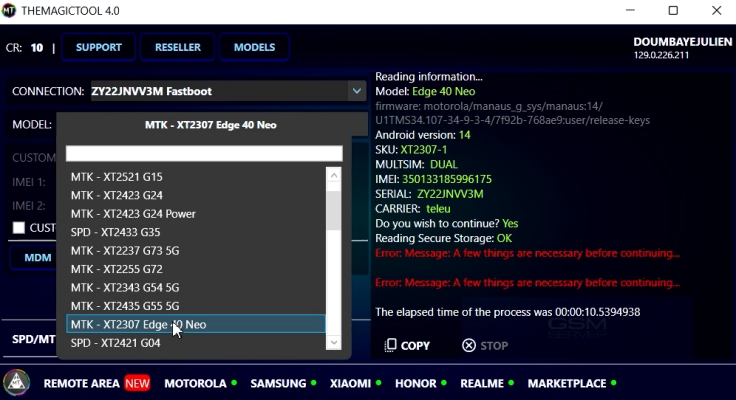
Step 2. Check your device compatibility within the software, then put your Motorola phone into fastboot mode and connect it to your computer using a USB cable.
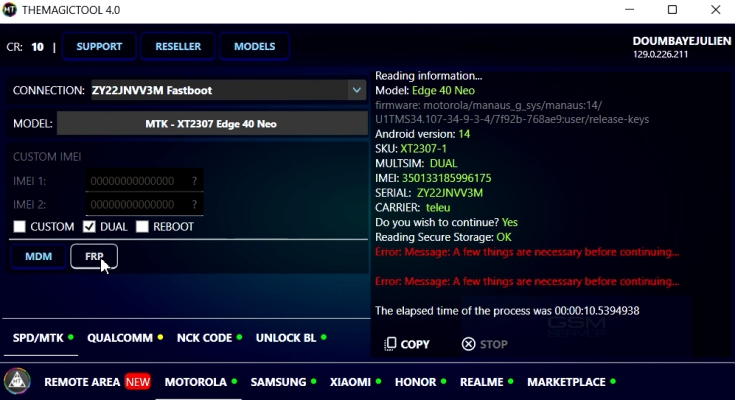
Step 3. Select the FRP option and begin the process. Follow the instructions carefully and wait until the tool finishes. Once done, your device will reboot and the FRP lock should be cleared.
Top 5. Motorola FRP Bypass Tool
This generic Motorola FRP Bypass Tool is widely searched online, especially by users looking for a motorola frp bypass tool download apk or motorola frp bypass tool free version. While it's easy to access, results can vary depending on your device and Android version.
Pros- Fast to bypass the FRP lock
- Free download available
- Simple interface design
- Works on older models
- Inconsistent success rates
- Risk of unsafe downloads
- Limited modern compatibility
- Lack of updates
Step 1. Download the Motorola FRP Bypass Tool and extract the files. Then install and open the program on your PC.
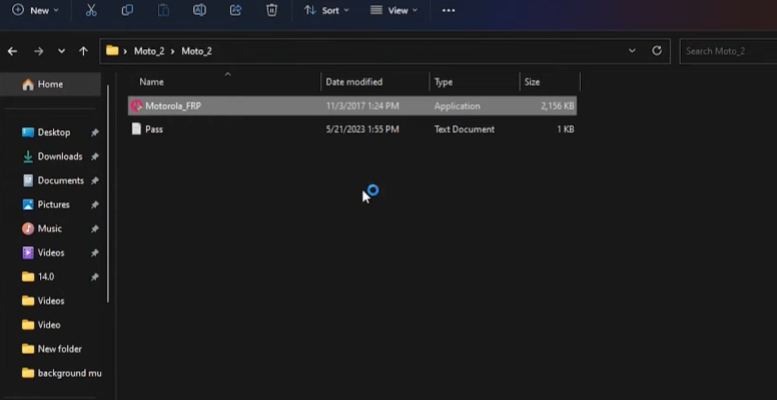
Step 2. Connect your Motorola device to the computer using a USB cable and prepare it by entering the fastboot mode.
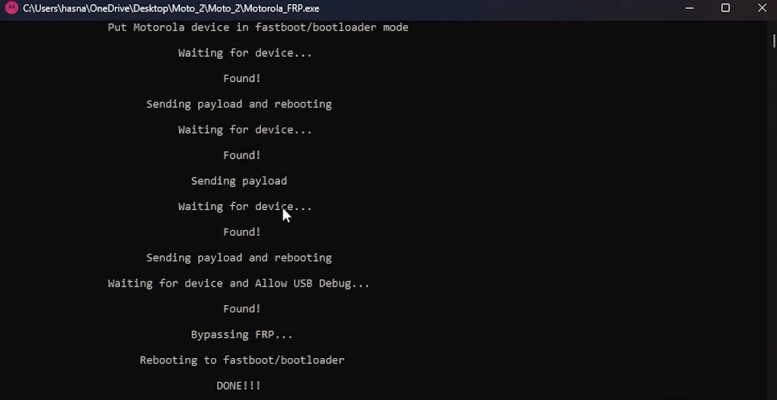
Step 3. Allow it to complete the operation, then confirm if the FRP lock has been successfully removed.
Part 4. How to Bypass Motorola FRP Lock without Computer
If you don't have access to a PC, you can still try to bypass Motorola FRP lock without computer using manual methods. One common trick involves using the emergency call feature to access hidden menus. From there, users attempt to open settings or a browser to bypass verification. While this method can work, it often depends heavily on the phone's Android version and security patch.

Step 1. Turn on your Motorola device and continue until you reach the initial setup screen (Hello screen). From there, tap Emergency Call to open the emergency access interface.
Step 2. When the emergency screen appears, select the Edit (pencil) icon, then tap Name and choose the option to Change Profile Picture to reveal more settings.
Step 3. Go to Photos, then open Permissions. Tap on Contacts, select See all apps, and then navigate to Settings, followed by App Info and Accessibility Menu within your device settings.
Step 4. Open Apps & Notifications, then go to App Info and enable the option to Show system apps. Scroll to find Android Setup, open it, and tap Force Stop to stop the setup process.
Step 5. Find Google Play Services, tap on it, and choose Disable. Next, go to Storage & Cache, then clear both cache and stored data to reset the service.
Step 6. Go back to the Hello screen, open the Menu, then go to Assistant > Settings, and re-enable Google Play Services.
Step 7. Finally, navigate to Settings > System > Details, then select Erase All Data to complete the process and remove the FRP lock.
Part 5. Conclusion
Dealing with FRP lock can feel overwhelming, but the right tool makes things much easier. Whether you go for a professional option like MagFone or try a free alternative, the key is choosing something reliable and compatible with your device. With the right approach, unlocking your Motorola phone doesn't have to be complicated.

Dylan Jones
Editor in chief





