








While using WhatsApp, users may have wondered if WhatsApp has a subscription. And many users are risking using a modified WhatsApp for more features. Now this consideration has come true. According to news online, WhatsApp is testing its Plus subscription service among selected beta users. Are you interested in this premium service? You have come to the right place. In this article, we'll explore what WhatsApp Plus subscription is, its main features, and how to subscribe.
- Part 1. What Is WhatsApp Plus Subscription?
- Part 2. Features of WhatsApp Plus Subscription
- Part 3. How to Subscribe to WhatsApp Plus
- Part 4. Conclusion
Part 1. What Is WhatsApp Plus Subscription?
WhatsApp Plus Subscription is a premium service that gives users access to additional features, greater convenience, and a more personalized messaging experience. However, this paid subscription is not available to all users or in every region. At present, the service is only offered in selected areas, including Pakistan, Europe, and Mexico. The general subscription fee in these regions is as follows:
| Region | Price |
|---|---|
| Pakistan | PKR 229 per month |
| Europe | €2.49 per month |
| Mexico | MXN 29 per month |
Part 2. Features of WhatsApp Plus Subscription
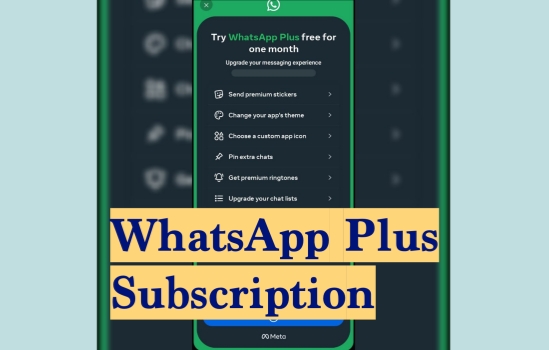
As a paid service, WhatsApp Plus Subscription is designed to offer more than the standard version of WhatsApp. Based on official information and user experience, it includes a range of premium features that focus on customization, convenience, and a more enjoyable messaging experience. Some of the key features include:

Premium stickers with special effects
Subscribers can access a wider selection of premium sticker packs available in the sticker store. These stickers often come with animated effects, making conversations more lively and expressive. Once downloaded, users can save their favorite sticker packs and use them anytime. Even recipients who are not subscribed to WhatsApp Plus may still be able to view and enjoy the animated sticker effects.
Unique app themes and icons
WhatsApp Plus gives users more freedom to personalize the appearance of the app. It offers 18 additional theme colors that allow users to change the overall look of their WhatsApp interface according to their personal style. In addition, users can choose from 14 different app icons, making the app feel more customized and visually appealing.
Pin up to 20 chats
One of the practical advantages of WhatsApp Plus is the ability to pin significantly more conversations. While the standard version of WhatsApp allows users to pin only 3 chats, WhatsApp Plus increases this limit to 20 chats. This feature is especially useful for people who want quick access to important personal, work, or group conversations.
Premium ringtones for different contacts
The subscription also includes 10 premium ringtones that users can assign to specific contacts. This makes it easier to recognize who is messaging or calling without checking the screen.
Customized chat lists with alerts, ringtones, and themes
WhatsApp Plus allows users to customize chat lists in a more advanced way. Users can apply a shared theme, notification alert, or ringtone to a specific chat list, helping them organize conversations more efficiently. This feature is useful for separating personal chats, family groups, or work-related discussions while giving each category its own style and notification settings.
Overall, these features make WhatsApp Plus Subscription attractive to users who want more personalization, better organization, and a richer messaging experience than what the standard WhatsApp version provides.

MagFone Chats Transfer
Back up WhatsApp messages effortlessly and upgrade your messaging experience.
Part 3. How to Subscribe to WhatsApp Plus
Because WhatsApp Plus is only available for a limited number of users and regions. Before subscribing to this paid subscription, you need to check if you meet the subscription requirements below:
- You have a phone number from the region where WhatsApp Plus is supported.
- The supported WhatsApp account is active.
- You need to agree to the Meta Subscription Terms of Service and follow the WhatsApp Terms of Service and Meta Community Standards.
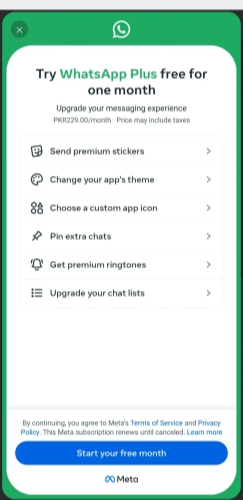
If your phone number and the region are supported, then go to WhatsApp Settings > Subscriptions > WhatsApp Plus and follow the on-screen instructions to upgrade your messaging experience in WhatsApp. Besides, you can also manage your WhatsApp subscription in this entry.
Part 4. Conclusion
Although the features currently available in WhatsApp Plus are still limited, the service already provides a more personalized messaging experience for users who want more than the standard version of WhatsApp. With options such as customization, enhanced chat management, and premium content, it shows strong potential for future development. We also hope WhatsApp will introduce even more convenient and tailored features over time. If WhatsApp Plus becomes more comprehensive, would you consider subscribing to it? Feel free to share your thoughts and considerations in the comments below!

Edgar Davis
Editor in chief





