








Losing important data on your iPhone can be a nightmare, whether it's photos, messages, or critical contacts that vanish after an update, reset, or accidental deletion. And recovering lost or deleted data from a backup can be very risky. The good news is that many iPhone data recovery tools can help you get it all back without data loss, often in just a few clicks. In this guide, we've tested and ranked the 6 best iPhone data recovery tools and compared them from different aspects you may consider. So you can find the best solution when you want to recover lost or deleted data on iPhone.
- Part 1. Quick Comparison: Top iPhone Data Recovery Tools
- Part 2. 6 Best iPhone Data Recovery Tools (In-Depth Reviews)
- Part 3. How to Recover Data from iPhone (Step-by-Step)
- Part 4. How to Prevent iPhone Data Loss in the Future
- Part 5. Conclusion
Part 1. Quick Comparison: Top iPhone Data Recovery Tools
Before going through detailed reviews, here's a quick side‑by‑side look at the top iPhone data recovery tools in 2026. This comparison table highlights the most important factors you care about, including main features, supported data types, and recovery success rate. Use it to quickly see which tool best fits your situation, whether you've lost photos, messages, WhatsApp chats, or other files, and then jump into the in-depth reviews to learn more about each option.
| Tool | Recover Data from Device | Extract Data from iTunes Backup | Recover iCloud Synced Data | Selective Scan | Preview Data | Support Data | Success Rate | Recommendation |
|---|---|---|---|---|---|---|---|---|
| MagFone iPhone Data Recovery | ✔️ | ✔️ | ✔️ | ✔️ | Yes, full preview | 22 types | 98% | ⭐⭐⭐⭐⭐ |
| EaseUS iPhone Data Recovery | ✔️ | ✔️ | ❌ | ✔️ | Yes, partial preview | 20 types | 90% | ⭐⭐⭐⭐ |
| FoneLab iPhone Data Recovery | ✔️ | ✔️ | ✔️ | ❌ | Yes, partial preview | 32 types | 90% | ⭐⭐⭐⭐ |
| FonePaw iPhone Data Recovery | ✔️ | ✔️ | ✔️ | ❌ | Yes, partial preview | 31 types | 90% | ⭐⭐⭐ |
| Stellar Data Recovery | ✔️ | ✔️ | ❌ | ✔️ | Yes | 20 types | 80% | ⭐⭐⭐ |
| Syncios iOS Data Recovery | ✔️ | ✔️ | ✔️ | ✔️ | Yes, full preview | 17 types | 95% | ⭐⭐⭐⭐ |
Part 2. 6 Best iPhone Data Recovery Tools (In-Depth Reviews)
The features of these iPhone data recovery software online are similar; the main difference is their supported data type, efficiency, and price. In this part, we will review the best 6 iPhone data recovery tools in detail so you can choose the most suitable one.
No.1 MagFone iPhone Data Recovery
🔴 Rating: 4.3 in Trustpilot
🌟 Best For: Most users looking for a reliable, well-rounded iPhone data recovery tool.
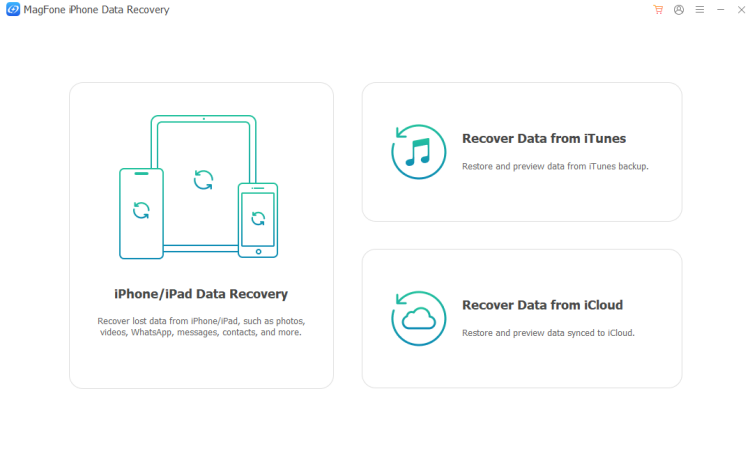
MagFone iPhone Data Recovery is an emerging data recovery software that is compatible with a wide range of iPhone, iPad, and iPod models. It supports you recover lost or deleted data from iPhone, not only Apple apps, like Photos, Messages, Notes, Contacts, Calendar, Reminders, Voice Memos, but also third-app app, like WhatsApp, WhatsApp Business, Kik, LINE, and Viber. Besides, it also supports extracting data from iTunes backup and recovering data that synced to iCloud.
| Compatibility | Windows 11, 10, 8, 7 macOS 26 and earlier iOS 7 and later |
| Support Data | Apple in-built apps: Photos, Messages, Contacts, Phone, Notes, Calendar, Reminders, Voice Memos, FaceTime, and Safari Third-party apps: WhatsApp, LINE, Kik, WhatsApp Business, and Viber. |
| Pricing | Monthly: $39.95 for 5 devices Annual: $49.95 for 5 devices Lifetime: $69.95 for 5 devices |
| 👍Pros | Recover over 20 types of data on iOS devices Offer three recovery modes to recover data Selectively scan and preview data before restoring Compatible with the most recent iOS versions Extremely simple, beginner-friendly interface |
| 👎Cons | Paid license for full recovery |
No.2 EaseUS iPhone Data Recovery
🔴 Rating: 4.3 in Trustpilot
🌟 Best for: Non-technical users who prioritize simplicity and want a familiar brand.
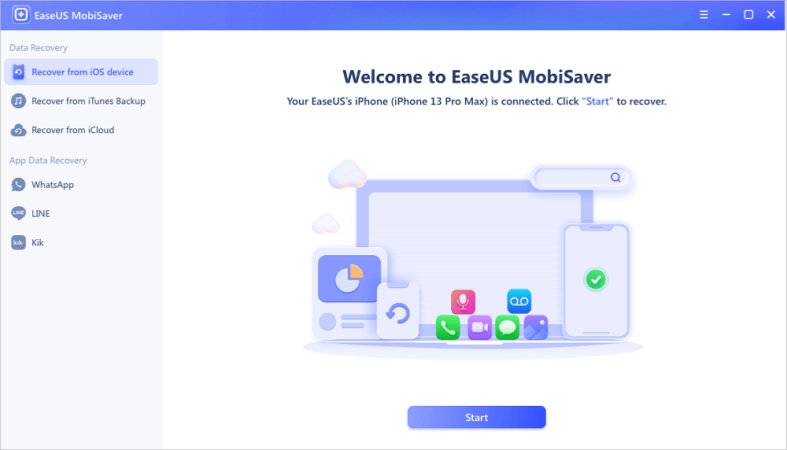
EaseUS MobiSaver is a popular choice when people are searching for an iPhone data recovery tool. The interface is uncluttered with three main features: recover from iOS devices, recover from iTunes backup, and recover from iCloud. And the steps are clearly labeled, and even the least technical users can go through the recovery process with minimal friction. But Users need to upgrade to the pro version for full features.
| Compatibility | Windows 11, 10, 8, 7 macOS 10 and later |
| Support Data | Apple in-built apps: Photos, Videos, Messages, Contacts, Phone, Notes, Calendar, Reminders, Voice Memos, FaceTime, and Safari Third-party apps: WhatsApp, LINE, Kik. |
| Pricing | Monthly: $59.95 for 5 devices Annual: $79.95 for 5 devices Lifetime: $99.95 for 5 devices |
| 👍Pros | Selectively recover rather than wiping the entire device Perform exceptionally well at recovering data Support all modern iPhone and iPad models |
| 👎Cons | Area restrictions Limited social app recovery support Relatively expensive for occasional use Can't extract data from iCloud |
No.3 FoneLab iPhone Data Recovery
🔴 Rating: 3.0 in Trustpilot
🌟 Best for: Families or users managing multiple iPhones who want a one-time purchase that covers everyone.
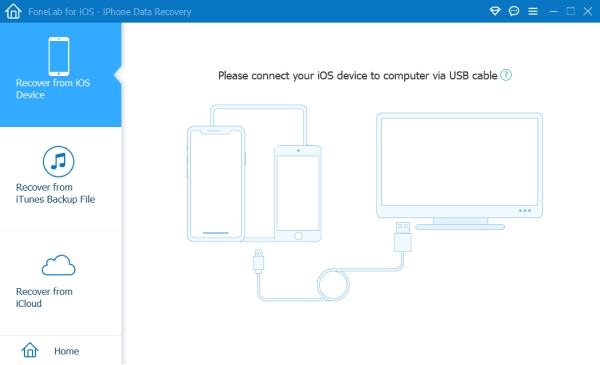
FoneLab for iOS is an all-in-one toolkit that combines iPhone data recovery, iOS system recovery, iOS data backup & restore, and WhatsApp transfer. For the iPhone Data Recovery tool, users can safely recover data from iOS devices, recover data from iTunes backup, and recover partial data from iCloud backup. No matter how you lost the data, FoneLab provides a solution to get it back.
| Compatibility | Windows 11, 10, 8, 7 macOS 10.7 and later iOS 26 and earlier |
| Support Data | Apple in-built apps: Photos, Messages, Contacts, Phone, Notes, Calendar, Reminders, Voice Memos, and Safari Third-party apps: WhatsApp, LINE, Kik, Viber, and Messenger, QQ, and WeChat. |
| Pricing | Monthly: $49.95 for 1 device Lifetime: $55.96 for 6 devices |
| 👍Pros | Support editing Contact and Notes data in the app Cost-effective for multiple device users |
| 👎Cons | Unable to select data to scan when recovering data from the device Limited preview option The scanning of iCloud takes a long time |
No.4 FonePaw iPhone Data Recovery
🔴 Rating: 3.6 in Trustpilot
🌟 Best for: Users who want transparency about what's exactly recoverable.
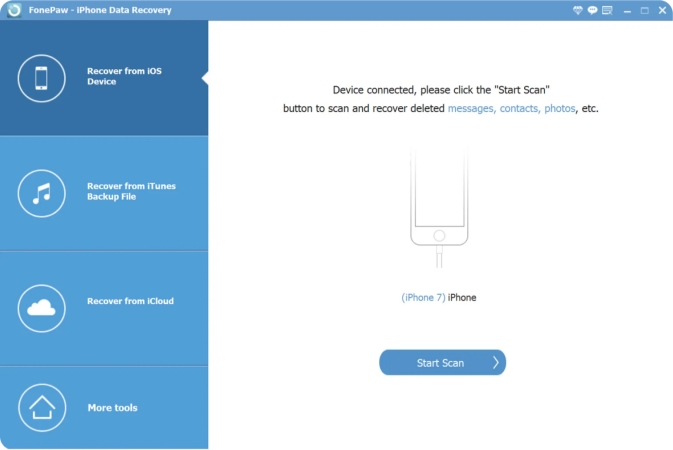
FonePaw iPhone Data Recovery is a reliable choice to restore data. It provides 3 iOS data recovery modes, including recovering from iPhone or iPad directly, restoring from iTunes backup, and recovering from iCloud synced files. Compatible with the newest Apple devices and iOS 18, available for more than 30 types of iPhone data, users can recover data in any lost scenario.
| Compatibility | Windows 11, 10, 8, 7, Vista, XP macOS 10.7 and later iOS 18 and earlier |
| Support Data | Apple in-built apps: Photos, Messages, Contacts, Phone, Notes, Calendar, Reminders, Voice Memos, and Safari Third-party apps: WhatsApp, LINE, Kik, Viber, and Messenger. |
| Pricing | Monthly: $49.95 for 6 devices Yearly: $55.97 for 6 devices Perpetual: $66.47 for 6 devices |
| 👍Pros | Straightforward interface Support editing partial data Useful function and helpful customer service |
| 👎Cons | Can't select data to scan when recovering data from an Apple device Can't preview full data before recovery Non-guaranteed performance |
No.5 Stellar Data Recovery for iPhone
🔴 Rating: 4.8 in Trustpilot
🌟 Best for: Users who need to recover WhatsApp, LINE, Kik, Tango, WeChat, or Viber data.
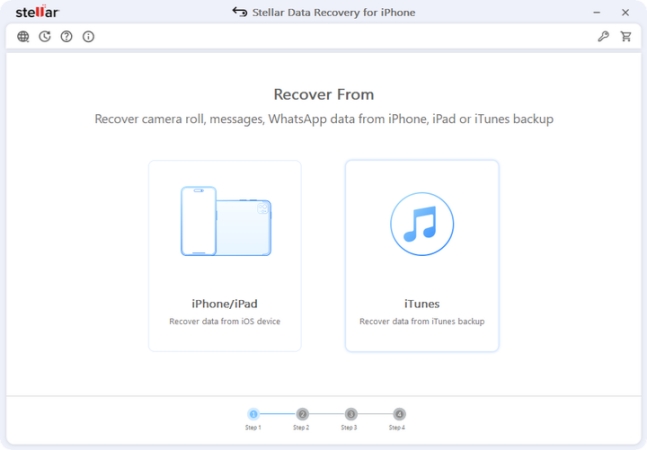
Stellar Data Recovery for iPhone is a dedicated data recovery tool for iPhone and iPad. It supports recovering data from iOS devices and recovering data from iTunes backup. Apart from recovering Apple in-built app data, Stellar supports recovering a wider range of third-party app data, like WhatsApp, LINE, Kik, Viber, Tango, and WeChat. For different data loss scenarios, Stellar Data Recovery for iPhone works well.
| Compatibility | Windows 11, 10, 8 macOS 26 and earlier iOS 26 and earlier |
| Support Data | Apple in-built apps: Photos, Messages, Contacts, Phone, Notes, Calendar, Reminders, Voice Memos, FaceTime, and Safari Third-party apps: WhatsApp, LINE, Kik, WeChat, Tango, Viber |
| Pricing | Standard: $39.99 for 3 devices, 1 year Toolkit: $49.99 for 3 devices, 1 year |
| 👍Pros | A wide range of supported app data Highly recommended by its users |
| 👎Cons | May be stuck in the scanning process Can't recover data from iCloud |
No.6 Syncios iOS Data Recovery
🔴 Rating: .3 in Trustpilot
🌟 Best for: Users who want to preview scanned data in good quality.
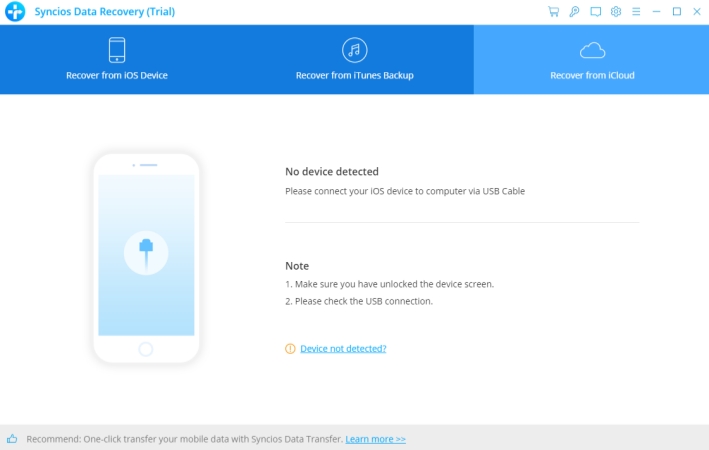
Syncios iOS Data Recovery can be one of the most reliable recovery tools. It allows you to recover data directly from iOS devices, iTunes, and iCloud. Compatible with the latest iOS devices and the latest iOS version, Syncios offers a reliable performance, allowing you to selectively recover data, preview data before recovering, and restore data to the computer and even the device, which gives you a guarantee when using this tool.
| Compatibility | Windows 11, 10, 8, 7 macOS 10.9 and later iOS 9 and later |
| Support Data | AApple in-built apps: Photos, Messages, Contacts, Phone, Notes, Calendar, Reminders, Voice Memos, and Safari Third-party apps: WhatsApp, LINE, Kik, Viber |
| Pricing | Monthly: $39.95 for 5 devices Lifetime: $49.95 for 6 devices |
| 👍Pros | Preview data before recovering Selective recovery |
| 👎Cons | Software may crash while using The performance varies among users iOS version incompatibility |
Part 3. How to Recover Data from iPhone (Step-by-Step)
Now you have a basic knowledge of the top 6 iPhone data recovery tools. It's not hard to discover the similar features they provide. Among these 6 tools, the most recommended and reliable can be MagFone iPhone Data Recovery. With its reliable performance, ease of use, and considerate after-sales services, you can get any lost and deleted data from iPhone, iPad, and iPod. Here, we take MagFone iPhone Unlocker as the displaying example, showing you how to recover data from iPhone safely and efficiently.

MagFone iPhone Data Recovery
Recover data from iPhone and iPad in three recovery modes without data overwritting and device reset.
Step 1 Download and Install MagFone iPhone Data Recovery
First, you need to download and install the iPhone data recovery tool on your computer. At the same time, connect your iPhone to the computer using a data cable. Then run the tool.
Step 2 Scan iPhone Data
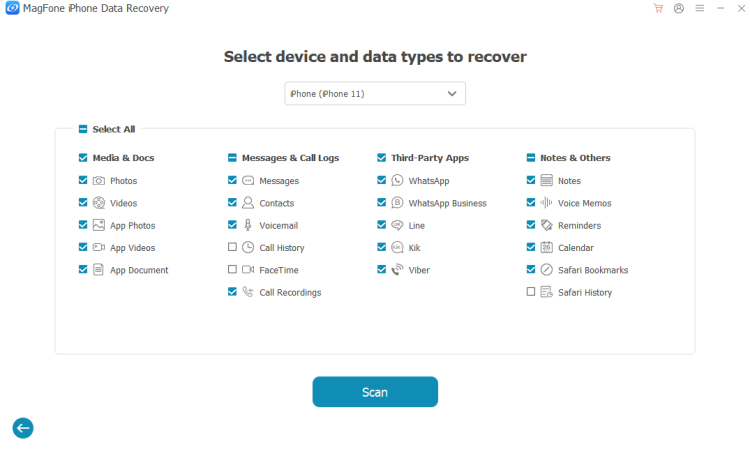
You can see 3 features from the main interface. Here, we choose iPhone/iPad Data Recovery to recover iPhone data without a backup. Then select the data you want to recover and click Scan.
Step 3 Recover iPhone Data to Computer
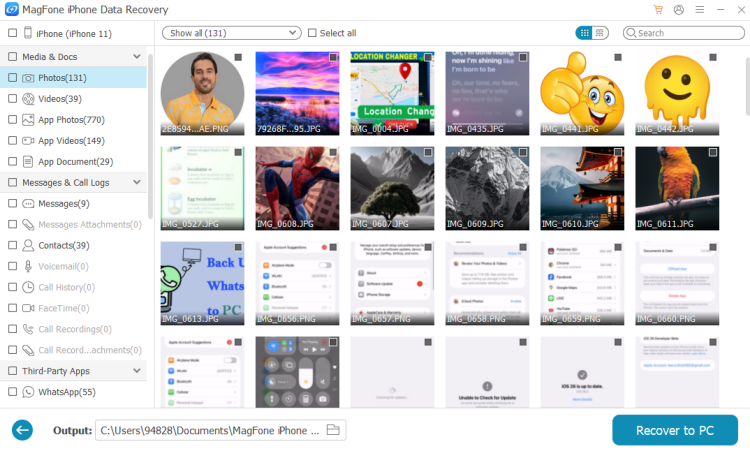
When it's completed, you can view the scanned data on the computer. Then select the data you want and click Recover to PC to recover it to your computer.
Part 4. How to Prevent iPhone Data Loss in the Future
Though the iPhone data recovery software is powerful. It's better if you have a precaution. A few simple habits, set up once and largely forgotten, can protect your iPhone data against accidental deletion, failed updates, hardware damage, and everything in between.
Tip 1. Enable iCloud Backup
Go to Settings > [Your Name] > iCloud > iCloud Backup and make sure it's turned on. Your iPhone will back up automatically when connected to Wi-Fi, plugged in, and locked. And if there is no sufficient iCloud storage, you can consider upgrading it for a more reliable backup.
Tip 2. Back Up to iTunes or Finder Before Major iOS Updates
Before installing any significant iOS update, connect your iPhone to your computer and create a local backup in iTunes or Finder. This takes only a few minutes and gives you a restore point if anything goes wrong during the update.
Tip 3. Consider a Secondary Backup for Irreplaceable Files
For photos and videos that matter most, consider enabling Google Photos or another cloud service as a secondary backup alongside iCloud. Dual backups ensure that even if one service has an issue, your files are protected elsewhere.
Part 5. Conclusion
Reading here, you have mastered all the essential information about the top 6 iPhone data recovery tools. For most users, MagFone iPhone Data Recovery offers the best overall balance of performance, ease of use, and pricing. Most tools offer a free scan so you can see what's recoverable before spending anything. Take advantage of that, and it costs nothing to find out if your data is still there. To avoid data loss and find a solution with data recovery software, it's suggested you back up iPhone data regularly and save important data to a cloud platform for guarantee.

Edgar Davis
Editor in chief




