








Tetris is a classic educational puzzle game that's often used in classrooms to sharpen focus and problem-solving skills. However, because of school or workplace network restrictions, you might find that Tetris is blocked on many devices. In this guide, we'll explain why Tetris gets blocked and walk you through several effective ways to bypass these limitations so you can enjoy playing Tetris unblocked anytime, anywhere.
- Part 1. Why Is Teris Blocked Online?
- Part 2. How to Play Tetris Unblocked Anywhere
- Part 3. Alternative Tetris Versions Online
- Part 4. Conclusion
Part 1. Why Is Teris Blocked Online?
In many schools and workplaces, access to Tetris is restricted or completely blocked to minimize distractions and keep people focused on study or work. Network administrators often add gaming sites to a blacklist, so even harmless classic games like Tetris are treated the same as other time‑consuming entertainment platforms. In some cases, only certain Tetris websites are blocked through the network; in others, any game‑related traffic is filtered at the device or account level.
While these restrictions help maintain productivity and classroom discipline, they can be frustrating when you want to use Tetris for reasonable reasons, such as teaching problem‑solving skills, taking a short mental break, or simply relaxing during approved free time.
Part 2. How to Play Tetris Unblocked Anywhere
Whether it's the official Tetris website or the Tetris app on your phone, you might find Tetris blocked at school or work. When that happens, you'll need alternative ways to access the game. Below are several methods you can try, depending on how Tetris is being blocked on your device or network.
Because every school, office, and device is configured differently, no single method works for everyone. You may need to experiment with a few of the options below to see which one successfully unblocks Tetris in your situation.
| Method | Difficulty | Reliability | Risk |
|---|---|---|---|
| Unblocked Game Sites | Easy | Low | Medium |
| Web Proxy Sites | Easy | Low | Medium |
| Browser Extensions | Easy | Low | Medium |
| Mobile Data or Hotspot | Easy | High | Low |
| VPN | Medium | Medium | Medium |
| MagFone iPhone Unlocker | Easy | High | Low |
Method 1. Play at Mirror/Unblocked Game Sites
If you can't access the official Tetris website, try playing on mirror sites or unblocked game sites that host similar versions of Tetris. Here are a few types of sites where you may find Tetris or Tetris‑style games:
💡If specific sites are still blocked on your network, move on to the next method, or keep searching online for additional unblocked game sites until you find one that loads correctly on your device.
 Pros
Pros- No installs
- No login

- Unstable connection
- May be blocked
Method 2. Use Web Proxy Sites
If you can't play Tetris online directly, you can consider using a proxy site. A web proxy site can help hide the original site from network filters, so you can load the Tetris game and play Tetris unblocked on the proxy site without restrictions. However, some schools and offices may also block popular proxy sites. Below are some trustworthy proxy sites you can try:
- CroxyProxy
- Proxyium
 Pros
Pros- Free
- Easy to operate
- Maybe slow
- Partially blcoked
- Unstable
Method 3. Use Browser Extensions
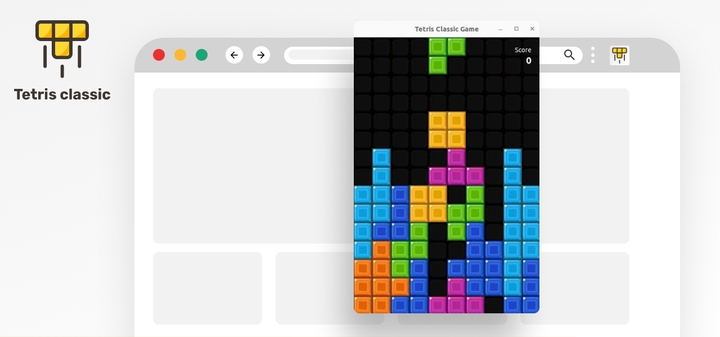
You can also try installing an extension to help you bypass content filters. There are some Tetris extensions for the browser. Some extensions allow you to play Tetris offline, so you can access it at any time and anywhere.
 Pros
Pros- Play in pop-up window
- Play offline
- Chrome Extension website may be blocked
- No score record
- Single play mode
Method 4. Use Mobile Data or Hotspot
If the school or office Wi-Fi is blocking Tetris, switching to mobile data or using a personal hotspot can sometimes be the simplest solution. By connecting your laptop, tablet, or other device to your phone's hotspot, you avoid the restricted network altogether and use your own internet connection instead. Just keep in mind that this method uses your mobile data plan, so you should monitor your data usage to avoid extra charges.
Pros- No extra software required
- Work with both browser versions and mobile Tetris app
- Use mobile data and may cause cost
- Hotspot drains battery more quickly
Method 5. Use A VPN
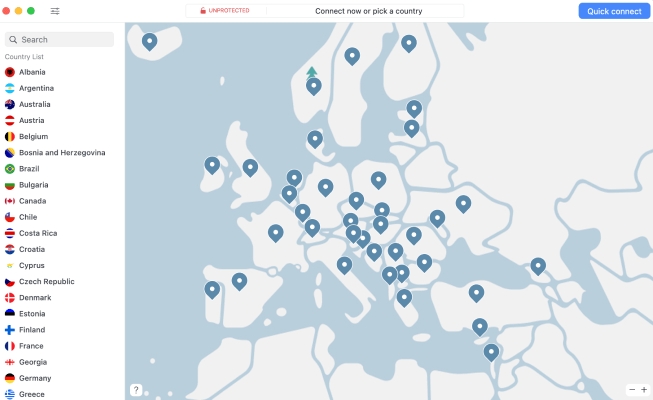
A VPN can also help you bypass the network restrictions that block Tetris. You can install a VPN app and connect to its server, then try to play Tetris. VPNs can be very effective, but you should choose a reputable provider and be aware that some schools and workplaces have strict policies against VPN use.
 Pros
Pros- Encrypt your traffic and activity
- Unblock multiple game websites
- Quality VPNs often require a paid subscription
- May violate local network policy
Method 6. Use MagFone iPhone Unlocker
In some situations, especially on school‑owned iPhones or iPads, Tetris may be blocked directly on the device via MDM or Screen Time. In these cases, you might need a dedicated tool to remove those restrictions before you can play Tetris smoothly. MagFone iPhone Unlocker can help by removing MDM profiles that block certain apps or websites on your device. It can also clear Screen Time limits or passcodes that prevent you from opening Tetris. Once these restrictions are lifted, you'll have more control over your device and can access Tetris and other games more freely, as long as you follow any rules set by your school or parents.
Below is how to remove MDM from an iPhone or iPad. You can also follow the software instructions to remove Screen Time restrictions.

MagFone iPhone Unlocker
Remove Remote Device Management and Screen Time on iPhone and iPad without needing a password.
Step 1 Install MagFone iPhone Unlocker
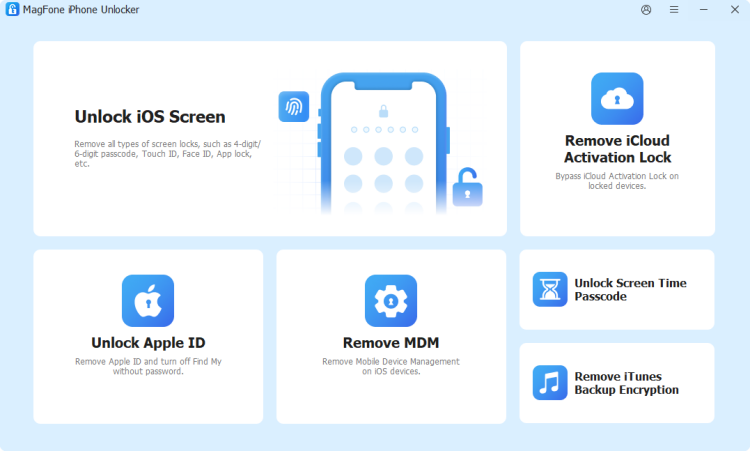
Download and install MagFone iPhone Unlocker on a computer. Then connect the iPhone to the computer via a data cable. When all is ready, open this tool.
Step 2 Remove MDM from iPad
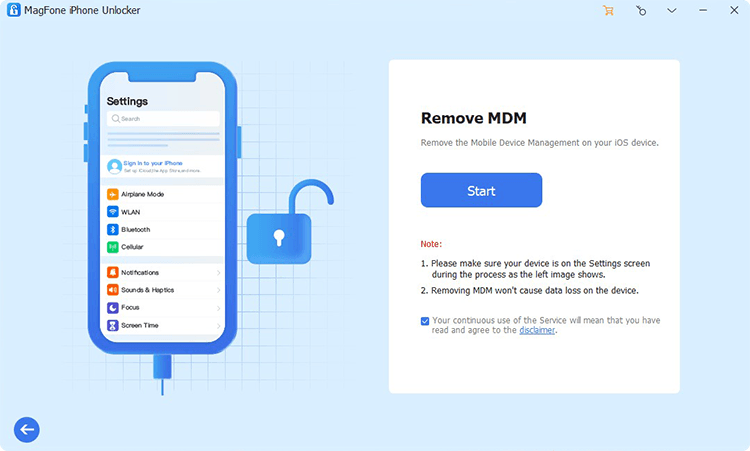
Click Remove MDM and click Start to remove MDM from your iPhone.
Pros- Remove MDM without password and data loss
- Remove Screen Time restrictions without passcode
- Require a third-party software
- Need a computer
Part 3. Alternative Tetris Versions Online
Apart from classic Tetris, there are plenty of alternative versions and Tetris-style games you can play. Here, we'd like to share several popular alternatives for you to enjoy.

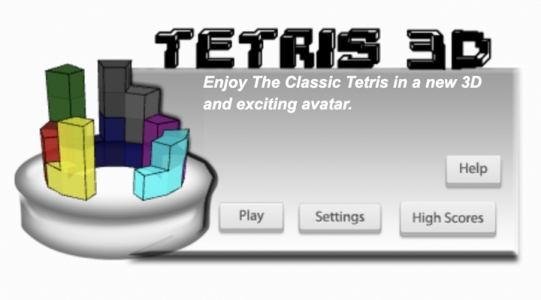
Tetris 3D — 3D Ring-based Board
A 3D version of Tetris where you clear circular rings of blocks around a tower instead of flat lines.
Dream of Pixels — Creative Reverse Tetris Mechanic
A reverse Tetris-style game where you remove tetromino shapes from filled pixel clouds instead of stacking them.

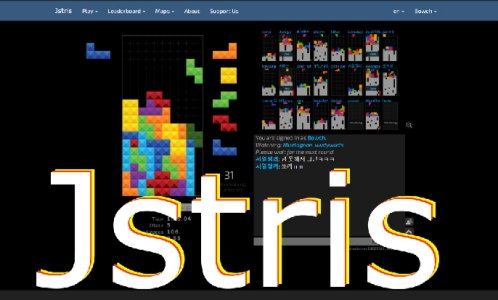
jstris — Competitive Play & Training
A browser-based multiplayer Tetris variant with many modes, leaderboards, and fine‑tuned controls.
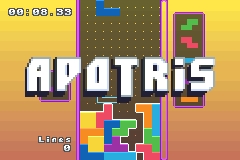
Apotris — Deep Customization & Precise Control
A free, open‑source Tetris-like game with very responsive controls and lots of game modes and settings.
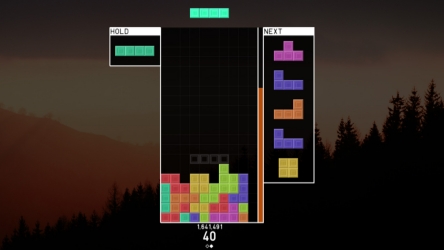
tetr.io — Ranked Mode
A fast online Tetris-inspired game with casual rooms and ranked 1v1 matches against players worldwide.
Part 4. Conclusion
Playing Tetris at school or work doesn't have to be impossible, even when strict network filters are in place. By understanding why Tetris is blocked and exploring different ways to access it, such as mirror sites, proxies, browser extensions, VPNs, mobile data, and tools like MagFone iPhone Unlocker, you can find a solution that works for your devices and environment. Just remember to follow your school's or workplace's rules and use these methods responsibly.

Dylan Jones
Editor in chief





