








As one of the most addictive and action-packed crazy games online, Shell Shockers has captured the attention of gamers everywhere with its egg-citing battles and fast-paced combat. But if you've ever tried to play Shell Shockers at school or work, you know how frustrating it can be to run into blocked access. Don't worry! This guide will show you the best ways to play Shell Shockers unblocked from anywhere, so you never have to miss out on the fun again!

- Part 1. What Is Shell Shockers?
- Part 2. How to Get Shell Shockers Unblocked
- Part 3. Bonus Tip to Play Shell Shockers on iOS Device
- Part 4. Conclusion
Part 1. What Is Shell Shockers?
Shell Shockers is an online first-person shooter developed by Blue Wizard Digital where players control weapon-wielding eggs in fast-paced multiplayer combat. The game features various game modes, such as Free For All, Teams, and Captula the Spatula, along with custom weapon skins and egg customization.

Because the game runs entirely in WebGL directly inside web browsers, it requires no software downloads. However, administrators often flag the primary domain (shellshock.io) under Gaming filtering categories, triggering automated firewall blocks.
Part 2. How to Get Shell Shockers Unblocked
When the main domain is restricted, several methods can restore access. Let's explore the top methods to access the game even when it's blocked on your device.
Option 1. Play on Official Shell Shockers Proxy Sites
Since the original Shell Shockers domain may be blocked on your device due to network restrictions or other reasons, Blue Wizard has created a series of proxies that can help users to bypass the restrictions and enjoy cracking eggs. You can check the Shell Shockers unlocked links on Blue Wizard's page.

For convenience, below are some Shell Shockers unblocked proxies created by Blue Wizard. You can navigate to any of the links and log into your Shell Shockers account to play the game.
🔗 Official Mirror Sites for Shell Shockers Unblocked:
- https://biologyclass.club/
- https://mathlete.pro/
- https://mathlete.fun/
- https://geometry.report/
- https://mathdrills.info/
- https://algebra.vip/
- https://humanorganising.org/
- https://geometry.monster/
 Pros
Pros- Safe and reliable
- Direct access to the official game
- Minimal risk of malware

- May still be blocked on some networks
- Limited proxy sites available
Option 2. Play on Non-official Sites
Apart from Blue Wizard's official Shell Shockers unblocked proxies, there are a lot of third-party sites where you can enjoy unblocked Shell Shockers. Here we have collected some unblocked Shell Shockers sites for you. The availability varies on an individual basis, so you may need to test them on your device.
🔗 Non-official Sites for Shell Shockers Unblocked:
- http://strelyaj.ru/shell_shockers
- https://www.1001juegos.com/juego/shellshockersio
- https://cheezgam.es/shell-shockers-unblocked-online/
- https://playmix.cc/shell-shockers
- https://apstudy.github.io/games/shell-shockers-unblocked/
Pros- More chances to find an accessible version
- Variety of hosting platforms
- Potential security risks
- More ads and pop-ups
- Game version may not be up-to-date
Option 3. Play via Shell Shockers Unblocked Extension
Another handy solution is to use a browser extension specifically designed to unblock Shell Shockers. Here are several Shell Shockers unblocked Chrome extensions. You can add it to your browser and activate the extension to play the game at any time.
🔗 Chrome Extension for Shell Shockers Unblocked:
- https://chromewebstore.google.com/detail/cbajfpnekgnnapbdkkjfanlbgkbanjii?utm_source=item-share-cb
- https://shell-shockers-unblocked-jwk.en.softonic.com/chrome/extension
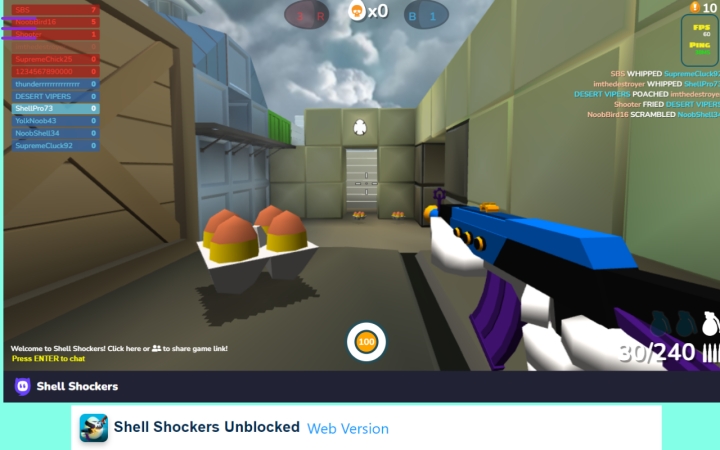
Step 1. Install the Shell Shockers extension on the Chrome browser.
Step 2. Click the Extensions icon and run the Shell Shockers unblocked extension. Then you can play the game beyond restrictions.
Pros- Quick and convenient
- Works directly in your browser
- Some extensions may not be trustworthy
- May not bypass all restrictions
- Might slow down your browser
Option 4. Use Mobile Hotspot
If network restrictions are blocking your access, connecting your device to a mobile network can be a quick fix. By using your phone's data connection, you can bypass school or work Wi-Fi filters entirely.
Pros- Bypasses local network blocks
- Easy to set up with a smartphone
- Uses mobile data
- May result in slower speeds
- Not always practical for long sessions
Option 5. Use a Virtual Private Network
If the Shell Shockers is blocked due to network restrictions, you can also use a virtual private network to bypass the network restrictions. However, some big-name VPN servers are usually blocked; you need to find a suitable VPN for your device to play the game.
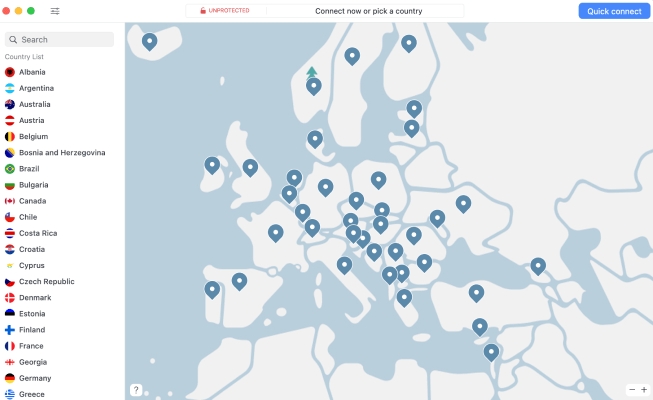
Step 1. Pick a suitable VPN server online and download it on your device.
Step 2. Connect to the VPN server and load the Shell Shockers game on your device. Check whether you can play the game.
Pros- Effective at bypassing restrictions
- Encrypts your internet traffic for privacy
- Good VPNs may require payment
- Can slow down your connection
- Some networks block VPNs
Part 3. Bonus Tip to Play Shell Shockers on iOS Device
If you are using an manager iOS device, like an iPad, and you're restrcited to access Shell Shockers, here is an additional solution to get Shell Shockers unblocked. That's to use a restriction removal tool like MagFone iPhone Unlocker, which can help remove MDM restrictions on iOS devices without a password and also help remove Screen Time restrictions on iOS devices without the passcode. Follow the steps below to remove those roadblocks that prevent you from playing Shell Shockers, so you can enjoy this excellent game addictively.

MagFone iPhone Unlocker
Unlock various locks on iOS devices, including screen locks, MDM, Apple ID, and Activation Lock without needing a password.
Step 1 Launch MagFone iPhone Unlocker
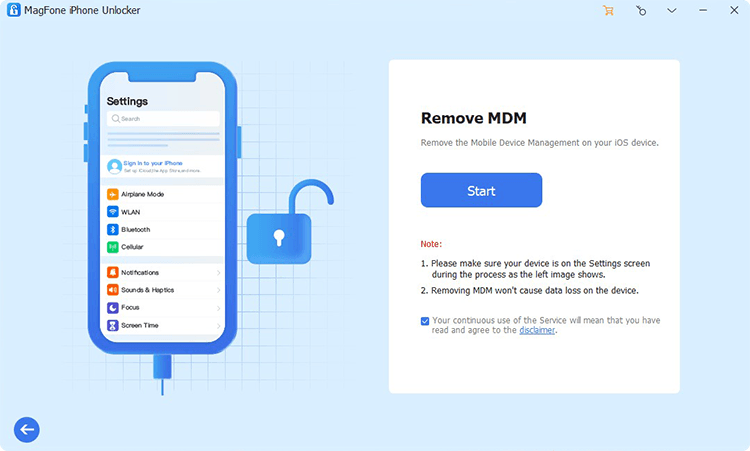
Download the MagFone iPhone Unlocker package on a computer, then install it and launch it after installation. After that, use a data cable to link your iPad to the computer.
Step 2 Remove MDM or Screen Time Restrictions on iPad
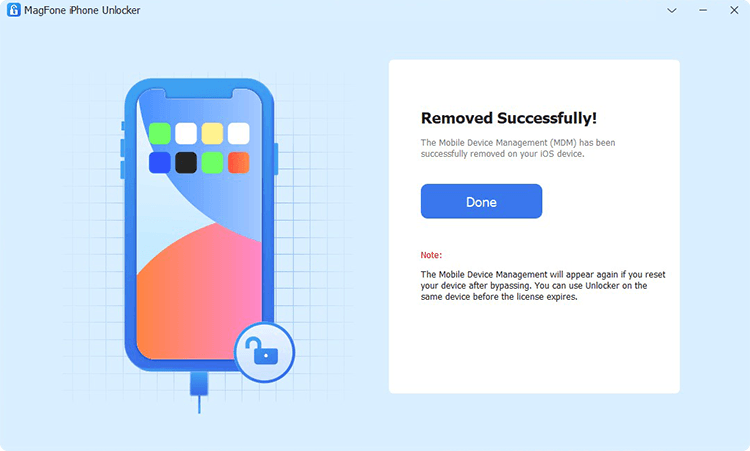
Based on your situation, choose Remove MDM or Unlock Screen Time Passcode from MagFone's interface. Then click Start to remove the MDM or Screen Time restrictions from your iPad without data loss and without a password.
Part 4. Conclusion
For those who are fans of Shell Shockers, being blocked can feel very disappointing. But you don't need to worry when you encounter this issue. Follow our guide, and you will always find a way to get Shell Shockers unblocked and play it anywhere. If you need more information about Shell Shockers, follow Shell Shockers on Fandom.

Dylan Jones
Editor in chief




