








A Xiaomi phone can end up locked at the carrier level, the bootloader level, or even the screen level after a factory reset, and each of these situations calls for a completely different fix. When your device shows an activation prompt or refuses a new SIM, the term "unlock code" only adds to the confusion. In this guide, we'll walk you through exactly what a Xiaomi unlock code is, the different types you might encounter, and how to use each one correctly.
- Part 1. What Is Xiaomi Unlock Code?
- Part 2. Where to Get Xiaomi Unlock Code?
- Part 3. How to Use a Xiaomi Unlock Code Step by Step
- Part 4. How to Unlock Xiaomi Without an Unlock Code
- Part 5. Conclusion
Part 1. What Is Xiaomi Unlock Code?
Strictly speaking, a Xiaomi unlock code most often refers to the code carriers issue to release a phone from network/SIM restrictions, tying the device's IMEI to a specific unlock request. Besides, many users also spot the phrase "unlock code" on Xiaomi's "This device is locked" activation screen.
Part 2. Where to Get Xiaomi Unlock Code?
Because "unlock code" covers several unrelated processes, where you find yours depends entirely on which lock you're dealing with: your carrier, your Mi Account, or Xiaomi's official Mi Unlock tool. Below is a quick breakdown of each code type, what it's actually for, and where you can request it.
| Code Type | When to Use | Where to Get |
|---|---|---|
| Network (SIM/IMEI) unlock code | Removing carrier restrictions so other SIMs work | Contact your original carrier Some third-party IMEI services |
| Bootloader unlock code | Flashing custom ROMs, recovery, or gaining root access | Official Mi Unlock app/portal |
| Screen lock PIN/pattern/passcode | Unlocking the home screen | Set by you |
Part 3. How to Use a Xiaomi Unlock Code Step by Step
Once you've figured out which lock you're actually facing and tracked down the right code, the process itself is fairly straightforward. Next, we'll guide you through how to use these different codes on your Xiaomi devices.
01For Xiaomi SIM Unlock Code
Step 1. Contact your carrier and provide your phone's IMEI number along with proof that your contract terms are fulfilled.
Step 2. Once approved, you'll receive an unlock code or a set of instructions.
Step 3. Insert a SIM card from a different carrier; your phone should prompt you to enter the unlock code.
Step 4. Enter the code exactly as provided; the device will confirm once the SIM restriction is lifted.
Note:
While many online services claim to provide SIM unlock codes for Xiaomi phones, not all of them are trustworthy. Check their reviews and reputation carefully before using any service. Whenever possible, it's safer to request the unlock code directly from your carrier.
02For Bootloader Unlock (Mi Unlock)
Step 1. Enable Developer Options in Settings, then turn on OEM Unlocking.
Step 2. Sign in with your Mi Account on the device and link it to the Mi Unlock application on your computer.
Step 3. Submit an unlock request through the Mi Unlock tool; approval may be instant or take a few days depending on your account history.
Step 4. Once approved, connect your phone and follow the tool's prompts to complete the bootloader unlock (note this will wipe your data).
03For Screen Passcode Unlock
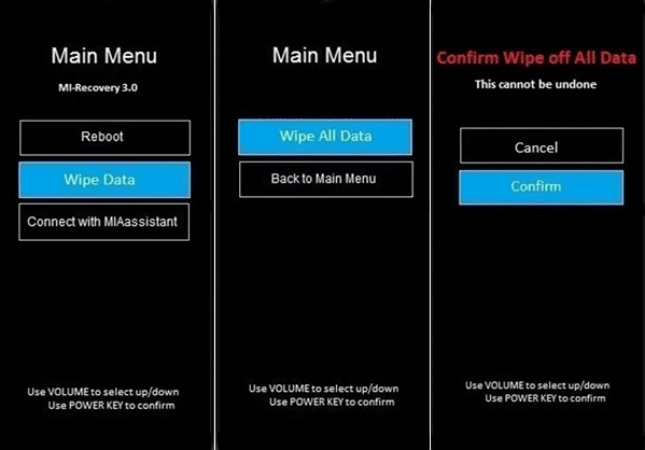
Step 1. Power off your phone completely. Hit and hold the Power key for about 10 seconds until the device shuts down.
Step 2. Hit and hold the Power and Volume Up keys together.
Step 3. Use the Volume Down key to highlight Wipe Data, then press the Power key to select it.
Step 4. Select Wipe All Data using the volume keys, then press the Power key.
Step 5. When prompted to confirm, highlight Confirm and press the Power key.
Step 6. Wait for the data-wiping process to finish. Once complete, you can enter your Xiaomi without a screen lock.
Part 4. How to Unlock Xiaomi Without an Unlock Code
Locked out because you forgot your screen PIN, pattern, or password rather than a carrier or account code? The good news is you don't need any unlock code at all — you can bypass the lock screen directly instead. MagFone Android Unlocker is a dedicated screen-unlocking tool built to remove any type of lock screen on Android devices, and it runs smoothly on both Mac and Windows with broad device compatibility. Here's how to use it to bypass a Xiaomi screen lock.

MagFone Android Unlocker
Remove multiple kinds of screen locks on over 5000 Android devices and delete Google FRP lock without a password.
Step 1 Choose the Unlock Feature
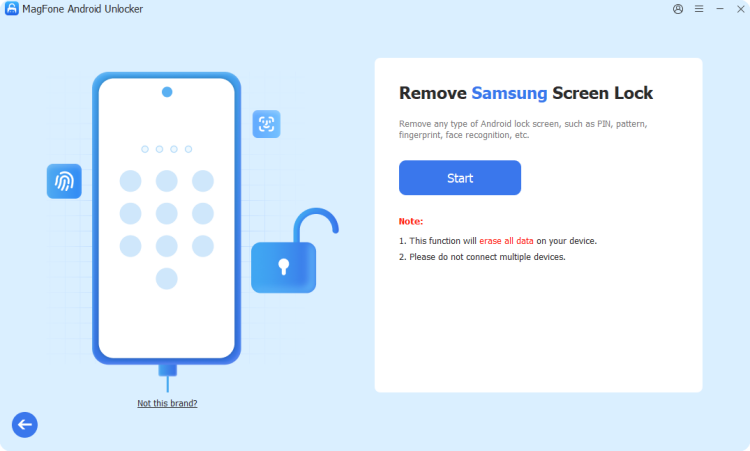
Install and launch MagFone Android Unlocker on your computer, then connect your Xiaomi phone using a USB cable. On the main interface, select the screen-unlock function, choose your device's brand and model from the list provided, and click Continue.
Step 2 Continue to Enter Recovery Mode
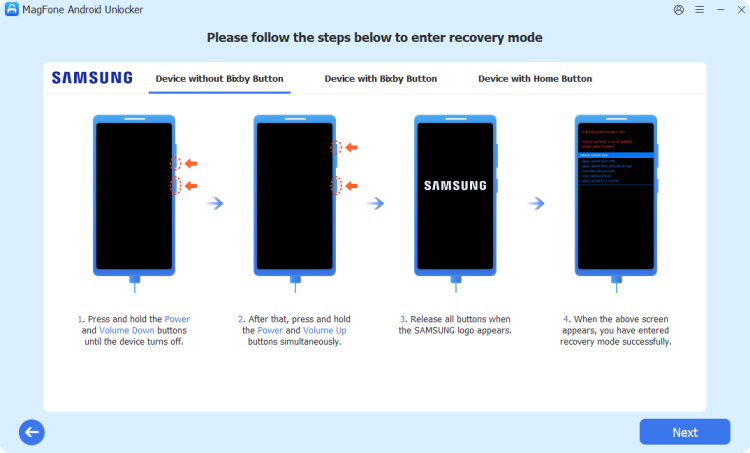
After verifying your device information, click Start. The tool will warn you that proceeding may erase some data; just confirm this to move forward. Follow the on-screen button-combination instructions to boot your Xiaomi phone into Recovery Mode.
Step 3 Bypass Lock Screen Like Passcode
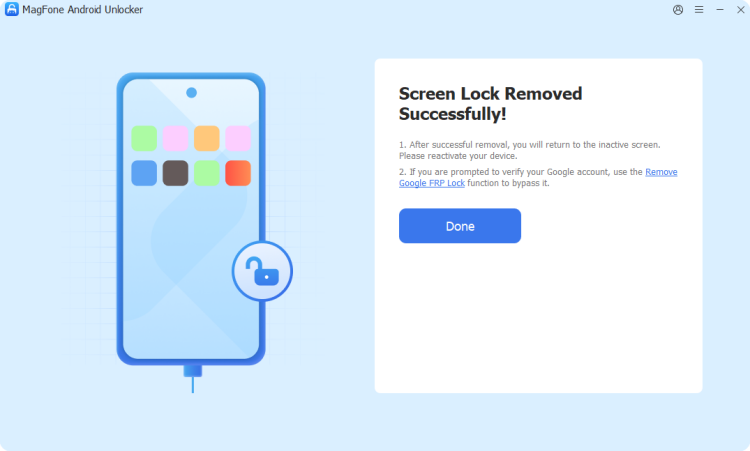
Keep following the prompts to finalize the device setup process, then click Next and allow the software to complete the removal automatically. Once finished, your original lock screen will be cleared, giving you full access to your home screen again.
Part 5. Conclusion
Xiaomi's unlock code isn't a single thing; it can mean a carrier SIM-unlock code, a bootloader unlock permission, or simply your Mi Account password, depending on what's actually locking your phone. Identifying the correct lock type first saves you time and prevents unnecessary risk. And if it's your screen lock giving you trouble instead, a tool like MagFone Android Unlocker offers a faster, code-free way back into your device.

Teresa Miller
Editor in chief




