








We have all been there: you change your lock screen PIN, pattern, or password, and suddenly your mind goes completely blank. In a moment of panic, you might turn to the internet searching for a secret master code to unlock any phone.
The web is full of viral videos and articles claiming that typing a simple string of numbers and symbols like *#*#7780#*#* or *2767*3855# will instantly bypass your lock screen and grant you access to your device.
But do these master unlock codes actually work, or are they a security myth? As senior search and device security analysts, we are breaking down the truth behind these codes, the dangers associated with them, and the legitimate, safe methods you can use to get back into your phone.
- Part 1. What Are Those Secret Phone Codes to See Online?
- Part 2. How to Unlock an Android Phone Safely and Legally
- Part 3. How to Get a Network or Carrier Unlock Code
- Part 4. FAQs about Unlock Master Code
- Part 5. Conclusion
Part 1. What Are Those Secret Phone Codes to See Online?
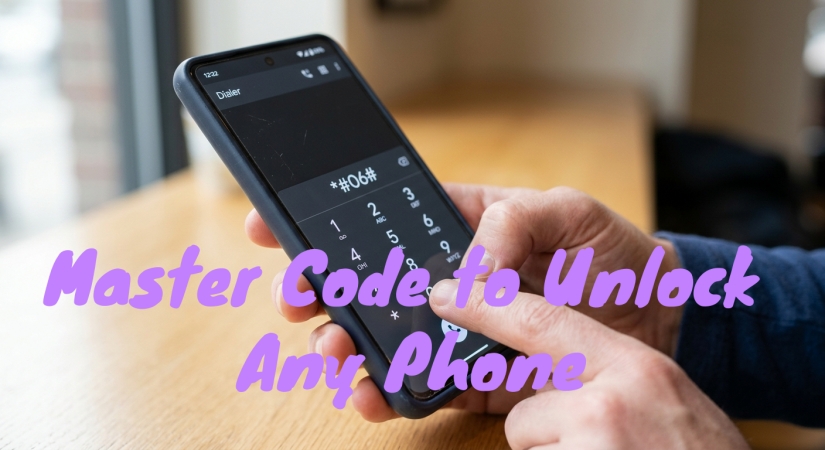
When you see a master code to unlock any phone shared on forums or social media, you are usually looking at MMI or USSD codes. These are legitimate protocols built into mobile operating systems and cellular networks. However, they are designed for internal hardware diagnostics, system configurations, and network communication, not for bypassing user security.
Common Universal Codes for Android Phones
Here is what those common universal codes actually do if you type them on the emergency call screen of your Android phone.
| Code | What It Actually Does | Will It Bypass a Lock Screen? |
|---|---|---|
| *#06# | Displays the device's unique IMEI number. | No. Used for carrier tracking or unlocking only. |
| *#*#7780#*#* | Initiates a Soft Factory Reset. Removes Google account data and system apps. | No. Requires phone to already be unlocked to run fully. |
| *2767*3855# | Triggers a Hard Factory Reset. Completely wipes all internal storage, photos, and settings. | No. Wipes data on older firmware, but triggers security locks on modern devices. |
| *#*#4636#*#* | Opens a hidden Testing Menu showing Wi-Fi, battery, and usage statistics. | No. |
⚠️ Critical Warning:
Running unknown diagnostic strings on your phone can be dangerous. Some legacy codes immediately trigger a hard factory reset without asking for your confirmation, which will permanently delete your photos, messages, and unsaved data.
Part 2. How to Unlock an Android Phone Safely and Legally
If you are locked out of your Android phone, you don't need a mythic master code. Since there is no magic code, you can use legal, secure recovery channels to resolve a lockout. Here are four most effective methods available for unlocking an Android phone today.
Method 1. Use Google's Find My Device (For All Android Phones)
If your locked phone is turned on, connected to mobile data or Wi-Fi, and has a Google account signed in, you can reset it remotely from a computer or another mobile device.
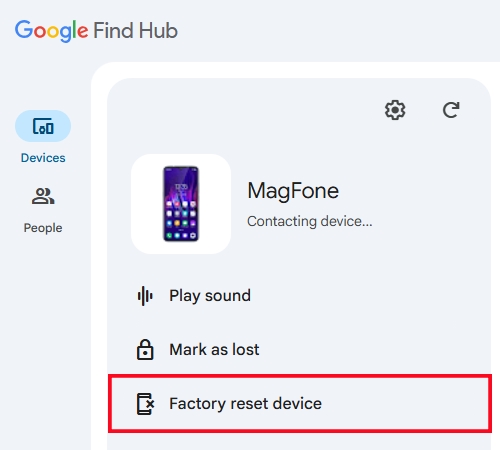
Step 1. Go to the official Google Find Hub website on a computer or browser.
Step 2. Sign in using the exact same Google account that is active on your locked phone.
Step 3. Select your locked device from the list on the left side of the screen.
Step 4. Click Factory reset device > Next and input your Google account password.
Step 5. Confirm the prompt. Your phone will be wiped remotely, removing the forgotten PIN so you can set it up as new.
Method 2. Use Samsung Find (For Samsung Galaxy Users)
Samsung offers a specialized recovery system for its ecosystem. If you own a Samsung device and previously set up a Samsung Account, this method may allow you to unlock your screen.
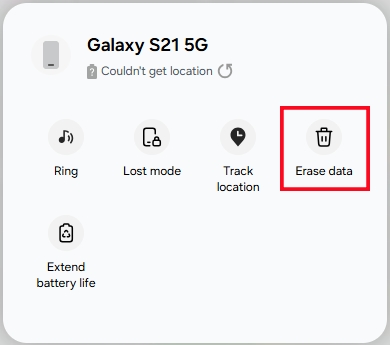
Step 1. Visit the Samsung Find portal on a secondary device.
Step 2. Log in with your Samsung account credentials.
Step 3. From the device list, find and click your locked phone.
Step 4. Click Erase data, enter the verification code, and click Verify.
Step 5. Click Erase data, then click Erase and enter your Samsung account password.
Step 6. Click Next to confirm your choice.
Method 3. Use Professional Android Unlocker (For All Android Phones)
When cloud options like Google or Samsung Find My are unavailable, either because the phone is offline, or you cannot remember your cloud account passwords, professional unlocking tools provide an alternative technical workaround. Tools like MagFone Android Unlocker are designed to interface directly with your mobile hardware via a USB connection to remove screen locks. If you want to get access your locked device quickly and safely, follow the steps below.

MagFone Android Unlocker
Remove multiple kinds of screen locks on over 5000 Android devices and delete Google FRP lock without a password.
Step 1 Connect Locked Phone and Run MagFone
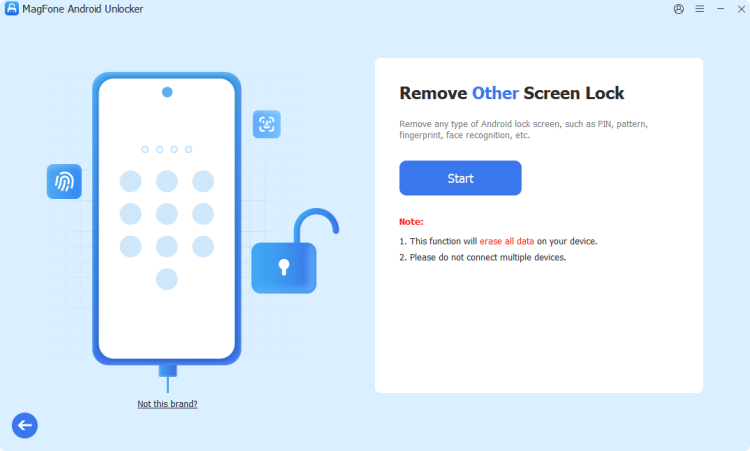
Start by downloading and installing MagFone Android Unlocker, then open it on the computer and connect your locked phone through a USB cable.
Step 2 Boot Locked Phone into Recovery Mode
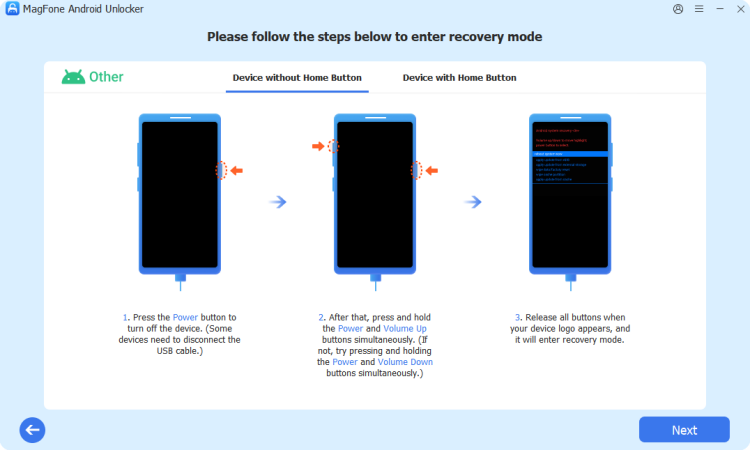
Once the device is detected by the MagFone software, you can follow the onscreen instructions to boot it into recovery mode. Then click Next > Continue.
Step 3 Unlock Locked Phone without Password
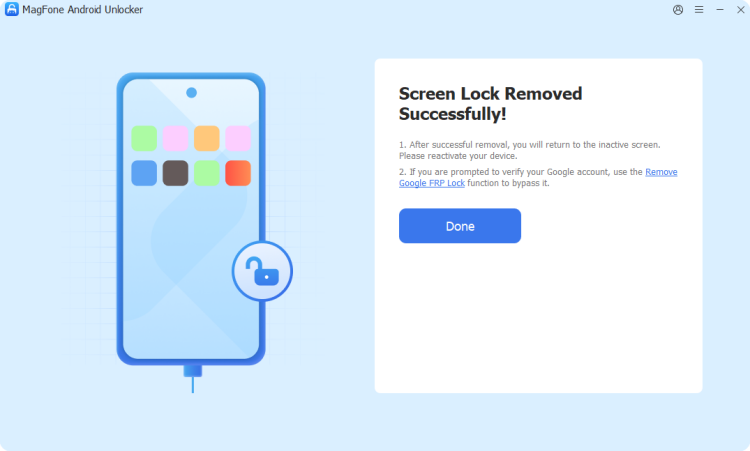
Proceed with the onscreen instructions to remove the screen lock on the device. Return to the MagFone software and click the Start Unlock to finish the unlocking task.
Method 4. Factory Reset via Hardware Recovery Mode (The Last Resort)
If your phone is offlineand you do not wish to use third-party software, you can reset the device using its physical hardware buttons. Note that this resets the device to its factory state.
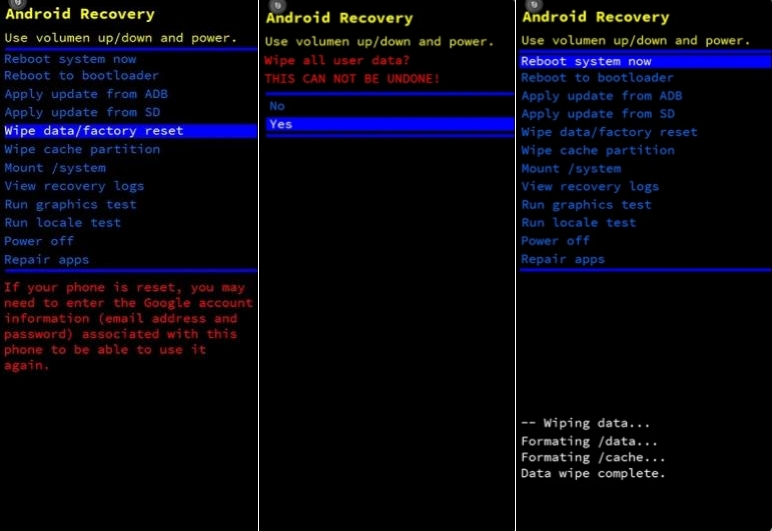
Step 1. Turn off your phone completely.
Step 2. Press and hold the Power + Volume Up buttons simultaneously until the manufacturer logo appears.
Step 3. Release the buttons to enter the black-and-white Android Recovery Mode menu.
Step 4. Use the volume buttons to scroll down to Wipe data/factory reset and press the Power button to select it.
Step 5. Confirm the action by selecting Factory data reset. Once complete, reboot your system.
⚠️ Crucial Note on Factory Reset Protection (FRP):
To prevent theft, Google uses FRP. Once your phone restarts after a hardware factory reset, it will prompt you to enter the Google account email and password that was originally on the phone before the reset. You cannot skip this step. If you forgot your Google credentials, you can use an FRP bypass tool like MagFone Android Unlocker to bypass FRP lock.
Part 3. How to Get a Network or Carrier Unlock Code
Sometimes, when people search for a master code, they are trying to use a SIM card from a different network, instead of being locked out of their screen. Unlike screen unlock codes, network unlock codes are entirely legitimate, generated based on your phone's unique 15-digit IMEI number. Here is how to get a safe, legal network unlock code.
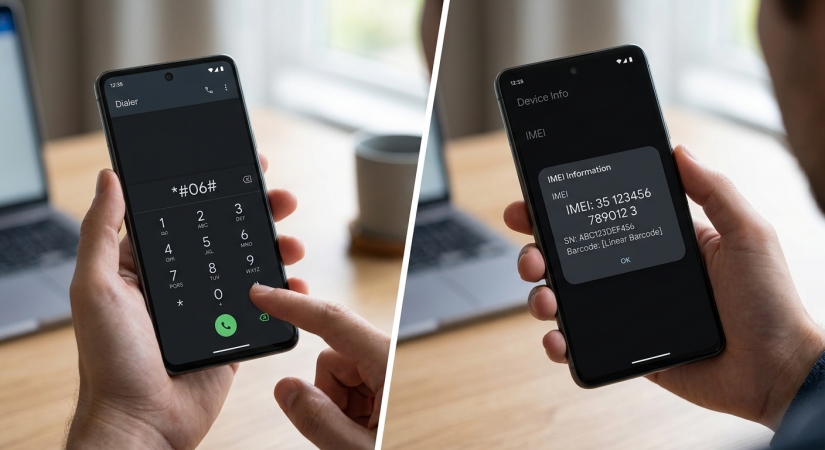
Step 1. Dial *#06# on your phone to display your IMEI number on your screen and write it down.
Step 2. Contact your current mobile carrier's customer service department or check their online portal.
Step 3. Request a device unlock.
If your phone is fully paid off and your account is in good standing, your carrier will provide you with the exact network unlock code for your specific IMEI completely free of charge.
Part 4. FAQs about Unlock Master Code
Can a phone repair shop bypass my lock screen without losing data?
Generally, no. Legitimate repair shops use the exact same recovery protocols outlined above. Due to modern hardware-level security encryption on Android and iOS, data cannot be extracted from a locked phone without the correct PIN or the registered account credentials.
Does the *#*#4636#*#* code unlock screens?
No. This code only displays a hidden diagnostic menu containing network configuration settings, battery health, and app usage statistics. It does not alter or bypass screen lock security parameters.
What should I do to prevent getting locked out in the future?
Always ensure you have biometric backups enabled alongside your traditional PIN. Additionally, make sure your cloud backup services are set to back up your photos and data automatically every night, ensuring your files are safe even if you must perform a factory reset.
What is the master code to unlock a Motorola phone?
No. There is no master code to unlock a Motorola phone. If your Motorola phone is locked by the carriers, you can contact them to get a unlock code. But when it is locked by the screen, you can turn to a professional Android unlocking tool like MagFone Android Unlocker or use Google]s Find My to wipe the screen lock.
Part 5. Conclusion
While the idea of a universal master code to unlock any phone is a persistent internet myth, understanding how your phone's security actually works is the real key to regain access. If you find yourself locked out, skip the untrustworthy online code generators and rely on verified channels. Using Google's Find My or a professional Android unlocking tool like MagFone Android Unlocker can help you get your device unlocked safely and efficiently.

Dylan Jones
Editor in chief




