








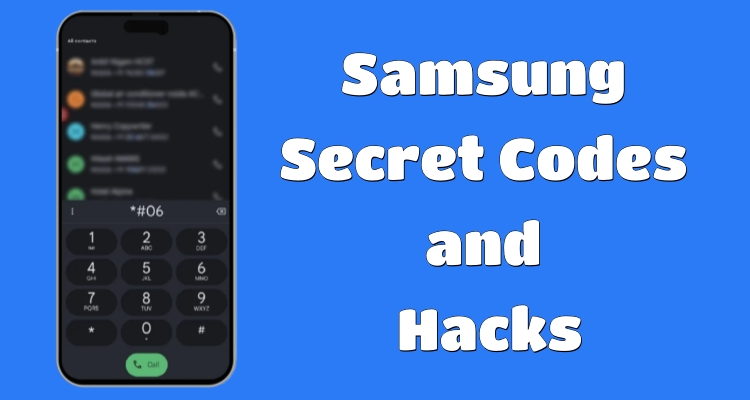
Samsung smartphones continue to include hidden codes that many users never discover. Whether you want to check battery health, inspect hardware, or improve device management, these hidden commands can help. In this guide, you'll explore the latest Samsung secret codes and hacks, understand how they work, and learn safe methods to use them effectively on modern Samsung Galaxy devices.
- Part 1. Things to Know About Samsung Secret Codes
- Part 2. Latest Samsung Secret Codes List for 2026
- Part 3. How to Use Samsung Secret Codes Properly
- Part 4. Samsung Secret Unlocking Hack Tool
- Part 5. Conclusion
Part 1. Things to Know About Samsung Secret Codes
Learn what Samsung secret codes are, how they work, and whether users can access hidden device settings and features using them.
01What Are Samsung Secret Codes?
Samsung secret codes are special combinations of symbols, numbers, and characters entered through the phone dialer. These codes unlock hidden menus and advanced features unavailable in standard settings. Technicians commonly use them for diagnostics, testing, and troubleshooting. Many users also rely on a secret code for Samsung devices to quickly check battery status, firmware details, hardware conditions, and network information.
02How Do Samsung Secret Codes Work?
These hidden codes communicate directly with Samsung's system software and firmware. Once entered into the dialer, the command automatically triggers a specific function or hidden menu. Some Samsung secret codes display information instantly, while others launch testing environments.
03Are Samsung Secret Codes Useful?
Yes, Samsung secret codes and hacks are often useful. However, they do not work on all Samsung phones, as availability depends on the device model, carrier restrictions, Android version, region, and Samsung's software updates or security limitations.
Part 2. Latest Samsung Secret Codes List for 2026
Samsung smartphones still support many useful hidden dialer commands. Here is the latest list of Samsung secret codes for you.
01Samsung Secret Codes to Find Information
This Samsung secret codes list options help users view firmware details, IMEI numbers, hardware information, and important system specifications quickly.
| Code | Function |
|---|---|
| *#06# | Display IMEI number |
| *#1234# | Show firmware version |
| *#2222# | Display hardware version |
| #12580369# | View software and hardware details |
| *#0228# | Check battery information |
| ##4636## | Access phone and battery information |
| *#232338# | Show Wi-Fi MAC address |
| *#03# | View NAND flash serial number |
| #3282727336*# | Data usage information |
02Samsung Secret Codes to Test Components
These diagnostic Samsung secret codes and hacks allow users to test phone hardware, including speakers, sensors, cameras, vibration, touchscreen, and connectivity.
| Code | Function |
|---|---|
| #0# | Open hardware diagnostic menu |
| *#0588# | Proximity sensor test |
| *#0589# | Light sensor test mode |
| *#0842# | Vibration and backlight test |
| *#0289# | Melody and speaker test |
| *#0673# | Audio test mode |
| *#232331# | Bluetooth testing mode |
| *#526# | WLAN engineering test |
| *#232339# | WLAN testing mode |
| *#34971539# | Camera firmware update test |
| *#1575# | GPS control settings |
03Samsung Secret Codes to Restart/Reset Device
These hidden commands help reboot devices, perform resets, and manage recovery-related functions on compatible Samsung Galaxy smartphones safely and efficiently.
| Code | Function |
|---|---|
| ##7780## | Soft factory reset with confirmation |
| 27673855# | Full factory reset without confirmation |
| #*2562# | Quick reboot command |
| #*3876# | Soft reset option |
| *#22558463# | Reset total call timer |
04Samsung Secret Codes to Check Internet
These Samsung secret codes allow users to inspect network settings, Wi-Fi details, diagnostic configurations, and internet connectivity performance on devices instantly.
| Code | Function |
|---|---|
| *#9090# | Diagnostic configuration menu |
| *#2263# | RF band network mode |
| #7465625*77*# | Enter network operator |
| #7465625*27*# | Add Galaxy content provider network settings |
| *#272*IMEI# | Manage CSC (region/carrier configuration) |
05Samsung Secret Codes to Bypass Lock
Some Samsung unlocking codes are related to SIM and network unlocking, but users should always use them carefully and proceed with caution.
| Code | Function |
|---|---|
| #0111*0000000# | Unlock SIM on Samsung |
| #7465625*28746# | Check network lock code |
| **04*[old PIN]*[new PIN]*[new PIN] | Change SIM PIN |
| *7465625*638*# | Edit MCC/MNC lock |
| *7465625*782*# | Configure NSP network lock |
| *7465625*77*# | Set SP network lock |
Part 3. How to Use Samsung Secret Codes Properly
Using Samsung secret codes is simple, but requires attention to detail. Here's how to use the Samsung secret codes correctly.
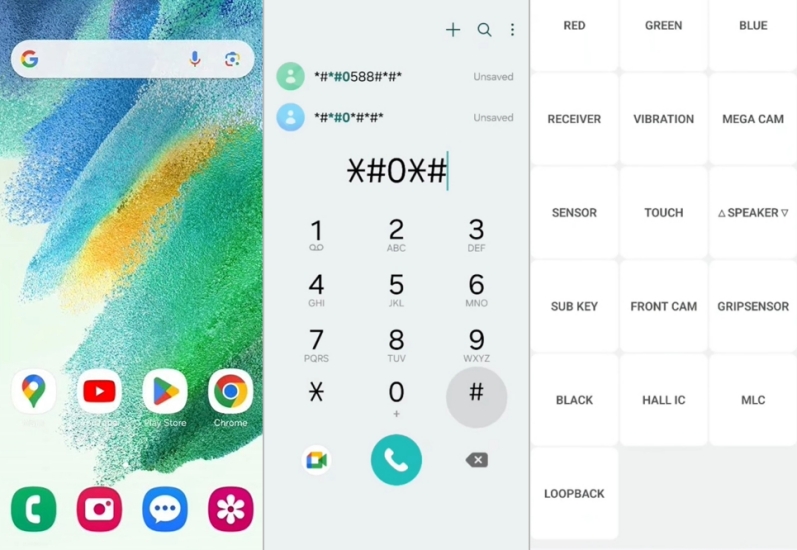
Step 1. Open the phone dialer application on your Samsung device from the home screen.
Step 2. Carefully enter the specific Samsung secret code using numbers and symbols exactly as provided.
Step 3. Wait for the system response or menu to appear automatically on the screen.
Part 4. Samsung Secret Unlocking Hack Tool
When users forget passwords or face lock issues, professional tools can help restore access. One popular solution is MagFone Android Unlocker, designed to remove screen locks and bypass FRP protection on Samsung devices. It works as a recovery utility for users locked out of their phones. This tool simplifies unlocking without technical skills, and here's how to bypass the screen lock on a Samsung phone easily using MagFone Android Unlocker.

MagFone Android Unlocker
Remove multiple kinds of screen locks on over 5000 Android devices and delete Google FRP lock without a password.
Step 1 Launch MagFone and Attach Samsung Phone
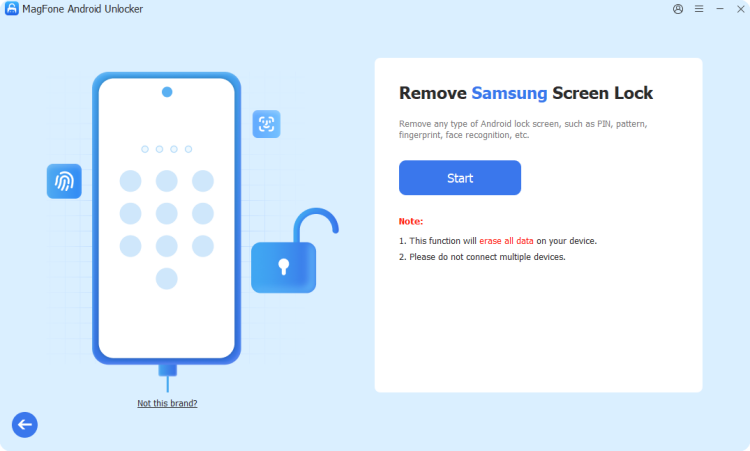
Install MagFone Android Unlocker on your PC or laptop, open the program, and connect your Samsung phone using a USB cable. From the home screen of the tool, select the option labeled to remove screen lock.
Step 2 Enter Recovery Environment on the Phone
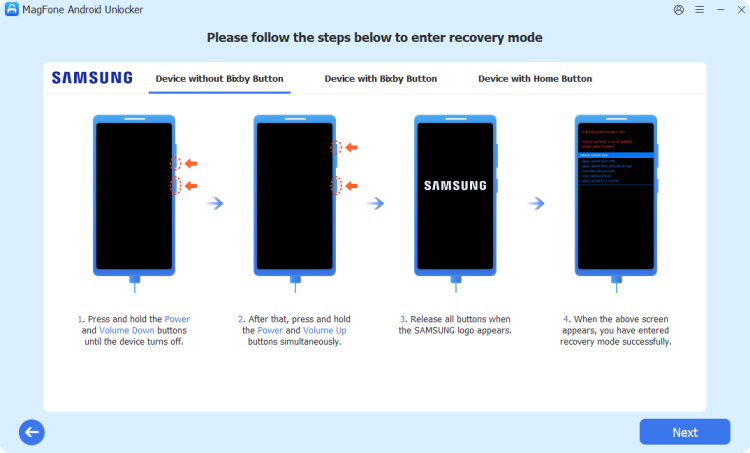
Follow the instructions shown on the software to boot your Samsung device into Recovery Mode. Once the phone enters that mode, return to the program and press the Next button, then confirm by selecting Continue.
Step 3 Begin Unlocking and Finish Setup
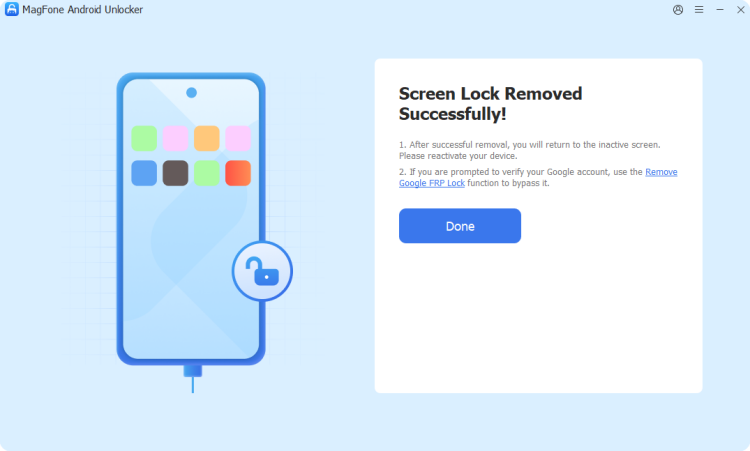
Follow the prompts carefully to start removing the existing screen protection. Wait until the process to complete, then select Next. After completion, reboot your phone and configure it again with a new security method.
Part 5. Conclusion
Samsung secret codes and hacks provide a powerful way to explore hidden functions, run diagnostics, and access advanced settings. From system information to hardware testing, they offer quick solutions for users who want deeper control of their devices.

Dylan Jones
Editor in chief





