








At my workplace, we have a Redmi Note 8 that used to belong to a former employee. When we turn it on, it shows the 'This device is locked' screen, saying it's associated with an existing Mi Account and requires the password to verify the device. What's the proper way to unlock it so we can use it again?"
—— From Reddit
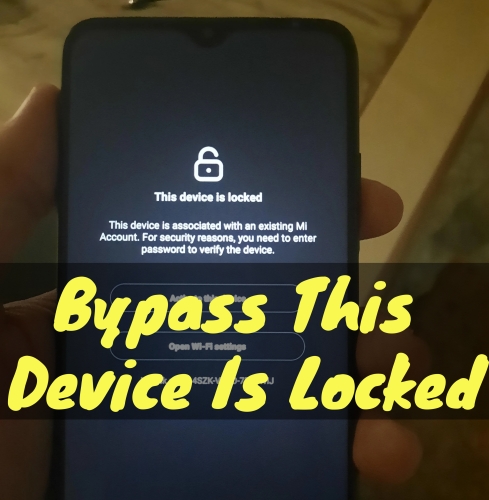
Coming across the "This device is locked" screen on your Xiaomi, Redmi, or POCO phone can be incredibly frustrating. Whether you've recently performed a factory reset, forgotten your Mi Account password, or purchased a second-hand device, this security feature, known as the Activation Lock, is designed to protect all the data on the device. If you're searching for "bypass this device is locked Xiaomi", this guide will walk you through ways to bypass this lock and regain access to your device.
- Part 1. What Does "This Device Is Locked" Mean on Xiaomi?
- Part 2. Can You Really Bypass a Locked Xiaomi Device?
- Part 3. How to Bypass This Device Is Locked on Xiaomi
- Part 4. Bonus Tip: Unlock Xiaomi Phone without a Password
- Part 5. Conclusion
Part 1. What Does "This Device Is Locked" Mean on Xiaomi?
When a Xiaomi phone displays "This device is locked", it's almost always due to Mi Account Activation Lock. This security feature links the device to a specific Mi Account to prevent unauthorized use after a reset. The lock is triggered automatically when
- Factory reset without removing the Mi Account
- Forgot Mi Account credentials
- Bought a second-hand Xiaomi device still linked to the previous owner
- Device restored or flashed while Find Device was enabled
Before attempting a fix, it is essential to understand that Mi Account Activation Lock is not the same as a screen lock or Google FRP on Xiaomi devices.

Not a Screen Lock
Asks for a PIN, pattern, or password. A factory reset usually clears this, but it triggers Mi Account Activation Lock and FRP Lock.
Not Google FRP
A Google-level lock that asks for the Gmail account previously synced to the device. Need Google account credentials to bypass.
Part 2. Can You Really Bypass a Locked Xiaomi Device?
Yes, you can bypass a locked Xiaomi device in most cases. Many users search for "bypass this device is locked Xiaomi" hoping for a quick workaround. However, here's the reality that most common solutions don't work for this lock.
- Factory reset ❌
- Flashing a new ROM ❌
- Fastboot commands ❌
- Generic FRP bypass tools ❌
These methods fail because the lock is server-side, tied to Xiaomi's Mi Cloud. Xiaomi introduced this mechanism as an anti-theft protection system. Once a Mi Account is associated with a device, only verified account or official approval can unlock it.
Part 3. How to Bypass This Device Is Locked on Xiaomi
Common methods like a factory reset cannot remove Mi Account Activation Lock. The phone will still request the previous Mi Account login during setup after a full reset. If common solutions don't work, what actually does? Here are three methods to unlock a locked Xiaomi device.
Option 1. Recover the Original Mi Account
If the device belongs to you, you can recover your Mi Account to bypass Mi Account Activation Lock. But this works if you still control the registered email or phone and the account wasn't suspended. Follow the steps below to bypass this lock.
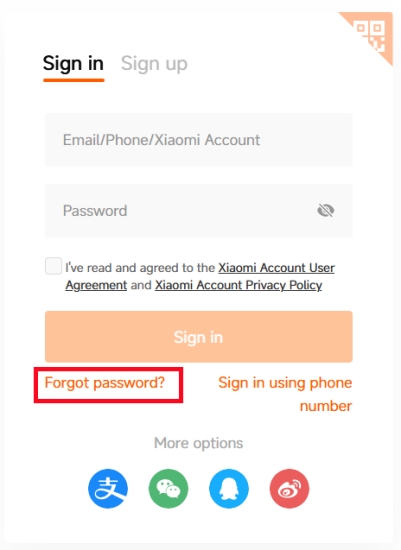
Step 1. Go to Xiaomi's Mi Account recovery page.
Step 2. Click Forgot password? on the page.
Step 3. Enter the phone number or Email to receive a verification code.
Step 4. Enter a verification code to reset password.
Option 2. Remove Mi Cloud Device Association
Sometimes, the lock persists because the device is still linked to a Mi account online. In this case, try removing the device from a Mi account if you have Mi account credentials. This solution is often overlooked but can resolve the issue if account access still exists.
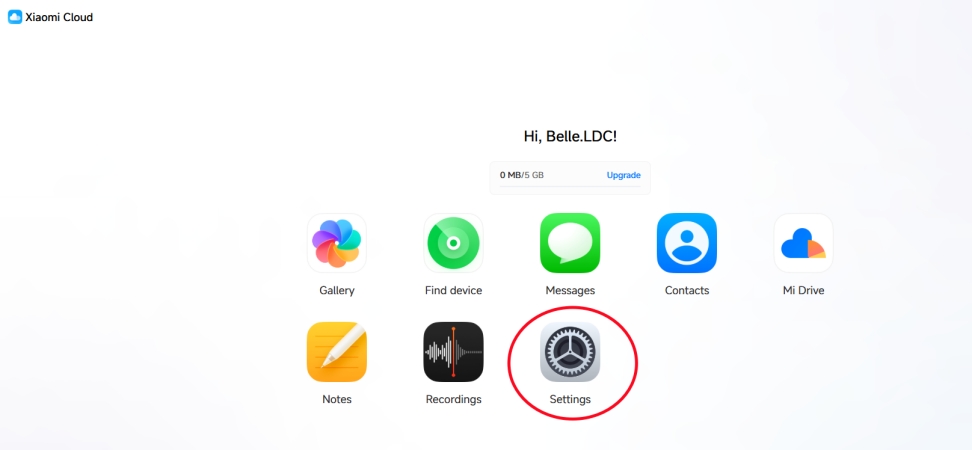
Step 1. Access Xiaomi Cloud page and sign in with your Xiaomi account.
Step 2. Once you have accessed the Mi account, click Settings.
Step 3. Under My Devices, find the linked Xiaomi devices.
Step 4. Select the device and click Delete Device.
Step 5. Enter your password to confirm.
Option 3. Submit an Official Xiaomi Unlock Appeal
If you cannot recover the account or reset a new number for Mi Account, you can submit an official unlock appeal to help in removing this lock. But things to know is that approval is not guaranteed and processing can take days or weeks. Here's how to.
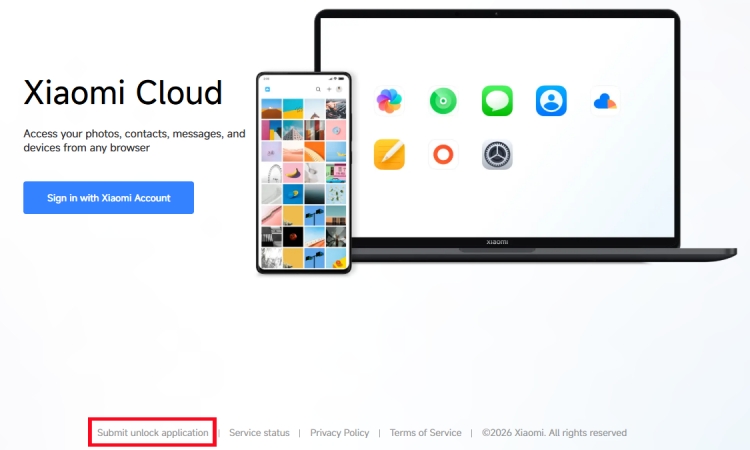
Step 1. Navigate to Xiaomi Cloud page.
Step 2. Click Submit unlock application at the bottom of the screen.
Step 3. Enter unlock number or IMEI and region where the device was purchased.
Note:
IMEI number can be found on the packing of the phone. Unlock code can be seen when prompting to enter Mi account password after wiping data and rebooting to exit Recovery mode.
Step 4. Click Report device > Submit application > Start.
Step 5. Follow onscreen instructions to enter required information.
Part 4. Bonus Tip: Unlock Xiaomi Phone without a Password
If your Xiaomi phone is not stuck on the "This device is locked" activation screen, but instead you're locked out due to a screen lock or Google FRP, tools like MagFone Android Unlocker can be relevant. It not only removes a forgotten screen PIN, pattern, password, or fingerprint, but also bypasses Google FRP without a password, allowing you to access the device again. Start to unlock your locked Xiaomi phone with the following steps.

MagFone Android Unlocker
Remove multiple kinds of screen locks on over 5000 Android devices and delete Google FRP lock without a password.
Step 1 Link Xiaomi Phone to MagFone Software
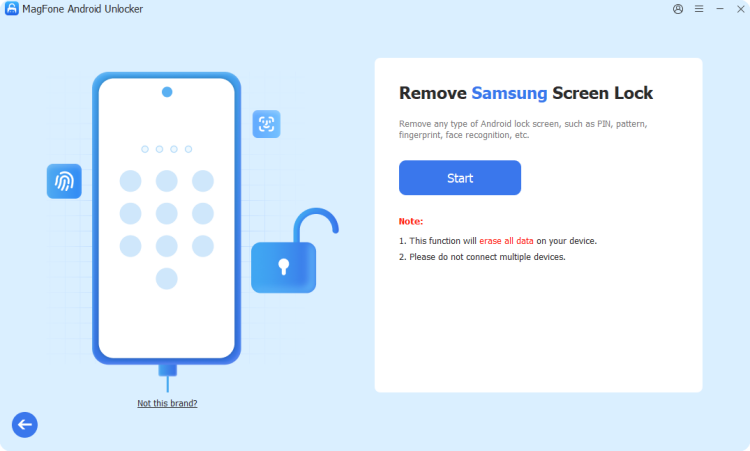
Plug your Xiaomi phone into your computer with a USB cable, then launch MagFone Android Unlocker. From the main interface of the software, select Remove Screen Lock and click Next.
Step 2 Boot Xiaomi Phone into Recovery Mode
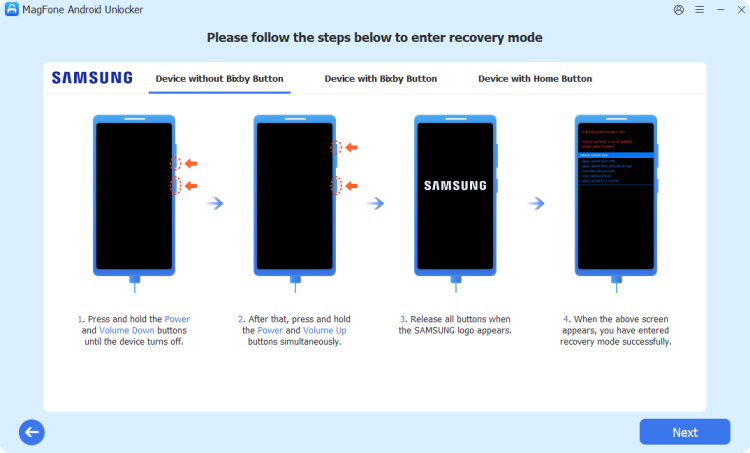
After the device is detected, follow onscreen instructions to put it into Recovery Mode. Then go back to the software, click Next on the screen, and confirm with Continue.
Step 3 Unlock Xiaomi Phone without Password
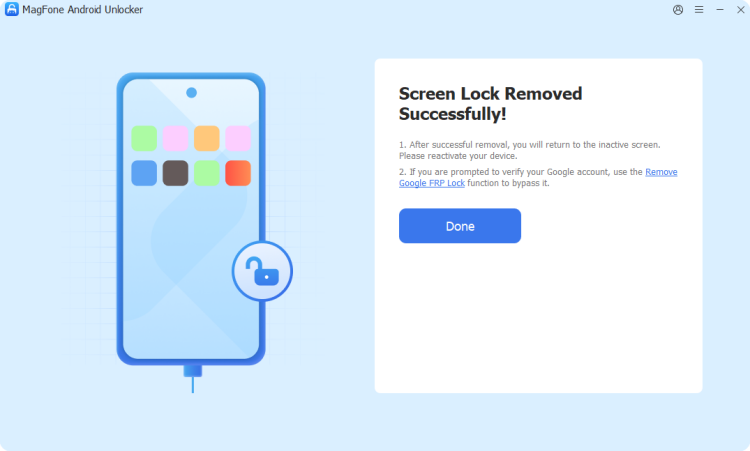
Continue to follow onscreen instructions to remove the screen lock on the device. After completing the steps, click Next on the software to finish the unlocking task.
Part 5. Conclusion
If you're facing "This device is locked" on Xiaomi, the safest path is always to recover the original Mi Account, delete the device from Mi Cloud, or use Xiaomi's official unlock appeal. Despite what many videos and tools promise, a true Xiaomi lock bypass without account access is rarely possible and often risky. Following this step-by-step approach saves time, avoids scams, and gives you the best chance of unlocking your device. By the way, if you're locked out of your Xiaomi device, try using MagFone Android Unlocker to remove the screen lock or Google FRP safely.

Dylan Jones
Editor in chief





