








Apple's Activation Lock is a powerful safeguard, but when credentials are lost or devices change hands, it can quickly become an obstacle. This guide to Activation Lock bypass code usage explains how organizations and individuals can regain access legally and efficiently. From understanding what the Activation Lock bypass code is, to using it through MDM, and exploring alternatives when it fails, you'll find clear, practical steps to unlock devices and keep workflows moving.
- Part 1. What Is Activation Lock Bypass Code?
- Part 2. How to Use Activation Lock Bypass Code
- Part 3. How to Bypass Activation Lock With Ease
- Part 4. FAQs about Activation Lock Bypass Code
- Part 5. Conclusion
Part 1. What Is Activation Lock Bypass Code?
An Activation Lock bypass code is a unique, device-specific cryptographic key generated by Apple's MDM (Mobile Device Management) framework. Unlike a regular Apple ID password, which is linked to an individual's personal account, this code is associated with the device's supervision status. It acts as a "master key" for organizations, enabling them to remove the Activation Lock on supervised iPhones, iPads, and Macs without requiring the original user's Apple ID credentials. This is particularly useful when offboarding employees or reassigning a device to a new user, subject to the limitations below.
Usage Limitations:
- Supervision Needed: Functions exclusively on devices that are enrolled in an MDM and designated as "Supervised."
- Time-Sensitive Retrieval: For user-linked locks, codes must often be fetched within 15 days of enrollment.
- Device Eligibility: Requires iOS 7.1 or later; Macs require Apple silicon or a T2 Security Chip.
- One-Time Use: Codes may refresh or become invalid after a device wipe or OS update.
Part 2. How to Use Activation Lock Bypass Code
If the device is in your hands and you've obtained the bypass code from your MDM platform (such as Jamf, Intune, or Kandji), use the steps below to restore access. This method is the most reliable way to confirm and use the MDM Activation Lock bypass code on your device.
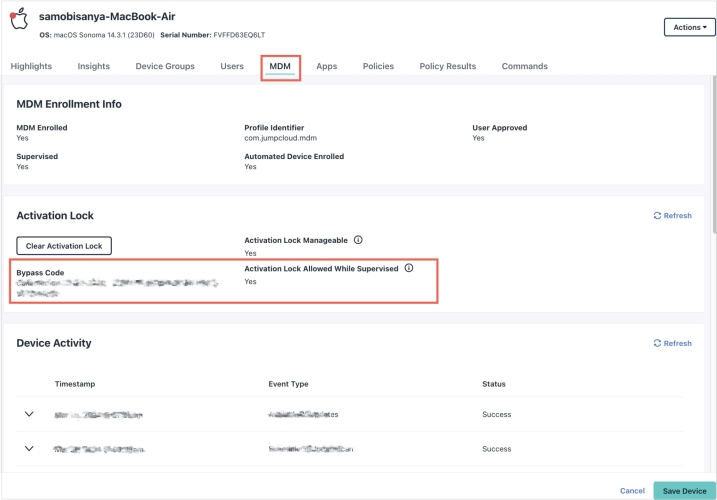
Step 1. Log in to the JumpCloud Admin Portal, then navigate to Device Management > Devices.
Step 2. From the device inventory, choose the impacted device and open the MDM section.
Step 3. Verify that Activation Lock Manageable is marked Yes, indicating the device is successfully enrolled in MDM.
Step 4. In the Activation Lock area, select Retrieve Bypass Code to generate the MDM unlock key.
Step 5. Note the bypass code along with the date it was obtained, and store both securely.
Step 6. If the status shows Unavailable, ensure the device was enrolled through Automated Device Enrollment and is running macOS 11 or newer.
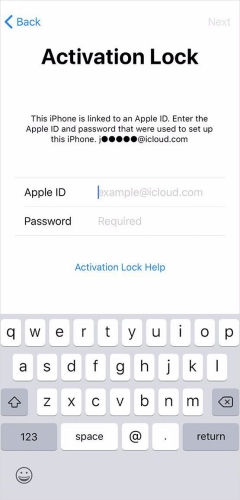
Step 7. Carefully input the bypass code exactly as it appears in the Admin Portal to unlock the device.
Part 3. How to Bypass Activation Lock With Ease
Sometimes, MDM codes are missing or simply refuse to work, leaving you with a "brick." In these scenarios, professional software like MagFone iPhone Unlocker becomes a lifesaver. Unlike traditional MDM bypass methods that depend on preconfigured supervision, MagFone is built to tackle a wide range of lock situations, including used devices locked by previous owner or those in Lost Mode. Below, we outline the simplified steps to use it.

MagFone iPhone Unlocker
Bypass iCloud Activation Lock on iPhone, iPad, and iPod touch without the original Apple ID or password.
Step 1 Launch MagFone Activation Unlocker
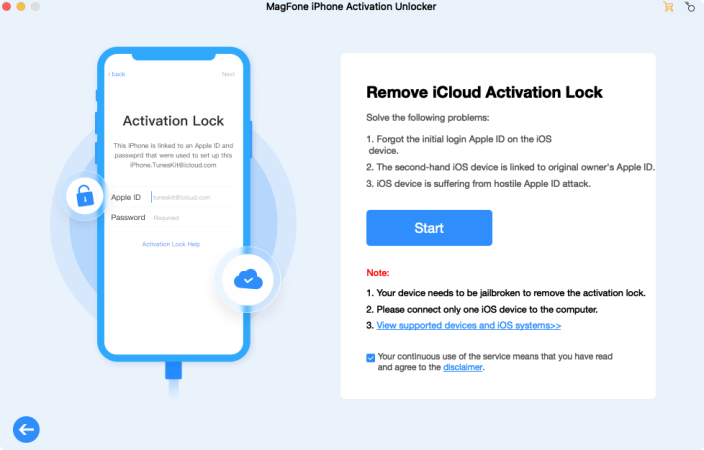
Download, install, and open MagFone Activation Unlocker alongside iTunes on your computer. Connect your device using a USB cable. On the main interface, select Remove iCloud Activation Lock. Read the notes and disclaimer carefully, then click Agree and Start to proceed.
Step 2 Continue to Jailbreak Your Device
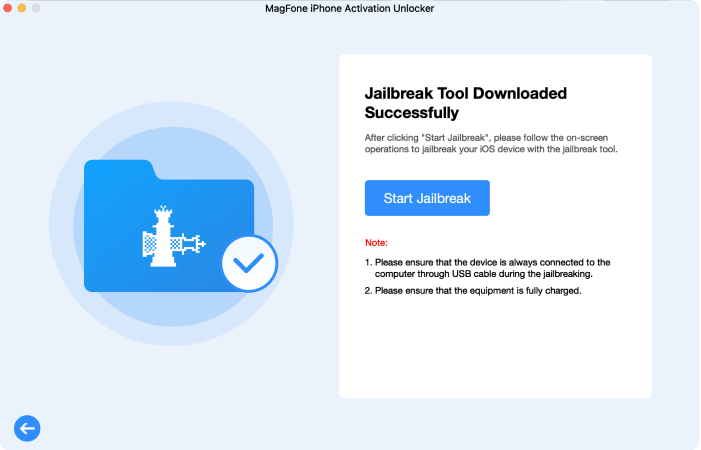
Check which iOS version your device is running. Follow the instructions to jailbreak your device according to that version. The jailbreak steps vary between Mac and Windows computers, so use the guide appropriate for your system.
Step 3 Bypass the Activation Lock Instantly
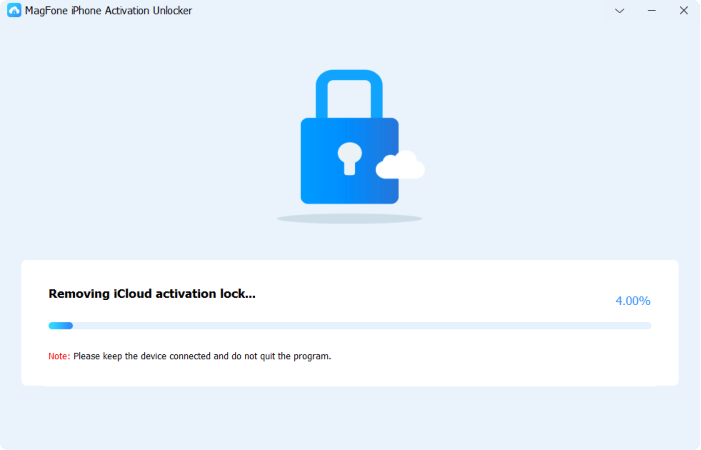
After jailbreaking, confirm your device information on the screen and click Start to Remove. MagFone Activation Unlocker will then remove the iCloud Activation Lock from your device. When the Done button appears, the process is complete, and your device is unlocked.
Part 4. FAQs about Activation Lock Bypass Code
Will a Activation Lock bypass code restore my data?
No. The bypass code functions only as an authentication mechanism to disable the security lock. While it lets you move past the "Activate iPhone" screen, it does not decrypt, restore, or provide access to any data that was previously stored on the device.
Does the Activation Lock bypass code expire?
While the code doesn't have a set expiration like a temporary password, it may no longer work under certain conditions. For example, updating the device to a major new iOS version or removing and re-adding the MDM enrollment profile can cause the device to generate a new code.
How to fix the Jamf Activation Lock bypass code not working?
This issue is frequently discussed on forums like Jamf Nation. If the code isn't working, you can try these troubleshooting steps.
- Check Letter Case: Make sure the code matches the uppercase letters as shown in the JSS.
- Use iTunes or Apple Configurator: Instead of entering the code directly on the iPad, connect it to a Mac and input the code through Apple Configurator or iTunes.
- Update the Record: The Jamf database may have an outdated code. Try clearing the field and retrieving the information again.
- Reach Out to Apple: If MDM methods don't work, you may need to file a support request with Apple.
Part 5. Conclusion
Dealing with Apple's multi‑layered security can feel overwhelming, but an Activation Lock bypass code offers an authorized and reliable way to regain access to a device. When a code isn't on hand, following proper MDM procedures or using reputable recovery tools such as MagFone can help return the hardware to active use instead of leaving it unused. Keeping a clear record of access codes from the start can save significant time.

Dylan Jones
Editor in chief





