








Unlocking FRP with an IMEI number has become a widely discussed solution for users locked out of their Android devices after a factory reset. FRP, or Factory Reset Protection, is designed to secure personal data, but it can also create access issues when credentials are forgotten. This guide explores whether the IMEI FRP unlock really works, the safest free methods available, and reliable alternatives when standard carrier or online solutions fail or prove ineffective.
- Part 1. Can You Unlock FRP with IMEI for Free?
- Part 2. How to Unlock FRP with IMEI for Free
- Part 3. Pros and Cons of FRP IMEI Unlocking
- Part 4. How to Bypass FRP Without IMEI Number
- Part 5. Conclusion
Part 1. Can You Unlock FRP with IMEI for Free?
Many Android users look for methods to unlock FRP with IMEI for free because the IMEI number is unique to every smartphone. FRP (Factory Reset Protection) is a security mechanism developed by Google to prevent unauthorized access after a factory reset. Some services claim they can perform an IMEI FRP unlock by using your device's IMEI number to generate temporary credentials, verification codes, or device-specific unlock procedures. Before attempting to unlock FRP with an IMEI-free Samsung or other Android devices, it's important to consider the notes below.
Some Key Feature:
- Verify your device model compatibility first.
- Find your IMEI number and record it.
- Back up available device data.
- Avoid downloading suspicious APK files.
- Check whether hidden fees apply.
- Ensure your device isn't blacklisted.
- Use only reputable unlocking services.
- Prepare a stable internet connection.
Part 2. How to Unlock FRP with IMEI for Free
If you want to unlock FRP with IMEI free, there are generally two approaches available. The first option is contacting your carrier or official service provider, while the second involves using online tools or services that claim to support unlock FRP with IMEI free APK methods. Depending on your device and situation, you can choose the method that best suits your needs.
01Unlock FRP with IMEI for Free with Carrier
Contacting your carrier remains one of the safest methods to attempt an unlock FRP with IMEI process. While carriers cannot directly remove Google's FRP lock in every situation, they can sometimes provide assistance, verify ownership, or direct you to authorized support channels.
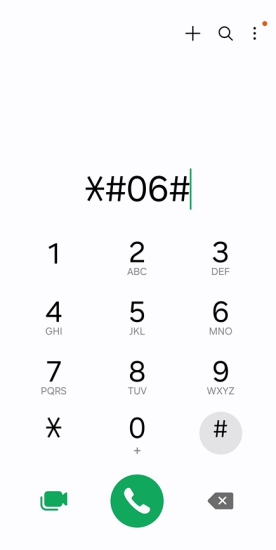
Step 1. Check your device's IMEI number by dialing *#06# or locating it on the product packaging.
Step 2. Gather proof of ownership, including purchase receipts and account information.
Step 3. Contact your carrier's customer support department.
Step 4. Explain your FRP lock situation and provide the requested information.
Step 5. Complete any ownership verification procedures required by the carrier.
Step 6. Complete the steps instructed by the carrier's support team.
Step 7. Restart your device and verify whether the FRP lock has been removed.
02Unlock FRP with IMEI for Free with Tool
Various websites and online utilities advertise free Android services to unlock FRP with IMEI. These tools generally request your IMEI number and device information before generating unlocking instructions or temporary credentials. Here's how to unlock FRP for free with IMEI using FRPRemoval.com.
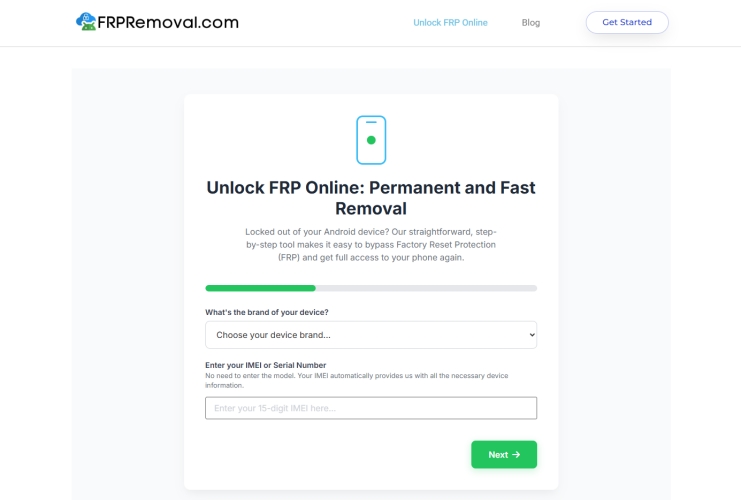
Step 1. Enter frpremoval.com and click Start your Unlock Here.
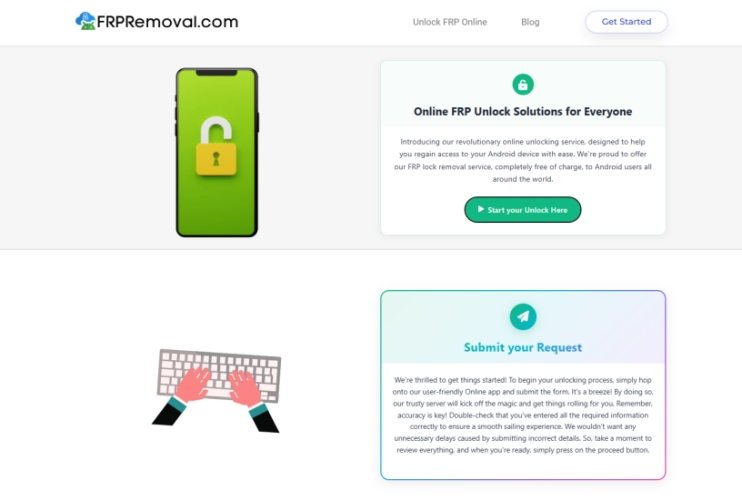
Step 2. Enter your Android brand and the IMEI number of your device.
Step 3. Tap Next. Then enter your Name and Email to get an unlocking service.
Note:
Based on user comments and feedback, we've found that most tools claiming to offer free FRP lock removal may not be entirely free in practice. They often include hidden charges, limited functionality, or redirects to other websites before they can complete the unlocking process. If you're looking for a more reliable FRP unlocking solution, you may consider trying MagFone Android Unlocker.
Part 3. Pros and Cons of FRP IMEI Unlocking
Although attempting to unlock your device using an IMEI number may seem convenient, using unlock FRP with IMEI free methods comes with both advantages and disadvantages. Understanding these benefits and limitations can help you determine whether an IMEI-based FRP unlocking method is the right solution for your particular situation.
 Pros
Pros- No hardware modifications required
- Supports multiple Android brands
- Some methods cost nothing
- Simple online submission process

- Low success on newer devices
- Potential security risks
- May redirect to unhelpful pages
- Hidden service charges possible
Part 4. How to Bypass FRP Without IMEI Number
If you cannot locate your device's IMEI number or your IMEI FRP unlock attempt fails, using a dedicated FRP removal program can be a more reliable option. One popular solution is MagFone Android Unlocker, which is specifically developed to bypass FRP locks on devices from Redmi, Xiaomi, Vivo, Motorola, Oppo, and Realme. Unlike many online IMEI services, this software provides guided instructions to bypass the Android FRP directly on your PC.

MagFone Android Unlocker
Remove multiple kinds of screen locks on over 5000 Android devices and delete Google FRP lock without a password.
Step 1 Get the Software and Connect Device
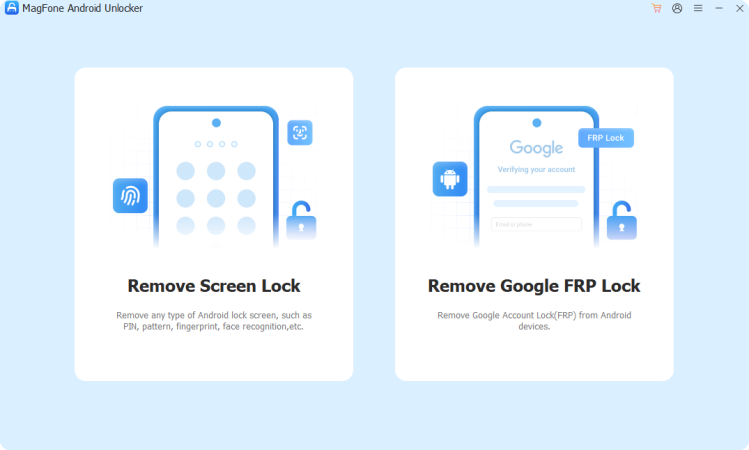
Download and install MagFone Android Unlocker on your Windows computer. Launch the program, then connect your FRP-locked Android device to the computer using a compatible USB cable. From the home screen, select the option labeled Remove Google FRP Lock to proceed.
Step 2 Identify Your Device Information
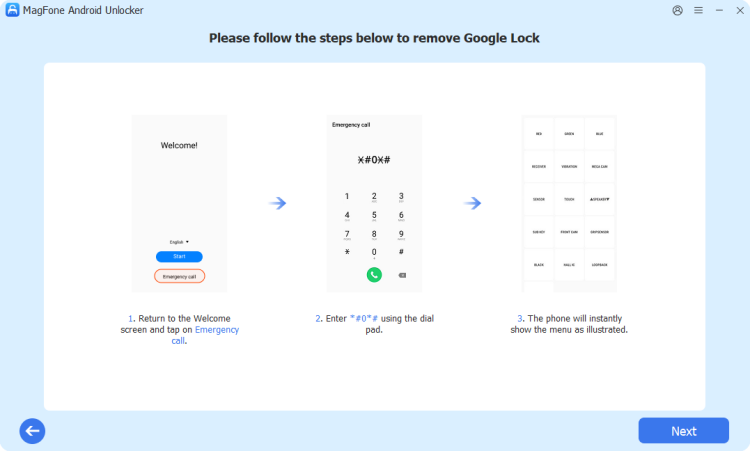
Allow the program to scan and recognize your smartphone automatically. If the automatic detection doesn't work correctly, manually select your device manufacturer and Android operating system version. Once you've confirmed the information, click the Start button to continue.
Step 3 Complete the Guided FRP Removal Process
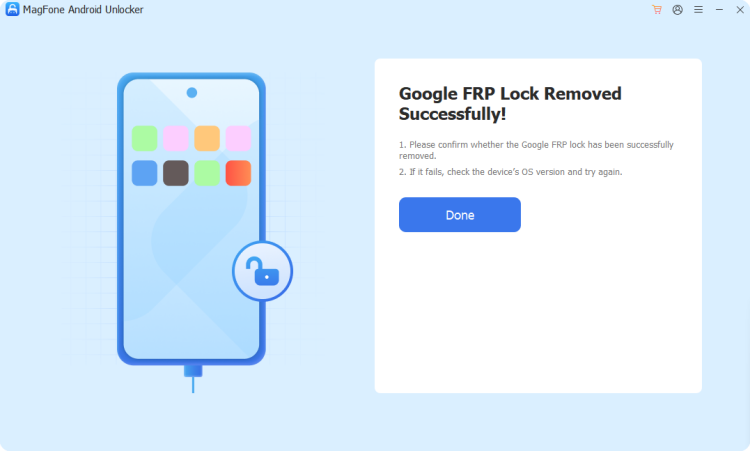
MagFone will display customized instructions based on your device model and Android version. Carefully perform each operation shown on both your computer and smartphone screens. After all procedures are completed successfully, the FRP lock is bypassed.
Part 5. Conclusion
FRP IMEI unlocking offers several approaches, including carrier assistance, online services, and third-party tools, but results vary widely. While IMEI-based methods may seem convenient and free, they often carry risks such as scams, security concerns, and low success rates on newer devices. Reliable FRP bypass software like MagFone Android Unlocker generally provide more consistent outcomes for users; the overall solution is preferred.

Dylan Jones
Editor in chief





