








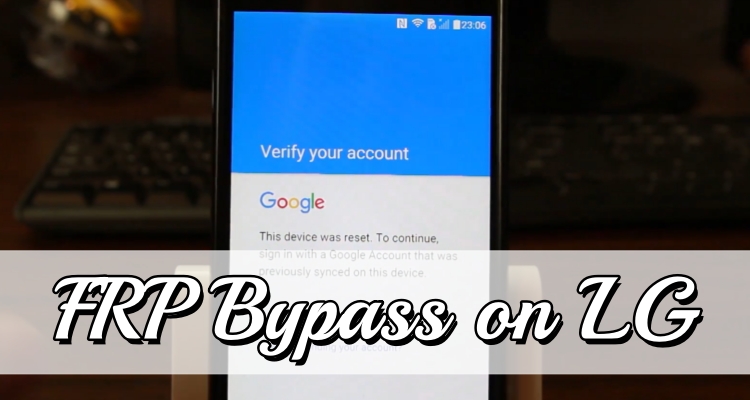
Factory Reset Protection (FRP) is designed to keep Android devices secure, but it can also become frustrating if you forget your Google account details after a reset. Many LG users find themselves stuck on the verification screen during setup. Fortunately, there are several ways to regain access. In this guide, you'll learn practical methods to bypass FRP on LG phones, including solutions that work without a computer as well as more reliable options using a PC.
- Part 1. Things to Know Before FRP Bypass on LG
- Part 2. How to Bypass FRP Lock on LG Phone without Computer
- Part 3. How to Bypass FRP Lock on LG Phone with Computer
- Part 4. How to Bypass FRP Lock on Other Phones with Computer
- Part 5. Conclusion
Part 1. Things to Know Before FRP Bypass on LG
Before attempting any FRP bypass on LG, it's important to understand what the process involves and what precautions you should take. Factory Reset Protection is designed to prevent unauthorized access after a factory reset. Once triggered, the phone requires the Google account previously synced with the device. If you cannot provide the credentials, the device remains locked until the verification is completed. Here are some important things to keep in mind:
- FRP activates after a factory reset when the original Google account has not been removed from the device beforehand.
- The feature is available on Android 5.1 and later versions to enhance device security.
- Bypassing FRP may require multiple steps and patience, especially with manual methods.
- Some techniques work only on certain LG models or Android versions.
- Always ensure your device has at least 50–60% battery before starting the process.
- A stable Wi-Fi connection is usually required for most FRP bypass procedures.
Part 2. How to Bypass FRP Lock on LG Phone without Computer
If you don't have access to a computer, there are still ways to bypass FRP lock on LG phone using built-in features. These manual methods rely on system settings or alternative entry points within the Android setup process. Below are two commonly used approaches for LG FRP bypass.
Method 1. Bypass FRP on LG with Accessibility Settings
One common way to bypass FRP on LG devices without using a PC is by using the Accessibility settings. This method allows you to access additional system options during the setup process, set a temporary screen lock pattern, and use it to bypass the FRP verification screen. Here's how to bypass Google account on LG phone running Android 9 step by step.
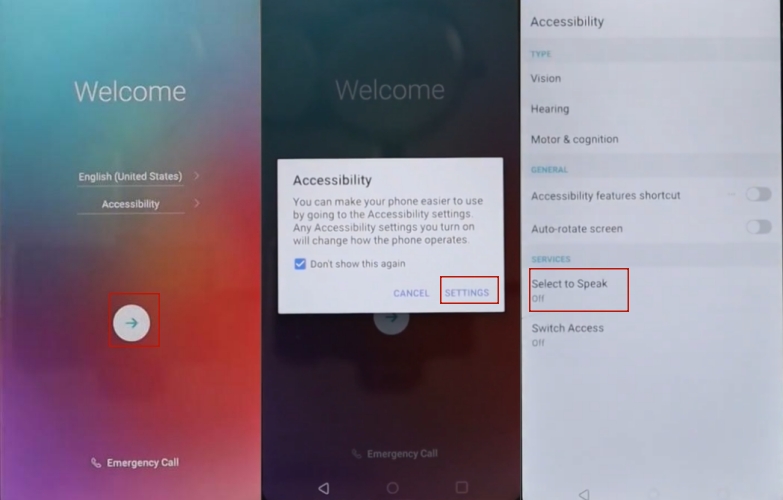
Step 1. Turn on your LG phone and begin the setup process. Tap Accessibility, then select SETTINGS.
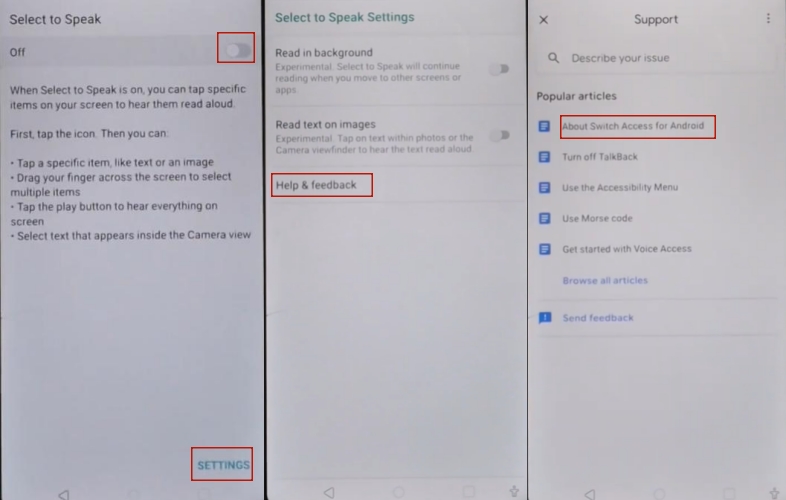
Step 2. Choose Select to Speak, turn it on, and tap it again at the bottom to enter the SETTINGS page.
Step 3. Select Help & Feedback > About Switch Access for Android, then watch the video on that page.
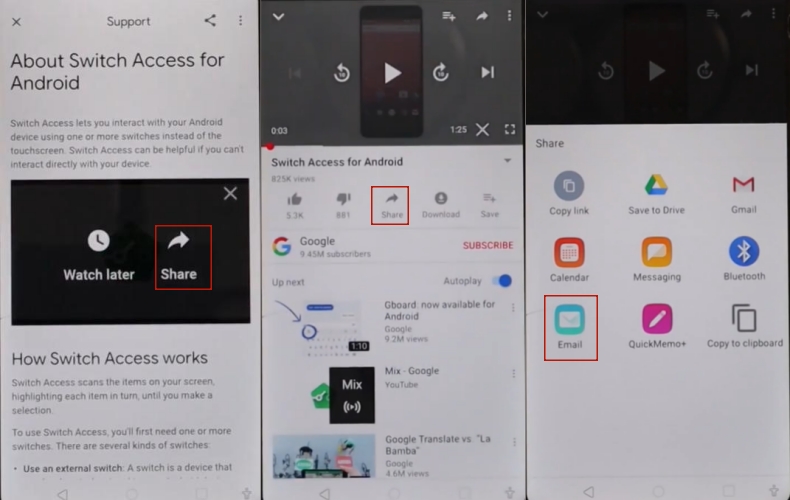
Step 4. On the video page, tap the More icon and choose Share. Then select More options to tap Share under the video and choose the Email option.
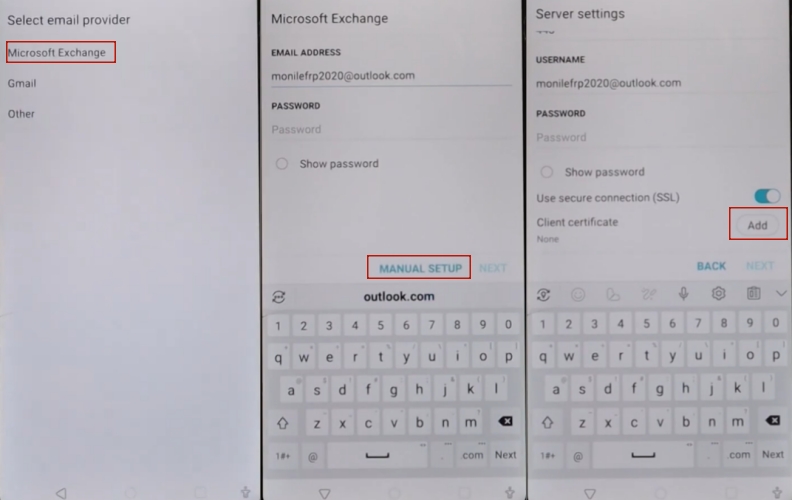
Step 5. Select Microsoft Exchange and enter the email address. Then choose MANUAL SETUP.
Step 6. Scroll down and tap Add next to Client certificate. When the pop-up window appears, select CHANGE to confirm.
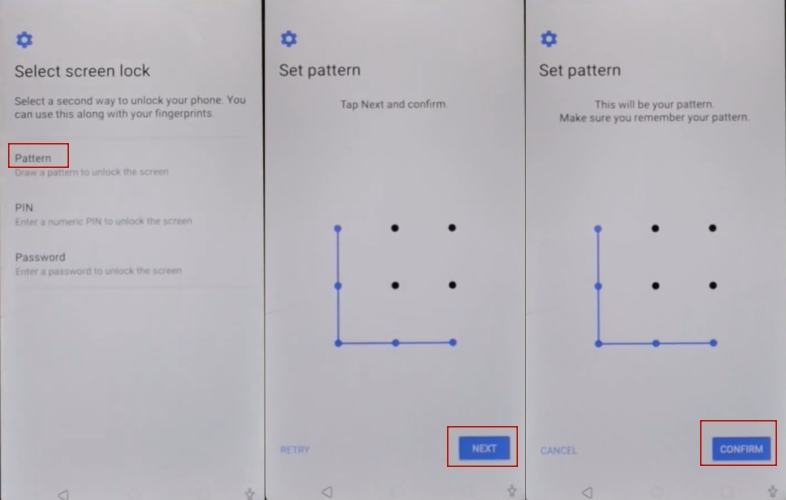
Step 7. You will be asked to set a screen lock. Choose Pattern, tap Next, draw a new pattern, and confirm it by entering it again.
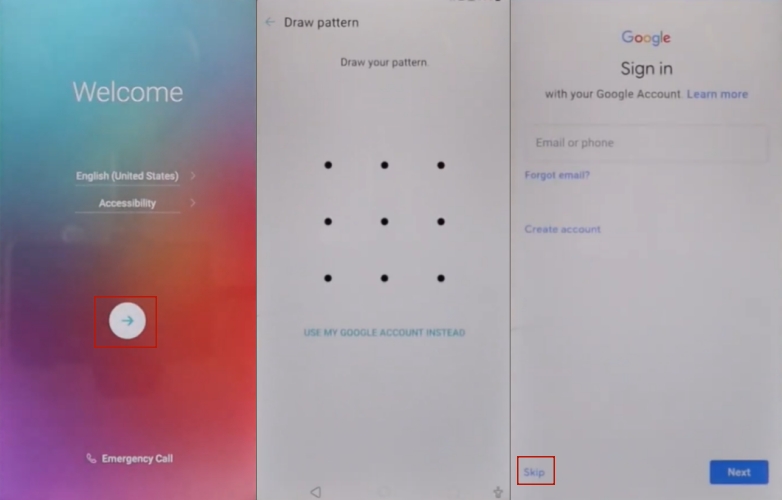
Step 8. Return to the main setup screen. Skip the SIM setup and make sure Wi-Fi is connected. Choose Don't copy apps & data.
Step 9. Draw the pattern you set earlier. On the FRP lock screen, choose Skip at the bottom.
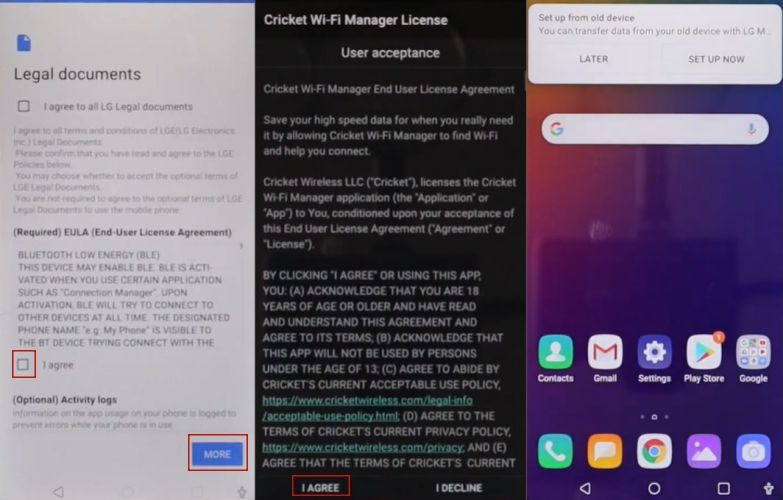
Step 10. Tap Skip again and skip the date setup. Then tap MORE, agree to the legal documents, and select Done.
Step 11. Agree to the license shown on the screen. The FRP lock on the LG phone will now be unlocked.
Method 2. Bypass FRP on LG Using SIM Card
Another method to bypass the Google account verification on an LG device involves using a PIN-locked SIM card. This approach takes advantage of certain notifications during setup that may provide limited access to device settings before full restrictions apply.
Step 1. Turn off your LG phone and insert a PIN-locked SIM card into the device.
Step 2. Power on the phone and enter the SIM PIN when prompted.
Step 3. Swipe down the notification panel and enable Bluetooth.
Step 4. Use another smartphone to send a photo or file to the locked LG device through Bluetooth.
Step 5. Accept the file on your LG phone and choose to Share it via email.
Step 6. Select Other when prompted to add an email account, then enter any email address.
Step 7. Choose Change > PIN screen lock and create a new PIN for the device.
Step 8. Return to the main screen, enter the new PIN, and continue the setup process. If the Google account screen appears, tap Skip.
Part 3. How to Bypass FRP Lock on LG Phone with Computer
If manual methods seem complicated, using a computer can make the process easier. Some free or paid tools can help bypass FRP lock on LG phone without needing the original Google account password. One common solution involves installing an LG FRP APK, which allows you to access system settings and add a new account.
Step 1. Connect your LG phone to a computer using a USB cable and download the LG FRP APK file to your computer.
Step 2. Transfer the downloaded APK file to your LG phone's internal storage or SD card.
Step 3. Open the file manager on your LG phone and locate the transferred FRP bypass APK file.
Step 4. Install the APK and open it to access the device settings menu.
Step 5. Navigate to Accounts and add a new Google account to the device.
Step 6. Restart the phone and complete the setup process. The FRP lock on LG phone should now be bypassed.
Part 4. How to Bypass FRP Lock on Other Phones with Computer
If you're stuck with FRP lock on other Android brands such as Xiaomi or Vivo, a professional unlocking tool may be more reliable. Software called MagFone Android Unlocker can help bypass both screen locks and FRP locks on supported Android devices. It works by guiding the device into specific modes and removing the Google verification requirement. Below are the supported devices and usage steps for MagFone Android Unlocker.
| Tool Name | MagFone Android Unlocker |
|---|---|
| Supported Devices | Samsung, Xiaomi, Redmi, Vivo, Motorola, Oppo, Realme |
| Supported Version | Android 5-16 |
| Supported Platform | Mac, Windows PC |

MagFone Android Unlocker
Remove multiple kinds of screen locks on over 5000 Android devices and delete Google FRP lock without a password.
Step 1 Connect the Device and Launch the Tool
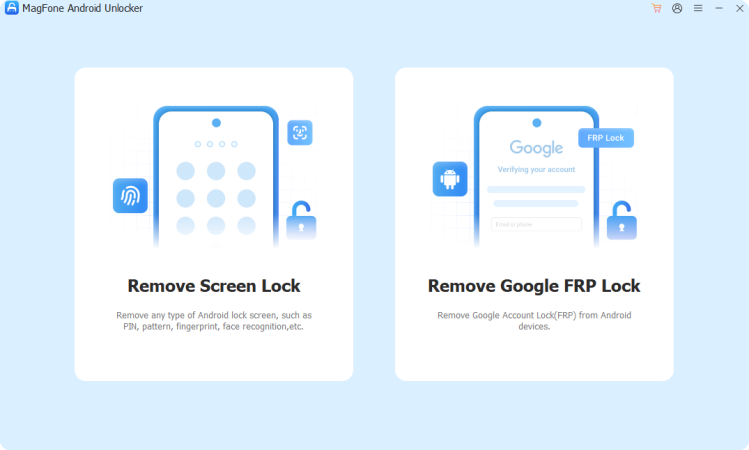
Use a USB cable to connect your Android phone to the computer. Launch MagFone Android Unlocker and choose the option labeled Remove Google FRP Lock.
Step 2 Select Device Brand and Android Version
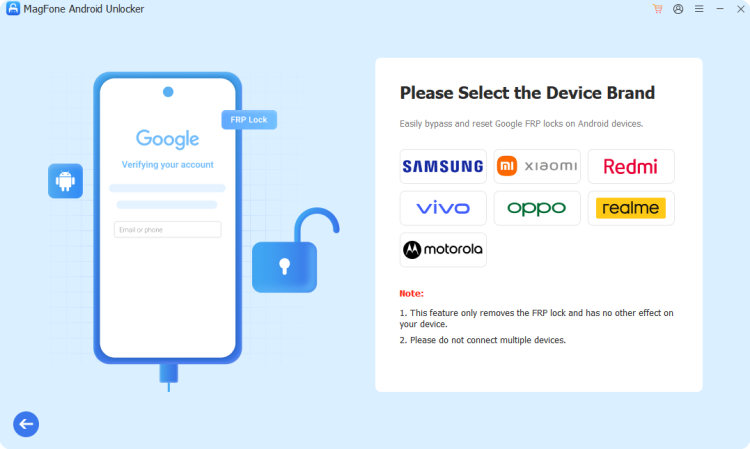
Allow the software to detect your device automatically. If it cannot identify the model, manually choose your device brand and Android version, then click Start followed by Continue.
Step 3 Start to Bypass the FRP Lock on Your Phone
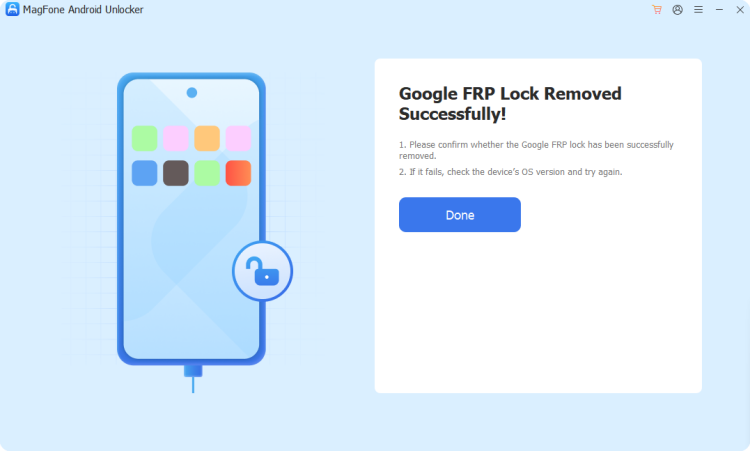
Follow the on-screen instructions displayed by the program. Once the process finishes, the software will notify you that the FRP lock has been successfully removed.
Part 5. Conclusion
Bypassing FRP on an LG phone can be done through several approaches depending on your device model, Android version, and available tools. Manual methods using accessibility settings or a SIM card may work in some situations, while computer-based solutions offer a more consistent option. By carefully following the steps and preparing your device properly, you can regain access and complete the setup process successfully.

Teresa Miller
Editor in chief




