








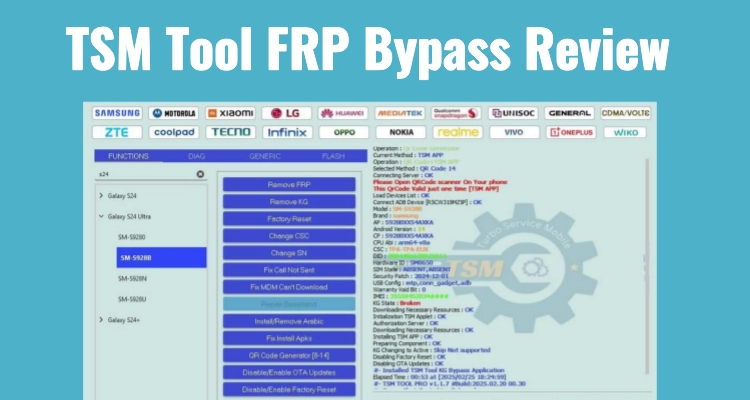
TSM Tool has gained attention as a comprehensive Android servicing solution, especially for FRP bypass. This review explores its features, pricing, safety, and compatibility to help users understand its capabilities. We also examine how to download, install, and use the tool effectively. Additionally, a comparison with alternatives highlights whether the TSM Tool is the right choice for beginners or advanced users seeking unlocking solutions today.
- Part 1. TSM Tool Review: What Is It?
- Part 2. How to Download and Install TSM Tool
- Part 3. How to Use TSM Tool for a FRP Bypass
- Part 4. TSM Tool vs. MagFone Android Unlocker: Which Is Better?
- Part 5. Conclusion
Part 1. TSM Tool Review: What Is It?
The TSM Tool is an all-in-one software designed to unlock, flash, and fix system-related issues across multiple devices.
01TSM Tool Features
This section outlines the various features the tool offers. However, this review primarily focuses on the FRP lock bypass feature in TSM Tool.
- Remove FRP lock from Android devices.
- Flash firmware and repair software bugs.
- Enable ADB and diagnostic modes.
- Remove KG and MDM restrictions.
- Repair IMEI and network errors.
- Reset device to factory settings.
02TSM Tool Price
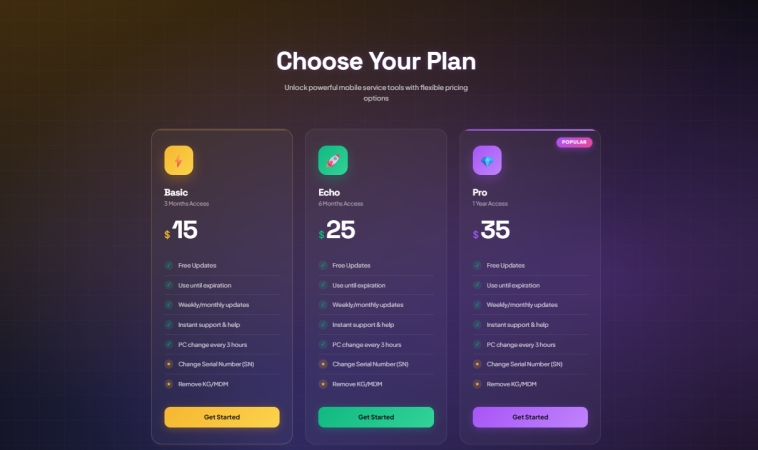
The TSM Tool is not free to use and offers three subscription plans for users. You can choose between short-term and long-term licenses: Basic (3 months for $15), Echo (6 months for $25), and Pro (1 year for $35). Higher-tier plans for professionals or businesses can provide additional savings.
03TSM Tool Safety
It's safe to get it from the TSM site, as it provides verified files and updates. However, performing FRP bypass can carry risks such as data loss or device malfunction if instructions are not followed properly or compatibility issues arise.
04TSM Tool Crack
A TSM Tool crack refers to a modified version of the software that bypasses its licensing system. While it may seem appealing for free access, cracked versions often contain hidden malware or spyware and lack updates and support. You can also choose to check more FRP bypass tools.
05TSM Tool Compatibility
The latest TSM app update expands support across multiple brands and chipsets, mainly focusing on Samsung, TCL, and LG devices with auto-detection and advanced service functions like FRP removal, factory reset, and firmware read or write.
- Samsung: Supports newer models like Galaxy A01, A05s, Tab A9, and Galaxy F07, with one-click service via auto-detect.
- TCL: Extensive compatibility added across many TCL phones and tablets, enabling deeper functions like FRP removal, bootloader unlock/relock, hardware key reading, and firmware operations.
- LG: Adds support for devices like LG Velvet G900 and LG V60 ThinQ, also with one-click service capabilities.
06TSM Tool Pros and Cons
The TSM software offers powerful features but also comes with limitations depending on user experience and usage scenarios.
 Pros
Pros- Supports many Android brands.
- Fast unlocking and repair speed.
- Multiple tools in one software.
- Regular updates available.

- Requires paid subscription plan.
- Needs technical knowledge sometimes.
- Possible data loss during process.
- Windows only compatibility.
Part 2. How to Download and Install TSM Tool
In this section, you will learn where to download and how to install the TSM Tool on your Windows PC.
01How to Download the TSM Tool
To begin with the TSM Tool download, users should always rely on the official platform to avoid harmful files or outdated versions.
Step 1. Visit the official TSM website using a secure browser.
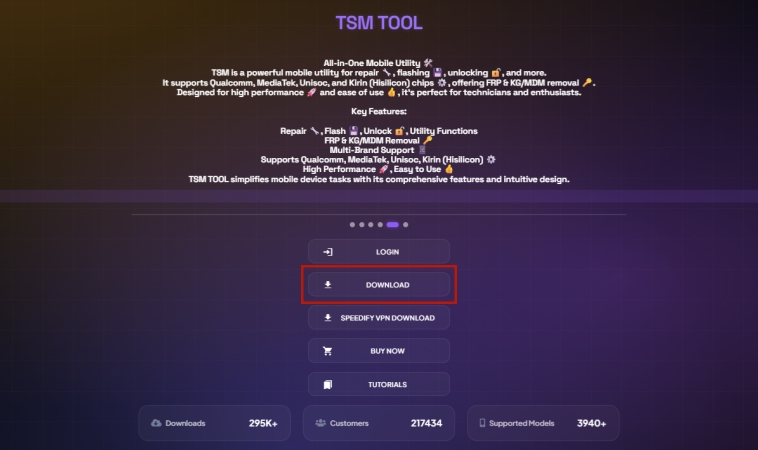
Step 2. Locate the DOWNLOAD section on that page and click on it.
Note:
TSM-TOOL PRO is designed for advanced users who need full control over device operations, offering powerful features like EDL, flashing, repair tools, and ADB services for deep system access.
TSM-PRO EDITION is built for beginners or basic use, providing a simpler, user-friendly interface focused on safe and easy everyday tasks.
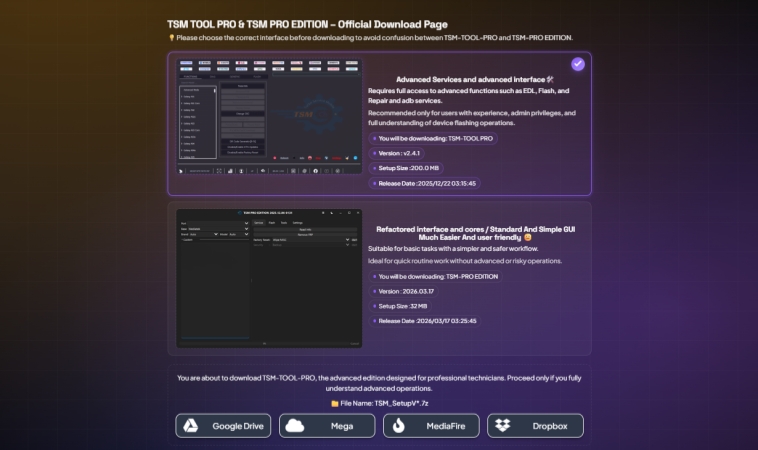
Step 3. Click the download icon, then extract the downloaded archive.
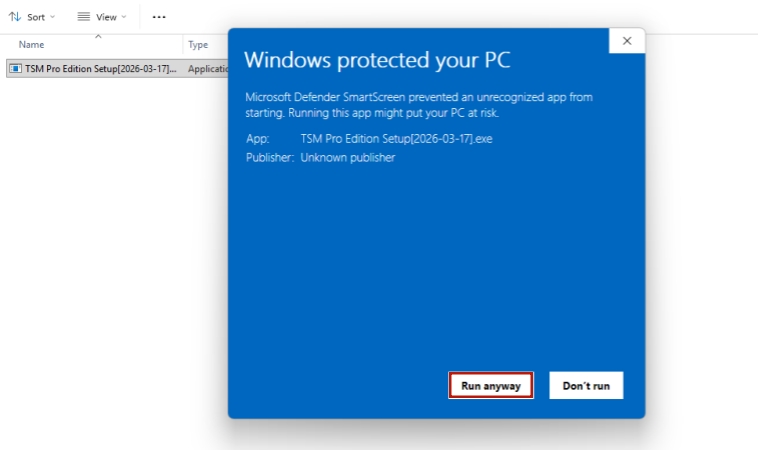
Step 4. If a warning window appears, click More info, then select Run anyway.
02How to Install the TSM Tool
Once downloaded, installing the tool properly is necessary to access all features and avoid installation errors during setup.
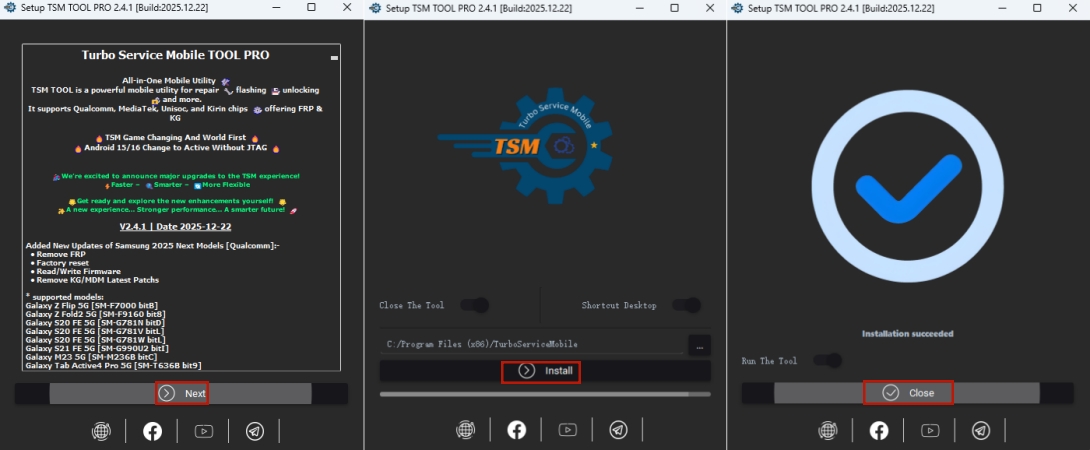
Step 1. Choose the installation location, and click Next to confirm the installation.
Step 2. Wait for a while, then select Finish. The TSM Tool will be installed successfully.
If you aim to install the TSM TOOL PRO, then you should enter the app on the desktop, and click Next > Install > Close.
Part 3. How to Use TSM Tool for a FRP Bypass
The TSM Tool simplifies FRP bypass by guiding users through a structured process that connects the device and removes Google account verification.
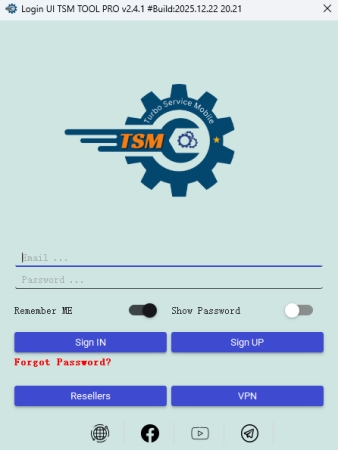
Step 1. Open the installed TSM software. Then sign in or log into your account.
Step 2. Connect your Android device using a USB cable.
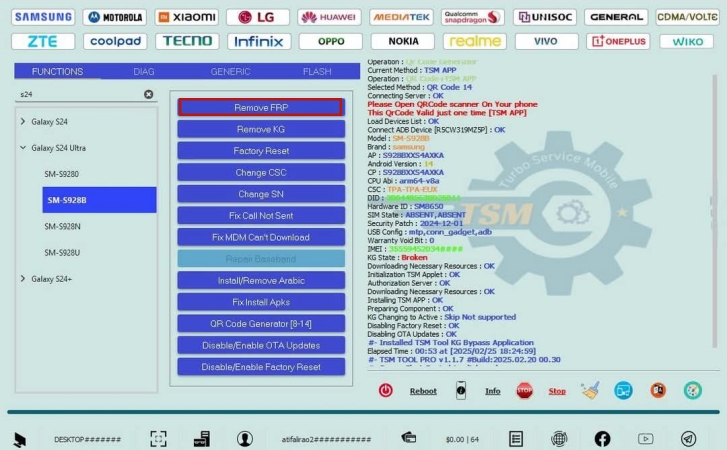
Step 3. After detection, select the Remove FRP option from the menu.
Step 4. Select Start and follow the instructions shown on that program.
Step 5. Wait until the process finishes and the device reboots.
Part 4. TSM Tool vs. MagFone Android Unlocker: Which Is Better?
TSM Tool and MagFone Android Unlocker both offer FRP bypass features, but they differ in compatibility, difficulty, and overall functionality.
| Feature | TSM Tool | MagFone Android Unlocker |
|---|---|---|
| Type | All-in-one tool | Specialized Android FRP and screen unlock tool |
| Difficulty | Medium | Simple |
| Supported Platform | Windows PC only | Windows PC and macOS |
MagFone Android Unlocker stands out as a more user-friendly solution compared to the TSM Tool. While TSM provides powerful features for professionals, it often requires technical knowledge and careful handling. In contrast, MagFone simplifies the FRP bypass process with guided steps, making it accessible for beginners. Its cleaner interface and safer workflow reduce risks, making it a better choice for users seeking convenience and reliability. Here's how to use MagFone Android Unlocker for FPR lock bypass.

MagFone Android Unlocker
Easily bypass Motorola FRP lock, highly efficient and convenient operation.
Step 1 Connect the Device and Launch the Tool
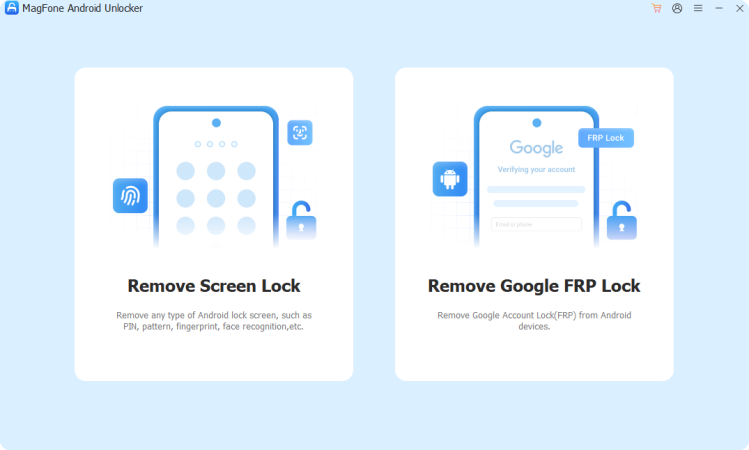
Attach your Android phone to the computer using a USB cable. Open the MagFone Android Unlocker and choose the FRP removal option.
Step 2 Select Device Brand and Android Version
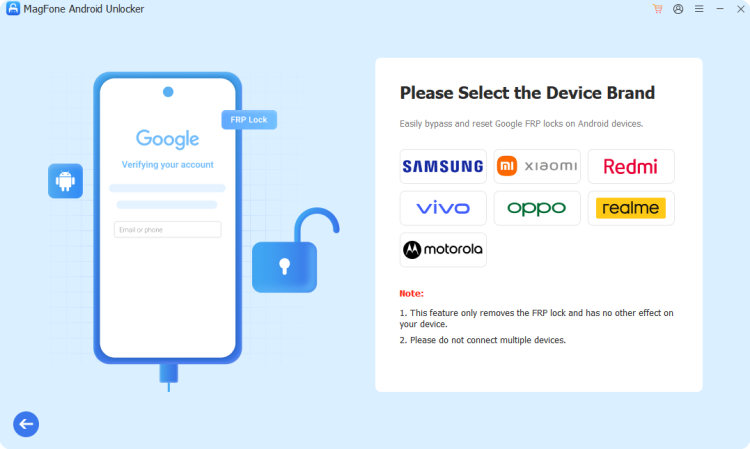
Let the software automatically detect your device details. If needed, manually select the correct brand and system version, then proceed.
Step 3 Start to Bypass the FRP Lock on Your Phone
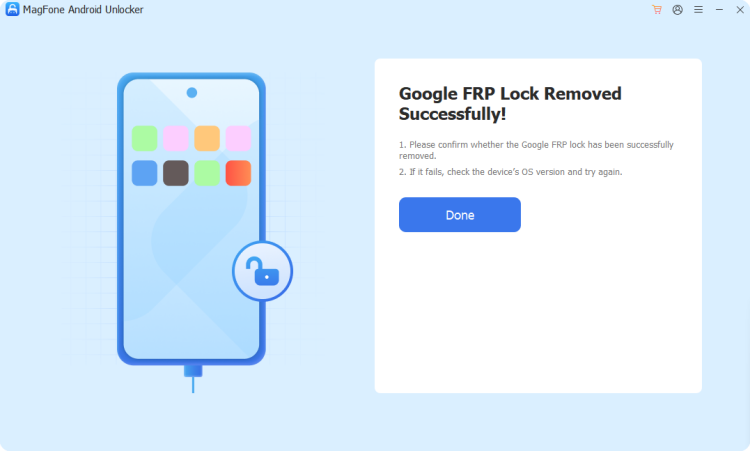
Follow the instructions displayed on the screen. Once completed, the program will confirm successful FRP removal.
Part 5. Conclusion
The TSM Tool is a powerful and versatile solution for Android unlocking and repair tasks, especially for technicians and advanced users. It offers strong FRP bypass capabilities and wide device compatibility, though it requires technical knowledge and a paid plan. While effective, safer, and simpler alternatives like MagFone may better suit beginners.

Dylan Jones
Editor in chief





