








Locked out of your phone after a factory reset, or stuck with a second-hand device that keeps asking for the previous owner's Google account? That's usually when people start searching for FRP bypass tools, and SB Mobile Lab is one name that often comes up. You may have heard of it already, but is it worth trying? This guide covers what SB Mobile Lab is, what real users say, how it works, and a safer alternative to consider.
- Part 1. What Is SB Mobile Lab FRP Bypass?
- Part 2. Real User Reviews of SB Mobile Lab
- Part 3. How to Use SB Mobile Lab for FRP Bypass
- Part 4. What Is the Best Software for FRP Bypass?
- Part 5. Conclusion
Part 1. What Is SB Mobile Lab FRP Bypass?
SB Mobile Lab is a website offering tools and guides for Android unlock, repair and maintenance. Its software library covers several jobs: flashing firmware, unlocking bootloaders, clearing iCloud locks, and removing Google's Factory Reset Protection. FRP removal is the feature most visitors come for, which is why searches for "SB Mobile Lab FRP bypass" are so common.
Across the posts already published on the site, several programs are presented as FRP solutions. Among them are GSM Prime Tool, HalabTech FRP Tool, and UnlockTool Pro. Each one targets slightly different brands, chipsets, and Android versions, so the site works more like a catalog of options than a single dedicated product.
Part 2. Real User Reviews of SB Mobile Lab
To see how these tools perform outside the marketing, we went through comments on the platform's related videos and community threads. What follows is a summary of the recurring praise and complaints, along with a quick pros and cons list.
01User Feedback on SB Mobile Lab
SB Mobile Lab hosts many programs, and there is almost always at least one that handles FRP removal. Judging by YouTube comment sections and Reddit discussions, most of these tools collect favorable feedback. Commenters tend to credit the uploader when the solution succeeds, most of all if their device and software version are the same as in the tutorial.
Still, not everyone walks away happy. Under a video demonstrating the HalabTech FRP tool, one commenter explained that the software ran and even reset the phone, yet the FRP lock stayed in place afterward.

Another video, which showed the Prime Tool bypassing FRP, drew a different complaint. A viewer reported that the program simply did not support their handset. These examples illustrate that compatibility determines whether a tool succeeds, so verify the list of supported models thoroughly before use.

02Pros and Cons of SB Mobile Lab
Putting the praise and complaints side by side gives you a clearer picture of what to expect from SB Mobile Lab. Some users find it helpful, while others point out issues worth considering. The lists below break down what the platform does well, where it falls short, and what matters most.
 Pros
Pros- Most tools are free to get.
- Covers many Android brands.
- Includes handy guides and visuals.
- No sign-up needed to download.

- Some tools are outdated or buggy.
- Malware risk from unofficial files.
- Success and data safety unguaranteed.
- Needs technical know-how.
Part 3. How to Use SB Mobile Lab for FRP Bypass
Posts on SB Mobile Lab that introduce these programs normally include a download link, so that is the usual starting point. If you would rather not rely on a single page, you can also look for the developer's official site or another reputable source. Whichever route you choose, scan every file before opening it. The general workflow is below, though details vary by model.
Step 1. Open the SB Mobile Lab website or its video channel and browse the FRP bypass posts to find a tool that fits your phone's brand.
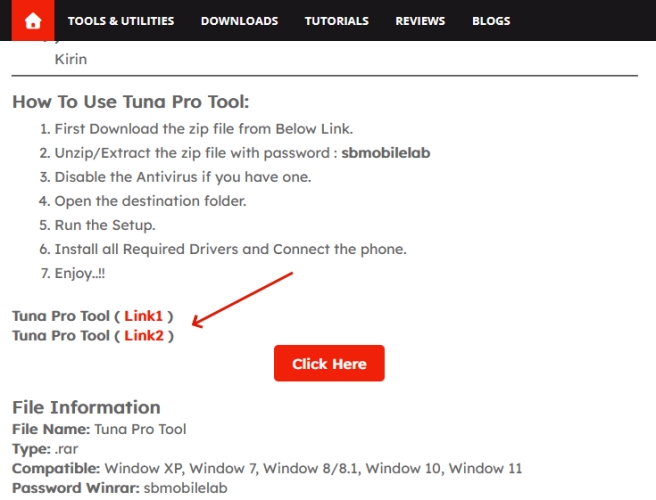
Step 2. Confirm your phone's chipset, usually MediaTek or Qualcomm, and make sure the program lists support for your exact model and Android version.
Step 3. Download the package from the linked post, then extract it. If the archive asks for a password, use the one given in the post.
Step 4. Install the USB, ADB, and chipset drivers your computer needs so it can recognize the phone when connected.
Step 5. Open the software, plug the locked phone in over USB, and turn on USB debugging if the phone allows it.
Step 6. Choose your phone's brand inside the tool, then follow its prompts to put the phone into the required mode, such as ADB or Fastboot.
Step 7. Start the FRP removal function and keep the cable attached while the software works through the process.
Step 8. Wait for the phone to restart. If everything went well, it should boot without asking for the previous Google account.
Part 4. What Is the Best Software for FRP Bypass?
If you're looking for a dependable and fast solution that works with a wide range of Android phones, we recommend MagFone Android Unlocker. Unlike many FRP bypass tools that lack an official website, MagFone provides customer support through its website. It also offers clear on-screen instructions to guide you through each step of the unlocking process, making it easier to use. Below is a quick walkthrough of how to bypass FRP using this tool.

MagFone Android Unlocker
Remove multiple kinds of screen locks on over 5000 Android devices and delete Google FRP lock without a password.
Step 1 Choose the Unlock Function
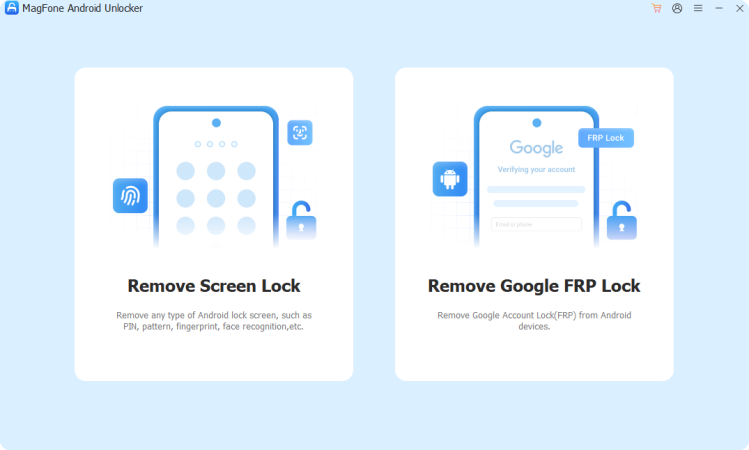
Start by installing MagFone Android Unlocker on your PC or Mac and running it. Link your Android device to the computer via USB, and pick the option for removing FRP from the main screen. After the tool detects your phone and lists it, proceed to the following page.
Step 2 Enter the Required Mode
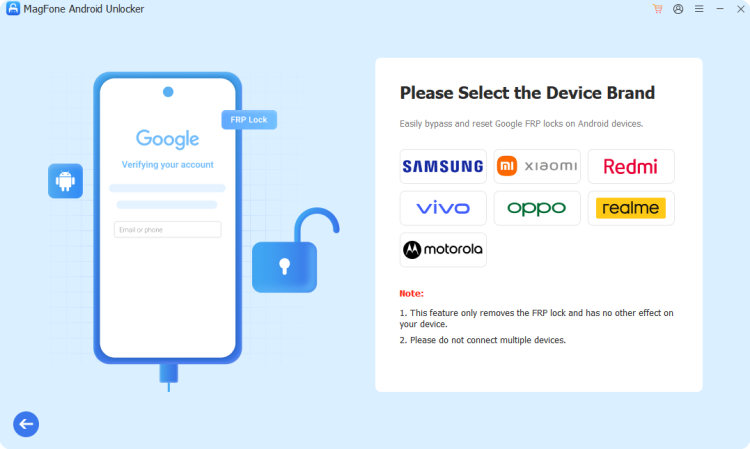
Next, the software explains how to switch your phone into the mode needed for unlocking. The key combination differs between models, so read the on-screen directions carefully and follow them exactly. After the phone has entered that mode, confirm it in the program to proceed.
Step 3 Finish the FRP Lock Removal
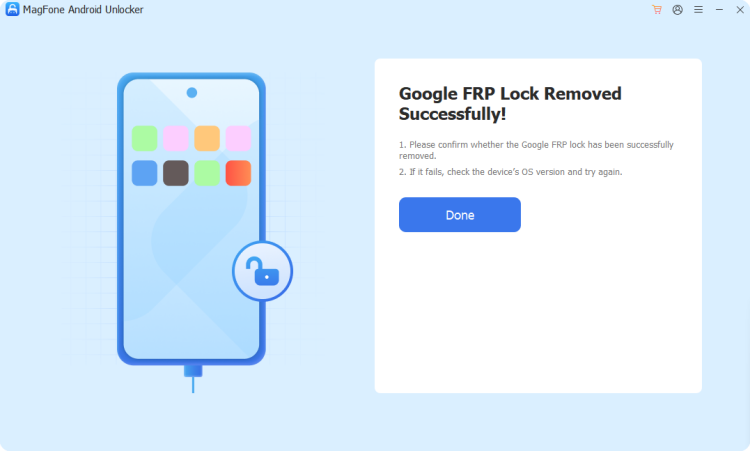
Keep following the prompts until the program clears the lock. Leave the phone connected the entire time, and do not unplug it until the software announces that the task is complete. On the next boot, the Google verification screen should no longer appear.
Part 5. Conclusion
SB Mobile Lab gathers a wide range of free FRP bypass tools and tutorials, and many users report good results. However, outdated builds, compatibility gaps, and malware worries mean results are far from guaranteed. Always verify model support and scan downloads before use. For a smoother, safer experience with real support, a dedicated option like MagFone Android Unlocker is worth trying.

Dylan Jones
Editor in chief





