








Your OPPO phone packs sharp cameras, fast charging, and a smooth ColorOS experience, but none of that helps once you forget your lock screen password. It happens often, especially after changing codes frequently or picking up a phone you haven't used for months. Fortunately, there are several methods to unlock OPPO phone, whether you have the password or not, and this guide explains them all.
- Part 1. How to Unlock OPPO Phone without Password
- Part 2. How to Unlock an OPPO Phone with Password
- Part 3. FAQs about Unlocking OPPO Phone
- Part 4. Conclusion
Part 1. How to Unlock OPPO Phone without Password
If you can't remember your screen lock and have no access to your credentials, you still have options. The methods below let you unlock your OPPO phone without entering the original password. Some are simple, while others need a computer or a trip to a service center, so pick the one that fits your situation and technical comfort.
Method 1. Unlock OPPO Phone via MagFone Android Unlocker
Forgot the password, pattern, PIN, or fingerprint that protects your OPPO phone? There may still be a way to get back in. MagFone Android Unlocker is built for exactly this situation. It clears the screen lock from your device using just a computer and a USB cable, no original credentials needed, and its guided process makes it approachable even if you've never done anything like this before. Next, we'll show you how to use MagFone Android Unlocker.

MagFone Android Unlocker
Remove multiple kinds of screen locks on over 5000 Android devices and delete Google FRP lock without a password.
Step 1 Pick the Screen Lock Removal Feature

Install MagFone Android Unlocker on your computer and launch it, then connect your OPPO phone using a USB cable. On the main interface, select the screen lock removal tool. Next, choose your phone's brand and model from the lists provided, and click Continue to proceed.
Step 2 Put the Phone into Recovery Mode

After the program verifies your device information, hit Start. A notice will appear explaining that some of your saved data might be erased during this process, so review it before moving on. The software will then display the exact button combination you need to press so your OPPO phone restarts in Recovery Mode.
Step 3 Bypass Screen Locks on OPPO Phone
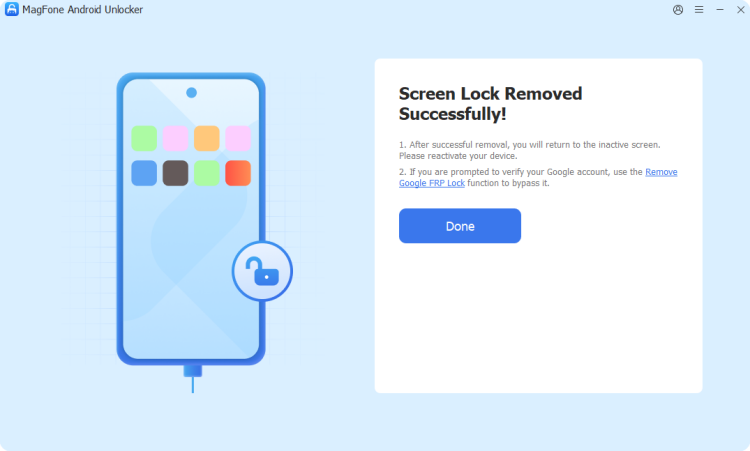
Keep following the on-screen instructions until the software and your phone are properly connected, then click Next. The tool takes it from there and runs the removal on its own. When the process wraps up, the old lock screen code will be cleared, and you'll be able to get back into your phone without entering a password.
Method 2. Unlock OPPO Phone in Recovery Mode
Recovery Mode is a built-in menu that lets you manage the phone even when the lock screen blocks you. By wiping the device from this menu, you remove the forgotten password entirely. This works on nearly every ColorOS version, but it erases your data, so it's best when no other option is available.

Step 1. Power off your OPPO phone completely.
Step 2. Hold the Power and Volume Down buttons together for about five seconds until Recovery Mode appears.
Step 3. Choose your preferred language, using the Volume keys to scroll and the Power button to select.
Step 4. Choose Format Data (or Wipe Data on older Android versions), then enter the verification code displayed on the screen.
- Android 12 and later: Tap Format Data and confirm the operation.
- Android 11: Go to Wipe Data > Wipe Data, then confirm.
- Android 10 and earlier: Select Wipe Data or Format Data, and confirm the reset.
Step 5. Approve the reset when prompted and wait until the process has completed. Then set up the phone again.
Method 3. Unlock OPPO Phone by Resetting Password
Some older OPPO models let you set a new password without a full wipe. Depending on your setup, you can verify yourself with a registered fingerprint or a bound email address. It's a gentle way to unlock your OPPO without password, though it only applies to older ColorOS versions, as newer ones require a reset instead.
Step 1. From the lock screen, enter incorrect passwords repeatedly until the Forgot Password option is displayed.
Step 2. Tap Forgot Password (or Forgot Passcode). Next, place your enrolled finger on the fingerprint sensor to verify your identity.
Step 3. Alternatively, enter your bound security email address and request a verification code.
Step 4. Type the code you receive in your inbox and create a new password.
Method 4. Unlock OPPO Phone with ADB Commands
Android Debug Bridge (ADB) is a command-line tool that lets your computer communicate with your phone. In certain situations, this method may clear the lock screen without deleting stored files, making it a commonly considered option for accessing an OPPO phone while preserving data. It suits users comfortable with commands, and it may not work on newer devices.
Step 1. Install ADB on your computer, then open a PowerShell window in the ADB folder.
Step 2. Use a USB cable to link your OPPO phone to the computer.
Step 3. Type adb devices and press Enter to confirm the phone is recognized.
Step 4. Before backing up your data, use the pull command to transfer your files to a folder on your computer.
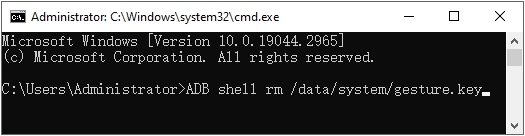
Step 5. Type adb shell rm /data/system/gesture.key to remove the device's lock file.
Step 6. Restart the phone and check whether the lock screen is gone.
Method 5. Unlock OPPO Phone by Contacting Support
When the other methods feel risky or fail, the official route is often the safest. OPPO's support team and authorized service centers can verify that you own the device and guide you through removing the lock. It requires a little patience, but it avoids guesswork and reduces the chance of causing further problems.
Part 2. How to Unlock an OPPO Phone with Password
If you remember your Google account details but not your screen password, you have two more options. Both rely on your linked account to prove that the phone is yours. They're convenient because you don't need special tools, only your login credentials and a working internet connection.
Method 1. Unlock OPPO Phone on Find My Hub
Google's Find Hub (formerly Find My Device) lets you control a lost or locked phone remotely. Once you log in using the Google account associated with your OPPO device, you can initiate a reset to remove the existing screen lock. The phone must be powered on, online, and signed in to that account.
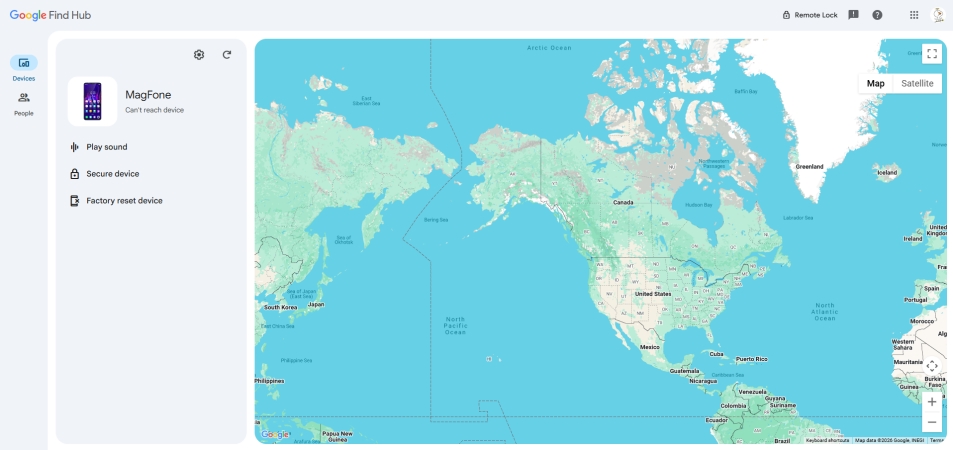
Step 1. On another phone or computer, open the Google Find Hub website.
Step 2. Log in using the Google account credentials associated with your OPPO phone.
Step 3. Choose your OPPO device from the list, then select Factory reset device to begin the reset process.
Step 4. Confirm the reset. Then set up the phone and restore your backup.
Method 2. Unlock OPPO Phone via Google Account
On very old Android versions, your Google account can reset the screen lock straight from the lock screen. After several failed attempts, the phone offers a recovery option that accepts your account credentials. It's quick and keeps your data, but it's limited to Android 4.4 and earlier, so most modern OPPO phones won't offer it.
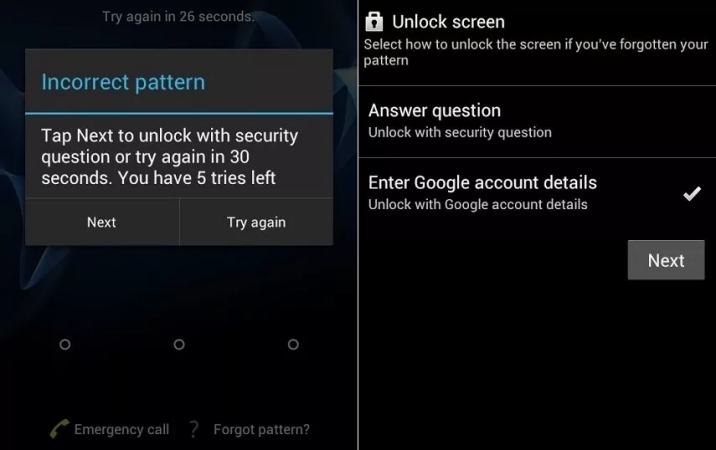
Step 1. Enter an incorrect password or pattern five times in a row.
Step 2. Select Forgot Password or Forgot Pattern at the bottom of the display.
Step 3. Choose the option to verify your identity with your Google account and tap Next.
Step 4. Enter the email address and password associated with the Google account connected to the device.
Step 5. Follow the on-screen instructions to create a new screen lock.
Step 6. Enter the newly created password or pattern to access your phone.
Part 3. FAQs about Unlocking OPPO Phone
How to unlock OPPO phone password without factory reset?
It's only realistic on older phones. Devices running ColorOS 6.1 or earlier may let you reset the lock with a fingerprint or email. From ColorOS 7 onward, Android's security design generally requires a reset. Tricks like emergency call or Engineer Mode rarely work on current models, so don't count on them.
How to unlock OPPO phone without Google account?
Recovery Mode is the most direct option, since it doesn't ask for any account at the lock screen stage. Support staff can also help with proof of ownership. Be aware that after a reset, Google's verification may still request the original account, so keep those credentials somewhere safe.
Where to buy unlocked OPPO phones?
You can buy unlocked OPPO phones from OPPO's official online store, major retailers such as Amazon, or authorized carriers and dealers in your region. Check that the listing says "unlocked" and confirm it supports your carrier's network bands before purchasing, since availability differs by country.
Part 4. Conclusion
Forgetting your OPPO password is frustrating, but it isn't the end of the road. Recovery Mode, ADB, Google's Find Hub, and official support each offer a path back into your phone. Most modern ColorOS versions require a factory reset, so back up important data regularly to Google Drive or OPPO Cloud and avoid losing anything precious next time.

Dylan Jones
Editor in chief





