








MTK Bypass Tool is a versatile and practical tool, enabling users to unlock phones, flash firmware, and bypass the FRP lock on MediaTek (MTK) Android devices. While this tool is widely discussed in many Android communities, many users want to know whether it is safe and useful for FRP bypass. If you're searching for MTK Bypass Tool and wanna know more about it , you are in the right place. Here is a complete review of MTK Bypass Tool.
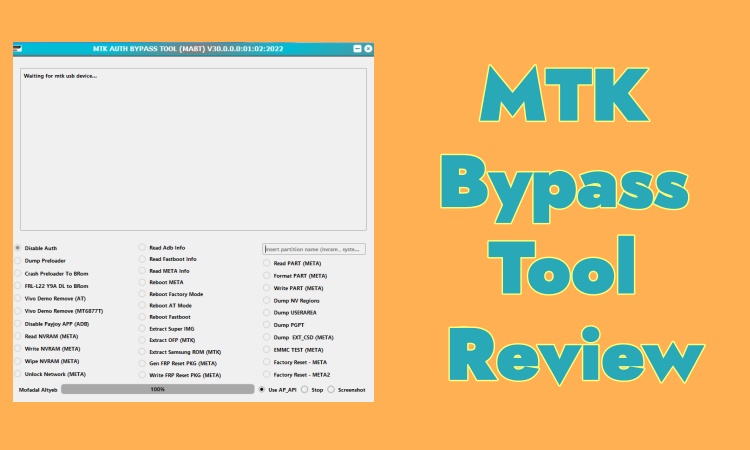
- Part 1. What Is MTK Bypass Tool?
- Part 2. Pros and Cons of MTK Bypass Tool
- Part 3. How to Use MTK FRP Bypass Tool
- Part 4. Is MTK Bypass Tool Right for You?
- Part 5. Conclusion
Part 1. What Is MTK Bypass Tool?
MTK Bypass Tool, also named MediaTek bypass utility, is a commonly used utility designed to help users remove screen locks and Factory Reset Protection lock on MediaTek-powered Android devices. Most users search it for bypassing FRP lock on Android phones. Before using it, have a complete understanding of the tool first.
01Functions of MTK Bypass Tool
MTK Bypass Tool is a category of utilities that attempts to bypass MediaTek authentication or FRP restrictions during early boot stages. It is also commonly used when flashing firmware or recovering MTK devices that are otherwise blocked by security checks. Learn more details together!
Bypass FRP Lock: Bypass Factory Reset Protection lock on Android devices.
Flash Firmware: Fix system errors and upgrade or downgrade system versions.
Unlock Screen: Remove screen locks like pattern locks, PIN, passwords, fingerprint, and Face locks on Android devices.
Unlock Bootloader: Enable users to access the devices locked by the bootloader for modification and recovery.
02Compatibility of MTK Bypass Tool
The compatibility of MTK Bypass Tool decides whether you are suitable to use it or not. The sheet below helps you make a judgment.
| Device Compatibility | Most MediaTek-based mobile phones and tablets |
| Operating System | Windows 7, 8, 10, 11 |
| Android Brands | Huawei, Samsung, Oppo, Vivo, Xiaomi, Infinix, Tecno |
03Risks of MTK Bypass Tool
If you operate the tool incorrectly or interrupt the process, your phone may be at risk of being bricked. Additionally, using it to bypass the FRP lock may increase the risk of unauthorized access or future security vulnerabilities on your device.
04Price of MTK Bypass Tool
MTK Bypass Tool is completely free to download and use. Since it does not have an official website, you can only download it from third-party sources.
Part 2. Pros and Cons of MTK Bypass Tool
Below are some of the main advantages and disadvantages of the MTK bypass tool.
 Pros
Pros- Free to download and use
- Mutilple functions
- Board compatibility of Android brands

- Restriction of non-MTK devices
- Potential security risk
- Only support Windows OS
- Not suitable for latest Android phones
- Complex operating guide
Having a complete understanding of MTK Bypass Tool, you may prefer a safer alternative like MagFone Android Unlocker, a trustworthy FRP bypass tool. But considering its cost performance, go to the next part for downloading and using it.
Part 3. How to Use MTK FRP Bypass Tool
Now, you can follow the step-by-step guide to download and use MTK Bypass Tool correctly.
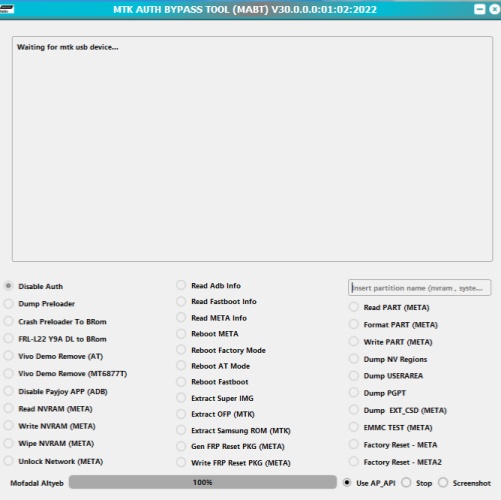
Step 1. Search for MTK Bypass Tool files in a forum or third-party resources, download it in your computer.
Step 2. Extract the MTK Bypass Tool files from the zip on your computer.
Step 3. Find the MTK Bypass Tool in your destination folder and install it.
Step 4. Power off your phone and connect it to the software.
Step 5. When the tool detects your device, select your target Chipset and SOC.
Step 6. Click Bypass and click it again to wait for the software bypass the FRP lock.
Part 4. Is MTK Bypass Tool Right for You?
Considering the high security risk and complex steps of MTK Bypass Tool, an alternative like MagFone Android Unlocker is a better choice. It is suitable for newcomers and technicians who want to remove FRP lock on Android devices easily and safely.
01Best FRP Bypass Tool to MTK Bypass Tool
As a professional FRP bypass tool, MagFone Android Unlocker can remove Factory Reset Protection locks on most popular Android devices with simple instructions and at a high success rate, unlike MTK Bypass Tool which is limited to MediaTek Android devices. It can be downloaded from the official website with professional technical support provided, so you don't need to worry about any security risks. What's more, MagFone Android Unlocker supports Android 5 to 16, covers most Android brands like Samsung, Xiaomi, Vivo, Motorola, Oppo, and so on.
| Features | MTK Bypass Tool | MagFone Android Unlocker |
|---|---|---|
| Device Compatibility | Most MediaTek-based mobile phones and tablets | Android 5 to Android 16 |
| Android Brands | Huawei, Samsung, Oppo, Vivo, Xiaomi, Infinix, Tecno | Samsung, Xiaomi, Redmi, Oppo, Vivo, Realme, Motorola |
| Operating System | Windows 7, 8, 10, 11 | Windows 11, 10, 8.1, 8, 7, Vista, XP Mac OS X 10.8 or above |
| Potential Risks | ✔️ | ❌ |
| Technical Support | ❌ | ✔️ |
| Easy for Beginners | ❌ | ✔️ |
| Success Rate | Low | High |
02How to Remove FRP on Android Devices
With easy steps and a simple guide, MagFone Android Unlocker can help you realize bypassing the FRP lock with several clicks. If you are interested in this powerful tool, learn the operating steps below.

MagFone Android Unlocker
Remove multiple kinds of screen locks on over 5000 Android devices and delete Google FRP lock without a password.
Step 1 Run MagFone and Connect to Your Phone
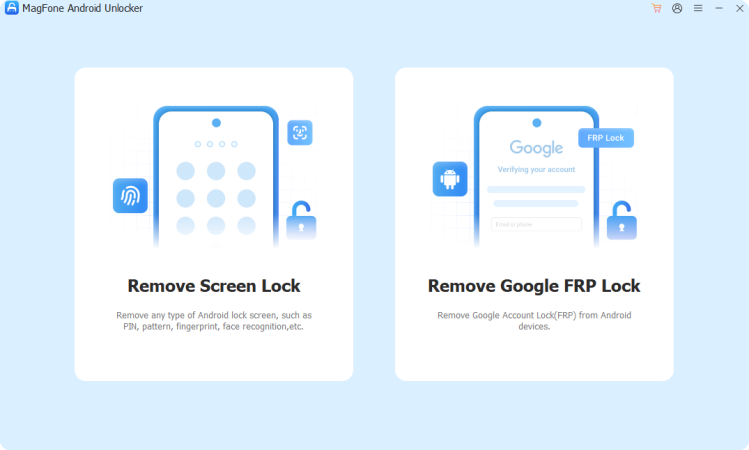
Install and run MagFone Android Unlocker, then select Remove FRP Lock on the interface. Wait the program detects your phone automatically.
Step 2 Begin Bypassing the FRP Lock
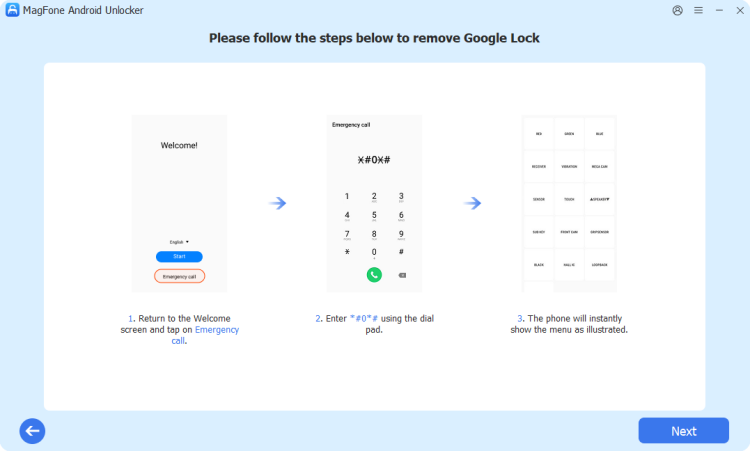
Follow the on-screen instructions to set your phone correctly. When finished, click Next.
Step 3 Remove the FRP Lock Successfully
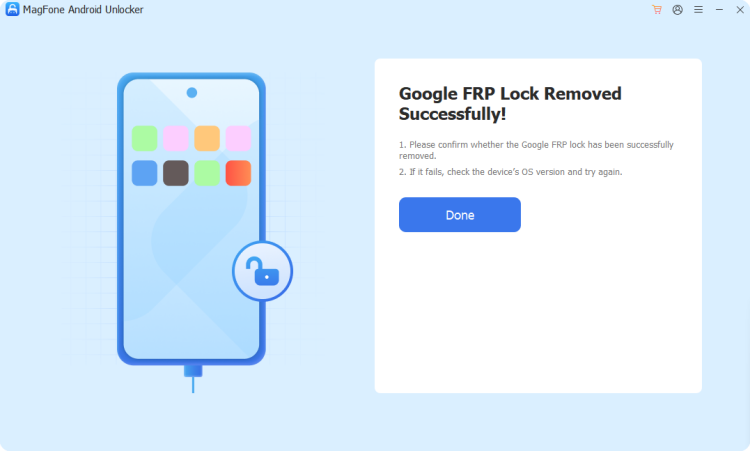
Wait for the program bypass the FRP lock, then you can set your phone freely after the whole process.
Part 5. Conclusion
MTK Bypass Tool is known as multiple functions, free to download and use. But the potential risk and complex operating steps may trouble newcomers. However, MagFone Android Unlocker fixes the problems easily. Newbies can bypass the FRP lock easily and safely with the simple instructions of MagFone. So choose and download MagFone Android Unlocker now!

Dylan Jones
Editor in chief





