








The Google FRP lock helps secure Android devices, but it can also lock out legitimate users after a factory reset. That's where professional tools like DFT Pro Tool come into play. Designed for technicians and experienced Android users, this utility offers FRP bypass alongside flashing, unlocking, and repair functions. This guide explains everything you need to know about the software, including its features, pricing, registration, usage, potential risks, and the best alternative for beginners.
- Part 1. Pre-Read: What Is DFT Pro Tool?
- Part 2. Pros and Cons of the DFT Pro Tool
- Part 3. How to Use DFT Pro Tool for FRP Bypass
- Part 4. Best FRP Unlocker Alternative to DFT Pro
- Part 5. Conclusion
Part 1. Pre-Read: What Is DFT Pro Tool?
Unlike standard Android utilities, the DFT Pro Tool combines a wide range of repair, unlocking, and servicing functions into a single professional platform. Understanding its features, supported devices, and limitations will help you determine whether it's the right solution for your repair needs.
01DFT Pro Tool Features
DFT Pro Tool provides a comprehensive collection of Android servicing features aimed at repair professionals. The latest DFT PRO Update v7.1.0 repaired the bootloop issue occurring after the Unlock BL 2026 process on certain models and optimized the Patch Cert 2026 engine. Beyond FRP removal, it includes some other functions we listed below.
Remove FRP lock from supported Android devices.
Bypass screen PIN, password, and pattern locks.
Flash official firmware to repair software issues.
Unlock and relock Android bootloaders safely.
Perform Fastboot, Download, and EDL operations.
Read and write important device partitions.
02DFT Pro Tool Price
DFT Pro Tool is a commercial software solution that requires activation before most advanced functions become available. Pricing varies depending on the license duration and the reseller. Typically, a one-year activation costs around $80, while short-term rental licenses are also available for users who only need temporary access.
03DFT Pro Tool Crack
Cracked DFT Pro Tool ususally presents significant security and stability risks. These unofficial packages may include malware, spyware, hidden installers, or modified files that compromise both your computer and Android device. In addition, cracked versions cannot receive official updates, may fail during FRP removal, and generally offer no technical assistance.
04DFT Pro Tool Support
DFT Pro Tool does not offer an official direct customer support channel, such as live chat or email, for end users. Support is typically provided by the reseller you purchased your account from, and the quality of assistance varies. As a result, refunds, technical help, and account issues are not guaranteed.
Part 2. Pros and Cons of the DFT Pro Tool
Every Android servicing application has advantages and limitations, and DFT Pro Tool is no exception. While it offers powerful repair capabilities suitable for professional technicians, some aspects may discourage casual users. Reviewing both the strengths and weaknesses helps determine whether this software meets your particular needs.
 Pros
Pros- Supports numerous Android brands.
- Powerful FRP bypass functions.
- Regular feature improvements.
- Comprehensive repair toolkit.

- Windows only.
- Paid activation required.
- Beginners may struggle.
- Unsupported models exist.
Part 3. How to Use DFT Pro Tool for FRP Bypass
Using DFT Pro Tool involves more than simply connecting a phone. Proper installation, account activation, compatible USB drivers, and selecting the correct device mode are all necessary for successful FRP removal. Following the recommended workflow reduces errors and improves the likelihood of completing the bypass successfully.
01DFT Pro Tool Download
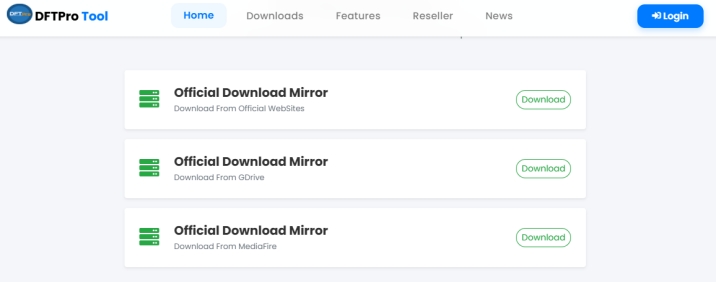
You can download DFT Pro Tool directly from its official website or through authorized distributors. The developers regularly release updates to improve device compatibility, add new features, and fix known issues. Currently, the newest available release is DFT Pro Tool v7.1.0, which includes Xiaomi MediaTek improvements and bug fixes.
02DFT Pro Tool Registration
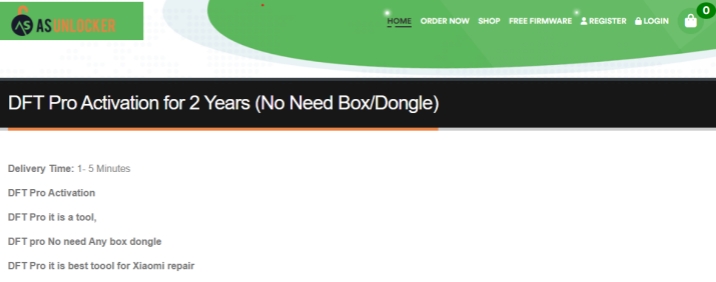
Before accessing professional features, users must complete DFT Pro Tool registration and activate their license. Registration connects your purchased account with the software, allowing secure login and continued access to updates, supported functions, and future improvements released by the development team.
03DFT Pro Tool Usage
After successful activation, you can begin using DFT Pro Tool for supported Android service tasks, including FRP removal. Always confirm that your device model is supported and that the required drivers are correctly installed before beginning the unlocking process to avoid unnecessary interruptions.
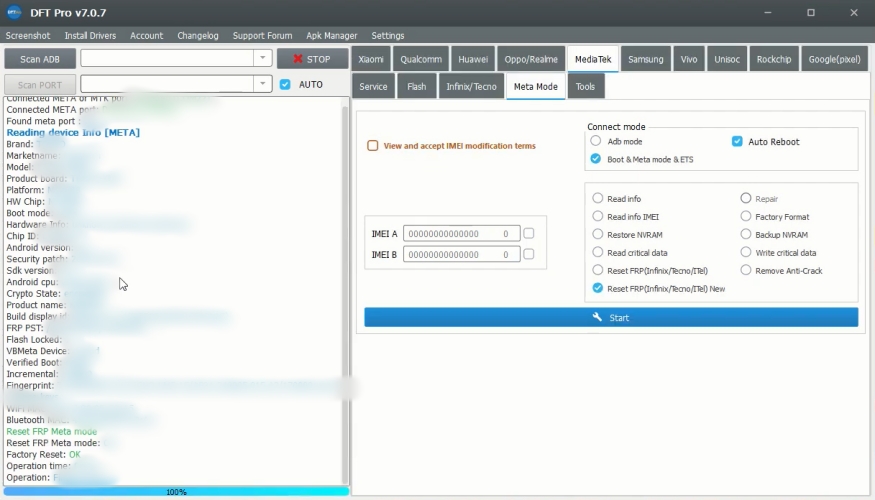
Step 1. Connect your FRP-locked device to your PC.
Step 2. Launch the DFT Pro Tool and select your Android device brand.
Step 3. From the main interface, click Reset FRP Lock.
Step 4. Click Start to begin bypassing the FRP lock on your Android device.
Part 4. Best FRP Unlocker Alternative to DFT Pro
If you're looking for a faster and more user-friendly FRP bypass solution, MagFone Android Unlocker is a great alternative to DFT Pro. Unlike DFT Pro, MagFone works on both Windows PCs and macOS, making it accessible to more users. Besides removing Google FRP locks, it can also unlock various Android screen locks, including PINs, passwords, patterns, and facial recognition. Here's how to bypass FRP using MagFone Android Unlocker.

MagFone Android Unlocker
Remove multiple kinds of screen locks on over 5000 Android devices and delete Google FRP lock without a password.
Step 1 Install MagFone and Link Device
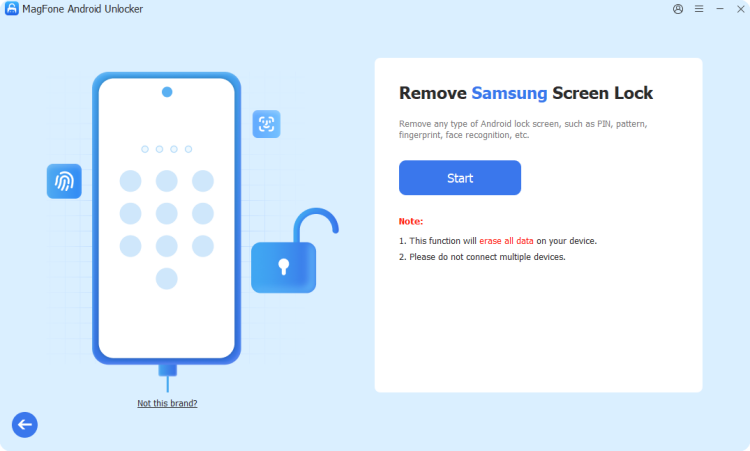
Download and install MagFone Android Unlocker on your Windows PC or Mac. Open the software, connect your FRP-locked Android phone with a USB cable, and choose the Remove Google FRP Lock feature from the main interface.
Step 2 Confirm Your Device Details
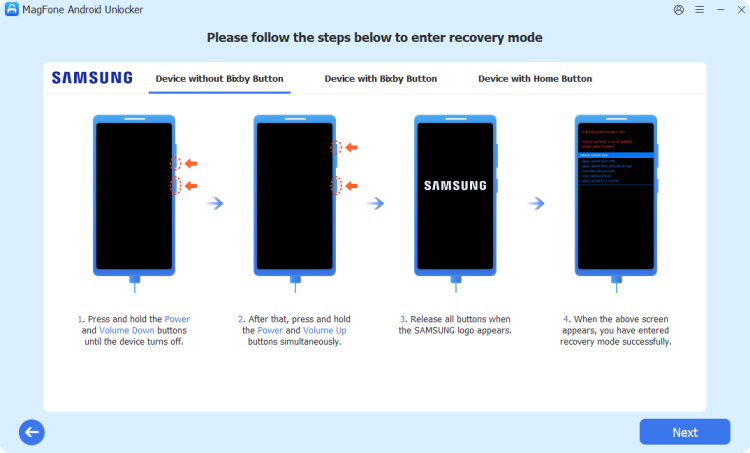
The software will attempt to identify your device automatically. If the detection isn't accurate, manually choose the correct phone brand and Android version. Verify the information and click Start to move forward.
Step 3 Bypass FRP Lock Instantly
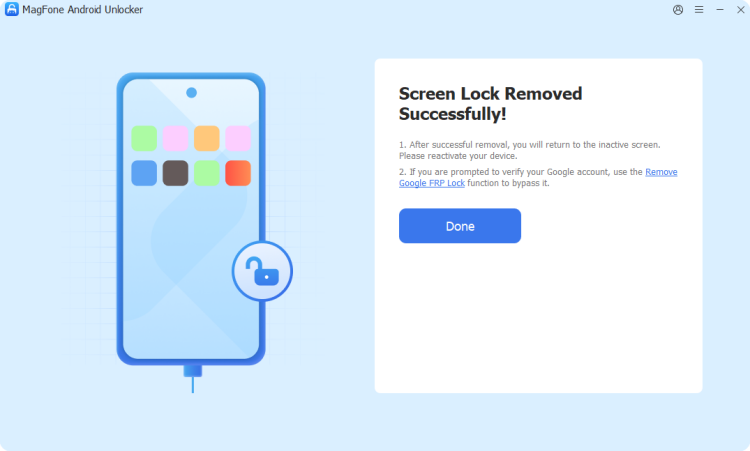
MagFone will provide device-specific guidance throughout the unlocking process. Perform each step as instructed on both your computer and Android device. Once the procedure finishes, the Google FRP lock will be removed successfully.
Part 5. Conclusion
DFT Pro Tool remains one of the most capable Android service utilities for FRP bypass, firmware flashing, screen unlocking, and advanced repair operations. While its professional features make it valuable for technicians, paid activation and technical complexity may discourage casual users. Always download the official version instead of cracked copies, and consider a beginner-friendly alternative like MagFone if you only need straightforward FRP removal.

Dylan Jones
Editor in chief





