








Regaining access to a locked Android phone can be frustrating, especially after a factory reset triggers Google account verification. Many users turn to solutions like the Easy Flashing FRP Bypass 8.0 APK to handle this situation on supported devices. This article explores how the tool works, where it fits in today's Android environment, and what users should know before trying it, including setup steps, compatibility details, and alternative solutions available.
- Part 1. Easy Flashing FRP Bypass 8.0 APK: Main Features
- Part 2. Easy Flashing FRP Bypass 8.0 APK: Cpmpatibility
- Part 3. Easy Flashing FRP Bypass 8.0 APK: Download & Usage
- Part 4. Easy Flashing FRP Bypass 8.0 APK: Best Alternative
- Part 5. FAQs about Easy Flashing FRP Bypass 8.0 APK
- Part 6. Conclusion
Part 1. Easy Flashing FRP Bypass 8.0 APK: Main Features
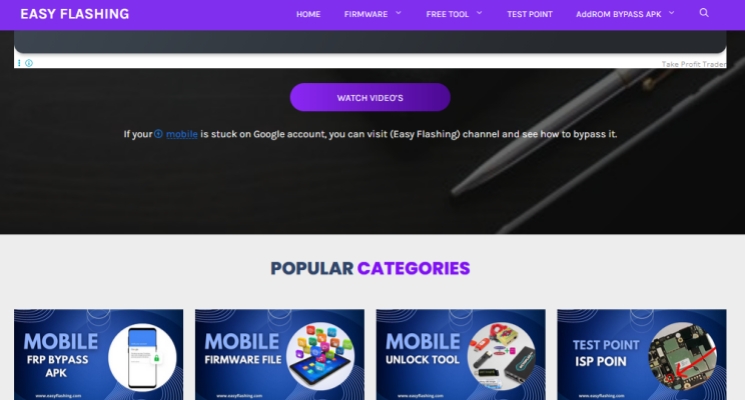
Easy Flashing is a platform that offers a variety of utilities designed to help users regain access to locked devices. Among its most discussed tools is the FRP Lock Bypass APK—Easy Flashing FRP Bypass 8.0 APK. This tool allows users to access their Android devices when forgot the previously associated Google account credentials.
Part 2. Easy Flashing FRP Bypass 8.0 APK: Cpmpatibility
As Android security continues to improve, FRP protection has become more advanced in newer versions. This means tools like the easy flashing frp bypass 8.0 apk download are not universally effective across all devices. Many newer smartphones include updated security patches that block older bypass methods. Therefore, it is important to check compatibility details carefully before attempting to use the Easy Flashing FRP Bypass 8.0 APK.
| Feature | Easy Flashing |
| Supported Version | Android 5 to 8 |
| Supported Brands | Samsung, Huawei, Xiaomi, Vivo, and OPPO |
| Requirements | PC, USB Drive, OTG cable |
| Success Rate | 90% |
| Time Required | 15-30 mins |
Part 3. Easy Flashing FRP Bypass 8.0 APK: Download & Usage
If your device is compatible with this tool, you can proceed to download, install, and use it by following the steps below.
Where to Download Easy Flashing FRP Bypass 8.0 APK?
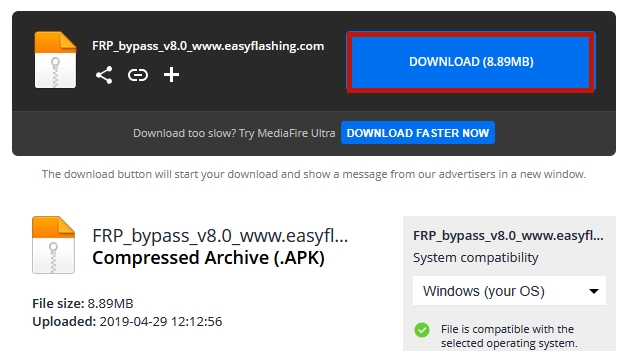
Step 1. Visit the Easy Flashing official website to download the latest APK version.
Step 2. Find the designated download area on the page.
Step 3. Click the download option to start saving the APK.
How to Use Easy Flashing FRP Bypass 8.0 APK
Step 1. After downloading the Easy Flashing FRP Bypass 8.0 APK file, move it into a USB flash drive for later use.
Step 2. Turn on the locked Android device and complete the initial setup process, including connecting it to a stable Wi-Fi network.
Step 3. When the Google account verification screen appears, connect the USB drive to the phone via an OTG adapter.
Step 4. Once connected, the system should open a file manager automatically; if not, launch it manually and locate the Downloads section.
Step 5. Find the FRP bypass APK file on the storage device and tap it to begin installation.
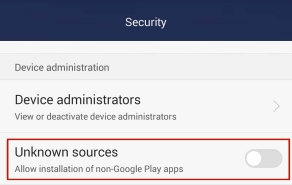
Step 6. If installation is blocked, open Settings, go to Security options, and allow apps from unknown sources.
Step 7. Once the installation is finished, go back to the device's Settings menu.
Step 8. Then open Backup & Reset and select Factory data reset to continue with the unlocking process.
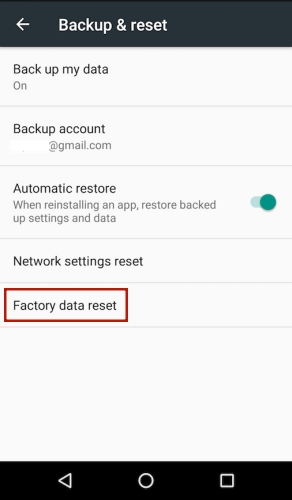
Step 9. Restart the phone, and the Google verification screen should no longer appear, allowing normal setup access.
Part 4. Easy Flashing FRP Bypass 8.0 APK: Best Alternative
There is nearly no user feedback about the Easy Flashing FRP Bypass 8.0 APK usage results, but according to the information we've known, there are some pros and cons of this tool that users should consider before trying it.
 Pros
Pros- Free to access and download
- Works on older Android versions
- Quick setup in supported cases

- Low success rate overall
- Limited device compatibility range
- Fails on updated security patches
- No official technical support
As you can see, while this APK-based solution may sometimes work, it often comes with limitations, including low success rates and compatibility issues. A more reliable alternative is using a professional FRP unlocking tool like MagFone Android Unlocker. It provides a more structured and secure method for bypassing FRP locks. Here's how you can use MagFone Android Unlocker to effectively bypass FRP restrictions from your Android devices.

MagFone Android Unlocker
Remove multiple kinds of screen locks on over 5000 Android devices and delete Google FRP lock without a password.
Step 1 Connect Device and Run Software
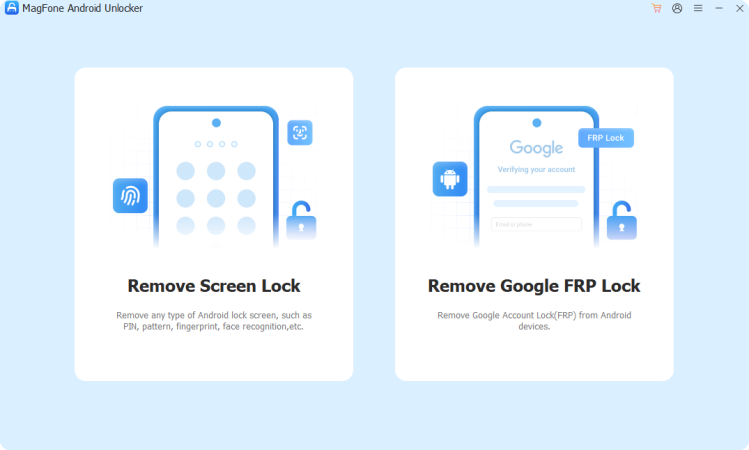
Use a USB cable to connect your Android phone to a computer. Run MagFone Android Unlocker and choose the Remove Google FRP Lock option.
Step 2 Continue to Select Device Brand
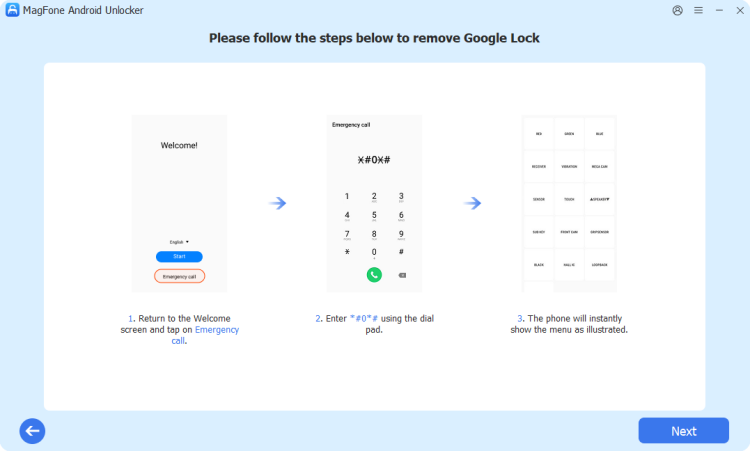
Allow the program to detect your device automatically, or manually choose the correct brand and Android version before proceeding.
Step 3 Bypass FRP Lock Successfully
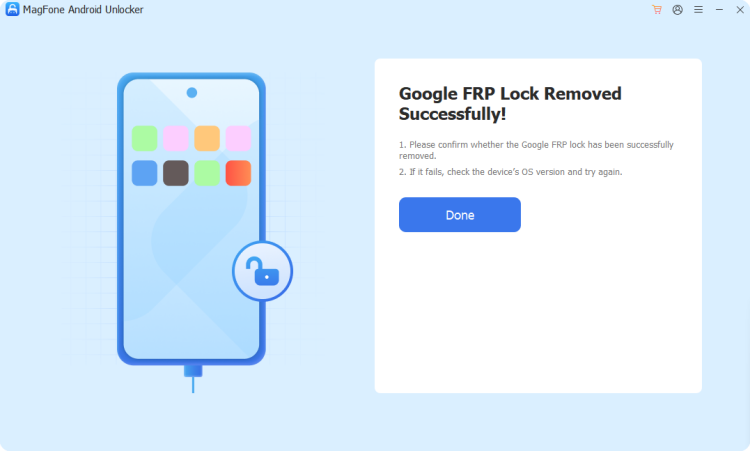
Click Satart and carefully follow the instructions displayed on the screen. Once the process finishes, the FRP lock will be bypassed and your device is ready for setup.
Part 5. FAQs about Easy Flashing FRP Bypass 8.0 APK
Is the Easy Flashing FRP Bypass 8.0 APK free to use?
Yes, the Easy Flashing FRP Bypass 8.0 APK is available for free download, and it is also promoted as a free method for bypassing FRP.
Does the Easy Flashing FRP Bypass app cause data loss?
Yes, data loss can occur. The process often involves resetting the device, which removes existing data. It's recommended to back up important files beforehand whenever possible.
What should I do if the Easy Flashing FRP Bypass APK doesn't work?
If the tool fails, it may be due to updated security patches or device incompatibility. In such cases, consider using official recovery methods or professional unlocking software (like MagFone Android Unlocker) for better success rates.
Part 6. Conclusion
The easy flashing frp bypass 8.0 apk official latest version remains a widely discussed solution for bypassing FRP locks on older Android devices. However, its effectiveness in 2026 is limited due to enhanced security updates. While it may still work in certain scenarios, users should carefully evaluate risks and compatibility. For a more reliable and secure experience, modern alternatives and official recovery methods are often the better choice for regaining device access.

Dylan Jones
Editor in chief





