








Factory Reset Protection (FRP) is an important Android security feature that protects your device after a reset. However, sometimes you may forget it, and this is where FRP bypass file platforms become useful. Among the many available solutions, Bypassfrpfiles has gained attention for offering downloadable tools, APKs, firmware files, and detailed tutorials. In this review, we'll explore its features, advantages, drawbacks, usage process, and a powerful alternative to make FRP unlocking easier.

- Part 1. Main Features of Bypassfrpfiles
- Part 2. Pros and Cons of Bypassfrpfiles
- Part 3. How to Use Bypassfrpfiles Easily
- Part 4. Best Tool to Bypass Android FRP
- Part 5. Conclusion
Part 1. Main Features of Bypassfrpfiles
Frpbypassfiles is an online resource designed to help Android users bypass Google account verification locks after a factory reset. It serves both individual users and mobile repair technicians seeking device-specific FRP solutions. Here's a quick overview of the bypassfrpfiles.com website.
| Feature | Details |
|---|---|
| Functionality | FRP bypass tools, APK downloads, firmware files, flashing resources |
| Supported Brands | Samsung, Xiaomi, Huawei, Motorola, Oppo, Vivo, LG, and more |
| Supported Android Versions | Android 5.1 to latest Android releases |
| Supported Platforms | Windows PC and Android devices |
| Rating | ⭐⭐⭐ |
Part 2. Pros and Cons of Bypassfrpfiles
Before downloading any FRP solution, it's important to understand both its strengths and limitations. While frpbypassfiles offers a wide selection of resources for different Android devices, users should also consider factors such as installation complexity, compatibility, and security. Evaluating the advantages and disadvantages can help determine whether this platform meets your needs or if a more automated solution would be a better choice.
 Pros
Pros- Completely free downloads
- Supports many Android brands
- Extensive FRP file library
- Detailed setup tutorials available

- Contains advertising pop-ups
- Success varies by device
- Manual installation often required
- Technical knowledge sometimes needed
Part 3. How to Use Bypassfrpfiles Easily
Using FRP bypass files from the website is generally straightforward if you select the correct files for your device model and Android version. The platform categorizes resources by manufacturer, making it easier to locate compatible tools. Follow these instructions carefully to achieve successful FRP removal.
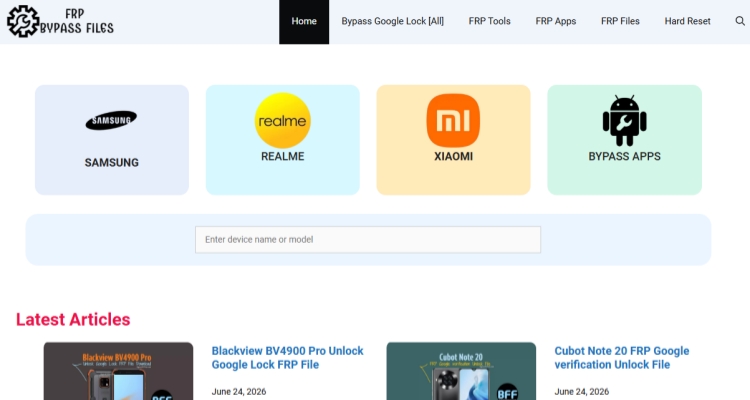
Step 1. Enter bypassfrpfiles.com. Select your device brand or search your device brand.
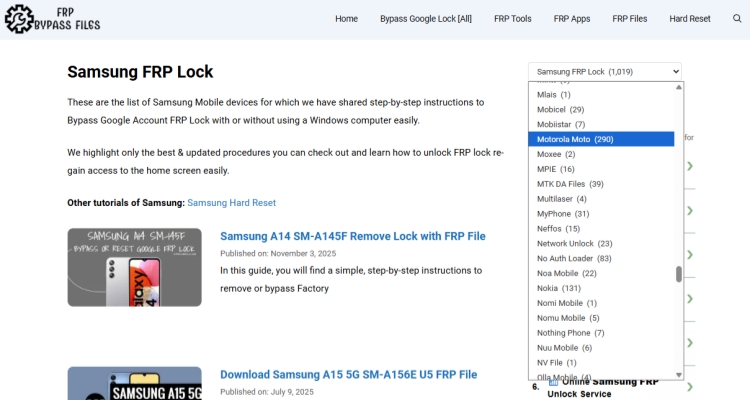
Step 2. Then you can find from the device list to check if there is your device brand.
Step 3. Select the appropriate FRP bypass APK, firmware, or unlocking tool.
Step 4. Download the required files to your computer or storage device.
Step 5. Transfer the files to the locked Android phone using a USB drive, SD card, or OTG cable if necessary.
Step 6. Enable installation from unknown sources when permitted by the chosen bypass method.
Step 7. Install the required APK or launch the flashing utility. Then follow the on-screen guide to access device settings or remove the Google verification requirement.
Part 4. Best Tool to Bypass Android FRP
While Bypassfrpfiles mainly provides downloadable resources and guides, MagFone Android Unlocker offers a dedicated software solution with a more automated approach. Users often need to manually search, download, and configure files on Bypassfrpfiles, whereas MagFone combines the unlocking process into a guided desktop application.
For users seeking convenience and higher success rates, MagFone Android Unlocker presents several advantages. The software offers a streamlined interface, guided instructions, broader compatibility, and reduced reliance on manually installing APK files. It supports FRP removal on both Windows PC and macOS. Additionally, users do not need to search through multiple downloads or firmware packages. These features make MagFone particularly suitable for beginners who prefer a faster and more user-friendly unlocking experience.

MagFone Android Unlocker
Remove multiple kinds of screen locks on over 5000 Android devices and delete Google FRP lock without a password.
Step 1 Install and Open MagFone Android Unlocker
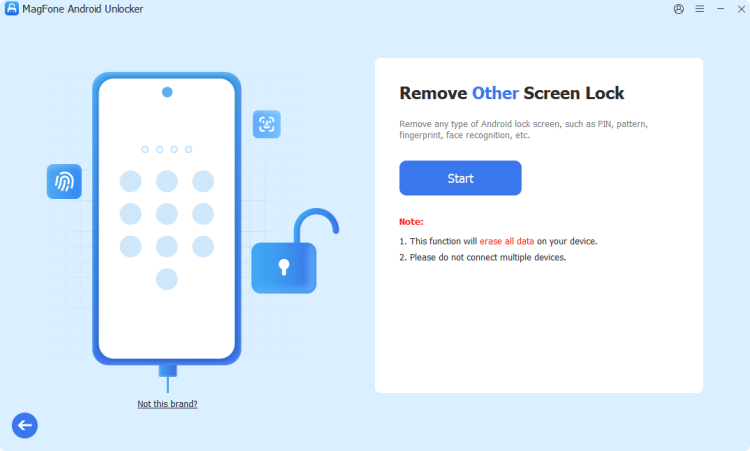
Download and install MagFone Android Unlocker on your Windows PC or Mac. Launch the software and choose the Remove Google FRP Lock feature from the main interface. Then connect your Android device to the computer using a compatible USB cable.
Step 2 Confirm Device Information and Start Unlocking
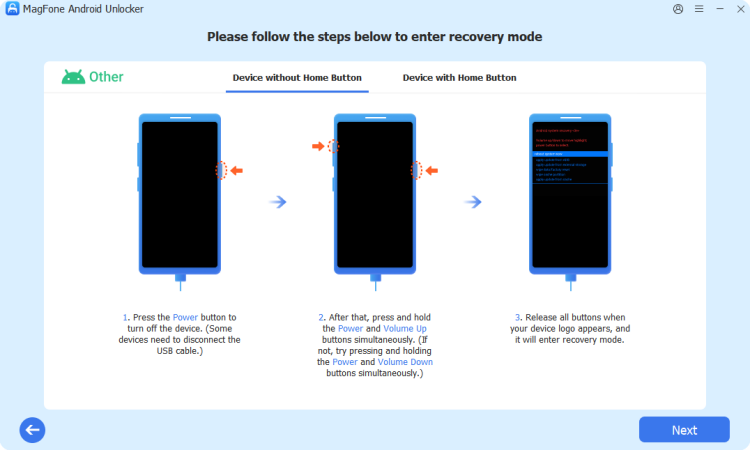
The program will identify your phone automatically. If necessary, select the correct brand and model manually. Once the device information is confirmed, click the start button and carefully follow the instructions provided by the software to prepare the device for FRP removal.
Step 3 Finish the FRP Unlock Procedure
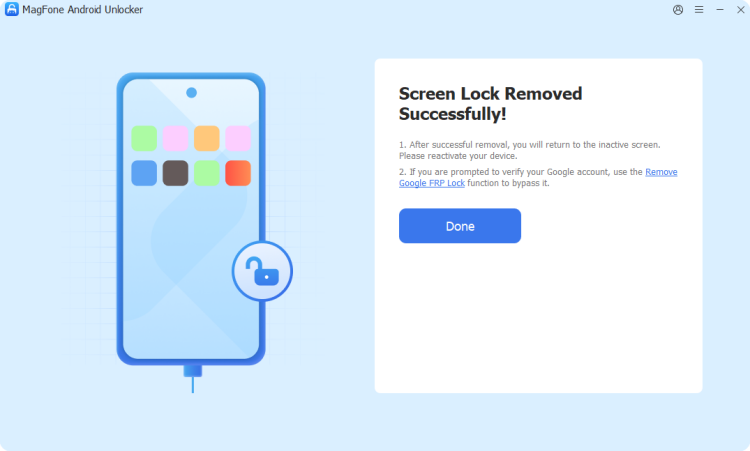
Wait for the software to complete the unlocking operation. After the process is finished, restart your Android phone and disconnect it from the computer. The Google account verification screen will be removed, allowing you to set up the device without the previous account credentials.
Part 5. Conclusion
Frpbypassfiles remains a popular destination for Android users searching for FRP bypass files, APK tools, firmware packages, and detailed FRP tutorials. Its extensive collection of resources and support for multiple brands makes it valuable for many unlocking scenarios. However, the platform may require technical knowledge and manual setup. Users looking for a simpler and more streamlined experience may find dedicated solutions like MagFone Android Unlocker a more convenient alternative for bypassing FRP locks efficiently.

Dylan Jones
Editor in chief





