









Struggling to juggle dozens of logins on your iPhone? With more apps, accounts, and online services than ever, having a powerful, secure password manager on your iPhone is a necessity. We've tested a range of iPhone password managers across both mobile apps and desktop tools, focusing on security, ease of use, and export options. In this guide, you'll find a detailed review of the top iPhone password managers in 2026. Whether you simply want to autofill logins on your iPhone or need to back up, export, and share passwords more flexibly, you'll discover the right solution here.
- Part 1. Comparison Table of Top iPhone Password Managers
- Part 2. Best Password Manager for iPhone [Mobile App]
- Part 3. Best Password Manager for iPhone [Desktop]
- Part 4. How to Manage iPhone Passwords More Comprehensively
- Part 5. Conclusion
Part 1. Comparison Table of Top iPhone Password Managers
For some users, managing passwords directly on their iPhone is enough. Others may need to keep a copy of their iPhone passwords on a computer or export them for backup or migration. No matter what you're looking for, we'll cover both mobile apps and desktop tools that help you manage passwords on your iPhone. Below is a brief comparison table of the top 7 iPhone password managers we selected after testing. It gives you a quick overview of each option, and you can tap any one to read the full review.
| Password Manager | Type | latforms | Key Features on iPhone | Best For |
|---|---|---|---|---|
| Apple Passwords | Built‑in app | iOS, iPadOS, macOS | Stores logins, passkeys, Wi‑Fi & 2FA codes; iOS AutoFill; security alerts; shared groups | Users fully in the Apple ecosystem |
| Bitwarden | Third‑party app | iOS, Android, Windows, macOS, Linux, browsers | Unlimited passwords/devices, passkeys, TOTPs, breach reports | Budget users |
| 1Password | Third‑party app | iOS, Android, Windows, macOS, browsers | Passkeys, Watchtower, multiple vaults, Travel Mode, powerful sharing | Users wanting a polished and cross-platform experience |
| Proton Pass | Third‑party app | iOS, Android, desktop, browsers | Passkeys, strong privacy, email aliases, built‑in authenticator, Dark Web monitoring | Privacy‑first users |
| MagFone iPhone Password Manager | Desktop tool | Windows, macOS | Scans iPhone for saved passwords Removes lock screen, Apple ID, Screen Time, MDM, iCloud Activation Lock, iTunes backup encryption |
Users who need both password export and powerful unlock tools on desktop |
| Aiseesoft iPhone Password Manager | Desktop tool | Windows & macOS | Scans iPhone/iPad for passwords Organizes passwords by category Exports to CSV for backup/migration |
Users who mainly want to view and export saved iPhone passwords |
| AnyUnlock iPhone Password Unlocker | Desktop tool | Windows & MacOS | Removes screen passcodes, Apple ID, Screen Time and MDM View and export iPhone/iPad passwords and recover/remove iTunes backup encryption | Users who primarily need to fix lock/Apple ID/MDM issues and occasionally view or export saved passwords |
Part 2. Best Password Manager for iPhone [Mobile App]
If you prefer to manage your passwords directly on your iPhone, a mobile‑first password manager is the most convenient choice. These apps integrate tightly with iOS, support Face ID or Touch ID, and autofill your logins across apps and websites. In this section, we'll look at the top iPhone password manager apps, from Apple's built‑in solution to popular third‑party options. You can then decide whether you're happy staying inside the Apple ecosystem or need more advanced features from a dedicated password manager.
No.1 Apple's Password App
Apple's Passwords app was introduced with iOS 18. It stores your Wi-Fi, website, and app passwords in iCloud Keychain, protects them with end-to-end encryption, and lets you autofill logins using Face ID or Touch ID. It can suggest strong passwords and alert you about compromised credentials. However, it's mainly designed for Apple devices and offers limited export options. So it fits best for those who prefer Apple's original services.
| Features | Stores website and app logins, Wi-Fi passwords, and 2FA verification code. Security alerts for weak, reused, or leaked passwords. Shared Groups to share passwords and passkeys with family or others. Autofill passwords on iPhone. Sync passwords via iCloud Keychain across Apple devices. |
| Best For | Users who live mostly in Apple's ecosystem and want a built-in option. |
| Pricing | Free |
No.2 Bitwarden
Bitwarden is a popular open‑source password manager that offers strong security and excellent value. Its iOS app lets you store unlimited passwords, notes, and payment information, sync them across devices, and autofill logins on your iPhone. Bitwarden supports features like password generation, secure sharing, and encrypted export options, making it a good choice for privacy‑conscious users. The paid plans even add extras like advanced 2FA and more storage for secure attachments.

| Features | Save and sync unlimited password across unlimited devices; Autofill passwords on iPhone; Stores logins, secure notes, payment cards, identities, passkeys, and TOTP codes; Zero knowledge & end-to-end encryption; Encrypted file attachments, breach and password‑health reports, emergency access, advanced 2FA on Premium |
| Best For | Users who want a very affordable and privacy‑friendly manager that works on all platforms. |
| Pricing | Personal Premium: $1.65/month Families Premium: $3.99/month |
No.3 1Password
1Password is a premium password manager known for its polished interface and powerful features. On iPhone, it provides multiple vaults for organizing personal, family, and work logins, as well as secure storage for documents, payment cards, and more. It supports biometrics, secure password sharing, and Watchtower alerts for breached or weak passwords. 1Password requires a subscription. If you want a feature-rich and cross-platform password manager, you can try its free trial first.
| Features | Stores passwords, passkeys, secure notes, cards, identities, documents, and TOTP codes;
Travel Mode; Watchtower monitors; Password sharing; Create multiple vaults for personal, family, or work. |
| Best For | Users who want a very refined and cross‑platform experience. |
| Pricing | Individual: $3.99/month Families: $5.99/month |
No.4 Proton Pass
Proton Pass, from the team behind Proton Mail and Proton VPN, focuses on privacy and security. The iOS app uses end‑to‑end encryption to protect your logins, notes, and aliases, and integrates with other Proton services. It supports autofill, password generation, and secure sharing, while keeping your data on servers in privacy‑friendly jurisdictions. Proton Pass is ideal if you prioritize privacy.

| Features | End‑to‑end encrypted vault with unlimited logins, notes, and cards; Passkeys, password generator, weak/reused‑password alerts; Email aliasing; 2FA codes; Dark Web Monitoring; Secure sharing & emergency access |
| Best For | Uses who focus on privacy. |
| Pricing | Proton Free Proton Pass Plus: $4.99/month |
Part 3. Best Password Manager for iPhone [Desktop]
A mobile password manager app can help you manage your passwords on an iPhone efficiently. If you encounter cases where saved passwords are not showing on your device, a desktop password manager may help you. In this part, we'll look at three desktop tools that help you manage iPhone passwords from your computer.
| Tools | MagFone iPhone Unlocker | Aiseesoft iPhone Password Manager | AnyUnlock iPhone Password Unlocker |
|---|---|---|---|
| Scanned Password History | ✔️ | ✔️ | ✔️ |
| Copy Passwords | ✔️ | ❌ | ❌ |
| Export Passwords | ✔️ | ✔️ | ✔️ |
| Passwords Types | Wi-Fi, Apps & Website, Apple ID, |
Wi-Fi, Apps & Website, Apple ID, |
Wi-Fi, Apps & Website, Apple ID, Email, Credit card, Screen Time passcode |
| Remove Screen Lock | ✔️ | ❌ | ❌ |
| Remove Screen Time | ✔️ | ❌ | ❌ |
| Remove MDM | ✔️ | ❌ | ❌ |
| Remove Apple ID | ✔️ | ❌ | ❌ |
| Remove iTunes Encryption | ✔️ | ❌ | ❌ |
No.1 MagFone iPhone Password Manager
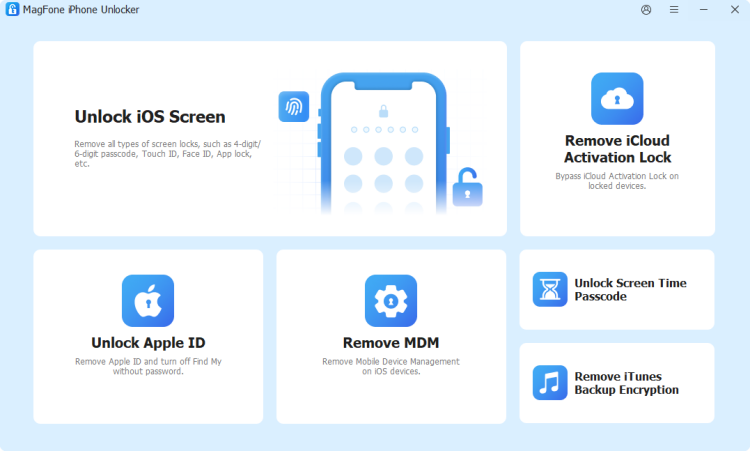
MagFone iPhone Unlocker is an all‑in‑one iOS password dealer for iPhone and iPad users. It not only supports scanning, viewing, copying, and exporting saved passwords on your iDevices. It can also remove various types of locks and passwords from your iPhone, including lock screen passcodes, Face ID and Touch ID, Screen Time passcodes, Apple ID, MDM lock, iCloud Activation Lock, and even iTunes backup encryption when you no longer remember the password. The combination of password management and password removal makes MagFone more versatile among the desktop utilities.
| Support iOS | iOS 7 to iOS 27 |
| Support OS | Windows 7 to 11 macOS 10.8 or later |
| Support Devices | iPhone 4 to iPhone 17 series All iPad series iPod touch 2 to iPod touch 7 |
| Passwords Types | Wi-Fi, Apps & Website, Apple ID, Email |
| Pros | Scan, view and copy passwords Selectively export passwords View passwords in alphabetic order, creation time order, or modification order |
| Cons | Paid features |
No.2 Aiseesoft iPhone Password Manager
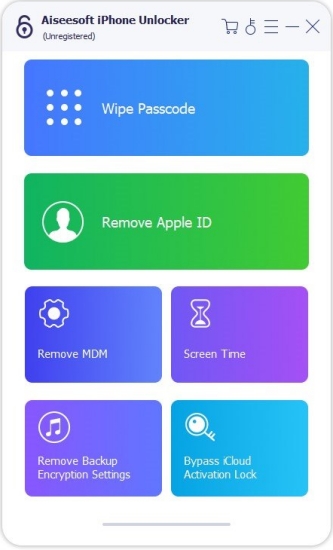
Aiseesoft iPhone Password Manager is a desktop tool that helps you find, view, and back up the passwords stored on your iPhone or iPad. The program also lets you export selected accounts and passwords to a CSV file, so you can keep a local backup on your computer or move your logins into another password manager when necessary. Overall, Aiseesoft iPhone Password Manager is fit for users who want a simple way to view and export multiple types of iPhone passwords from a desktop.
| Support iOS | iOS 5 to iOS 27 |
| Support OS | Windows 7 to 11 Mac OS X 10.7 or above |
| Support Devices | iPhone 3G to iPhone 17 series All iPad series All iPod touch series |
| Passwords Types | Wi-Fi, Apps & Website, Apple ID, Email |
| Pros | A specific password manager |
| Cons | Limited features than other desktop utilities Paid software Unable to copy passwords |
No.3 AnyUnlock iPhone Password Unlocker
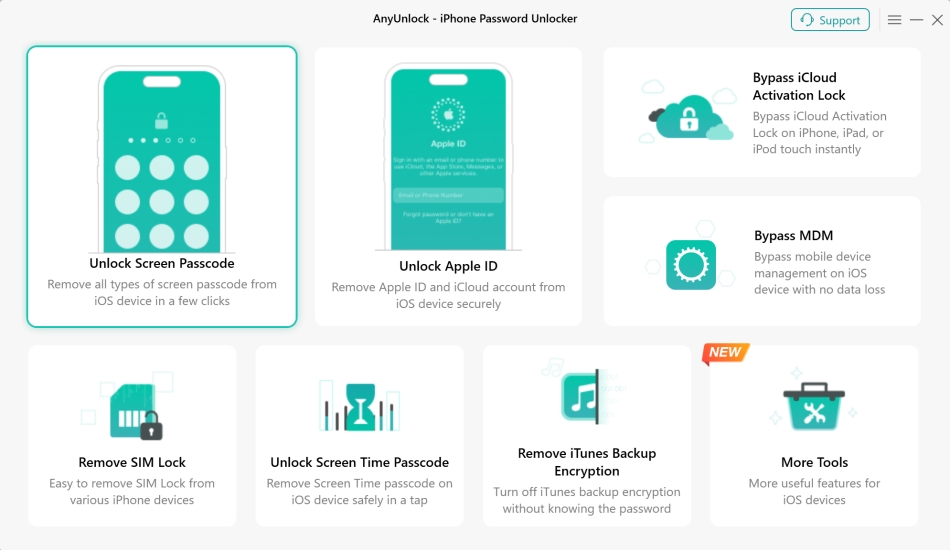
AnyUnlock iPhone Password Unlocker is an all-around iOS unlocking and password solution for iPhone and iPad. It helps you find and manage various passwords stored on your iOS device, such as app and website logins, Wi‑Fi passwords, and email accounts, in a clear interface. You're able to save these items to your computer for safekeeping or for moving them into another password manager. In addition to password management, AnyUnlock also provides features for removing certain iOS lock screens and Apple ID issues, which can be helpful if you're locked out.
| Support iOS | iOS 5 to iOS 27 |
| Support OS | Windows 7 to 11 macOS 10.13 or later |
| Support Devices | iPhone 3G to iPhone 17 series All iPad series All iPod touch series |
| Passwords Types | Wi-Fi, Apps & Website, Apple ID, Email, Credit card, Screen Time passcode |
| Pros | Versatile password-related features Export passwords to CSV format of target platform |
| Cons | Not free to use Unable to copy passwords |
Part 4. How to Manage iPhone Passwords More Comprehensively
After reviewing both mobile and desktop solutions, you may still need a more comprehensive way to handle your iPhone passwords, especially if you want to export them in bulk, move them to another manager, or keep a secure copy on your computer. This is where MagFone iPhone Password Manager stands out. In this part, we'll show you how to use MagFone on your desktop to scan, manage, and export all types of passwords from your iPhone step by step.
Step 1 Launch MagFone iPhone Unlocker
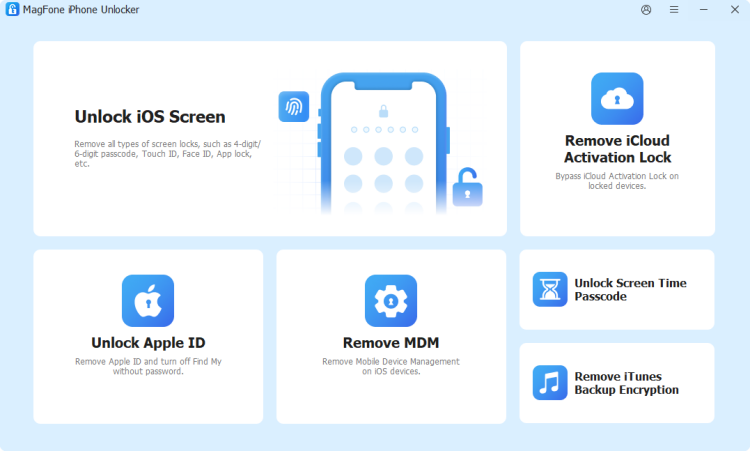
Download and install MagFone iPhone Unlocker on your computer, then use a data cable to link your iPhone to the computer. When all is ready, launch this program to start.
Step 2 Scan Passwords on iPhone
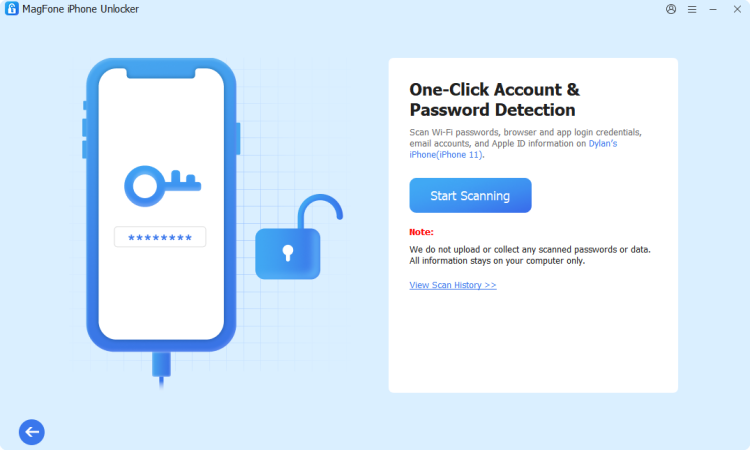
Click Password Manager from the main interface, then click Start Scanning to scan all saved passwords on your iPhone. If the iTunes backup encryption is enabled on the iPhone, you need to enter the encryption password to forward.
Step 3 Export iPhone Passwords to Computer
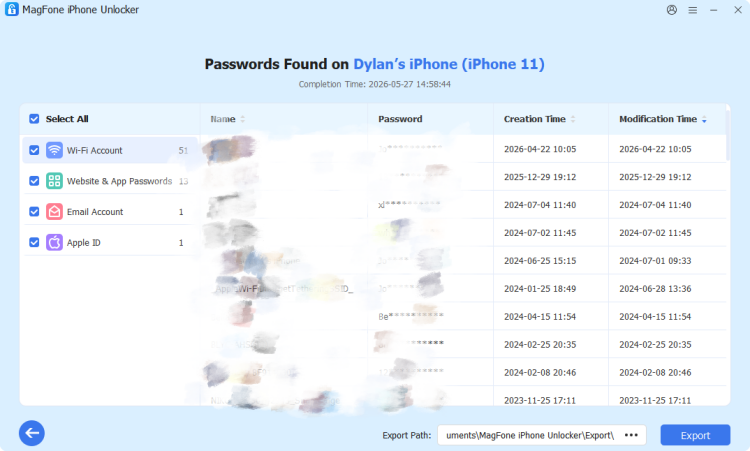
After scanning, you can click the category on the left side to check different types of passwords. For further sharing, you can select the Wi-Fi passwords, Website & App Passwords, or email password, then click Export to export them to your computer.
Part 5. Conclusion
Choosing the right iPhone password manager depends on how you use your devices and how much control you need over your data. By combining a convenient mobile experience with powerful desktop‑level management and export features, MagFone can help you keep every password secure, organized, and always within reach.

Teresa Miller
Editor in chief





