








Is EaseUS iPhone Data Recovery trustworthy for recovering data? When losing important data on an iPhone, many users will turn to a data recovery tool for help, hoping to get their lost data quickly and safely. If you have seen EaseUS MobiSaver recommended online but are still not sure whether it is the right choice, this review will help you understand it better. In this review, we will take a close look at EaseUS iPhone Data Recovery, including its features, operation, and performance. By the end of this review, you will have a clearer picture of whether EaseUS MobiSaver is worth trying for your iPhone data recovery needs.
- Part 1. What is EaseUS iPhone Data Recovery?
- Part 2. How to Use Easeus MobiSaver for iPhone [Step-by-step Tutorial]
- Part 3. Does Easeus Mobisaver Work for Recovering iPhone Data?
- Part 4. Best Alternative to Easeus iPhone Data Recovery
- Part 5. Conclusion
Part 1. What is EaseUS iPhone Data Recovery?
EaseUS iPhone Data Recovery, also known as MobiSaver, is a data recovery tool developed by EaseUS, a software company that specializes in data management and recovery solutions. The iOS version, MobiSaver for iOS, is designed to help users retrieve lost or deleted data from iPhones, iPads, and iPod Touch devices.
Compatibility of EaseUS iPhone Data Recovery
From information on the EaseUS official website, we can learn its compatibility:
| Support Recovery Data | Photos, Videos, Messages, Call history & Voicemail, Contacts, Notes, Voice Memos, Safari history & bookmarks, Calendar, Reminders, WhatsApp, LINE, Kik |
| Support Devices | iPhone 15 and previous models iPad 9, iPad 8, iPad 7, iPad 6, iPad mini 5/6, iPad Pro (1/2/3/4 Generation), iPad 4, The new Pad, iPad 1/2, iPad Air/Air 2, iPad mini/mini 2/mini 3/mini 4, iPad with Retina display iPod touch 4/5/6 |
| Support Operating System | Windows 11/10/8/7 macOS 10.11 and later |
Features of EaseUS iPhone Data Recovery
EaseUS MobiSaver comes in two editions: a Free version and a Pro version. And both editions share the same three recovery pathways. You can scan directly from a connected iOS device via USB, extract data from an existing iTunes backup stored on your computer, or pull files from an iCloud backup without needing to perform a full device restore.
According to EaseUS, you can do the following with its free version:
- Recover 1 photo or video each time
- Recover five contacts each time
- Recover data directly from iOS devices
- Recover data from iTunes backup and iCloud backup
Pricing of EaseUS iPhone Data Recovery
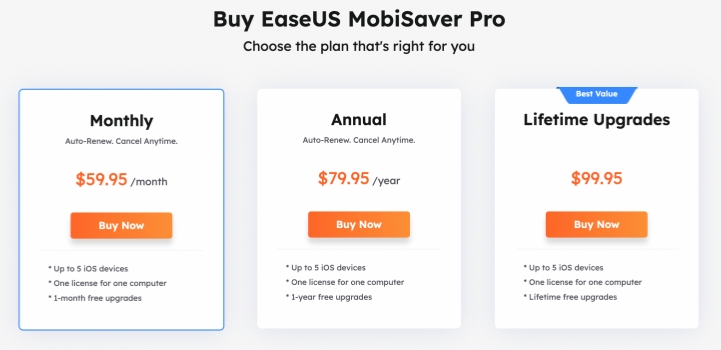
For users who want to enjoy unlimited features, here's the pricing of its pro version:
| Pricing Plan | Price | Devices |
|---|---|---|
| Monthly | $59.95 | 5 iOS devices |
| Annual | $79.95 | 5 iOS devices |
| Lifetime | $99.95 | 5 iOS devices |
Note:
While using the MobiSaver free version, we find that the free features are not working as it claims. When you try to recover 1 photo or video to a computer or device, a window will pop up asking you to buy its license to enjoy its full features.
Part 2. How to Use EaseUS MobiSaver for iPhone
Though there are two versions of EaseUS iPhone Data Recovery, they are included in the same tool. To use EaseUS MobiSaver, you need to first download and install it on your computer. Then you can launch this tool to recover your iPhone data.
Step 1. Use a data cable to connect your iPhone to the computer.
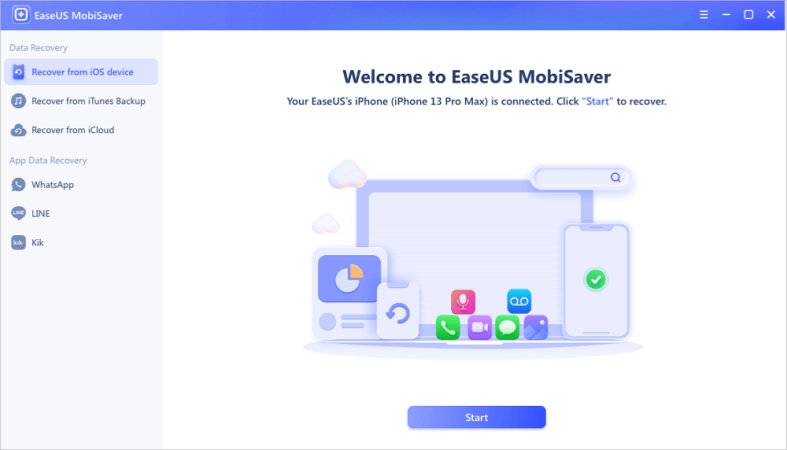
Step 2. Click Recover from iOS device and click Start.
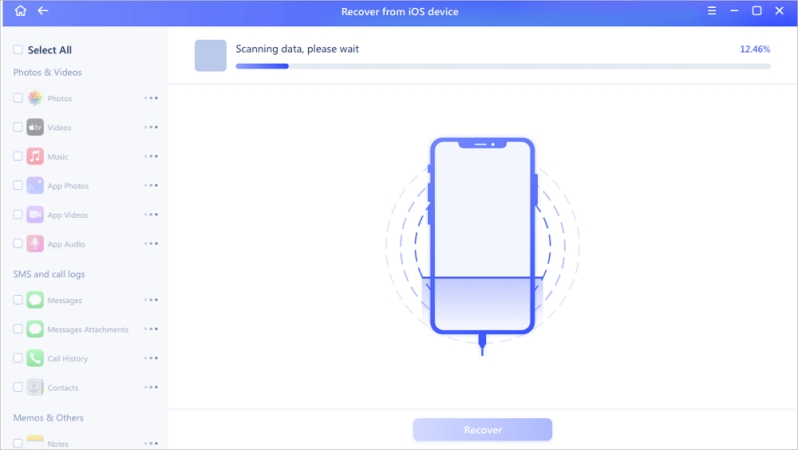
Step 3. Select the data you want to recover, and click Scan. Wait for the tool to scan and analyze your iPhone data. Afterwards, you can view the scanned result on the computer.
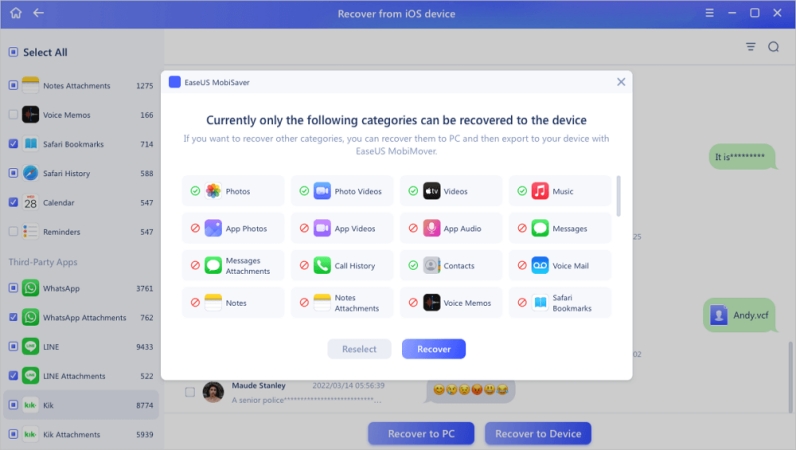
Step 4. To recover missing data on an iPhone, just select and click Recover to PC to export the data to the computer.
Part 3. Does EaseUS Mobisaver Work for Recovering iPhone Data?
When evaluating an iPhone data recovery tool, performance and reliability are usually the most important factors. So, can EaseUS MobiSaver really be trusted to recover lost iPhone data? The answer is not entirely certain, because the results can vary among users.
Based on user feedback from platforms such as Trustpilot, EaseUS MobiSaver appears to work well for many users, and its positive reviews generally outnumber the negative ones. This suggests that the software is capable of recovering deleted or lost iPhone data in many common situations. However, not every user has a satisfactory experience. Some negative reviews mention unsuccessful recovery results, while others raise concerns about customer support and the refund process.
By comparing both the positive and negative feedback, we can summarize its main pros and cons as follows:
- 👍Pros:
- Select data to scan before recovery
- Clear interface
- Photos can be displayed by album
- Recover photos reliably
- Works without advanced technical knowledge
- 👎Cons:
- Some data are not visible after scanning
- The free version not real
- Couldn't open recovered files
Part 4. Best Alternative to EaseUS iPhone Data Recovery
Data loss can be common in our daily lives, so owning a reliable data recovery tool is essential. In this case, both the efficiency and the pricing are what users consider. Compared with EaseUS MobiSaver, MagFone iPhone Data Recovery can be a more appealing option for users who want a more friendly pricing and transparent recovery experience. From this perspective, comparing the two tools can help you decide which one better fits your needs and budget.
| Tool | MagFone iPhone Data Recovery | EaseUS MobiSaver |
|---|---|---|
| Recover Data from iDevices | ✔️ | ✔️ |
| Recover Data from iTunes Backup | ✔️ | ✔️ |
| Recover Data from iCloud | ✔️ | ✔️ |
| Back up iOS Device | ✔️ | ❌ |
| Restore Data to iOS Device | ✔️ | ✔️ |
| Monthly Plan | $39.95 | $59.95 |
| Yearly Plan | $49.95 | $79.95 |
| Lifetime Plan | $69.95 | $99.95 |
| Recovery Success Rate | 98% | 95% |
MagFone also provides three recovery modes, giving users more flexibility to recover data in different situations. Whether your files were deleted accidentally, lost after a system issue, or removed during an update, there is likely a recovery option that fits your needs. In addition, the software is designed with a straightforward interface, making the entire recovery process relatively simple even for beginners. The steps to recover data with MagFone iPhone Data Recovery are as follows:

MagFone iPhone Data Recovery
Recover data from iPhone and iPad in three recovery modes without data overwritting and device reset.
Step 1 Download and Install MagFone iPhone Data Recovery
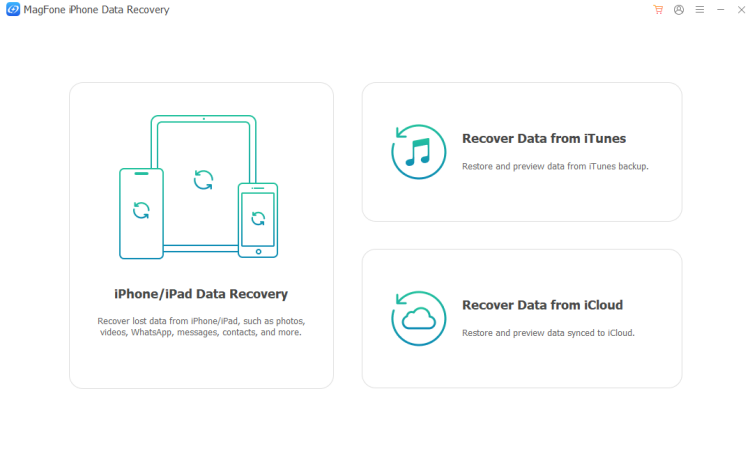
First, download and install MagFone iPhone Data Recovery on your computer. At the same time, use a data cable to link your iPhone to the computer. Then open this tool to start recovery.
Step 2 Scan Missing Data on iPhone
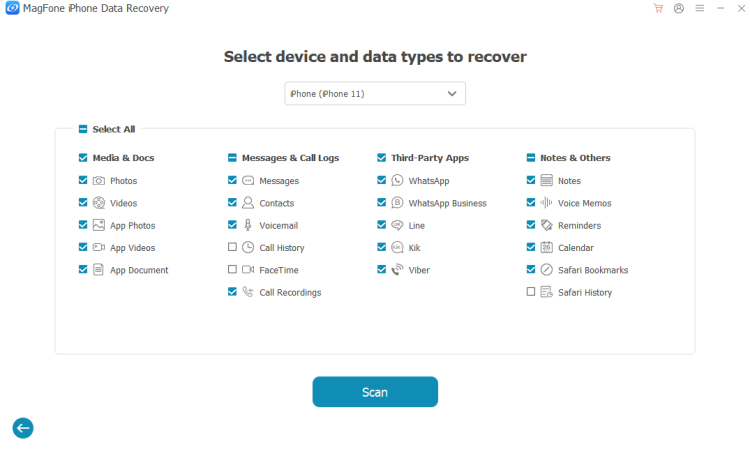
Choose iPhone/iPad Data Recovery from the provided features, then select all data and click Scan to scan missing data on iPhone. You can also only select what you want.
Step 3 Recover Missing Data on iPhone
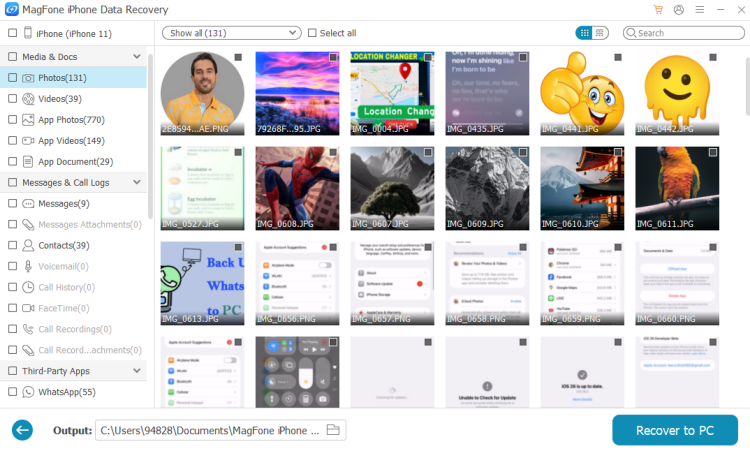
After scanning, you can check missing items on the computer. Then select missing items and click Recover to PC or Recover to Mac to restore them.
Part 5. Conclusion
Overall, EaseUS MobiSaver can be a helpful option for iPhone data recovery, but its success is not guaranteed in every situation. Since recovery results may vary depending on how the data was lost, the software's free scan feature is especially useful, as it allows you to check whether your target items can be found before deciding to pay for the full version. If you are looking for a more reliable and transparent recovery experience, MagFone iPhone Data Recovery may be a strong alternative to consider. You can try it for yourself, evaluate how well it works in your situation, and compare the results before making a final decision.

Edgar Davis
Editor in chief





