








Deleting a phone number from your iPhone by mistake does not always mean it is lost forever. In some cases, Apple's sync and backup services can help restore deleted phone numbers through several built-in recovery options. Beyond these official methods, there are also advanced recovery tools that may help retrieve deleted iPhone data. In this guide, we will cover four practical ways to recover deleted phone numbers on iPhone, including iCloud recovery, device-based recovery, and backup restoration.
- Part 1. How Do I Recover Deleted Phone Numbers on My iPhone?
- Part 2. How to Recover Deleted Phone Numbers on iPhone
- Part 3. Conclusion
Part 1. How Do I Recover Phone Numbers on My iPhone?
When you accidentally delete a phone number in the Contact app or Phone app, it's gone from your iPhone, and there is no way to find it. Before restoring deleted phone numbers on iPhone, you should know these basic information:
Is there a recycle bin for deleted numbers on iPhone?
No, there is no recently deleted folder to keep deleted phone numbers on iPhone.
Can Apple retrieve permanently deleted numbers?
No, Apple can't help you retrieve permanently deleted numbers. Only if you have a backup made before the deletion, you have a chance to recover the permanently deleted phone numbers on iPhone.
Though there is no recently deleted bin for deleted phone numbers and Apple can't recover them for you, you can recover the deleted phone numbers from a backup or using a data recovery tool to scan the iPhone memory.
| Recovery Method | Works For | Recover Items | Overwrite Current Data |
|---|---|---|---|
| iCloud Recovery | Deletion within past 30 days | Phone numbers in Contacts | ✔️ |
| MagFone iPhone Data Recovery | All deletion scenarios | Phone numbers in Contacts and Phone app | ❌ |
| iCloud Backup | Deleted phone numbers are saved in an iCloud backup | Phone numbers in Contacts and Phone app | ✔️ |
| iTunes Backup | Deleted phone numbers are saved in an iTunes backup | Phone numbers in Contacts and Phone app | ✔️ |
Part 2. How to Recover Deleted Phone Numbers on iPhone
You know it's possible to recover deleted phone numbers on iPhone. Each recovery method works differently depending on whether your phone numbers were synced to iCloud, saved in a backup, or still stored in your iPhone memory. Below, we'll go through the main ways to recover deleted phone numbers on an iPhone so you can choose the method that best matches your situation.
Method 1. Retrieve Deleted Phone Numbers via iCloud Recovery
Apple's iCloud recovery feature makes it possible to recover deleted phone numbers in Contacts. If you synced your Contacts to iCloud, when you delete a phone number, there will be an archive available to be restored.
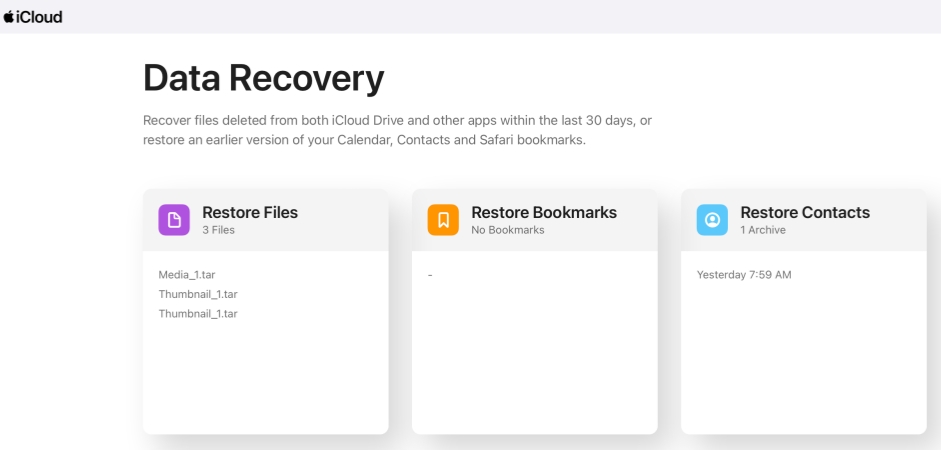
Step 1. Visit the iCloud Recovery website on your device and log in to your Apple Account.
Step 2. Tap Restore Contacts, tap the Restore button next to the archive where you want to recover the deleted phone numbers on your iPhone.
Method 2. Retrieve Deleted Phone Numbers from Device
Whether it's deleted phone numbers in the Contacts app or deleted phone numbers in the Phone app, the most convenient way to recover them is to use a data recovery tool. Tools like MagFone iPhone Data Recovery can help scan your iPhone's memory for traces of deleted data that are recoverable. In addition, it can not only help scan phone numbers on your device, but also phone numbers in iTunes backup and iCloud. This recovery method is especially useful when you are unable or unwilling to use Apple's official recovery options. With three simple steps, you can get deleted phone numbers back:

MagFone iPhone Data Recovery
Recover data from iPhone and iPad in three recovery modes without data overwritting and device reset.
Step 1 Connect Your iPhone to a Computer
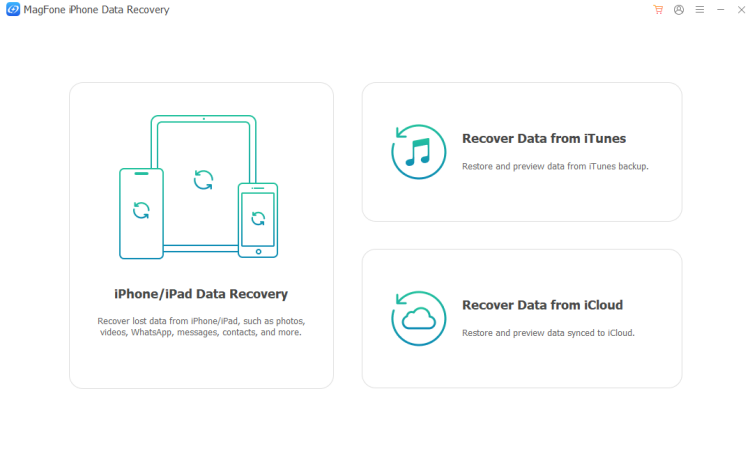
You need to first download and install MagFone iPhone Data Recovery on your computer. Then use a data cable to connect your iPhone to the computer for further recovery.
Step 2 Scan Deleted Phone Numbers on iPhone
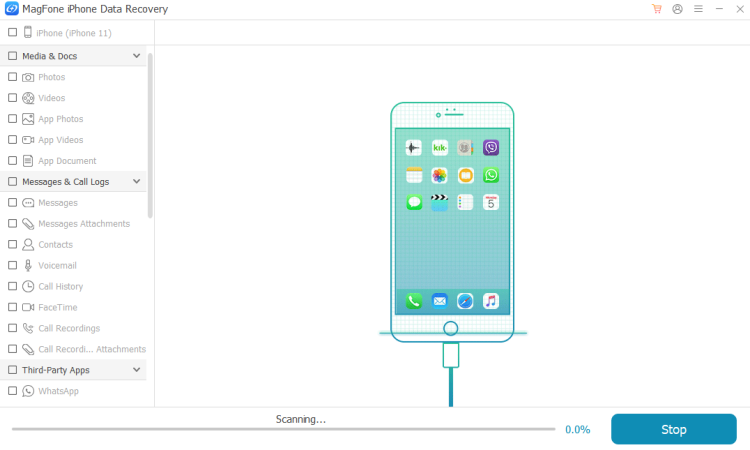
Click iPhone/iPad Data Recovery, and you can see the supported recovery data on the next page. Select Contacts and Call Logs, then click Scan to scan deleted phone numbers on your iPhone.
Step 3 Restore Deleted Phone Numbers on iPhone
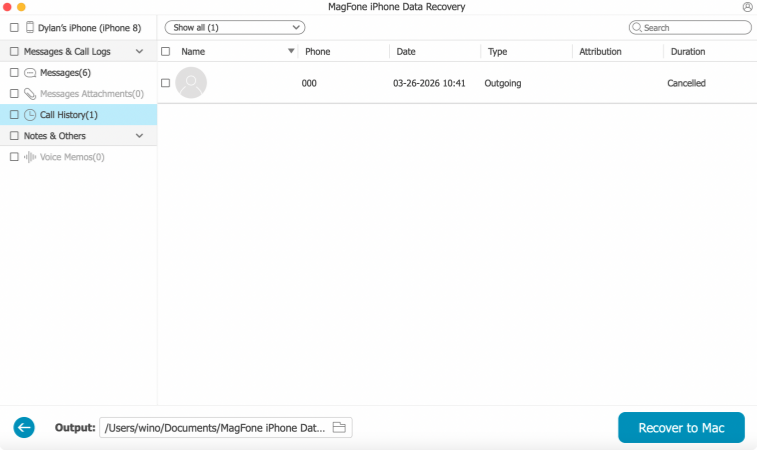
After scanning, you can check all your phone numbers on the computer. To recover them to your iPhone, just click to check each phone number and add it to your iPhone.
Method 3. Retrieve Deleted Phone Numbers from iCloud Backup
If your iPhone was backed up to iCloud before the phone numbers were deleted, you may be able to restore those numbers by recovering data from an iCloud backup. This method works best when the backup contains the deleted phone numbers you need and was created before the deletion occurred. But this requires you to erase your iPhone or use a new iPhone to restore the backup.
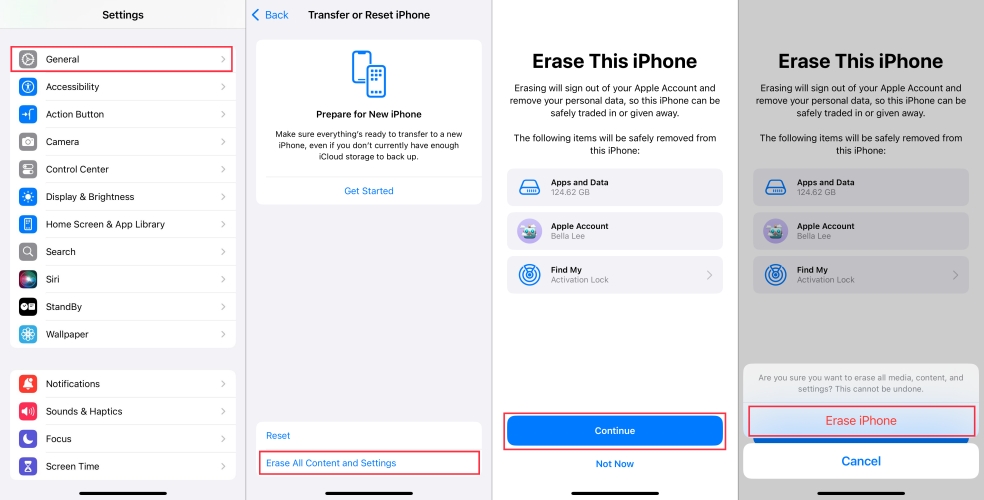
Step 1. Open iPhone Settings and press General.
Step 2. Tap Transfer or Reset iPhone at the bottom.
Step 3. Tap Erase All Content and Settings > Continue > Erase iPhone, and enter your iPhone passcode and the Apple ID password to confirm.
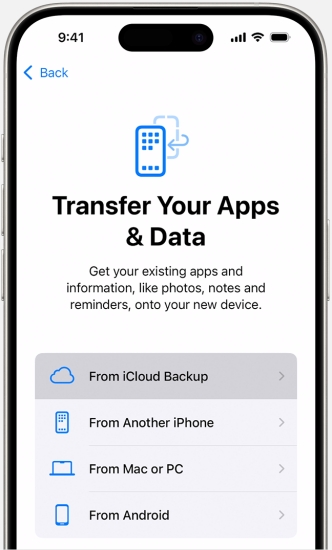
Step 4. Open your iPhone from the Hello screen and follow the screen instructions to set it up. When you see the Transfer Your Apps & Data screen, choose From iCloud Backup.
Step 5. Log in to your iCloud and choose an available iCloud backup to restore to your iPhone.
Step 6. Finish setting up your iPhone, then open the Contacts app or Phone app to find the deleted phone numbers.
Method 4. Retrieve Deleted Phone Numbers from iTunes Backup
If the deleted phone numbers are saved in an iTunes backup before the deletion, you can also restore an iTunes backup to get them back. But this will restore full data in the iTunes backup to your iPhone.
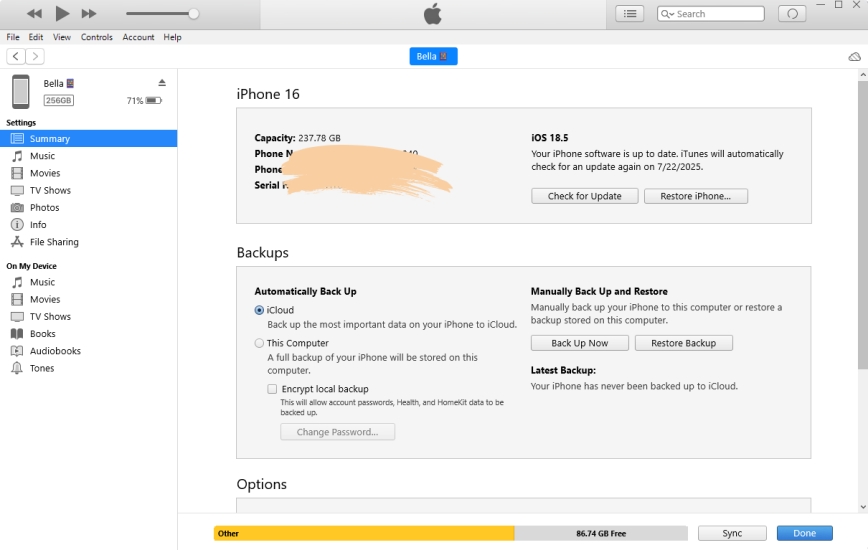
Step 1. Use a data cable to connect your iPhone to your computer.
Step 2. Open iTunes and click the iPhone icon in iTunes when your iPhone is detected.
Step 3. Click Summary in the left menu, then click Restore Backup and choose an available iTunes backup to restore to your iPhone.
Part 3. Conclusion
Recovering deleted phone numbers on an iPhone is often easier than many users expect, especially when the right recovery method matches how the phone numbers were stored before they were removed. Whether you choose to restore them through iCloud recovery, scan the device directly, or use an iCloud or iTunes backup, each option offers a practical way to bring back important contact information. To act quickly, you can consider MagFone iPhone Data Recovery to improve the chances of successful recovery and avoid losing valuable phone numbers.

Edgar Davis
Editor in chief





