








Have you accidentally deleted important photos, messages, contacts, or other files from your iPhone? AppGeeker iPhone Data Recovery claims to help users recover lost data directly from an iPhone or through iTunes and iCloud backups. In this review, we will explain what AppGeeker iPhone Data Recovery is, how to use it, what users say about it, and introduce an alternative worth considering.
- Part 1. What Is AppGeeker iPhone Data Recovery?
- Part 2. How to Use AppGeeker iPhone Data Recovery
- Part 3. User Reviews about AppGeeker iOS Data Recovery
- Part 4. Best Alternative to AppGeeker iOS Data Recovery
- Part 5. Final Words
Part 1. What Is AppGeeker iPhone Data Recovery?
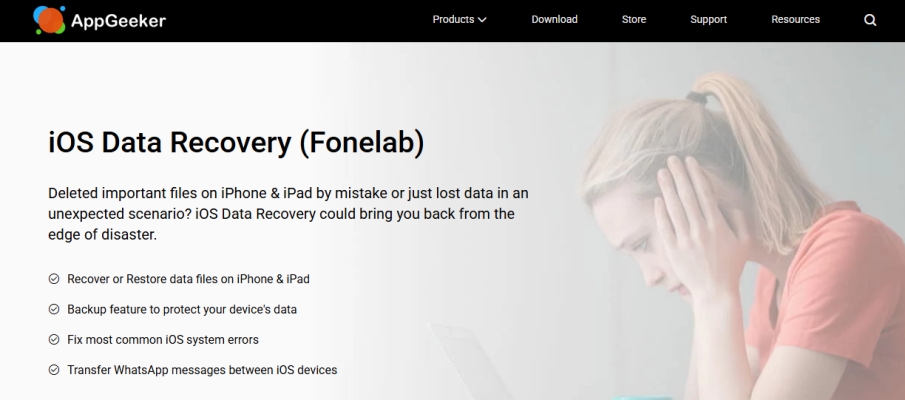
AppGeeker iPhone Data Recovery is an iOS data recovery software designed to help users retrieve deleted or lost files from iPhones, iPads, and iPod touch devices. It can scan iOS devices' internal memory, iTunes backup, or iCloud backup for recoverable content, including photos, contacts, messages, call history, videos, notes, calendars, etc. It claims to recover almost everything, no matter how your data was lost.
Below is basic information about AppGeeker iPhone Data Recovery:
| Supported Operating System | Windows XP and later Mac with 10.7 and later |
| Supported Devices | All models of iPhone and iPad, and the iPod Touch 6/5/4 |
| Supported OS | iOS 9 to iOS 27 |
| Supported Data Types | Photos, Contacts, Text Messages, iMessages, Call history, Calendar, Notes, Reminders, Safari bookmarks, Safari history, Camera Roll, Photo Library, Voice memos, Voicemail, Photo Stream, App videos & audios, Documents, WhatsApp, LINE, Kik, Viber, Messenger |
| Pricing Plans | Unlike other data recovery tools, AppGeeker iPhone Data Recovery only offers 1 subscription plan, a lifetime license, priced at $69.95, which supports 1 computer and 6 devices. |
For More Information:
AppGeeker iPhone Data Recovery is a branch brand of Aiseesoft FoneLab. It's closely related to FoneLab iPhone Data Recovery, and both products share a similar interface.
Part 2. How to Use AppGeeker iPhone Data Recovery
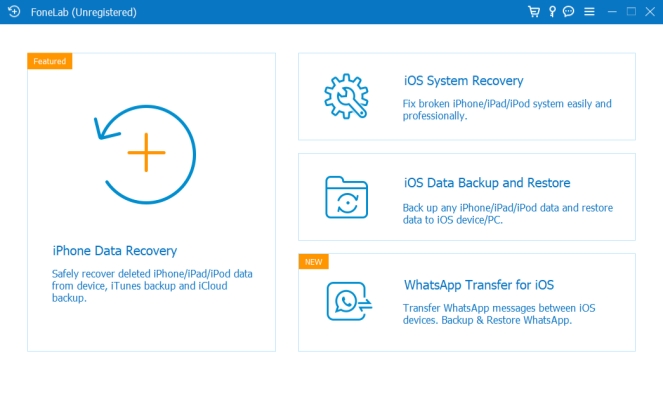
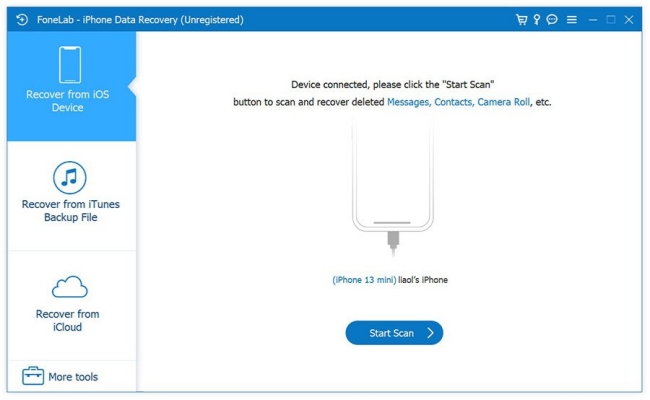
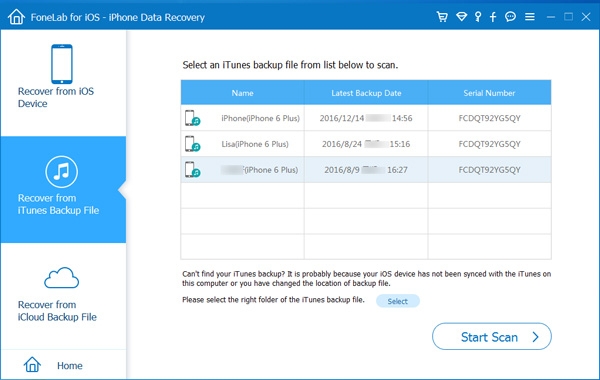
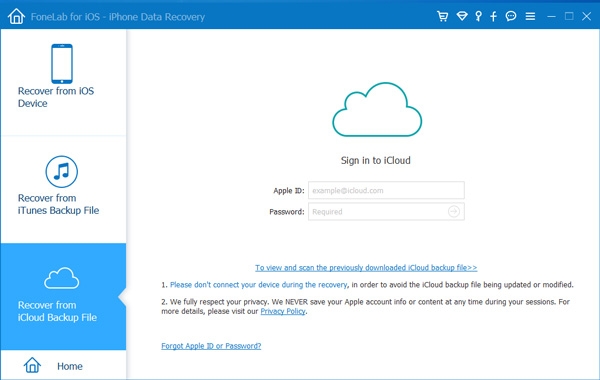
AppGeeker iPhone Data Recovery is part of the full-featured AppGeeker iOS Data Recovery utility. It offers three recovery options: recovering from an iOS device, recovering from an iTunes backup file, and recovering from iCloud. You can choose a suitable feature to recover data based on your situation.
Install and Set Up AppGeeker iPhone Data Recovery
Recover from iOS Device
Recover from iTunes Backup File
Recover from iCloud
Part 3. User Reviews about AppGeeker iPhone Data Recovery
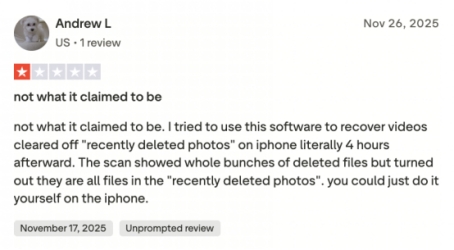
Now let's see what users say about AppGeeker iOS Data Recovery and our experience with AppGeeker iPhone Data Recovery. Because AppGeeker doesn't have a dedicated official website on Trustpilot and it's distributed by FoneLab, we will refer to FoneLab's Trustpilot page instead. From AppGeeker FoneLab's review, we can learn that some users doubt its recovery effectiveness, reporting that they failed to recover needed items with AppGeeker iOS Data Recovery.
- Intuitive guide
- Preview recoverable data
- Failed to recognize iPhone devices
- Recovery process is not fluent
- May cause data loss on iPhone
After testing AppGeeker's three features, we also found it is not as expected, as it claims. Its data processing is quite slow, and it may fail to scan all recoverable data. But you can take it as an alternative if you need to preview recoverable data.
Part 4. Best Alternative to AppGeeker iOS Data Recovery
If AppGeeker gives you pause, you may consider another data recovery tool to help you recover data. Among the tools we have tried, we found MagFone iPhone Data Recovery to be the best alternative. It supports data recovery, backup, and restore, which can meet your data management needs comprehensively.
For data recovery, MagFone can recover files from iOS devices, iTunes backups, and iCloud. It can also extract data from iTunes and iCloud backups, back up an iPhone, and restore backups to an iPhone. The comparison below highlights the key differences between the two recovery tools.
| Tool | AppGeeker iPhone Data Recovery | MagFone iPhone Data Recovery |
|---|---|---|
| Recover Deleted/Lost iPhone Data | ✔️ | ✔️ |
| Recover Data from iTunes Backup | ✔️ | ✔️ |
| Recover Data from iCloud | ✔️ | ✔️ |
| Back Up iPhone | ❌ | ✔️ |
| Restore iPhone Backup to iPhone | ❌ | ✔️ |
| Selective Scan | ❌ | ✔️ |
| Data Recovery Success | Moderate to low | High |
| Pricing | $69.95 | $39.95 |
| Ratings | ⭐⭐ | ⭐⭐⭐⭐ |
MagFone earns a 4.2-star rating on Trustpilot, which may make it more trustworthy than AppGeeker iPhone Data Recovery. In our experience, MagFone delivered more stable performance and a higher recovery rate. It also gives you more flexibility when recovering lost data on iOS devices, allowing you to choose data before scanning and previewing data before recovering.

MagFone iPhone Data Recovery
Recover data from iPhone and iPad in three recovery modes without data overwritting and device reset.
If you have any recovery needs, just follow the steps below to recover any missing data on iPhone.
Step 1 Open MagFone iPhone Data Recovery
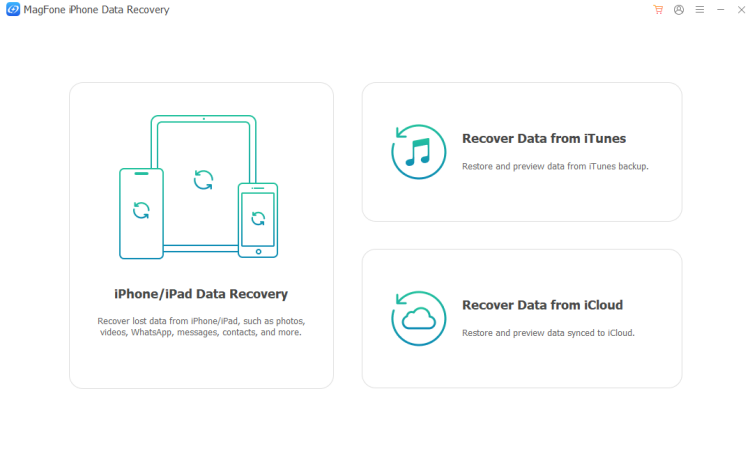
You need to download and install MagFone iPhone Data Recovery on your computer first. Then you can use a data cable to connect your iPhone to the computer.
Step 2 Scan Data on iPhone/iPad
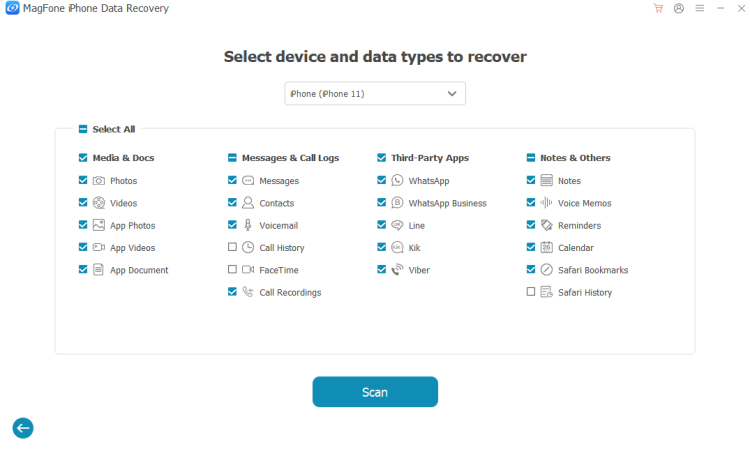
Choose iPhone/iPad Data Recovery from MagFone's interface. Then select the data you want to restore and click Scan to scan.
Step 3 Recover Data on iPhone/iPad
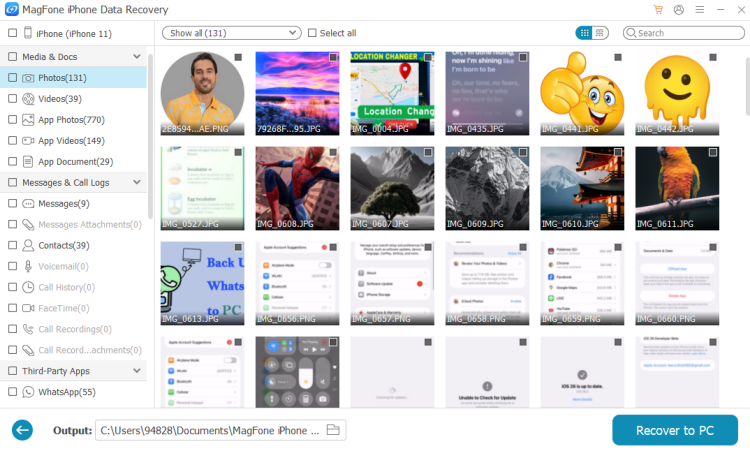
After MagFone scans your data, you can check the scanned results on MagFone. Then select the one you need and click Recover to PC or Recover to Mac to restore your data.
Part 5. Final Words
Now you should have a full understanding of AppGeeker iPhone Data Recovery. AppGeeker's recovery success is not guaranteed, yet the software still comes at a relatively high cost. If you are looking for an alternative, MagFone iPhone Data Recovery may be worth considering because it offers a broader range of recovery and data-management features. If you are still hesitant, just download and install the two recovery tools and compare them. You will be surprised by MagFone.

Edgar Davis
Editor in chief




