








Losing data from iPhone or iPad is such a stressful thing, whether it's important or not. Fortunately, there are tools available to help you recover lost files on iPhone or iPad, without a backup and without data overwriting. In this guide, we will take an in-depth look at Apeaksoft iPhone Data Recovery, covering its features, how to use it to recover data, and real user experiences. We will also compare it with one of the best alternatives, MagFone iPhone Data Recovery, to help you choose the most reliable solution.

- Part 1. Overview of Apeaksoft iPhone Data Recovery
- Part 2. How to Recover Deleted Data Using Apeaksoft iPhone Data Recovery
- Part 3. Real Review of Apeaksoft iPhone Data Recovery
- Part 4. Best Alternative to Apeaksoft iPhone Data Recovery
- Part 5. Conclusion
Part 1. Overview of Apeaksoft iPhone Data Recovery
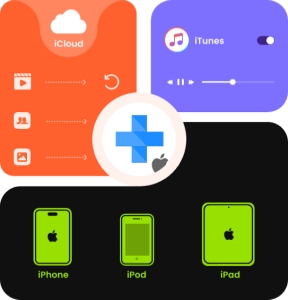
Apeaksoft iPhone Data Recovery is one of the data recovery solutions designed to help users recover lost data from their iPhone, iPad, or iPod devices. It supports a wide range of iDevice models and iOS versions, and supports a wide range of data types, including photos, messages, contacts, videos, and more. It claims to recover lost and deleted data from various damages and scenarios and has a higher recovery success rate than competitors. Let's see the detailed information about Apeaksoft iPhone Data Recovery.
Key Features of Apeaksoft iPhone Data Recovery
- Recover data from iOS devices and iTunes/iCloud backup
- Recover more than 31 types of data
- Selectively recover iOS device data
- Preview detailed iOS files before recovery
| Operating System | Windows 7 or above Mac OS X 10.7 or above |
| Supported iOS System | iOS 5 ~ iOS 26 |
| Device Compatibility | iPhone 4 ~ iPhone 17 iPad 2019+, all iPad mini, iPad Air, iPad Pro models All iPod Touch models |
| Data Types | Contacts, Text Messages/iMessages, Call history, Calendar, Notes, Reminder, Safari bookmark, Safari history, WhatsApp, Camera Roll, Photo Library, Voice memos, Photo Stream, App data from Facebook, Line, Kik, Viber, etc. |
Pricing Plans of Apeaksoft iPhone Data Recovery:
The free version of Apeaksoft iPhone Data Recovery offers limited functionality, such as scanning and previewing data in thumbnails. To recover and save data directly to your computer or device, you'll need to purchase and register for a license. Apeaksoft iPhone Data Recovery offers two plans.
| Pricing Plans | Support Device | Cost |
|---|---|---|
| Monthly License | 1 computer and 1 iDevices | $27.45 |
| Lifetime License | 1 computer and 6 iDevices | $65.96 |
Part 2. How to Recover Deleted Data Using Apeaksoft iPhone Data Recovery
Apeaksoft iPhone Data Recovery is part of the iOS Toolkit, which you can download to access the data recovery features. Apeaksoft iPhone Data Recovery offers three different recovery modes, so you can choose the method that best fits your situation. Here we will introduce how to recover deleted data from iPhone or iPad without backup using Apeaksoft iPhone Data Recovery.
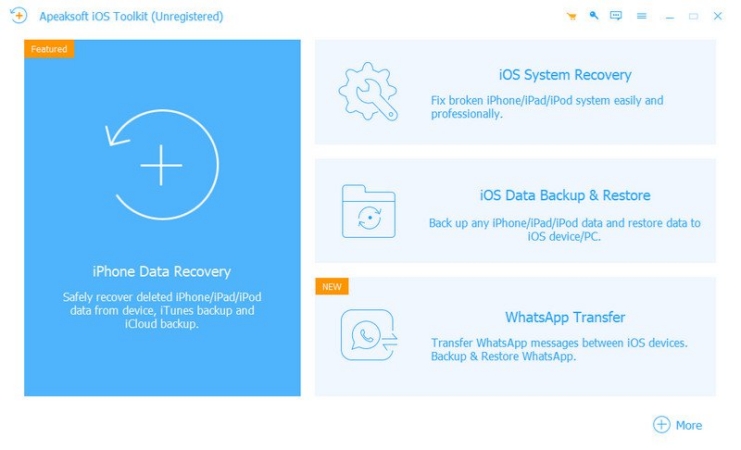
Step 1. You need to first download and install Apeaksoft iOS Toolkit on a computer, then run it to start data recovery.
Step 2. Click iPhone Data Recovery for Apeaksoft's data recovery options.
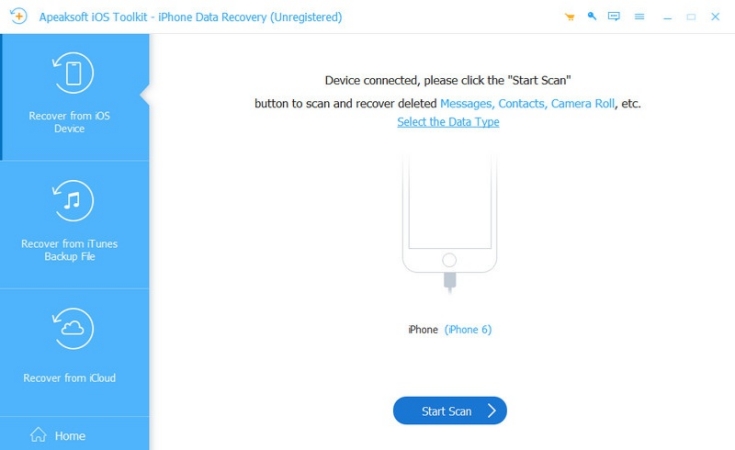
Step 3. Choose Recover from iOS Device > Start Scan. If the Scan not working, you need to unlock your iPhone and try again.
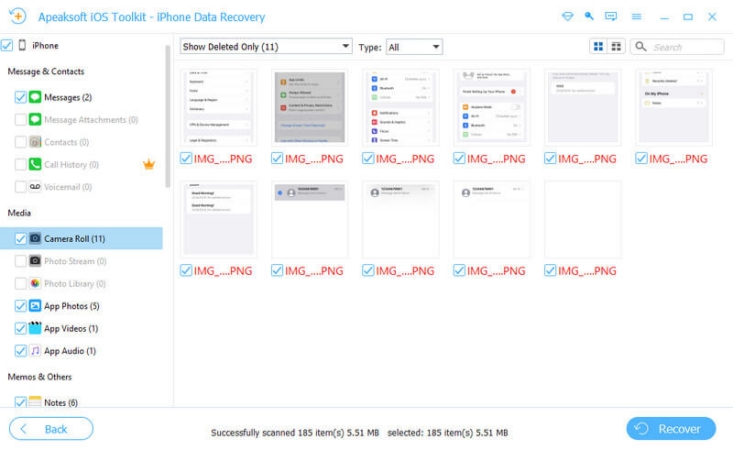
Step 4. After scanning and analyzing data, you can check and click Recover to recover the data.
- A variety of data recovery features
- Three data recovery modes
- Support iOS system repair
- Response is slow and not effective
- Unable to select data before scanning
- Occupy storage
- Failed to scan all data on iPhone
- Scan performance is not stable
- Unable to receive Apple ID verification code
Part 3. Real Experience of Apeaksoft iPhone Data Recovery
During our hands-on testing, we found a significant drawback: the overall performance of Apeaksoft iPhone Data Recovery can be inconsistent.
Our Testing Experience:
When scanning for deleted data on an iPhone 11, the software only displayed camera-related data in the results. In contrast, when scanning a different iPhone 6, Apeaksoft iPhone Data Recovery offers a much broader range of recoverable data, including photos, messages, notes, and more. This suggests that the effectiveness of data recovery may vary depending on the specific device or iOS version.
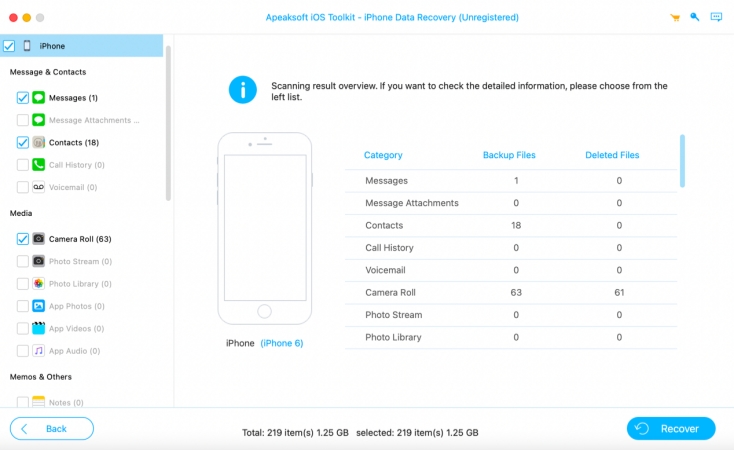
Additionally, we encountered an issue when testing the Recover from iCloud feature. Although we could receive Apple ID verification codes without any problems on the official iCloud website, Apeaksoft iPhone Data Recovery failed to deliver the verification code within the software. This limitation prevented us from accessing and recovering data via iCloud.
Users' Reviews:
The ratings for Apeaksoft on Trustpilot are noticeably lower than those of many competitors, with a significant number of low-star reviews. Many users express frustration over unreliable service and report that the product did not meet their expectations, citing issues such as failed recoveries, unresponsive customer support, and difficulties obtaining refunds.

Overall, while Apeaksoft iPhone Data Recovery offers useful recovery options, users' experience indicates that its performance is not always reliable across different devices and features.
Part 4. Best Alternative to Apeaksoft iPhone Data Recovery
If you're hesitant to use Apeaksoft iPhone Data Recovery due to its mixed reviews, MagFone iPhone Data Recovery is a highly recommended alternative. MagFone stands out with higher user ratings, a better success rate, and more flexible recovery options. This all-in-one tool combines data recovery, backup, and restore features, making it a comprehensive solution for iOS users.
With MagFone iPhone Data Recovery, you can recover lost or deleted data directly from your iPhone, iPad, iTunes backups, or iCloud. The software supports a wide range of data types, including photos, messages, contacts, WhatsApp, and more. In addition to recovery, MagFone also enables you to create secure backups of your device and restore them when needed. You can compare the two options and make a decision.
| Apeaksoft iPhone Data Recovery | MagFone iPhone Data Recovery | |
|---|---|---|
| Recover Data without Backup | ✔️ | ✔️ |
| Recover Data from iTunes Backup | ✔️ | ✔️ |
| Recover Data from iCloud | ✔️ | ✔️ |
| Back Up & Restore iPhone | Additional paid service | ✔️ |
| Pricing Plan | Start from $27.45 | Start from $39.95 |
| Success Rate | 75% | 99% |
| Customer and Refund Service | More Trustable | Less Trustable |
| Ratings | 3.0 on TrustPilot | 4.3 on TrustPilot |
| Recommendation | ⭐⭐⭐⭐ | ⭐⭐⭐⭐⭐ |

MagFone iPhone Data Recovery
Recover data from iPhone and iPad in three recovery modes without data overwritting and device reset.
If you are interested in MagFone iPhone Data Recovery, below is how to use MagFone iPhone Data Recovery to recover data from an iOS device.
Step 1 Download and Install MagFone iPhone Data Recovery
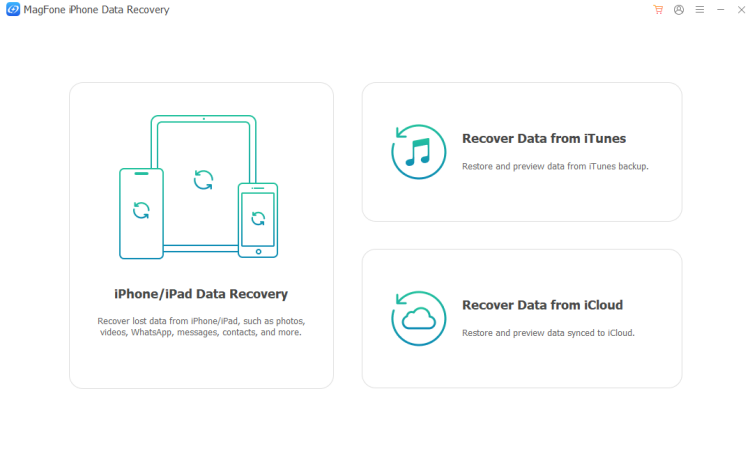
First, download and install MagFone iPhone Data Recovery on your computer, then launch it after installation.
Step 2 Scan iPhone/iPad Data
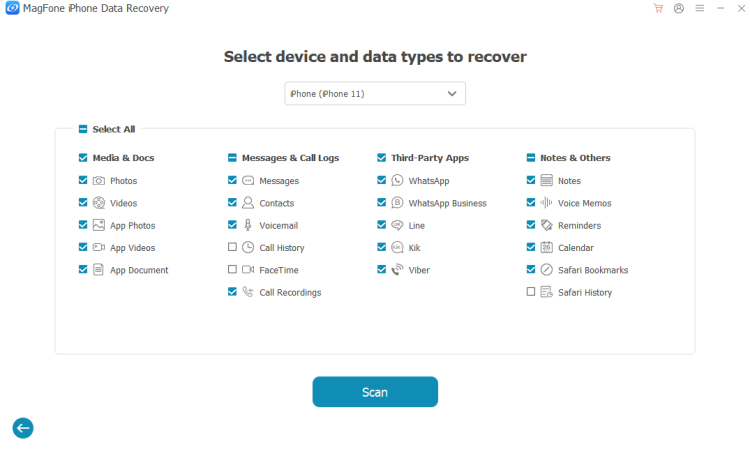
Click iPhone/iPad Data Recovery from MagFone's interface. Then select the data you want to recover from iPhone or select all and click Scan.
Step 3 Recover iPhone/iPad Data
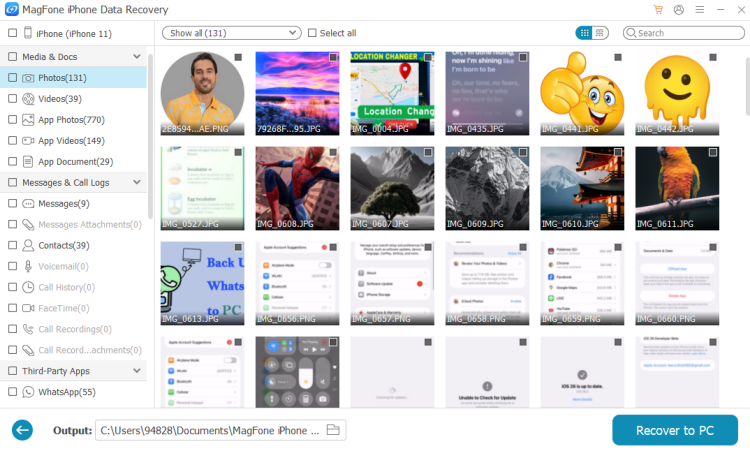
After scanning, you can check the scanned data on the screen. If you find what you want, just select and click Recover to PC or Recover to Mac to get them back.
Part 5. Conclusion
Choosing the right iPhone data recovery tool is crucial to ensure a smooth and successful recovery process. While Apeaksoft iPhone Data Recovery claims to have a high recovery success rate, our testing and user reviews indicate some reliability issues. If you are looking for a more dependable option, MagFone iPhone Data Recovery stands out for its higher success rate and comprehensive features. By reviewing the pros and cons of each solution, you can make an informed decision and recover your iPhone data efficiently.

Edgar Davis
Editor in chief





