








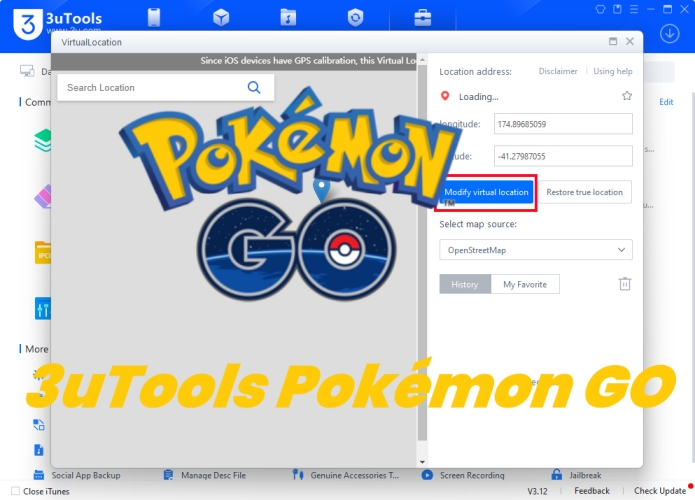
Pokemon GO remains a groundbreaking Augmented Reality game, blending digital gameplay with real-world exploration. However, advanced tools like 3uTools offer additional flexibility for players seeking to enhance their gaming experience. Whether you are interested in efficient device management, GPS spoofing, or improving app performance, 3uTools is a go-to solution for Pokemon GO players. Here is everything about 3uTools Pokemon GO you want to know. Let's dive into details, and you'll find the answer.
- Part 1. 3uTools Pokemon GO Spoofing: Things to Know
- Part 2. Can You Still Use 3uTools Pokemon GO Spoofing?
- Part 3. How to Use 3uTools to Spoof in Pokemon GO
- Part 4. Best Alternative Location Spoofer to 3uTools
- Part 5. Conclusion
Part 1. 3uTools Pokemon GO Spoofing: Things to Know
3uTools is a versatile tool that has become a favorite for iOS users looking for more control over their devices. It combines features such as file management, firmware updates, MDM bypass, and jailbreaking. While primarily a utility for optimizing device performance, it has gained popularity among Pokemon GO enthusiasts for its GPS spoofing capabilities.
01Key Features of 3uTools Pokemon GO Spoofing
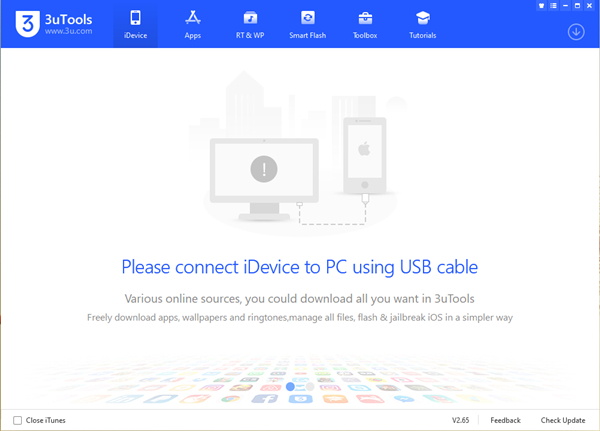
3uTools is not specifically designed for Pokemon GO, but it is a widely used all-in-one iOS management tool that includes a location change feature. While not game-focused, players often use it to alter GPS positioning for gameplay purposes. Here are what it can help in Pokemon GO playing.
(1) Catch rare Pokemon from any corner of the world;
(2) Participate in location-based events without traveling;
(3) Bypass regional restrictions through GPS spoofing;
(4) Automate repetitive tasks for efficiency;
(5) Ideal for players in rural or restricted areas.
02User Reviews of 3uTools Pokemon GO Spoofing
While 3uTools' location-changing features for Pokemon GO were popular among players a few years ago, user discussions still appear across Reddit and other forums highlighting ongoing concerns.
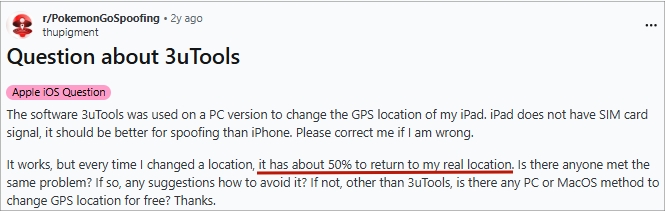
One common issue is that users report 3uTools can temporarily change GPS location in Pokemon GO, but it often becomes unstable and quickly rubberbands back to the real location. Sometimes almost immediately, and other times within 3 to 5 minutes. This behavior appears more frequently on newer iOS versions like iOS 17, despite compatibility claims. Reports from both Mac and PC users suggest the problem is not device-specific but likely related to iOS system restrictions.
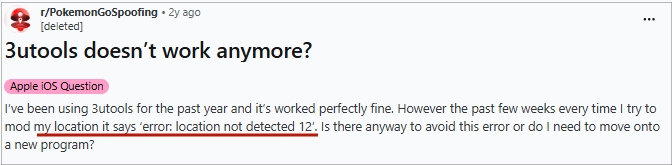
Another frequently reported issue is the "location not detected 12" message in Pokemon GO. Some users who previously had stable use of 3uTools for an extended period have experienced this recurring error when attempting to change their location. It appears to have emerged after updates to the game or system changes, indicating possible new detection or restrictions affecting 3uTools.
03Pros and Cons of 3uTools Pokemon GO Spoofing
3uTools is a powerful ally for Pokemon GO players looking to expand their horizons. While it offers exciting opportunities, players must weigh the risks and ethical implications. Let's check the advantages and disadvantages of 3uTools Pokemon GO spoofing.
 Pros
Pros- Free, no subscription needed.
- Catch region-exclusive Pokemon.
- Join remote raids and events.
- Explore rare spawn zones.
- Enhance gameplay experience.

- Unstable GPS spoofing behavior.
- Frequent error 12 issue.
- Poor newer iOS support.
- Requires computer to use.
- Risk of account bans.
Part 2. Can You Still Use 3uTools Pokemon GO Spoofing?
Although location-changing tools like 3uTools for Pokemon GO can sometimes work, users frequently report limitations such as instability and recurring errors, which reduce reliability during gameplay. Alternative tools such as Magfone Location Changer, discussed in Part 4, may offer a more stable option. However, regardless of the tool used, it is important to follow cooldown guidelines to minimize the risk of soft bans.
Part 3. How to Use 3uTools to Spoof in Pokemon GO
GPS spoofing enables players to virtually change their location, unlocking opportunities to catch rare Pokemon or access exclusive events. However, using this feature should cautiously avoid violating Pokemon GO's terms of service. Once here, you can download and install 3uTools to your computer, then learn how to use 3uTools for Pokemon GO with the following steps.
📝Prerequisites for installing 3uTools for Pokemon GO:
A compatible iOS device like iPhone or iPad
A stable internet connection
A USB cable for connecting your device to a PC
Step 1. Download and install 3uTools from the official website on your computer, then run it.
Step 2. Connect your iPhone to the computer by using a USB cable.
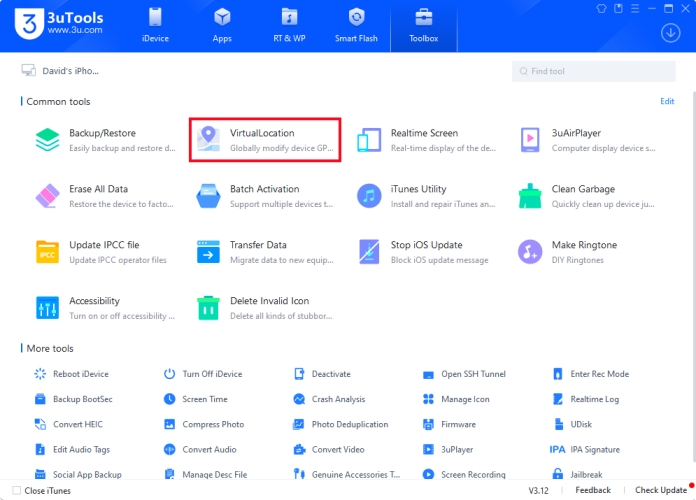
Step 3. Click the Toolbox button at the top of the main interface.
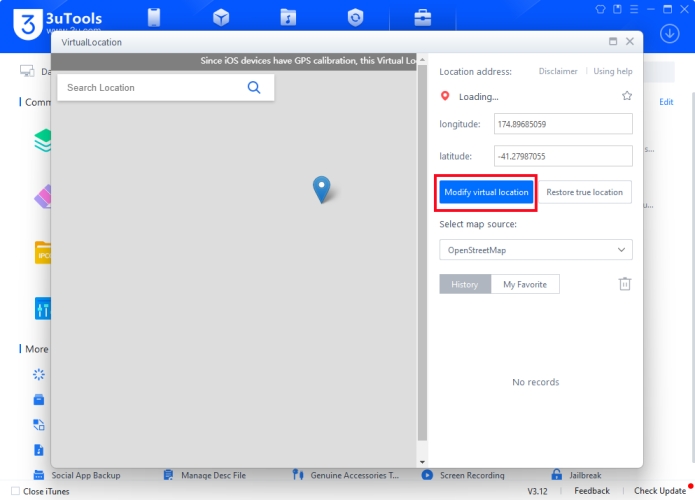
Step 4. Select the Virtual Location tool, then enter the GPS coordinate on the map.
Step 5. Click the Modify Virtual Location button to apply changes.
Part 4. Best Alternative Location Spoofer to 3uTools
With the help of 3uTools, you can spoof your location on your iPhone, then you can catch some rare Pokemon and join remote events. However, this feature is only available for iOS users, not including Android users. Apart from that, it has the risk of being detected by Niantic as 3uTool doesn't has the feature of cooldown timer. Why not try an alternative to 3uTools Pokemon Go?
01Best Alternative to 3uTools Pokemon GO
MagFone Location Changer can be a great alternative to 3uTools Pokemon GO. Designed with advanced spoofing technology, MagFone Location Changer can help both Android and iOS users to spoof the location on their devices. In addition to spoofing location, MagFone Location Changer can simulate GPS movement according to your customized rout and speed. With the built-in cooldown timer feature, you don't need to worry about bans.

MagFone Location Changer
Easily change your GPS location on iOS and Android devices to anywhere with one click, while not requiring root or jailbreaking!
023uTools Pokemon GO vs MagFone Location Changer
Compared to 3uTools, MagFone Location Changer has lots of features in term of location change. The following are the differences between 3uTools and MagFone Location Changer.
| Tools | 3uTools | MagFone Location Changer |
|---|---|---|
| Compatibility | Below iOS 18 | Android & iOS devices |
| Root/Jailbreak | ✅ | ❎ |
| Stability | Medium | High |
03How to Spoof Pokemon GO without 3uTools
With an intuitive and user-friendly interface, MagFone Location Changer enables you to change your location on your iPhone or Android phone in one-click. First, download and install MagFone Location Changer on your computer, then follow the steps below to change location.
Step 1 Connect Phone and Select Change Location

Connect your phone to your computer through a USB cable, then launch MagFone Location Changer. To change location, just select the Change Location option and click the Start button.
Step 2 Start to Change Location on iPhone/Android

You can pin a destination on the map or enter the address in the search bar to find the location. Then you can click the Start Modifying button to change your location on your device.
Part 5. Conclusion
3uTools is a game changer for Pokemon GO players looking to enhance their gameplay. With features like GPS spoofing, device optimization, and file management, it bridges the gap between casual gaming and competitive play. In addition to 3uTools Pokemon GO spoofing, MagFone Location Changer can help you catch Pokemon without going outside.

Olivia Wood
Editor in chief





