








In the fast-evolving world of mobile diagnostics and repair, TFT Unlock Tool has maintained its reputation as a powerful, community-driven utility. If you're researching TFT Unlock Tool, you're likely evaluating whether it's the right solution to unlock, flash, or repair an Android device. This review explores the features, setup process, and troubleshooting steps for TFT Unlock Tool, designed to help you navigate FRP lock removal efficiently.
- Part 1. What Is TFT Unlock Tool?
- Part 2. How to Install TFT Unlock Tool v6.2.1.1
- Part 3. How to Use TFT Unlock Tool v6.2.1.1
- Part 4. How to Fix Common Errors of TFT Unlock Tool
- Part 5. Best TFT Unlock Tool Alternative for FRP Lock
- Part 6. Conclusion
Part 1. What Is TFT Unlock Tool?
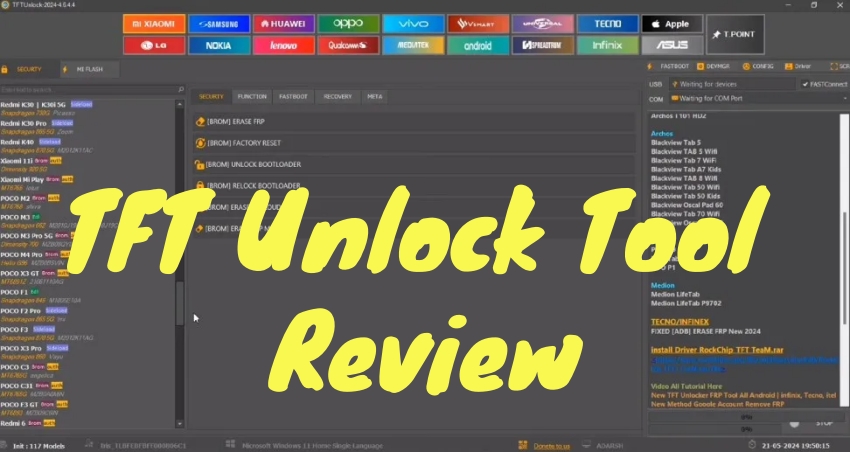
TFT Unlock Tool is a popular phone servicing utility designed to help users perform various tasks on supported Android devices. But do you really need this software? In this section, we'll explore its key features, user comments, FAQs, and pros and cons to help you decide whether this tool is right for you.
01TFT Unlock Tool Features
TFT Unlock Tool is commonly used by mobile technicians and advanced users who need deeper control over device software. Unlike basic unlocking apps, this tool is prized for its versatility. Its primary functions include:
FRP Bypass Support: TFT Unlock Tool can bypass FRP on certain supported Android devices after a factory reset.
Screen Lock Removal: It can remove PIN, pattern, password, and biometric locks on supported devices.
Firmware Flashing and System Repair: It can flash firmware to fix boot loops, crashes, and other software issues.
Device Maintenance and Utilities: It offers device information, backup, restore, partition management, and debugging tools.
IMEI and Network Repair: TFT Unlock Tool v6.2.1.1 includes tools for IMEI and baseband repair.
02TFT Unlock Tool User Comments
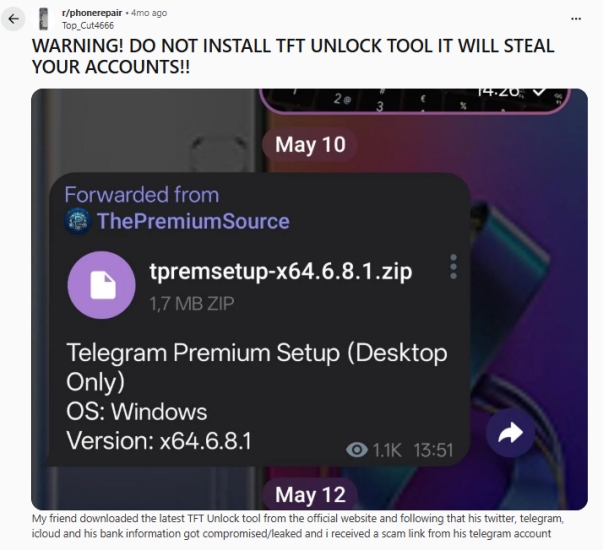
One Reddit user shared a serious warning after their friend downloaded the latest TFT Unlock Tool from its supposed official website. According to the post, the friend's Twitter, Telegram, iCloud, and banking information were reportedly compromised, while a scam link was later sent from the friend's Telegram account. This raises significant concerns about the tool's security and trustworthiness.
However, some long-time users have shared more positive experiences, claiming that TFT Unlock Tool worked for them several years ago and helped with certain unlocking tasks. One user points out that some versions may have been cracked or modified from other paid unlocking software.

So, is TFT Unlock Tool worth using? For users looking for free software, TFT Unlock Tool is still worth trying, thanks to its wide range of features and unlocking functions. However, if you prioritize the security of your personal information and are concerned about potential data leaks, it may be better to consider a safer and more trustworthy alternative.
03TFT Unlock Tool FAQs
Still have questions about TFT Unlock Tool? This section covers the most common questions about this software. Whether you're considering the tool or troubleshooting an issue, these answers can help you better understand what TFT Unlock Tool can and cannot do.
-
Is TFT Unlock Tool free to use?
There is a free version of TFT Unlock Tool available for download and install. With a free version, users can access basic unlocking and some limited features. But for advanced features like FRP lock removal, a paid license is required for the activation of this tool.
-
Can TFT Unlock Tool unlock all Android phones?
No tool supports every model. Depending on its different unlocking features, compatibility varies by brand, chipset, and Android version. The screen lock removal feature is available for most Android devices, while FRP bypass only supports a part of Samsung, Xiaomi, Vivo, Oppo, and Realme devices.
-
Will unlocking erase my data?
In many cases, unlocking or flashing processes may wipe data, including TFT Unlock Tool.
-
Is TFT Unlock Tool suitable for beginners?
Because of its advanced functions, it is more appropriate for technicians or experienced users who understand device servicing procedures.
04TFT Unlock Tool Pros & Cons
TFT Unlock Tool is multi-functional with unlocking, flashing, and repairing in one tool. But because of its advanced functions, it is more suitable for experienced users rather than casual beginners. In addition to its complicated operation, there are some other drawbacks.
 Pros
Pros- Some features are available for free
- Supports multiple Android brands and chipsets
- Offers unlocking, flashing, and repair features

- Require technical knowledge to operate correctly
- Incorrect use may result in data loss or device issues
- May risk exposing personal information
Part 2. How to Install TFT Unlock Tool v6.2.1.1
Whether you're using a computer running Windows, macOS, or Linux, you can download and install TFT Unlock Tool to the computer for free. To ensure TFT Unlock Tool functions correctly, follow these specific environmental requirements.
| Operating System | Windows 7, 8, 10, and 11 Mac OS (with emulator) Linux (with emulator) |
| Disk Space | 1.65 GB of free disk space available |
| RAM | At least 4GB of RAM |
Step 1. Navigate to the official website of TFT Unlock Tool.
Step 2. Click the Download Now button to download this tool.
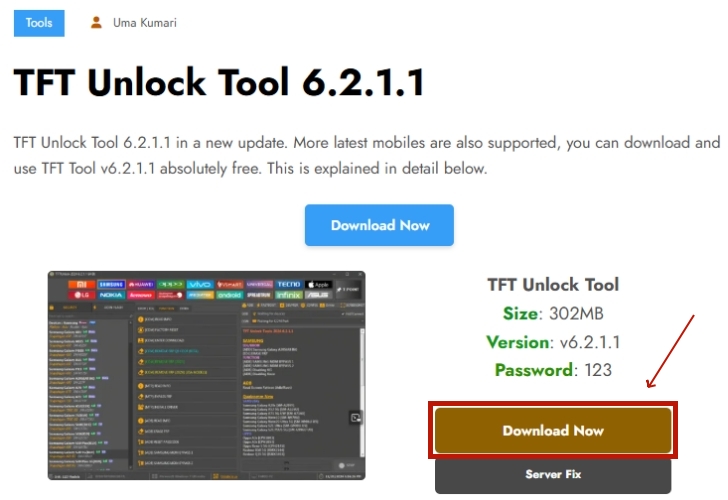
Step 3. Unzip the ZIP file for the tool and double-click the installation package.
Step 4. Choose Run as administrator, then start the installation process.
Step 5. In the pop-up license agreement window, choose Accept and click Next.
Step 6. Enter 123 when requiring a setup password for TFT Unlock Tool.
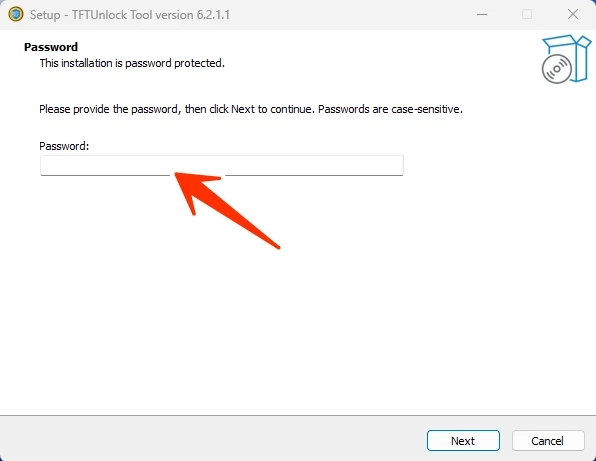
Step 7. Click Next and choose Create a desktop shortcut.
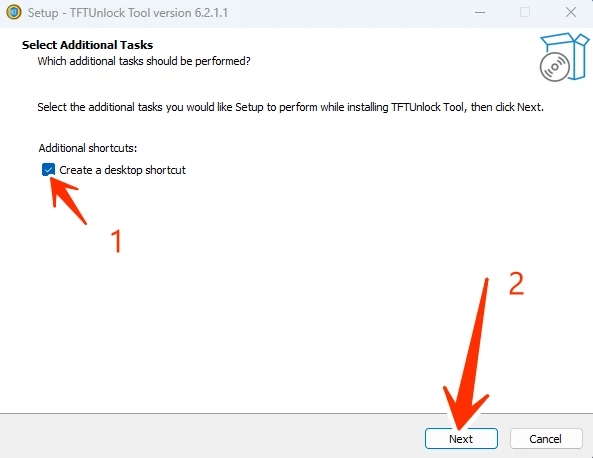
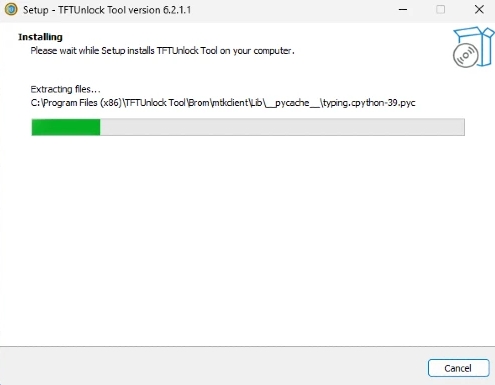
Step 8. Click Next > Install and wait to install TFT Unlock Tool.
Part 3. How to Use TFT Unlock Tool v6.2.1.1
After the installation, you can use TFT Unlock Tool for different purposes. But here we will focus on its FRP removal feature on supported Android devices. Most operations follow a similar logic. For a standard FRP removal, ensure that your device meets the following requirement, then start.
| Samsung | A12, A21s, A31, A51, A71, J2, J5, J7, J8, M11, M21, M31, M51 |
| Xiaomi | Note 7, Note 8, Note 9, Note 10, 6A, 7A, 8A, 9A, 10A |
| Oppo | A5, A9, F11, F15, Reno Series |
| Realme | C3, C11, C15, C25, 6, 7, 8 Pro |
| Vivo | Y12, Y15, Y17, Y20, V20 |
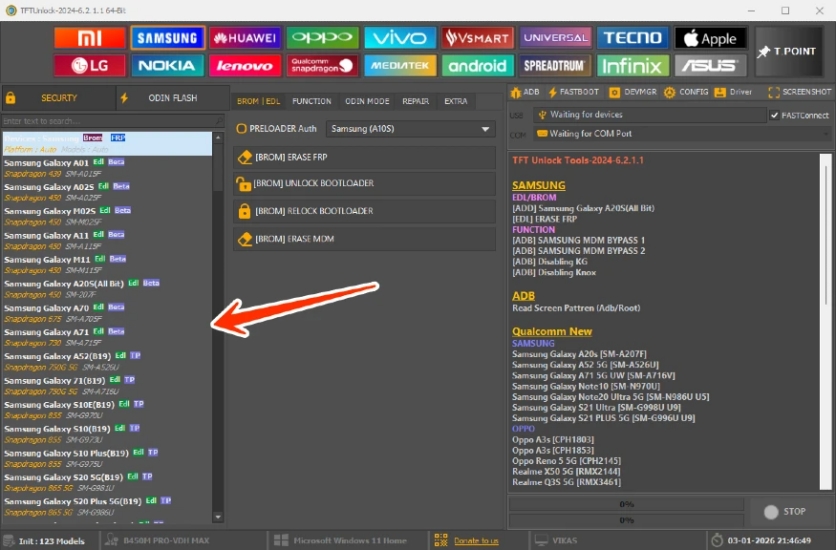
Step 1. Launch TFT Unlock Tool on your computer and enter your license information.
Note:
TFT Unlock Tool only works well with a VPN connection. Set up the internet with a VPN enabled first, then proceed to the login of this tool.
Step 2. Click Login for activation, then connect your Android device in the required mode.
Step 3. On the TFT Unlock Tool dashboard, select your phone brand like Samsung.
Step 4. Click FRP Remove or Erase FRP to remove the FRP lock on your device.
Part 4. How to Fix Common Errors of TFT Unlock Tool
It is easy to download and install TFT Unlock Tool for use. However, while using TFT Unlock Tool to unlock, repair, and flash Android devices, many users encounter some errors but don't know how to fix them. If you encounter issues, check these common solutions.
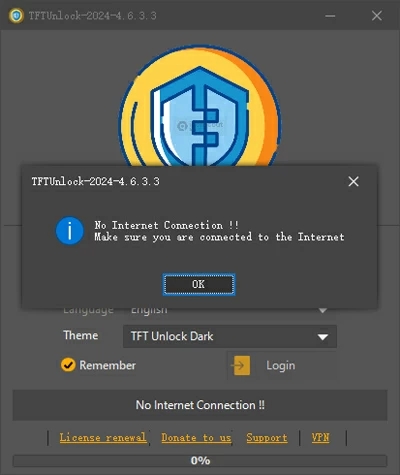
"No Internet Connection" Error: TFT Unlock Tool often requires a stable connection to its server. Try using a VPN service or ensure the firewall on your computer is not blocking the application.
Device Not Detected: This often occurs due to missing USB drivers or incorrect connection mode. Reinstall the MediaTek or Qualcomm drivers, then restart your computer.
Execution Failed: Make sure that your device is in the correct mode like Test Mode, EDL, or Fastboot as specified by the tool's instructions. Or, you would encounter this error.
Part 5. Best TFT Unlock Tool Alternative for FRP Lock
While TFT Unlock Tool offers many servicing features, some users may prefer a simpler option for removing screen locks or FRP. MagFone Android Unlocker is a desktop-based tool designed to remove various Android security locks on supported devices through a guided interface. Compared with technician-oriented tools like TFT Unlock Tool, MagFone supports both Windows and Mac, making it more accessible to beginners without requiring complex flashing modes or an emulator.

MagFone Android Unlocker
Remove multiple kinds of screen locks on over 5000 Android devices and delete Google FRP lock without a password.
MagFone Android Unlocker provides a straightforward way to bypass Google FRP locks on Android devices. To get started, download and install the software on your computer, then follow these steps to regain access to your device without a password.
Step 1 Connect Your Android Device
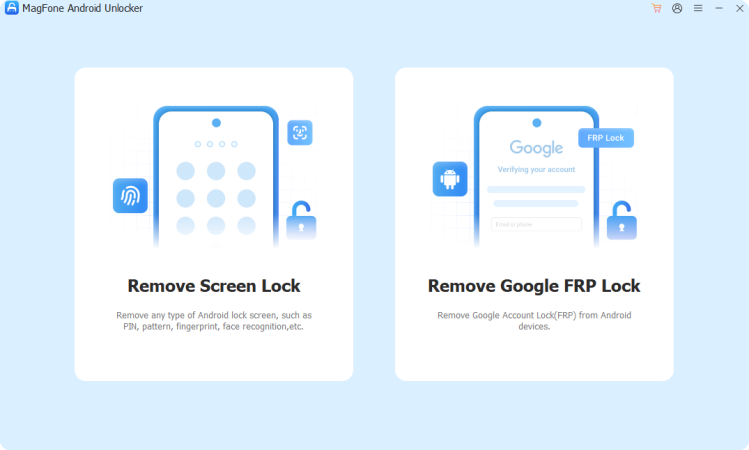
Launch MagFone Android Unlocker on your computer and connect your Android device using a reliable USB cable. From the main menu, select the Remove FRP Lock option and click Next.
Step 2 Confirm Device Details
The software will attempt to automatically detect your device's brand and model. If the information displayed is incorrect or the device isn't recognized, you can manually select your specific brand and Android version from the provided lists.
Step 3 Bypass the FRP Lock
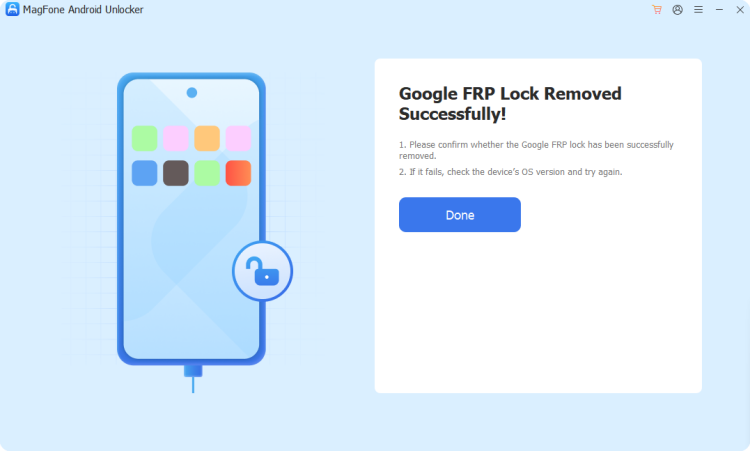
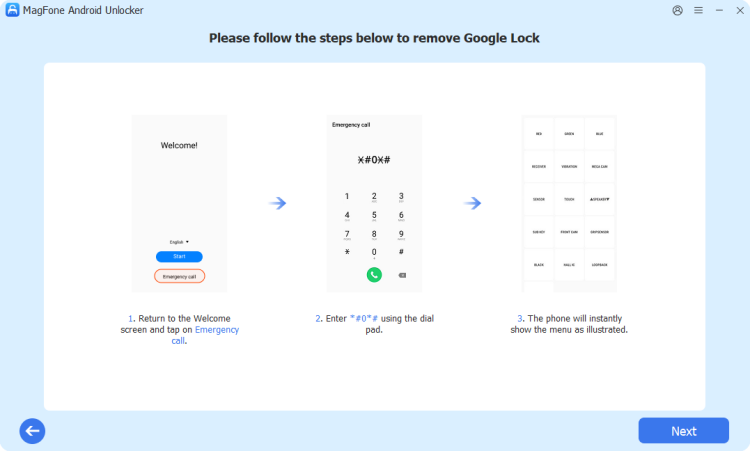
Follow the guided on-screen instructions to prepare your device. You will need to ensure USB debugging is enabled during this process. Once you have completed the required steps on your phone, click Next in the MagFone interface to finalize the removal of the Google lock.
Part 6. Conclusion
TFT Unlock Tool is a powerful utility for unlocking, flashing, and repairing Android devices, especially in situations involving forgotten screen locks, FRP verification, or system software failures. It can be highly useful for experienced users and repair professionals who understand device servicing workflows. However, it is not a universal or risk-free solution.
Compatibility limitations, technical complexity, and potential data loss mean users should proceed carefully and only use it when necessary. By understanding what problems TFT Unlock Tool can solve and when safer official recovery options are available, you can make an informed decision and choose the most appropriate method to restore access to your Android device. If you prefer a easier and safer solution, consider MagFone Android Unlocker.

Dylan Jones
Editor in chief





