








If you've ever reset a Samsung phone and then found yourself stuck at the Google account verification screen, you're not alone. This can be frustrating, confusing, and stressful, especially when you urgently need access to your device. And SamFw Tool is frequently mentioned in discussion about Samsung device management and FRP-related issues. But is it actually useful, safe, and worth considering? In this comprehensive guide, you'll learn what SamFw Tool really does, its strengths and limitations, and whether it's a responsible option for your situation.
- Part 1. What Is SamFw Tool?
- Part 2. How to Use SamFw Tool
- Part 3. How Do Users Say SamFw Tool?
- Part 4. Best Alternative to SamFw Tool
- Part 5. Conclusion
Part 1. What Is SamFw Tool?
SamFw Tool is a Windows-based utility primarily designed for Samsung devices. It is widely discussed in mobile repair communities and commonly used by advanced Android users to manage device functions related to firmware, system utilities, and FRP-related operations. This is exactly why many users search for SamFw Tool. But still, many users have a limited understanding of this tool. Here we will explore SamFw Tool in depth.
1.1 Key Features of SamFw Tool
At its core, SamFw Tool aims to help users regain access to devices when legitimate ownership exists but account credentials are unavailable. While many people focus only on FRP-related use, SamFw Tool includes a set of utilities:
- Read device information like model, CSC, and IMEI status
- Access certain service or maintenance functions like resets
- Work with supported Samsung models under specific conditions
- Provide technical options for advanced troubleshooting
1.2 Compatibility of SamFw Tool
SamFw Tool is not an official Samsung or Google product, and not all features work on every device. It is most commonly associated with:
- Samsung Galaxy A, S, Note, and J series
- Devices across multiple Android generations
- Windows PCs, not the native macOS version
However, functionality can vary depending on the phone model, Android version, and security patch level. Based on user feedback:
- Older devices tend to show better compatibility
- Newer models with updated security patches often have limitations
- Results vary significantly from device to device
1.3 Frequently Asked Questions about SamFw Tool
Before using SamFw Tool, many users have some doubts, especially about safety and pricing. And there are the most important questions about SamFw Tool users ask.
-
Is SamFw Tool safe?
Yes, SamFw Tool is safe. It can be safe when used responsibly on your own Android phone. But risk increases when downloading from unofficial sources that bundle malware or modified files.
-
Is SamFw Tool free?
No, SamFw Tool is not completely free. Android devices with a security level before Jan 2023 can be unlocked with SamFw Tool at no cost, while those with security from Jan 2023 are required to buy credits for using SamFw Tool. Also, availability and features may differ by version.
Part 2. How to Use SamFw Tool
Before exploring technical step-by-step instructions, it's more useful to understand the concept: SamFw Tool communicates with the phone through recognized Android communication modes like ADB or download modes and attempts to interact with system-level permissions. To use SamFw Tool for FRP bypass, you have to prepare a USB cable and install Samsung Android USB Driver. Then follow the steps below to bypass FRP lock on Samsung devices with SamFw Tool.
For Remove Service (Windows)
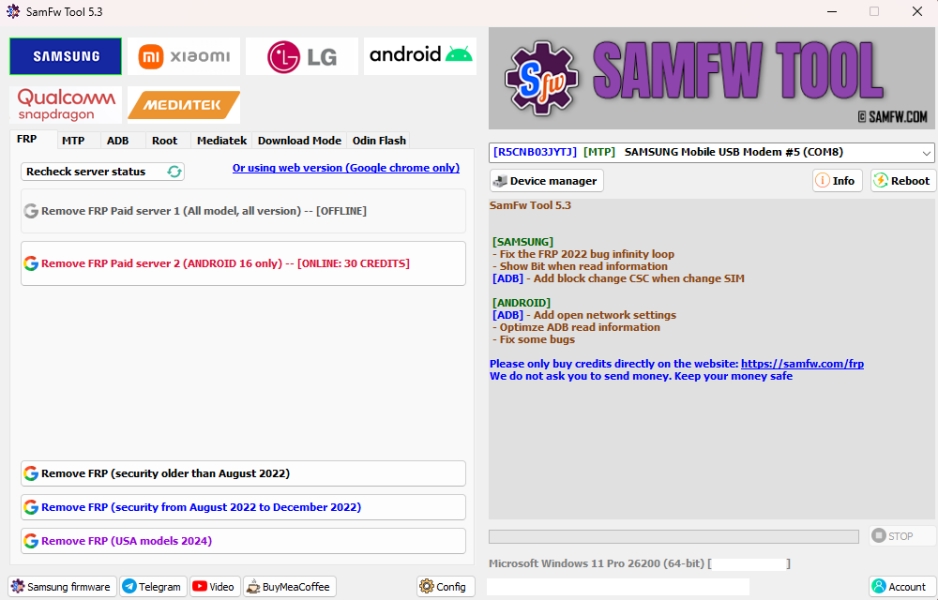
Step 1. Install SamFw Tool and Samsung Android USB Driver on a computer.
Step 2. Connect your Samsung phone to the computer and launch SamFw Tool.
Step 3. Click Info > MTP Info and wait for the tool to read the device information.
Step 4. Check the device information and click Remove FRP to remove FRP lock.
For Remove Service (Web)
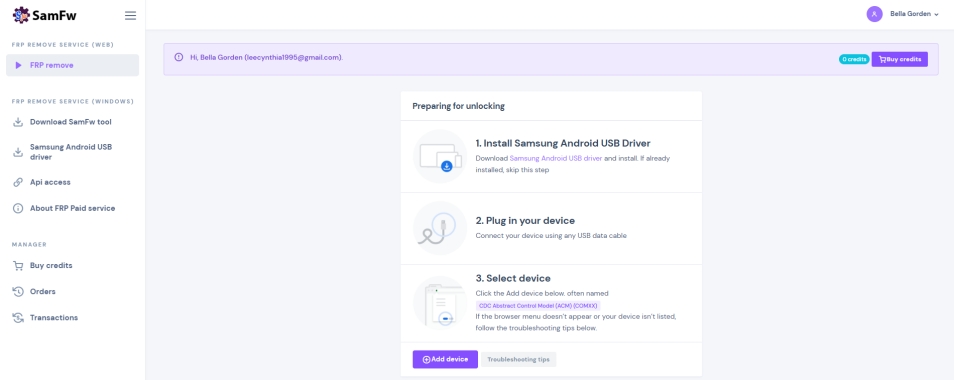
Step 1. Go to Samsung FRP Remove Paid service and connect your Samsung phone.
Step 2. Click Add Device, select CDC Abstract Control Model, and then click Connect.
Step 3. Wait to read information of your device and click Unlock device.
Part 3. How Do Users Say SamFw Tool
In appropriate situations, users report that SamFw Tool may help with FRP bypass on their devices. However, SamFw Tool doesn't guarantee success, especially when the device is running the latest Android version and installed with recent security patch and stronger protection mechanisms. Based on community discussions and user experiences, performance tends to fall into two categories.
Positive Experiences
- Helpful for certain older Samsung models
- Useful utility for Google FRP bypass
- Convenient all-in-one functions
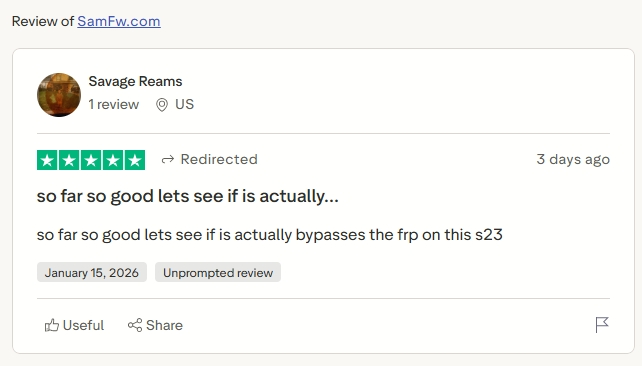
Negative Experiences
- Doesn't work on newer security patches
- Confusion caused by unofficial guides
- Fail to remove FRP lock on Android devices
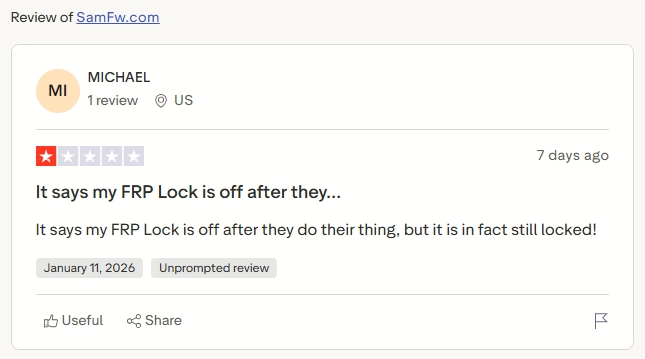
This mixed performance profile is crucial for honest evaluation. SamFw Tool is useful for bypassing FRP on some older Android devices, but may be not available for recent models. As SamFw Tool is not a completely free tool, you can consider whether to use it to bypass FRP lock on Android devices, depending on your Android device.
Part 4. Best Alternative to SamFw Tool
If you're exploring tools beyond SamFw Tool for unlocking your Android device whether due to limited compatibility, confusing features, or inconsistent results, MagFone Android Unlocker stands out as a more user-friendly and versatile alternative for many users.
Why MagFone Android Unlocker Can Be Better Than SamFw Tool?
MagFone Android Unlocker is a comprehensive Android unlocking utility designed to help you regain access to locked devices, including screen locks and Google FRP locks without requiring the previously used password. It supports a wide range of Android brands and devices, such as Samsung, Xiaomi, Motorola, LG, Oppo, Vivo, and more. Below are key reasons why many users might consider MagFone Android Unlocker over SamFw Tool.
Broader Device and OS Compatibility: Supports thousands of devices and Android versions from major brands.
Dual Unlocking Capabilities: Removes both screen locks like PIN, pattern, and password and Google FRP locks.
Beginner-Friendly Interface: Designed with a clear step-by-step process that doesn't require deep technical knowledge.
Guided Workflow: On-screen prompts guide you through unlocking, including FRP bypass, reducing guesswork.
To conclude, MagFone Android Unlocker is better than SamFw Tool. The following are main differences between SamFw Tool and MagFone Android Unlocker.
| Factor | MagFone Android Unlocker | SamFw Tool |
|---|---|---|
| Ease of Use | High | Medium |
| Transparency | Fully documented | Limited |
| Success Rate | High | Varies |
| Support | Official support | Community-based |
| Best For | All users | Technicians and advanced users |
How to Bypass FRP on Samsung Devices with MagFone Android Unlocker
It's easy to remove Google FRP locks on Android devices by using MagFone Android Unlocker. First, download and install MagFone Android Unlocker on a computer; then, follow the steps below to use MagFone Android Unlocker to remove FRP locks without a password.

MagFone Android Unlocker
Remove multiple kinds of screen locks on over 5000 Android devices and delete Google FRP lock without a password.
Step 1 Connect Your Android Device
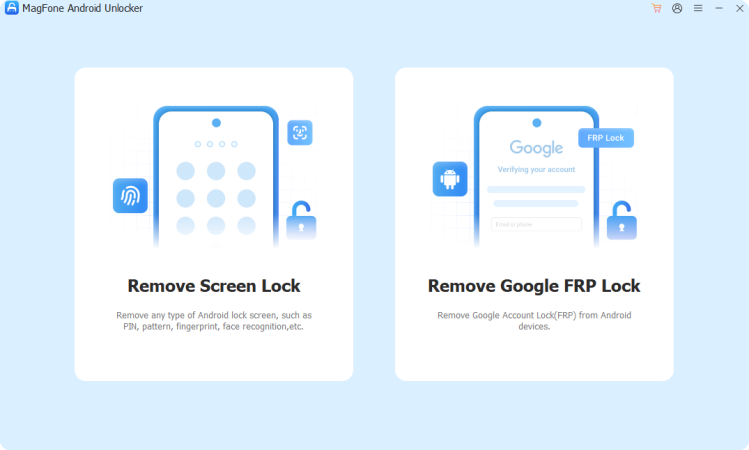
Start by running MagFone Android Unlocker on a computer, then use a USB cable to connect your Android device to the computer. On the main interface of the MagFone software, select Remove FRP Lock and click the Next button.
Step 2 Go to Select Android Version
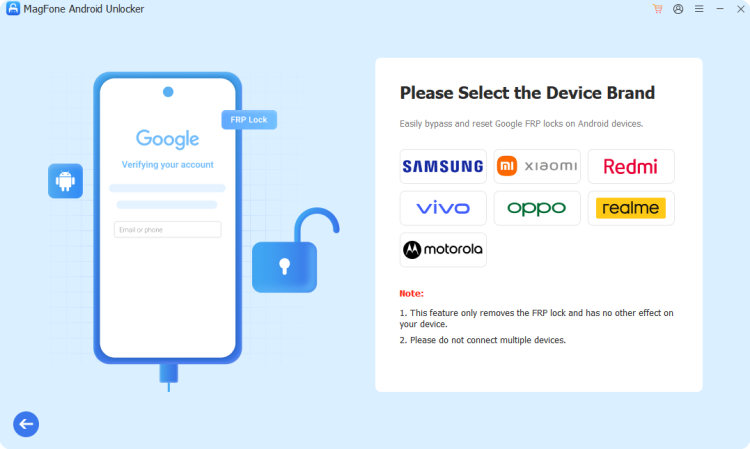
Wait for the MagFone software to detect your device, then you will find the brand of your device shown on the screen. If it fails to recognize your device, you can manually select your device brand and Android version.
Step 3 Remove Google FRP Locks
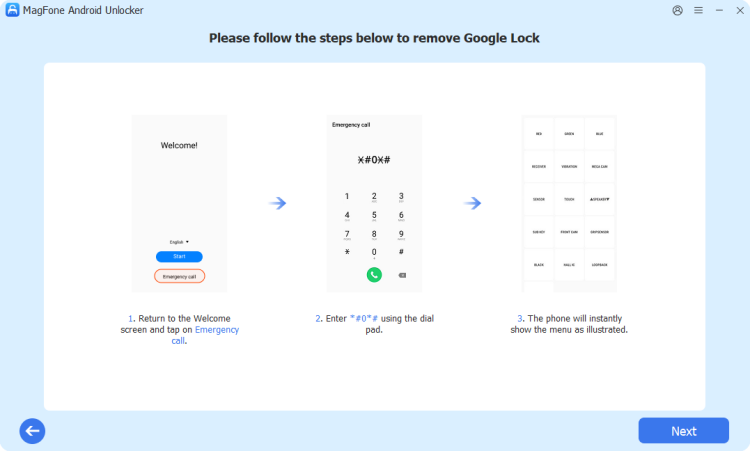
Proceed with the onscreen instructions on your device, then go back to click the Next button after complete all the steps shown on the MagFone software. In the process of removing FRP lock, enable USB debugging.
Part 5. Conclusion
SamFw Tool exists because FRP lock is a real and common problem. For the right user in the right situation, it can be a helpful technical utility. But it is not a universal solution, and it should not be treated as such. Sometimes, it fails to remove FRP lock on Android devices with SamFw Tool. Instead, MagFone Android Unlocker is a better choice considering high success rate and easy-to-use operation. Don't hesitate, and have a try of MagFone Android Unlocker.

Dylan Jones
Editor in chief





