








Can you unlock a Cricket phone online? Is there a way to unlock Cricket device for free? What if you already have a Cricket device unlock code? These are some of the most common questions asked by Cricket users. The good news is that several legitimate unlocking options are available. This comprehensive guide covers everything from eligibility requirements to online unlocking methods, helping you gain full control of your device. Let's dive in.
- Part 1. Requirements of Cricket Device Unlock
- Part 2. How to Get Cricket Device Unlocked Online
- Part 3. How to Unlock Cricket Wireless Device
- Part 4. How to See If My Cricket Device Is Unlocked
- Part 5. Bonus Tip: How to Bypass Android Screen/FRP Lock
- Part 6. Conclusion
Part 1. Requirements of Cricket Device Unlock
To help reduce fraud, discourage the resale of heavily discounted devices, and allow Cricket to recover promotional costs, Cricket Wireless requires you to meet certain requirements before a device can be unlocked.
- It must have been originally sold by Cricket and have completed 6 months of active service.
- It must not have been reported lost or stolen.
- It must be linked to an account in good standing.
Once these requirements are met, you can choose from the following five options to complete the Cricket device unlock process.
| Method | Data Required | Time Required |
|---|---|---|
| Cricket Website | Cricket account information | 5-10 minutes |
| My Cricket App | Eligible Android device | 2-5 minutes |
| Cricket Device Unlock App | Compatible Cricket/Motorola device | 2-5 minutes |
| SIM Unlock Code | Unlock code and new SIM card | 10-15 minutes |
| IMEI Unlock Service | IMEI number | It depends |
Part 2. How to Get Cricket Device Unlocked Online
The official method for unlocking a Cricket device is through Cricket Wireless's online unlocking website. This approach is straightforward and requires no additional downloads. Simply access the official Cricket unlocking page in a browser and follow the instructions below.
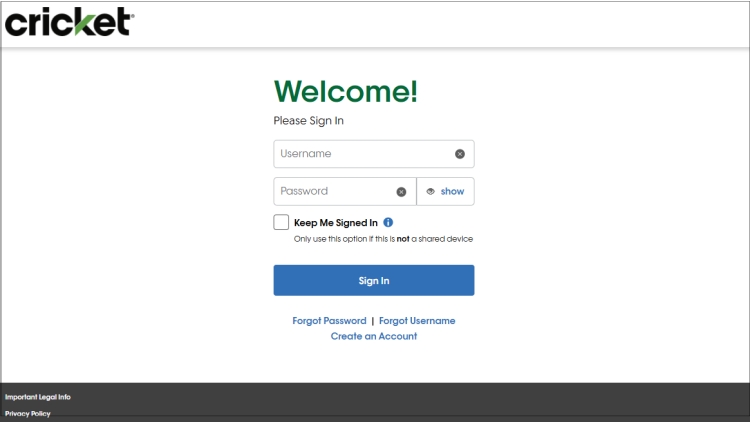
Step 1. Go to Cricket's online unlock page and complete the preliminary verification steps.
Step 2. Then scroll down until you find the phone number associated with the device you want to unlock. Choose Request Unlock.
Step 3. For eligible iPhones, you'll see a message "Your device is now unlocked", and you'll also receive a text confirmation on the device.
Part 3. How to Unlock Cricket Wireless Device
Besides the online unlocking method, there are several additional ways to complete a cricket wireless device unlock. Depending on your phone model and eligibility status, you may find one of these alternatives more convenient. Below are four effective methods that can help unlock your Cricket device.
Method 1. Unlock Cricket on My Cricket App
The My Cricket App offers one of the easiest solutions for Android users. Unlike web-based unlocking, the process is performed directly on the phone itself. The app automatically verifies device eligibility and can complete the unlock request within minutes.
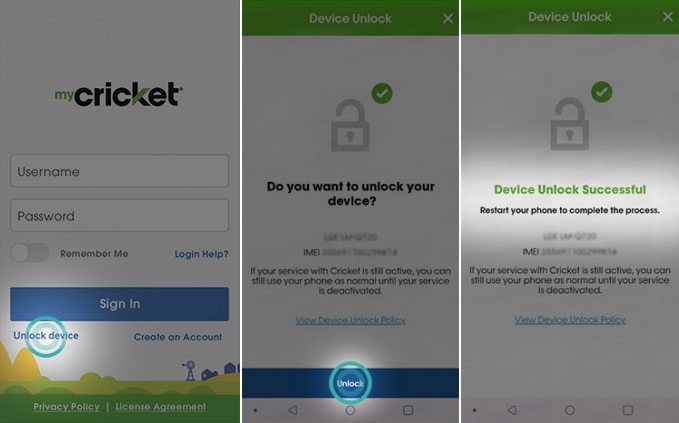
Step 1. Open the My Cricket App on your Android phone.
Step 2. If you're currently logged in, sign out of the application.
Step 3. Return to the sign-in screen and tap the Unlock device option.
Step 4. Select Unlock to begin the process and wait for a while.
Step 5. If a successful unlock page appears, restart your phone to finish the unlock process.
Method 2. Unlock Cricket on Cricket Device Unlock App
The Cricket Device Unlock App is designed specifically for certain Cricket-branded and Motorola devices released in recent years. It provides a dedicated interface focused solely on unlocking eligible phones. Here's how to unlock Cricket device on Cricket Device Unlock app.
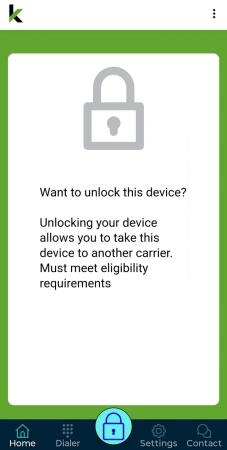
Step 1. Launch the Cricket Device Unlock App on your smartphone.
Step 2. Allow the app to verify device eligibility and tap the lock icon at the bottom of the screen.
Step 3. Check the unlock confirmation message and restart your device.
Step 4. Insert a SIM card from another carrier to verify successful unlocking.
Method 3. Unlock Cricket with SIM Unlock Code
A cricket device unlock code can be used when your phone supports code-based unlocking. This method is easy if you already possess an official unlock code or have obtained one through an authorized service. Once entered correctly, the phone becomes compatible with other supported carriers.
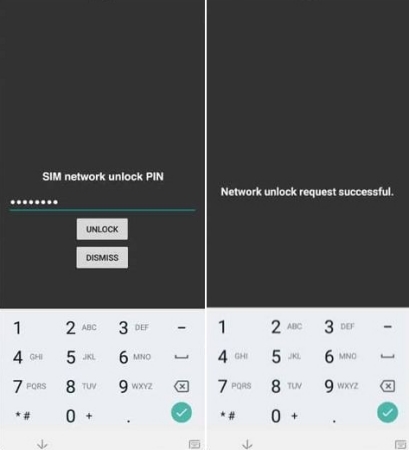
Step 1. Power off your smartphone completely.
Step 2. Remove the current Cricket SIM card and insert a SIM card from another carrier.
Step 3. Then turn on your phone again and wait for the unlock code prompt to appear.
Step 4. Enter the cricket device unlock code and submit.
Method 4. Unlock Cricket Using IMEI Number
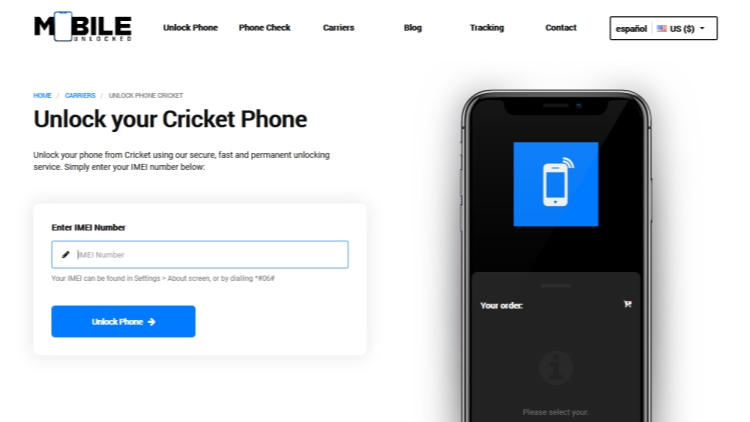
IMEI-based unlocking is another option that is often used when standard unlocking methods are unavailable. The IMEI number serves as a unique identifier for your phone and can be used by certain unlocking services to submit carrier unlock requests. However, success rates may vary depending on the device, carrier, and service provider.
Part 4. How to See If My Cricket Device Is Unlocked
The easiest method is to insert a SIM card from another carrier. If the device successfully connects to the new network and can place calls or use mobile data, the unlock was successful. You can also check through your phone settings like this.
For Android:
Step 1. Open Settings.
Step 2. Tap Connections or Network Settings.
Step 3. Select Mobile networks.
Step 4. Look for network selection options.
Step 5. If multiple carriers can be detected, the device is likely unlocked.
For iPhone:
Step 1. Launch Settings.
Step 2. Press General.
Step 3. Select About.
Step 4. Locate Carrier Lock..
Step 5. If the Carrier Lock status displays "No SIM Restrictions," your iPhone has already been unlocked.
You can also contact Cricket Customer Support at 1-800-CRICKET (1-800-274-2538) or dial 611 from your Cricket phone to verify whether your device has been unlocked.
Part 5. Bonus Tip: How to Bypass Android Screen/FRP Lock
Sometimes, carrier unlocking isn't the only challenge users face. Forgotten screen passwords, PINs, patterns, or Factory Reset Protection (FRP) locks can also prevent access to an Android device. In such situations, MagFone Android Unlocker can be a practical solution. The software is designed to help users remove various Android locks efficiently while supporting many Android brands and system versions. Below is a quick guide showing how to bypass Android screen locks.

MagFone Android Unlocker
Remove multiple kinds of screen locks on over 5000 Android devices and delete Google FRP lock without a password.
Step 1 Open MagFone and Connect Your Device
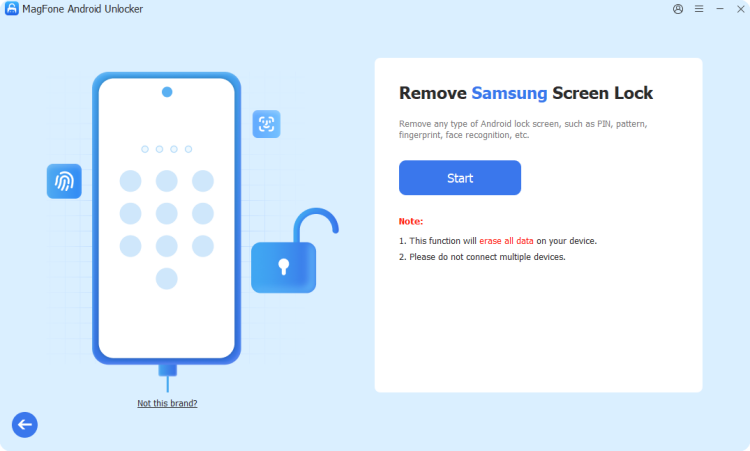
Visit magfone.com and install MagFone Android Unlocker on your computer. Launch the software and connect your Android phone using a USB cable. From the main dashboard, choose the Screen Unlock feature and proceed to the next stage.
Step 2 Put Device into Recovery Environment
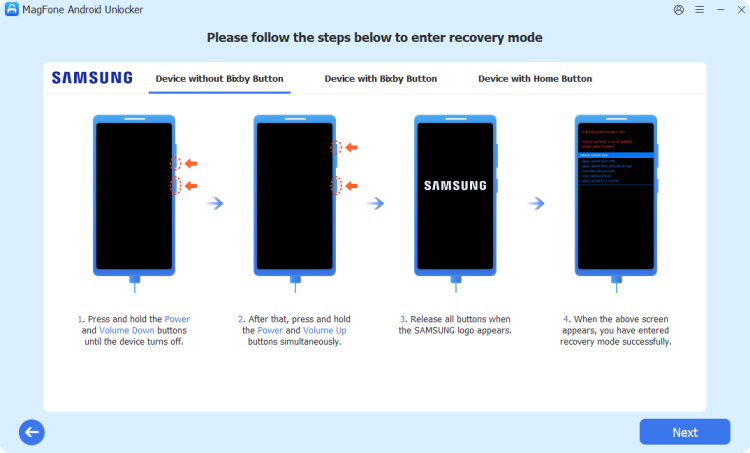
After the software recognizes your device, follow the instructions displayed on the screen to place the phone into recovery mode. Once the device successfully enters recovery mode, continue to the next step.
Step 3 Remove the Android Screen Lock Instantly
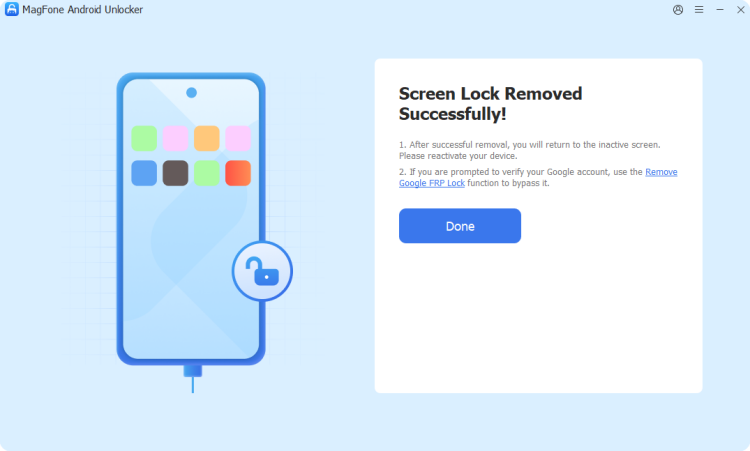
Follow the prompts provided by the program to start removing the existing lock screen. The software will process the device and clear the lock credentials. When the operation finishes, your Android phone will be accessible again without the previous screen lock.
Part 6. Conclusion
With a clear understanding of the Cricket unlock process, you're ready to choose the most suitable method for your phone model and situation. Before getting started, make sure your device satisfies Cricket's unlock requirements. Once unlocked, your phone can be used with compatible carriers, giving you more freedom, flexibility, and control over your mobile experience.

Dylan Jones
Editor in chief




