








It's likely facing one of two problems: you forgot your Android lock screen password, or you're stuck on Google's Factory Reset Protection screen. If you're searching for a reliable unlocking solution in this time, you may have come across Aiseesoft Android Unlocker. But does it really work, and is it worth playing for? This review focuses on whether Aiseesoft Android Unlocker can actually solve those problems. Also, in this Aiseesoft Android Unlocker review, we take a close, unbiased look at its features, compatibility, pricing, and real-world comments, so you can decide whether it's the right tool for your situation.
- Part 1. What Is Aiseesoft Android Unlocker?
- Part 2. How Does Aiseesoft Android Unlocker Work?
- Part 3. Is It Worth to Buy Aiseesoft Android Unlocker?
- Part 4. What Better Options than Aiseesoft Android Unlocker?
- Part 5. Conclusion
Part 1. What Is Aiseesoft Android Unlocker?
addROM FRP Bypass is designed to help users regain access to Android devices when they forget their screen lock or get stuck on Google's Factory Reset Protection (FRP) screen. It mainly targets two common issues: removing Android screen locks and bypassing Google FRP after a factory reset. The tool runs on Windows and macOS, and requires a USB connection between your Android device and computer. Here we explore Aiseesoft Android Unlocker in detail.
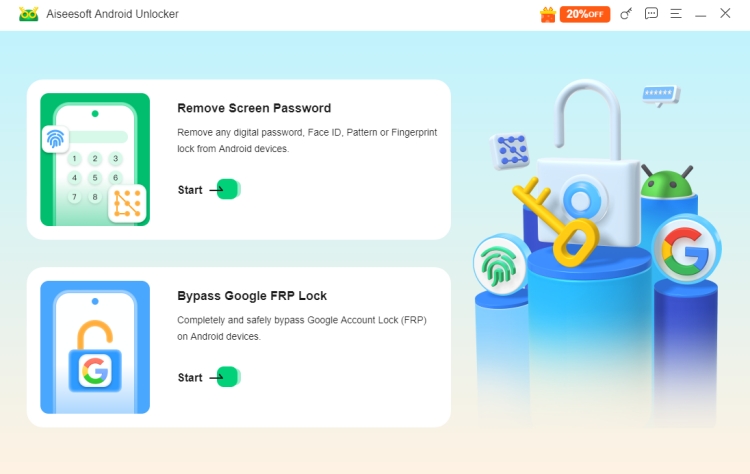
01 Removing Android Screen Locks
Aiseesoft Android Unlocker supports removing several common lock types, including
- PIN
- Pattern
- Password
- Fingerprint
- Face recognition
This feature is useful if you forgot your lock credentials or received a second-hand device that's still locked. But removing the screen lock results in data loss on all devices.
02 Bypassing Google FRP Lock
The software also offers a Google FRP bypass feature, intended to help users regain access after a factory reset. This can help in cases such as:
- You forgot the Google account previously synced to the device
- You bought a used phone that wasn't properly reset
But FRP bypass success depends heavily on Android version, device brand, and security patch level. Results are not guaranteed on all devices.
Part 2. How Does Aiseesoft Android Unlocker Work?
According to official information, Aiseesoft Android Unlocker works with many mainstream Android brands and supports Android 6.0 and later. However, Aiseesoft doesn't provide a full compatibility list, making it difficult to confirm support for specific models in advance. Here we have tested it for getting the accurate information of supported devices and Android versions.
| Features | Device Brands | Android Versions |
|---|---|---|
| Remove Screen Locks | Huawei, Oppo, Xiaomi, Realme, Motorola, OnePlus, Vivo, Google, Sony, Samsung, Infinix, LG, Lenovo, HTC, Tecno, Poco, Asus, Alcatel, and other | Android 6.0 to 16.0 |
| Bypass FRP Locks | Huawei, Oppo, Xiaomi, Realme, Samsung, Motorola, OnePlus, and Vivo |
Before using, make sure that your device model and Android version is supported by Aiseesoft Android Unlocker. Then follow the steps below to remove screen locks on Android devices.
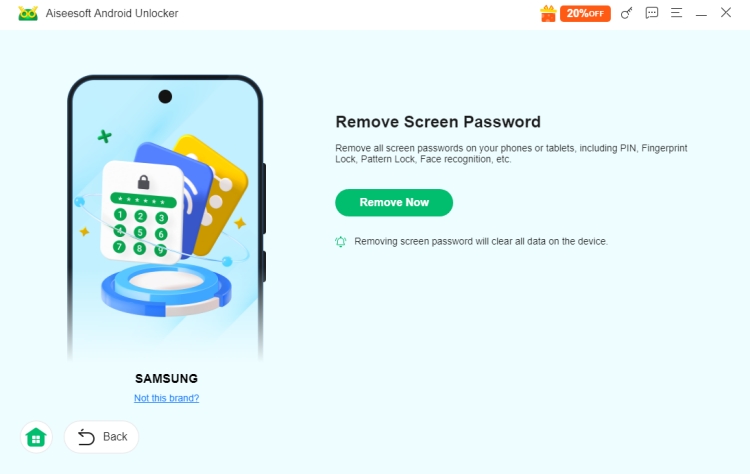
While the interface is beginner-friendly, some steps may still require careful attention, especially when putting the phone into recovery mode.
Part 3. Is It Worth to Buy Aiseesoft Android Unlocker?
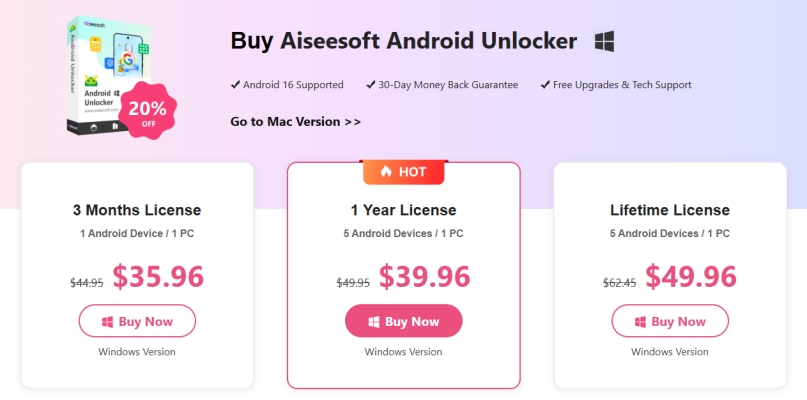
Aiseesoft Android Unlocker is not free, though a limited trial is usually available to check device detection rather than complete unlocking. Typical pricing includes $35.96 per quarter, $39.96 per year, and $49.96 for lifetime. Compared to competitors, it is a bit expensive. The company advertises a 30-day money-back guarantee, but user feedback suggests that refund approval may depend on specific conditions.
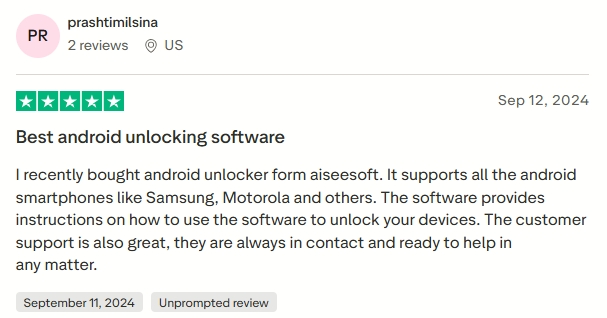
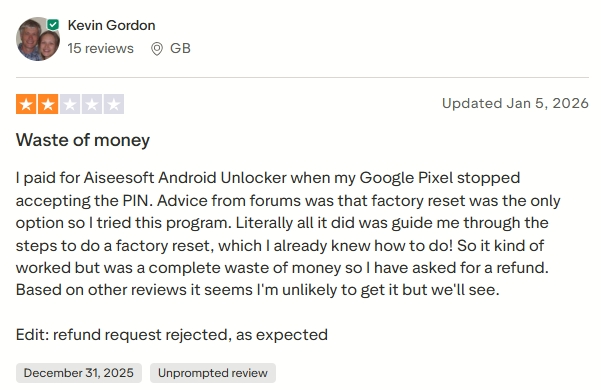
Besides, user feedback across review platforms is mixed. On Trustpilot, Aiseesoft got over 500 review from users, with 59% of 5-start review and 34% of 1-start review. To have a more accurate judgement, we have collected both positive experiences and common complaints of Aiseesoft Android Unlocker on Trustpilot.
Positive Experiences:
- Positive Experiences:
- Works on supported devices
- Clear interface
- No advanced technical knowledge required
Common Complaints:
- Doesn't work for removing FRP lock
- Refund requests may be difficult
- Expectations not always met due to compatibility issues
Aiseesoft Android Unlocker is legitimate commercial software and does not appear to contain malware when downloaded from the official website. But considering real user feedback, it is important to check whether your specific device is likely to be supported before buying. To conclude, Aiseesoft Android Unlocker works for some users, but it's not a guaranteed solution for every Android device. In fact, Aiseesoft Android Unlocker has both benefits and limitations.
 Pros:
Pros:- Clean and easy-to-use interface
- Support both screen lock removal and FRP bypass
- Work on Windows and macOS
- No advanced technical skills required

- Success rate may vary be device and Android version
- Data loss occurs when removing screen locks
- Limited transparency on exact supported models
- Some users report refund or support issues
Part 4. What Better Options than Aiseesoft Android Unlocker?
If you're evaluating Android unlocking software and considering Aiseesoft Android Unlocker, it's worth also looking at MagFone Android Unlocker, which many users find easier to use, more broadly compatible, and more beginner-friendly overall. Compared with Aiseesoft Android Unlocker, MagFone often stands out for:
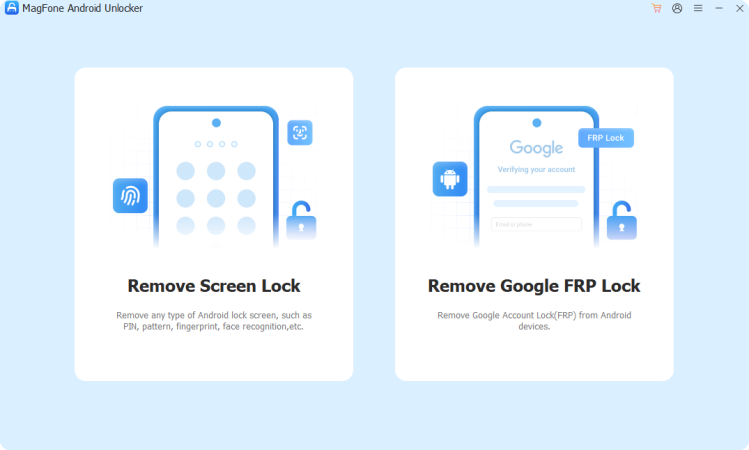

MagFone Android Unlocker
Remove multiple kinds of screen locks on over 5000 Android devices and delete Google FRP lock without a password.
Advantage 1. Powerful Screen Lock Removal
MagFone Android Unlocker is designed to remove all common Android screen lock types with just a few clicks, regardless of your technical skill level. Unlike some tools that focus only on specific Android versions or devices, MagFone emphasizes a straightforward user experience where most steps are automated and clearly guided.
Advantage 2. Wide Device Compatibility
MagFone Android Unlocker supports 20+ Android brands and thousands of device models, including major manufacturers like Samsung, Xiaomi, Vivo, Oppo, Motorola, Google, and more. Supported Android versions from Android 4 up to Android 16, making it compatible with both older and newer devices.
Advantage 3. Integrated Google FRP Bypass
MagFone Android Unlocker includes an integrated FRP bypass feature that is designed to walk users through the process step by step, even if they aren't tech savvy. While success can still depend on device and Android version as with any unlocking software, MagFone's workflow often feels more intuitive than alternatives.
Advantage 4. Strong User Feedback
Independent user reviews of MagFone products, including Android Unlocker show a generally positive satisfaction trend, with users praising ease of use, clear interface, and responsive customer support. This contrasts with some experiences reported for Aiseesoft Android Unlocker where refunds or help can be harder to secure.
Part 5. Conclusion
Overall, Aiseesoft Android Unlocker is a practical tool for some scenarios, but not a universal Android unlocking solution. If you're locked out of an older or common Android device or you understand that results may vary and the risk of data loss, Aiseesoft Android Unlocker can be a helpful solution. But if your device is very new, you expect guaranteed unlocking, or you need strong post-purchase support, consider other options like MagFone Android Unlocker.

Dylan Jones
Editor in chief





