








If you are looking for an iPhone that is the best value for money, the refurbished iPhone is definitely a good choice. As the refurbished iPhone is often much cheaper than a brand new iPhone, it is popular in the second-hand market. It's easy to buy a refurbished iPhone online, but you need to make sure that you buy a refurbished iPhone unlocked. If you get a refurbished iPhone locked, this article will tell you how to unlock a refurbished iPhone regardless of whether it is locked by the carrier or the screen lock passcode.
- Part 1. How to Check If iPhone is Refurbished?
- Part 2. How to Get a Refurbished iPhone Unlocked
- Part 3. Common Issues When Unlocking a Refurbished iPhone
- Part 4. FAQs about Refurbished iPhone
- Part 5. Conclusion
Part 1. How to Check If iPhone is Refurbished?
There are two ways to check whether an iPhone is refurbished. One is to find the serial number from the Hello screen and then verify it on a website. The other is to check the device in Settings after the iPhone has been unlocked.
Option 1. Check Serial Number
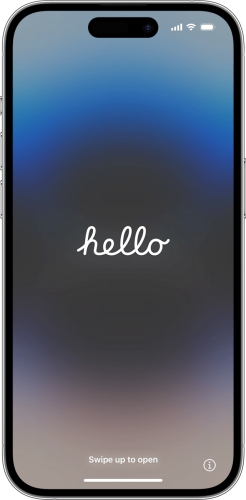
Step 1. Open your iPhone and tap the i icon on the Hello screen.
Step 2. Check the iPhone serial number, then open the Check Coverage website on another device.
Step 3. Enter the serial number and verification code displayed on screen.
Step 4. Click Submit to review the device information to see whether it is refurbished.
Option 2. Check Model Number in Settings
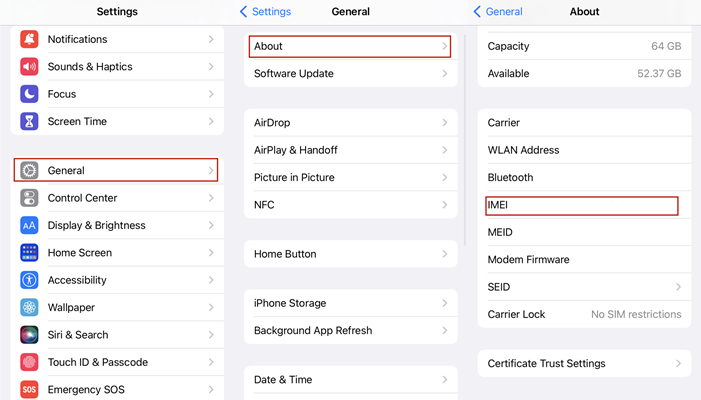
Step 1. Open iPhone Settings and tap General.
Step 2. Tap About to see the iPhone information.
Step 3. Check the first letter of the Model Number and compare the reference to tell if the iPhone is refurbished.
| First Letter of Model Number | Device Condition |
|---|---|
| M | Brand-new device |
| F | Refurbished device |
| N | Replacement device |
| P | Personalized device |
Part 2. How to Get a Refurbished iPhone Unlocked
If you are tricked into buying a locked refurbished iPhone, you can follow the methods below to get the refurbished iPhone unlocked, targeting the carrier's lock and screen lock.
Option 1. Unlock a Refurbished iPhone When Locked by the Screen Lock
TIf you encounter a screen lock when you are starting to set up the refurbished iPhone, the passcode may have been created by someone who has access to the iPhone. Thus, you're unable to unlock it without knowing the screen lock passcode. In this case, you can use an iPhone unlocking tool - MagFone iPhone Unlocker. Designed with a distinct user interface, MagFone iPhone Unlocker can help you deal with various unlocking issues on the iPhone, iPad, and iPod touch. Follow the steps below to unlock a locked refurbished iPhone.

MagFone iPhone Unlocker
Unlock various locks on iOS devices, including screen locks, MDM, Apple ID, and Activation Lock without needing a password.
Step 1 Connect Refurbished iPhone to Computer
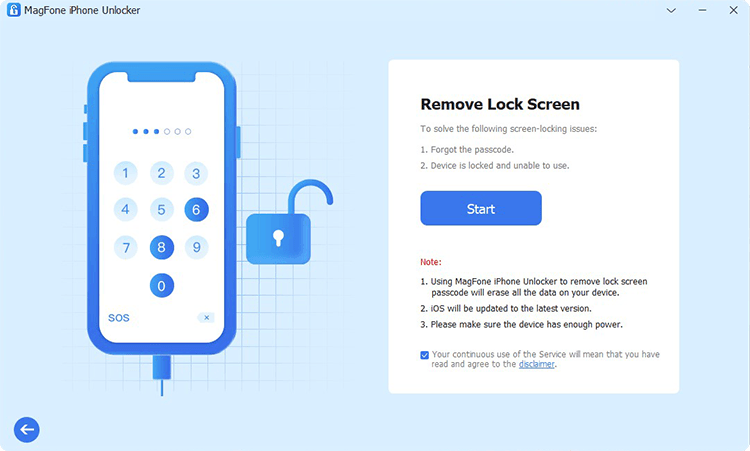
Connect your refurbished iPhone to your computer with a USB cable and then launch MagFone iPhone Unlocker on the computer. You need to select the Unlock iOS Screen option and then click on the Start button.
Step 2 Put Refurbished iPhone into DFU Mode
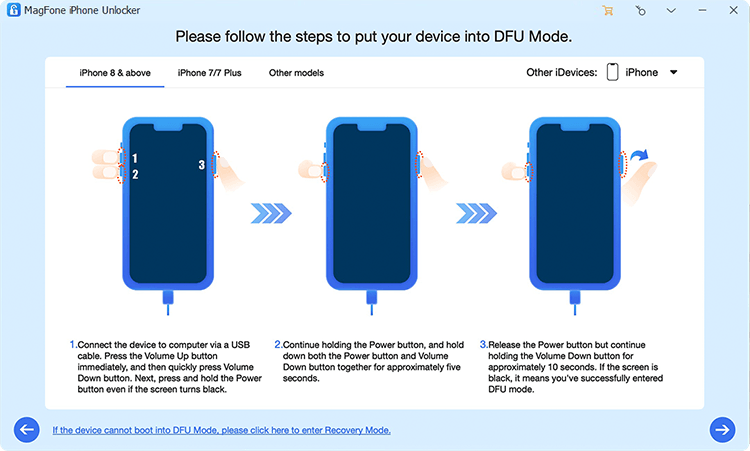
After your device is detected by the software, follow the on-screen instructions to put it into DFU mode. In this mode, MagFone iPhone Unlocker can help you quickly delete the screen passcode on the device.
Step 3 Select the Matching Firmware Package
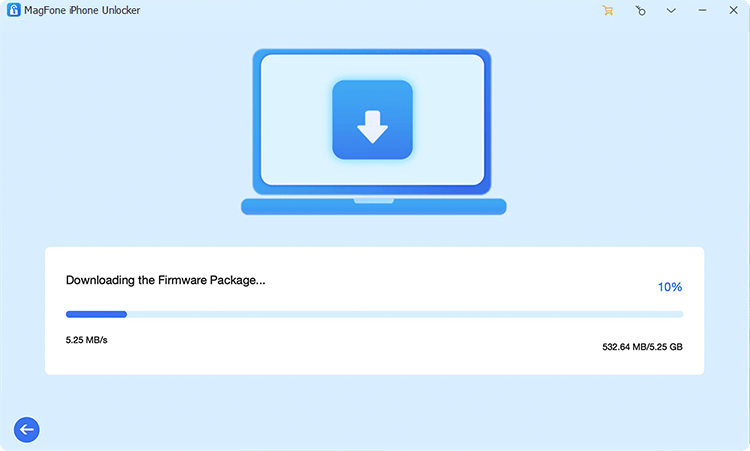
Then you need to check the device information of your refurbished iPhone. When the information is wrong, you can manually correct it. Now click the Download button to download the matching firmware package.
Step 4 Start to Get Refurbished iPhone Unlocked
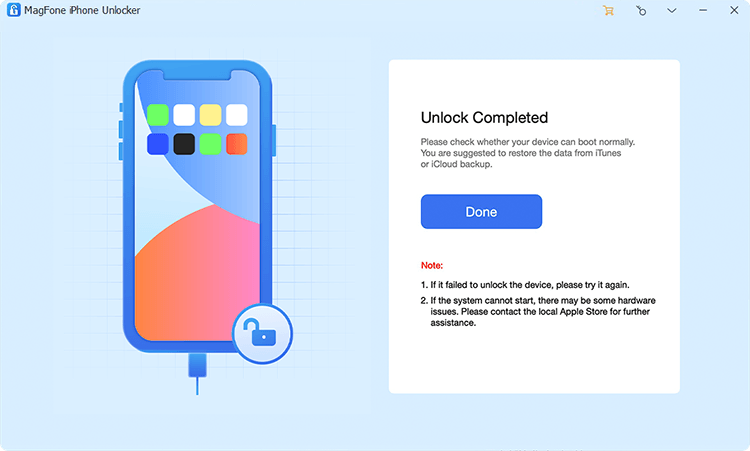
After that, you can click on the Unlock button to start the process of unlocking iPhone. Wait for a while, and keep your device connected to your computer. Once you have completed the whole process, you can set up your device and set a new passcode.
Option 2. Unlock a Refurbished iPhone When Locked by the Carrier
In addition to a screen lock passcode, a refurbished iPhone may also be locked by a carrier. If that happens, you need to contact the carrier to request an unlock. The cost and processing time depend on the carrier the device is tied to. Here's how to check the carrier and remove the SIM lock on your refurbished iPhone.
Check SIM Lock on Refurbished iPhone:
Step 1. Go to Settings > General > About.
Step 2. Scroll down to Carrier Lock to check the status.
If it says "No SIM restrictions", your iPhone is already unlocked. But if it states a carrier name, your device is still locked. After verifying your refurbished iPhone is locked, you can follow specific steps to get it unlocked.
Unlock SIM Lock on Refurbished iPhone:
Step 1. Provide the IMEI number to the carrier and ask them to unlock the device.
Step 2. Wait for the carrier to unlock your refurbished iPhone.
The carrier may take some time to process the request. You can check the status by following up with the carrier. If the carrier refuses to unlock the iPhone, you can try a trusted third-party unlocking service. Once the SIM lock is removed, the refurbished iPhone should work normally.
Part 3. Common Issues When Unlocking a Refurbished iPhone
Unlocking a refurbished iPhone is essential for users who want to switch carriers or gain full control over their device. Whether you purchased your iPhone from a third-party seller or directly from Apple, knowing how to unlock it properly is crucial. In the process of unlocking a refurbished iPhone, you will encounter some issues as follows.
Issue 1. iPhone Stuck on Activation Lock
If the iPhone is still linked to the previous owner's Apple ID, you'll need their credentials to remove the iCloud Activation Lock. Contact the previous owner or use an Activation Lock removal like MagFone Activation Unlocker if necessary.
Issue 2. SIM Not Supported Error
This issue occurs when the device is still locked to a specific carrier. Double-check your unlock request with your carrier or use a third-party service.
Issue 3. Unlock Request Denied
If your unlock request is rejected, verify that all requirements have been met. If you bought a refurbished iPhone from a reseller, check if the device has outstanding payments.
Part 4. FAQs about Refurbished iPhone
-
What does refurbished iPhone mean?
A refurbished iPhone is restored from a used or broken iPhone to work like new. And all refurbished iPhone models come with a new battery, new outer shell, and are backed by a one-year warranty. After full functional testing and thorough cleaning, a refurbished iPhone is just like a brand new iPhone.
-
Where to buy refurbished iPhone?
There are several places to buy a refurbished iPhone. You can buy a certified refurbished iPhone from Apple Online Store. Also, you can buy a refurbished iPhone in the local phone store or on online second-hand websites like NextWorth and Gazelle.
-
Is it worth buying a refurbished iPhone?
Yes. If you buy from a trusted seller, a refurbished iPhone is usually worth it because it costs less and can still perform well. Just check the warranty, battery health, and lock status before buying.
Part 5. Conclusion
It's safe to purchase a refurbished iPhone from the Apple Online Store. But if you want to save more money, you could choose to buy one from a local phone store or an online second-hand website. But there exist some risks that a refurbished iPhone is locked by the previous owner or the carrier. Here you can try using MagFone iPhone Unlocker to completely remove the screen lock passcode or contact the carrier to delete the SIM lock.

Dylan Jones
Editor in chief





