








Locked out of your own device? Whether you inherited a second-hand iPad or simply had a "brain fog" moment with your Apple ID credentials, the iCloud Activation Lock is a digital brick wall. Until now, PassFab Activation Unlocker remains one of the most talked-about keys for this lock. This review explores whether it's still the gold standard for regaining access or if modern security updates have left it behind in the digital dust.
- Part 1. What Is PassFab Activation Unlocker?
- Part 2. PassFab Activation Unlocker User Reviews
- Part 3. PassFab Activation Unlocker Usage Guide
- Part 4. PassFab Activation Unlocker Best Alternative
- Part 5. Conclusion
Part 1. What Is PassFab Activation Unlocker?
PassFab Activation Unlocker is a specialized utility designed to bypass the iCloud Activation Lock on iPhone, iPad, and iPod Touch without needing the original Apple ID or password. It primarily functions by utilizing a jailbreak exploit to disable the security handshake between the device and Apple's activation servers on compatible iOS versions. Here's what you need to know before using it.
| Tool | PassFab Activation Unlocker |
| Supported Platform | Windows 8/Windows 8.1/Windows 10/Windows 11 |
| Supported iOS | iOS 12 to iOS 16.7.11 |
| Key Features | Remove Activation Lock, Turn off Find My, Bypass Apple ID |
Part 2. PassFab Activation Unlocker User Reviews
In this section, we'll talk about the PassFab Activation Unlocker's review status and answer the frequently asked questions in PassFab, also, summarize the pros and cons for this tool. Real-world feedback is key to determining if this tool is worth using, helping you save time and effort.
01User Comments about PassFab Activation Unlocker
The feedback for PassFab in Trustpilot is a mixture of high praise for its technical capability and frustration regarding its subscription policies. Many users find it to be a lifesaver for older hardware, while others caution against the automated billing systems often associated with the brand.
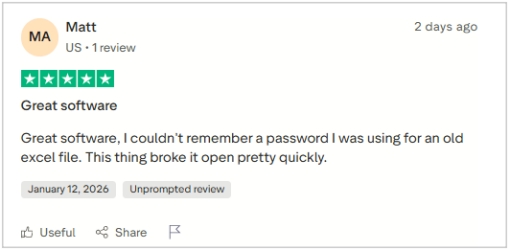
Positive Experiences: Users praise PassFab Activation Unlocker for quickly breaking passwords, saving time, and being simple to use. Reliable for Office files, it offers real human support, quick responses, multi-device compatibility, and helps organize files efficiently.
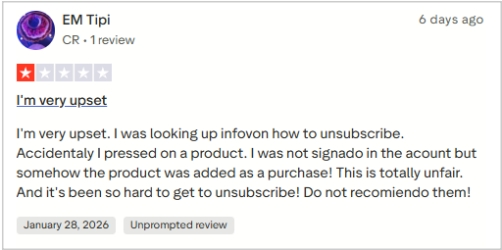
Negative Experiences: Other critics point out that the software can fail to unlock files, with refunds often refused. Complaints include misleading trials, unwanted subscriptions, software freezes, overpromised features, and some other cancellation difficulties.
02Common Questions about PassFab Activation Unlocker
Here are answers to three common questions users ask about PassFab Activation Unlocker.
Is PassFab Activation Unlocker Legit?
Yes, PassFab is a legitimate software company that has been operating for several years. Their tools are widely recognized in the tech community and are frequently featured on major tech news sites. However, "legit" doesn't mean it works 100% of the time; its effectiveness depends entirely on your device model and iOS version.
Is PassFab Activation Unlocker Safe?
From a cybersecurity perspective, the official download from PassFab is safe and free from malware or viruses. However, users should be aware that using the tool requires a "jailbreak" process on the device, which can temporarily bypass certain Apple security layers. Always back up what you can before proceeding.
Is PassFab Activation Unlocker Free?
You can download PassFab Activation Unlocker for free to check device compatibility, but unlocking requires a paid license. Be cautious of any "PassFab Activation Unlocker Crack" sites, as these often contain malware. Prices start at $29.95/month, $39.95/year, or $49.95 for a lifetime license.
03Pros and Cons of PassFab Activation Unlocker
Choosing the right tool requires weighing the benefits against the potential frustrations. Below is a concise summary of what to expect based on the current 2026 user data. This overview captures the essence of the user experience, from technical performance to the intricacies of their customer service department.
 Pros
Pros- Fast password recovery success rates.
- Very intuitive, user-friendly interface.
- Support staff respond very quickly.
- Reliable performance on older hardware.

- Refund requests are frequently denied.
- Free version cannot unlock devices.
- Subscription cancellation is often difficult.
- Occasional software freezes during bypass.
Part 3. PassFab Activation Unlocker Usage Guide
If you've decided to proceed, follow these steps carefully. Note that this process will erase all existing data on your device.
Step 1. Connect Device: Launch PassFab on your PC/Mac and connect your locked iOS device via USB.
Step 2. Start Unlock: Select "Remove iCloud Activation Lock" and click the "Start" button to begin.
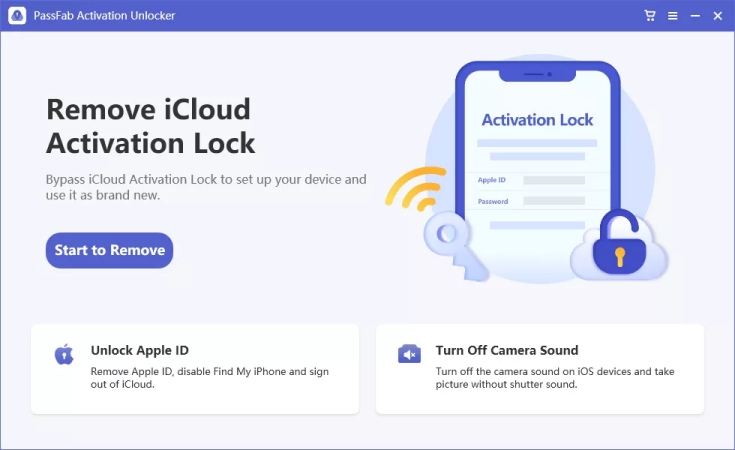
Step 3. Agree Terms: Read the agreement regarding the jailbreak process carefully and click "Next" to continue.
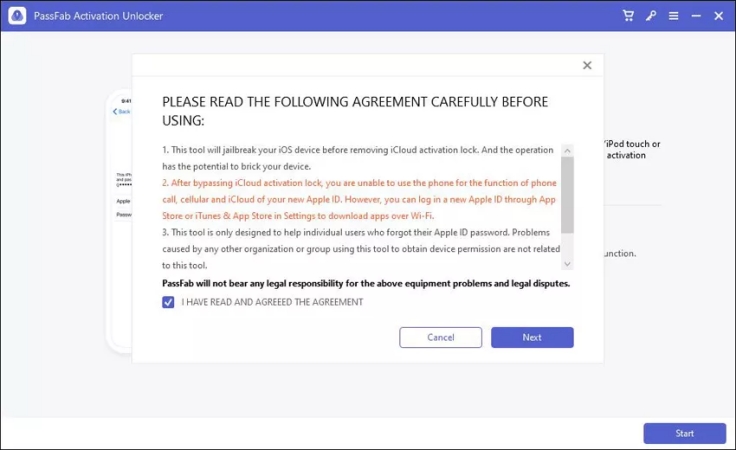
Step 4. Jailbreak Device: Follow the onscreen instructions to put your device into DFU mode and jailbreak.
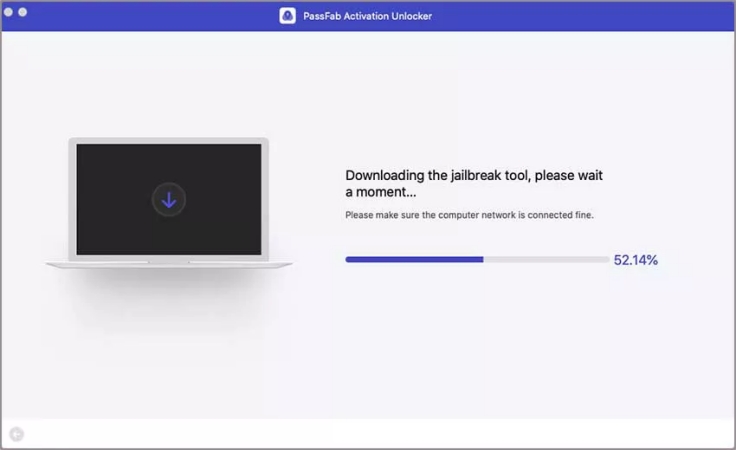
Step 5. Remove Lock: Once jailbroken, confirm device info and click "Start Remove" to bypass the lock.
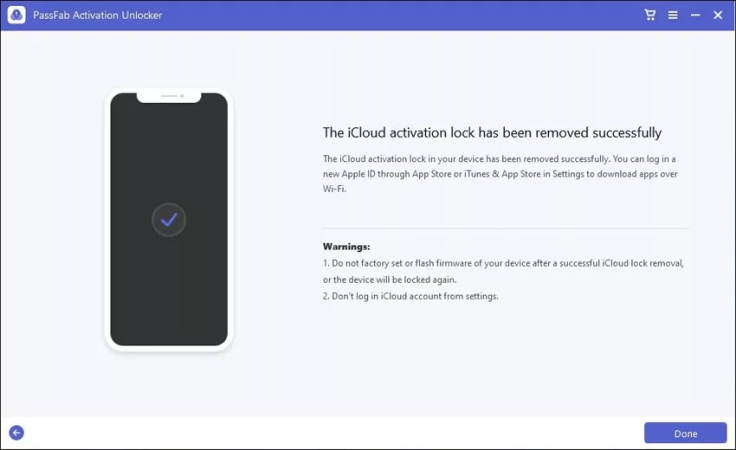
Step 6. Set up Device: Wait for the success message, then set up your device as a new one.
Part 4. PassFab Activation Unlocker Best Alternative
While PassFab is reliable, MagFone iPhone Unlocker has emerged as a superior alternative. MagFone offers a more streamlined jailbreak integration, specifically optimized for the latest iPadOS versions. Users often find MagFone's interface less cluttered, and its success rate on iOS 12.0 to iOS 16.7.5 is higher. MagFone also supports the Activation Lock removal on iPhone, iPad, and iPod Touch. If PassFab fails to unlock your device, MagFone can help.

MagFone iPhone Unlocker
Bypass iCloud Activation Lock on iPhone, iPad, and iPod touch without the original Apple ID or password.
Step 1Launch MagFone Activation Unlocker
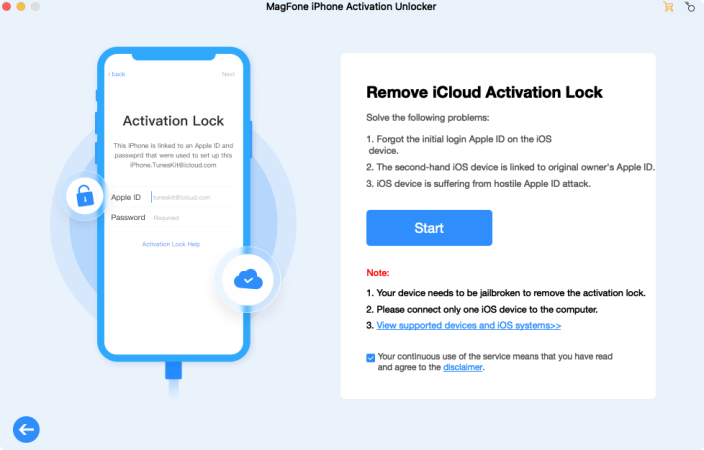
Open MagFone Activation Unlocker on a reliable computer and connect your device. From the main interface, select Remove iCloud Activation Lock, then click Start to proceed.
Step 2Jailbreak Your Device on Wins or Mac
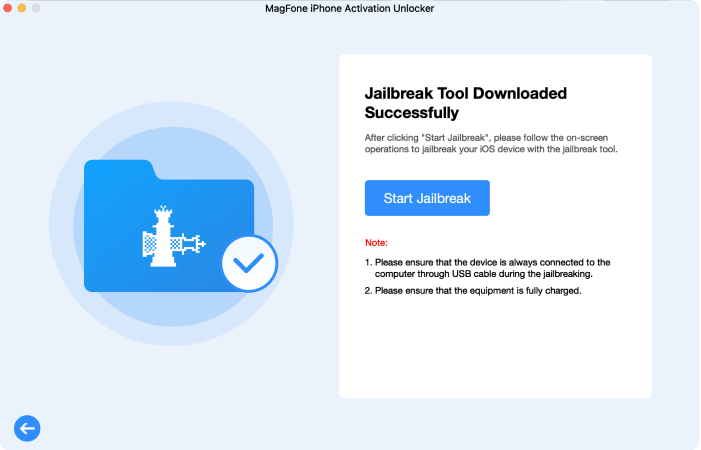
You'll need to jailbreak the device next. The process differs between Windows and Mac, so follow the on-screen instructions or refer to the built-in jailbreak tutorials for guidance.
Step 3Remove the Activation Lock with One Click
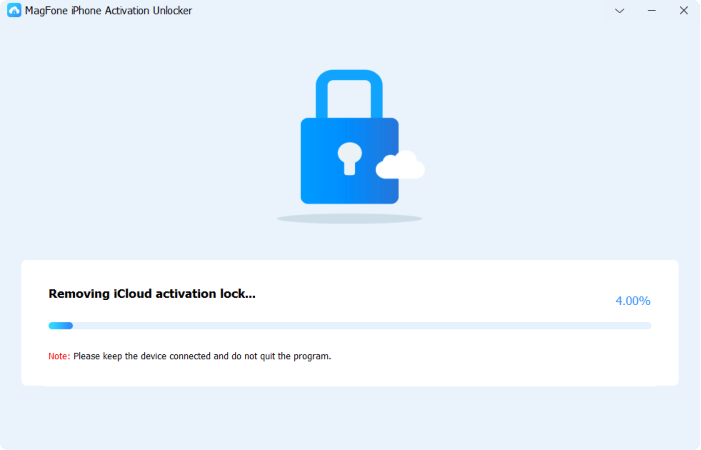
Once the jailbreak is complete, review the device details shown on the screen. After confirming everything is correct, click Start to Remove, and MagFone will bypass the Activation Lock.
Part 5. Conclusion
PassFab Activation Unlocker remains a potent solution for bypassing iCloud locks, provided you own a compatible device. While the jailbreak requirement remains a hurdle for many, the software's reliability is well-documented. However, always verify your iOS version first. If you want another reliable option to bypass iCloud lock, MagFone Activation Changer is a stellar alternative worth your consideration.

Dylan Jones
Editor in chief





